Get Started with Field Service and Operations
Learning Objectives
After completing this unit, you’ll be able to:
- Describe field service management.
- Name and define the roles in a field service organization.
- Identify the benefits of Field Service and Operations.
What Is Field Service?
In its simplest form, field service is the part of an organization that deploys a worker to perform in-person service for a customer. In Salesforce, these workers are tracked as service resources, and coordinating them to deliver fast and efficient in-person service is called field service management.
Ever try organizing dinner plans in a group text? Someone can't do Tuesday, another person's not sure, and by the time you've agreed on a restaurant, three people have gone silent. Coordinating a mobile workforce without field service management is a similarly chaotic and uncontrollable task. Field service management helps you bring order to this chaos across industries, especially those that rely on mobile workers or contractors. Think home and business services, installation, energy, healthcare, and a lot more.
But what exactly does field service management entail? The main task is coordinating field service operations. This includes scheduling appointments, dispatching workers, and tracking resources, inventory and appointment statuses—all of which is almost impossible without a dedicated platform.
That's where Field Service and Operations comes in. It gives you an end-to-end platform to coordinate your entire field service operation, so you can stop chasing replies in a group text and start delivering great service.
Who Are Field Service Users?
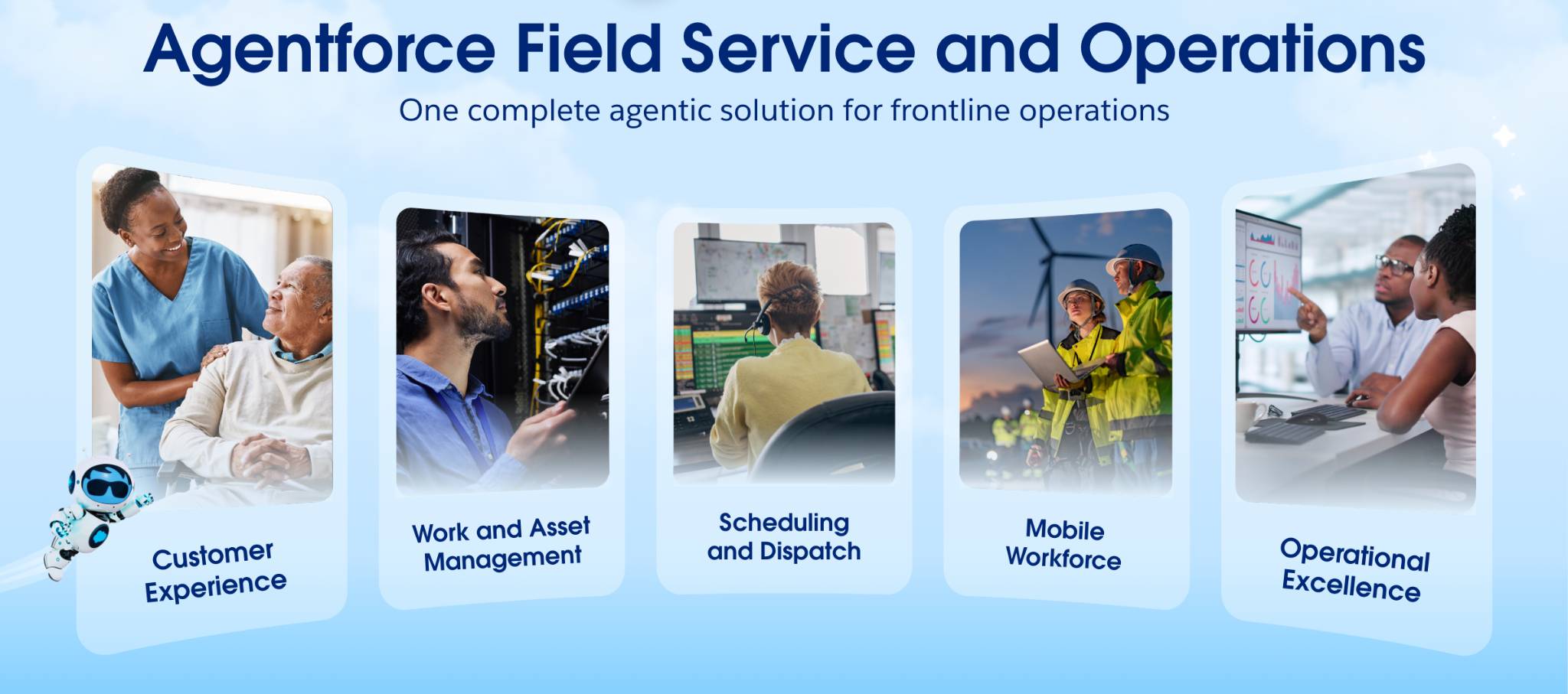
In the game of field service, there are generally four players: administrators, service reps, dispatchers, and mobile workers. Each one has a specific job to do to keep the field service operation up and running.
Your Salesforce admin sets up Field Service and Operations for these roles according to your organization’s needs.
Once set up, a general field service workflow starts with your reps creating work orders as customer service calls come in. The dispatcher schedules service appointments and optimizes them according to who has the right skills, is carrying the right parts, and is in the right location. The mobile resources (also known as mobile workers or technicians) complete the service appointments and close out the work orders.
Role |
Description |
|---|---|
Administrator |
Sets up field service features according to their organization’s unique business needs. Set up includes installing the managed package and mobile app (more on this later). |
Service rep |
Takes customer service calls and requests field service appointments via work orders, which list the service location, skills, parts needed, and much more. |
Dispatcher |
Assigns, schedules, and manages the service appointments. Uses the dispatcher console, included in the managed package, to schedule, optimize, and dispatch service appointments from one screen. |
Mobile worker or technician |
Completes the in-person service appointments at customer locations. Uses the mobile app to complete their tasks, like completing work orders, tracking the parts they used, and providing service reports. |
Get to Know Field Service and Operations
Field service is an inherently human industry, relying on in-person service by humans. But poor technology makes it harder on the humans who do the work. With issues like poor knowledge access and disconnected data, your mobile workers waste several hours a week on admin tasks.
But with Agentforce solutions, you can equip your mobile workforce to deliver critical services faster, smarter, and at scale. Agentforce gives you the power of AI to automate routine tasks and prime your workers for success.
Watch this short video to see how Agentforce revolutionizes every element of the field service workflow to ensure maximum efficiency for your organization.
Field Service and Operations has three main parts that work together to give you a complete field service management solution.
-
The Service Console for work order, case, and asset management, and other core features
-
The Scheduling Console for scheduling and optimization from a managed package
-
A mobile app for your mobile workforce
Once Field Service and Operations is enabled, these core features are ready to configure in Setup.
Feature |
Description |
|---|---|
Related to workers | |
Service Resources |
Represent your mobile employees who can perform field service work |
Service Crews |
Your teams of service resources that are assigned to service appointments as a unit |
Service Territories |
The regions where field service work is performed |
Skills |
The skills required to perform field service tasks |
Related to time | |
Operating Hours |
Times when field service work can be performed for service territories, service resources, and customer accounts. Operating hours are made up of time slots: a time period within a day when field service work can be completed. |
Time Sheets |
Tools to track the time your field service employees are spending on tasks |
Shifts |
Times that service resources can work–Shifts can extend operating hours so that you can create service availability outside of normal hours |
Related to work | |
Maintenance Plans |
Plans that help you track preventive maintenance work using auto-generated work orders |
Product Items |
Parts for services that can be requested, required, transferred, and consumed in field service work |
Product Requests |
Requests for a part or parts |
Product Transfers |
Transfers of inventory between locations |
Return Orders |
Records of inventory returns or repairs |
Service Appointments |
Appointments for field service work |
Service Report Templates |
Templates for customer-facing reports summarizing the status of service appointment and work orders |
Work Orders |
Requests for field service work |
Work Types |
Templates for common field service work, such as cable installations or furnace repairs |
Beyond these core capabilities, Field Service and Operations comes with a link to a managed package.
A managed package is a bundle of prebuilt code that adds new features and capabilities to your Salesforce org. The Agenforce Field Service managed package brings smart scheduling and optimization together in one visual interface using the dispatcher console.
With the dispatch console, you can see who's available, where they are, and what skills they have, then assign the right person to the right job at the right time. You can let this optimizer run on its own, or your dispatchers can step in and make manual adjustments when needed. Either way, you're always working from the smartest schedule possible, not just the most convenient one.
And lastly, your mobile workers are out in the field, so your tools need to be too. The Agenforce Field Service and Operations mobile app puts everything your technicians need right in their pocket. They can view their schedules, update work orders, capture signatures, and log job details on the go, even without an internet connection. This keeps your office and your field teams perfectly in sync, no group text required.
Wrap Up
Great work making it through this unit! You now have a solid understanding of what field service management is and why it matters. You know the three core components that make Field Service and Operations work.
- Service Console for managing work orders, cases, and assets
- Scheduling Console for smart scheduling and optimization
- Mobile app that keeps your field technicians connected from anywhere.
You also know the key roles that make a field service organization run smoothly–from dispatchers to service resources–and the benefits each component brings to the table.
Now it's time to start building with Field Service. In the next unit, get hands-on and enable Field Service and Operations in your org to unlock all those core capabilities. Let's go!
Resources
- Salesforce Help: Agentforce Field Service and Operations
- Salesforce Help: Field Service Permission Set Licenses
- Salesforce Help: Field Service Mobile App