Get Started with DevOps Center and Agentforce Vibes
Learning Objectives
After completing this unit, you’ll be able to:
- Explain how Agentforce Vibes accelerates DevOps Center workflows.
- Describe what Agentforce Vibes automates for DevOps Center admins, developers, and deployment managers.
- Identify which decisions remain under human control when using Agentforce Vibes with DevOps Center.
Accelerate DevOps Workflows with Agentforce Vibes
Your team is launching a new feature, and there are three roles involved in the effort. Admins are building approval matrices in Flow Builder. Developers are writing Apex integrations in their IDEs. And deployment managers are guiding your team’s changes through the pipeline.
Managing collaboration between these roles can be challenging. DevOps Center simplifies this by bringing DevOps best practices to your team, regardless of where you fall on the low-code to pro-code spectrum. DevOps Center captures changes in source control as a single source of truth, providing the governance and visibility needed to release with confidence. Agentforce Vibes, an AI-powered tool for Salesforce development, further supports your DevOps workflows through natural language prompts.
When you connect Agentforce Vibes to your DevOps Center Hub org, it understands your DevOps Center ecosystem and context. Agentforce Vibes uses Skills to translate natural language prompts into DevOps Center actions. Skills are specialized instructions built with domain knowledge, such as your team’s DevOps standards and workflows. Based on your prompt, these Skills automatically run the required git and DevOps Center CLI commands.
Tell Agentforce Vibes what you need and it handles the execution. Whether you prefer clicking through the UI or typing commands, you ship faster.
Speed Up DevOps Center Setup
Setting up DevOps Center requires creating pipelines, mapping branches, and connecting environments. Instead of clicking through these repetitive steps, you can prompt Agentforce Vibes:
Set up a pipeline with Integration, UAT, and Production stages.
Agentforce Vibes uses DevOps Center Skills to create the pipeline, add all stages in the correct order, configure branch mappings, connect to your environments, and activate the pipeline—all automatically.
Streamline Daily Development
Agentforce Vibes automates the development work that can consume hours of your day. Let’s go through a typical day and follow along with the various tasks you complete.
-
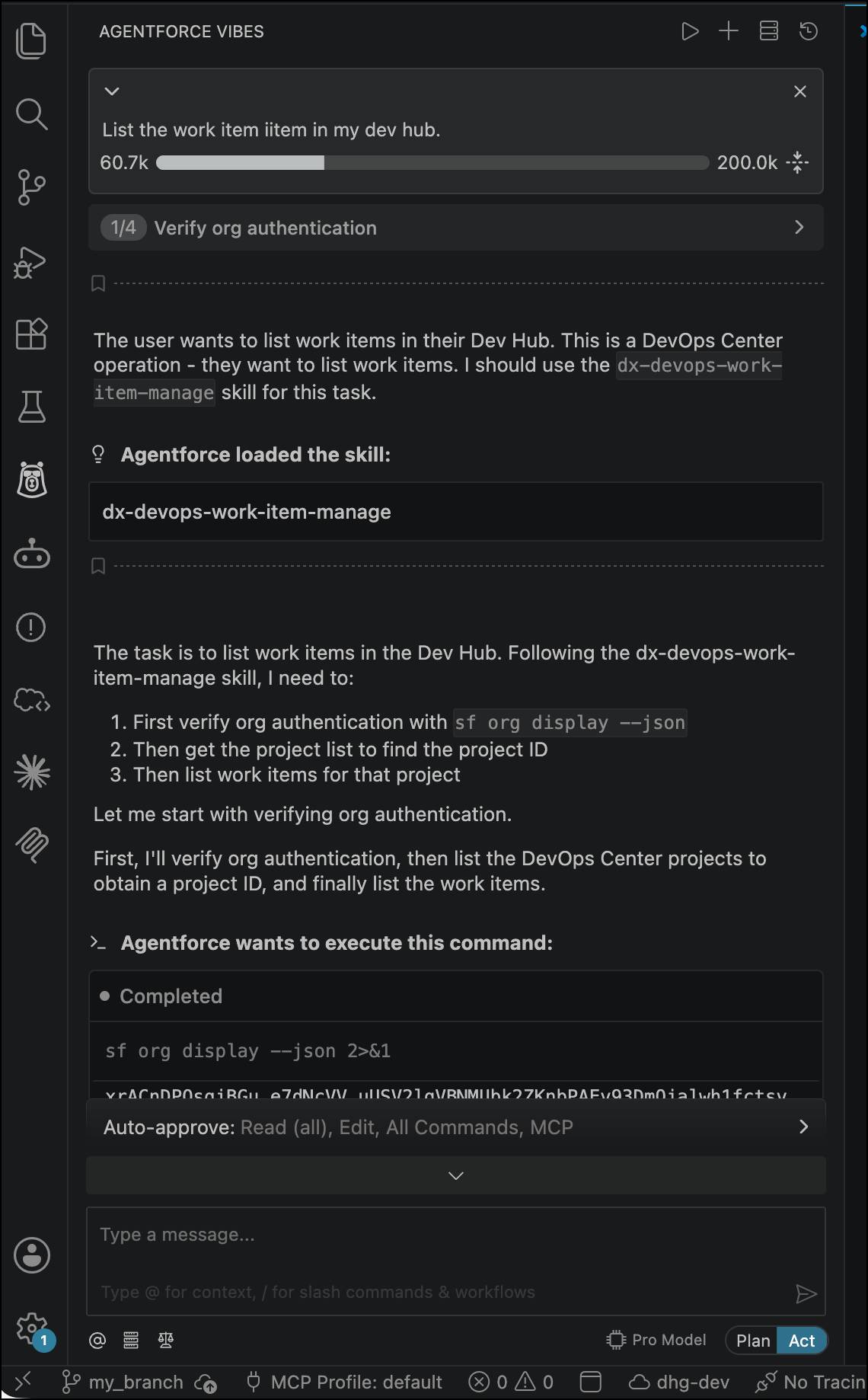
Manage work item: Prompt Agentforce Vibes:
Check out work item WI-000123.
Agentforce Vibes checks out the work item feature branch, updates the work item status to In Progress in DevOps Center, and prepares your environment.
-
Generate code: Prompt Agentforce Vibes:
Build a Lightning Web Component for subtraction with test coverage.
Agentforce Vibes generates all your files, including HTML, JavaScript, CSS, metadata, and tests, following your team's conventions with full test coverage.
-
Commit changes: Prompt Agentforce Vibes:
Commit my changes to WI-000123.
Agentforce Vibes formats git commits with work item traceability, making sure that future reviewers know which requirements drove each change.
-
Create pull request: Prompt Agentforce Vibes:
Create a pull request.
Agentforce Vibes generates descriptions with test results and code quality metrics, helping your teammates review and approve your work faster.
Simplify Promotions and Deployment
Moving your code through the release pipeline is equally effortless. Prompt Agentforce Vibes:
Promote the stage that contains WI-000123 to Integration.
Agentforce Vibes runs the git merge, starts metadata and data deployment, runs validation tests, and updates DevOps Center in an automated workflow.
When merge conflicts appear, Agentforce Vibes detects them early, analyzes both code versions, and suggests resolutions that preserve your intent. When deployments fail, Agentforce Vibes analyzes error messages, identifies root causes, and suggests specific fixes for your review.
Keep Humans in the Loop
Agentforce Vibes accelerates your delivery speed, but you retain control over every decision that matters. This is the "human in the loop" principle: AI handles mechanical tasks, while you make the final judgment calls.
- Admins review pipeline configurations before activation to make sure that they match team standards.
- Developers validate that generated code is correct and secure, approve pull requests from teammates, and decide when features are ready to ship.
- Deployment managers review AI-suggested conflict resolutions to make sure that the merged code preserves intent. They also check that all preconditions—approvals, test results, security checks—are met before production deployment.
Governance stays intact. DevOps Center logs every action automatically with timestamp and user identity, creating complete audit trails. Your quality gates are enforced: test coverage, code reviews, and quality gate rules. Agentforce Vibes runs the same operations that you run manually—just faster, more consistently, and without forgotten status updates. It’s time to eliminate DevOps friction by using Agentforce Vibes.