Test and Consume Your Semantic Model
Learning Objectives
After completing this unit, you’ll be able to:
- Explain why it's important to test your semantic model.
- Recognize the different ways to use your semantic model.
Test Your Semantic Model
It’s important you test your semantic model to make sure that it works as expected. You can test the semantic model at any point during model creation. Tableau Semantics runs your model through the Tableau Semantics Query Generator to make sure your model works. All errors appear in the preview panel so you can easily troubleshoot and make required changes.
- At the top-right corner of the Semantic Model Builder, click Test Model.
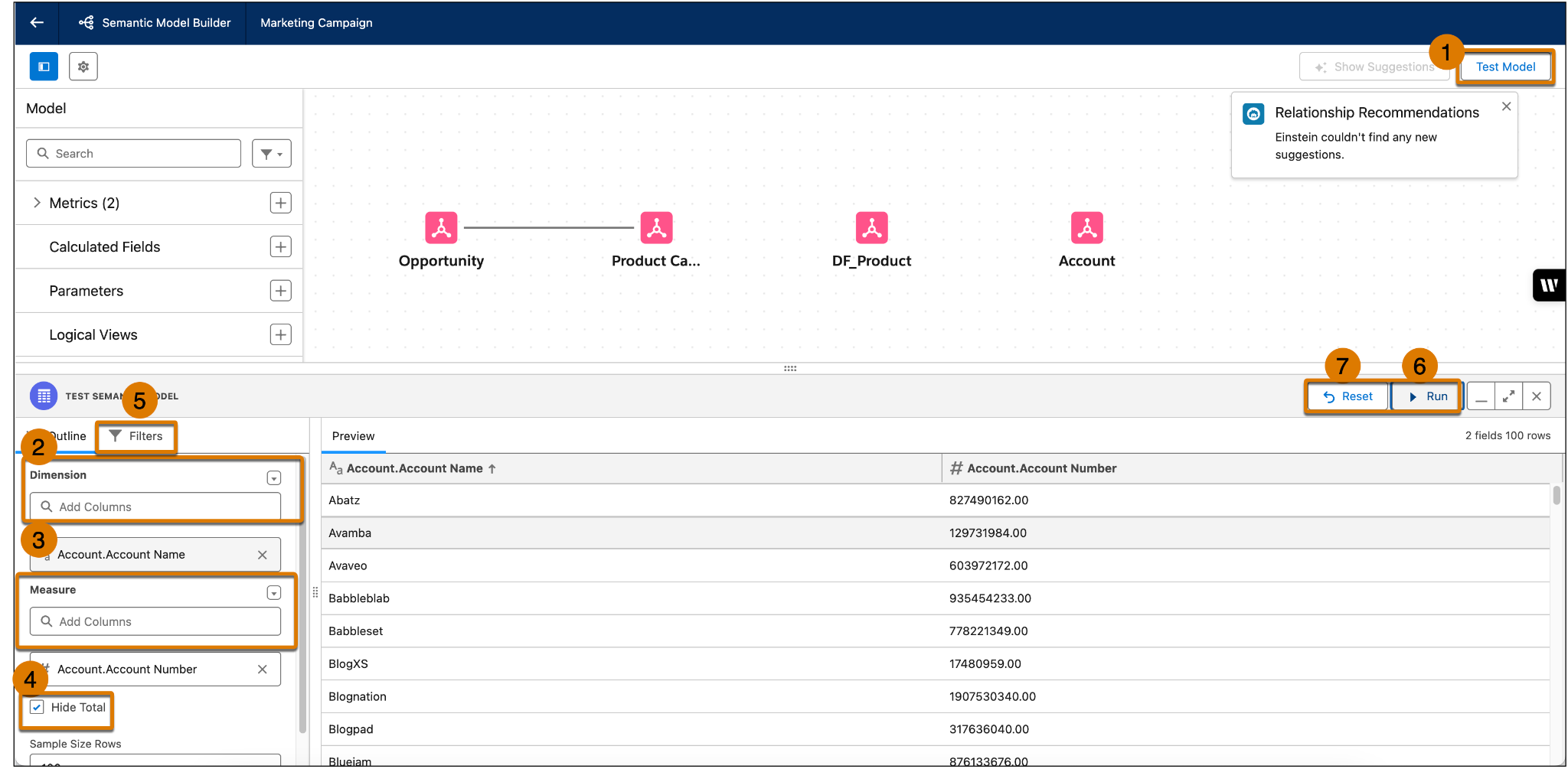
The bottom panel opens. Here, you can configure the test by preparing the test outline, adding filters, and configuring other options.- In the Test Semantic Model panel, under Outline search for and add your dimensions and measures under the proper header. You can only add dimensions and measures that have been added to your model.
- To include totals in your test results, clear the check box for Hide Total.
- Change the Sample Size Rows if desired. The default test result is 100 rows.
- To add a filter look at a subset of the data, select the Filters tab and search for the field you want to filter on.
- To start the test, click Run.
Tableau Semantics runs your model through the Tableau Semantics Query Generator and returns results on the right-hand side of the bottom panel.
- If you need to make changes to the test, you can modify the outline and rerun the test.
- To clear the test results, click Reset. This also clears all the selected outline settings and filters.
- In the Test Semantic Model panel, under Outline search for and add your dimensions and measures under the proper header. You can only add dimensions and measures that have been added to your model.
Use the Semantic Model in Other Applications
You can use semantic models in other Salesforce applications. Currently, you can create and manage semantic models in these applications.
Data 360 Reports
Build a standard Data 360 report on a semantic model to discover actionable insights from up to twenty Data 360 objects simultaneously. When you create a report on a semantic model, the Report Builder maintains the model’s objects, such as calculated fields and logical views. It also maintains existing relationships and joins between the objects in the model. You can then easily visualize the data as a chart, group the report on fields, apply advanced filters, and add the report as a widget to a dashboard.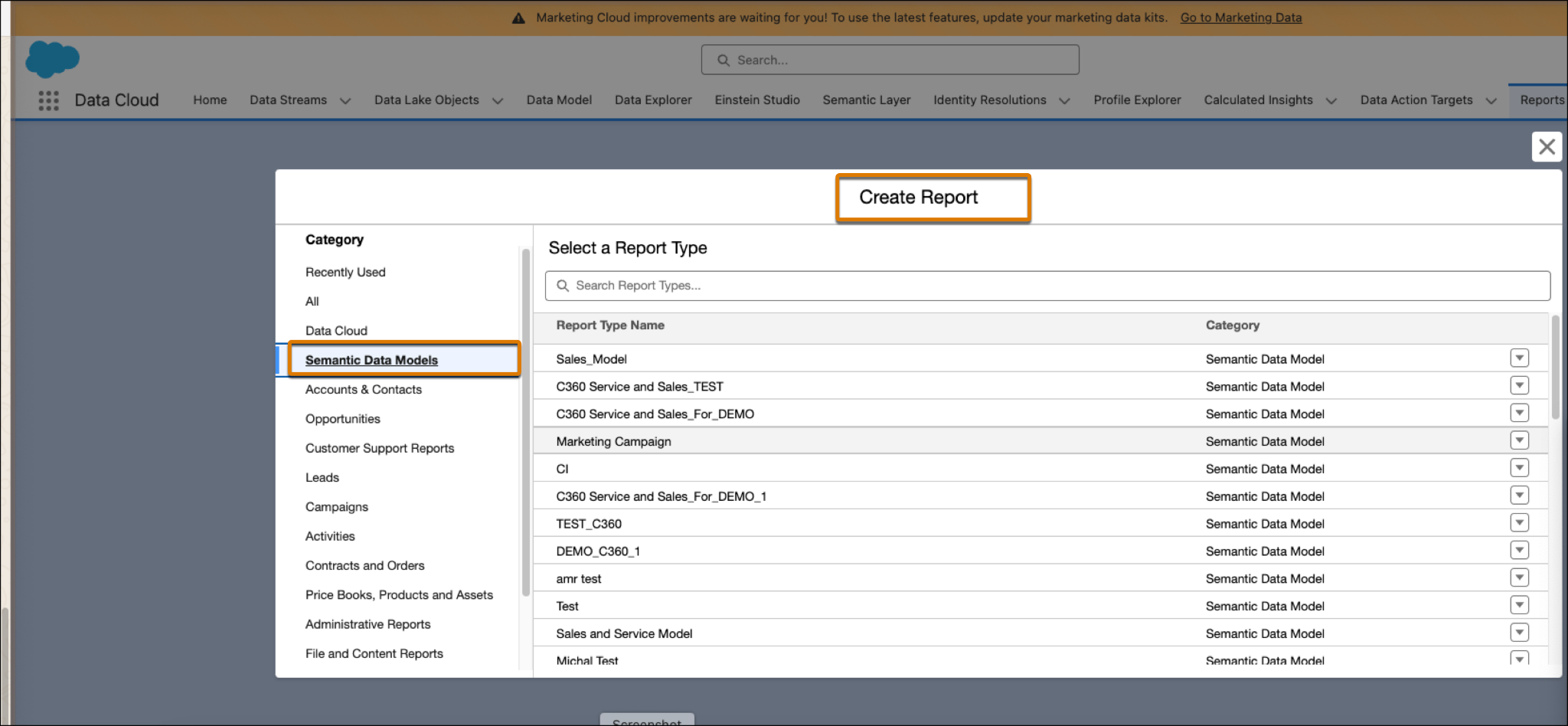
Tableau Next
Use Tableau Semantics within Tableau Next to create a semantic model to use with analysis and reporting. You can reference existing semantic models from Data 360 or other workspaces in Tableau Next—or create them in your workspaces—to ensure the model you need is available where you need it. 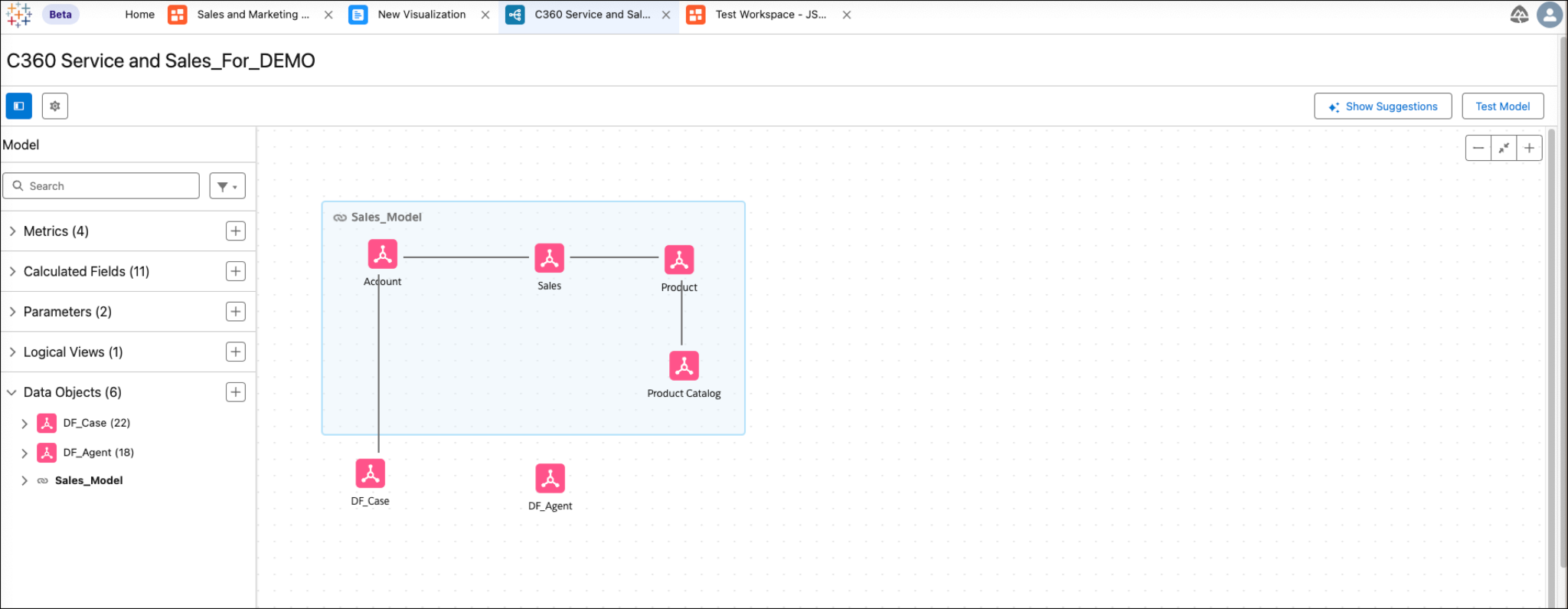
Tableau Semantics Connector
Effortlessly visualize your trusted data by connecting Tableau Cloud and Tableau Desktop to Tableau Semantics to use it as a data source. The Tableau Semantics connector bridges governed data models in Data 360 with Tableau's powerful visualizations. Use the connector to leverage reusable models, create compelling dashboards, and get meaningful insights without having to start from scratch.
For more information see: Tableau Semantics Connector in Salesforce Help.
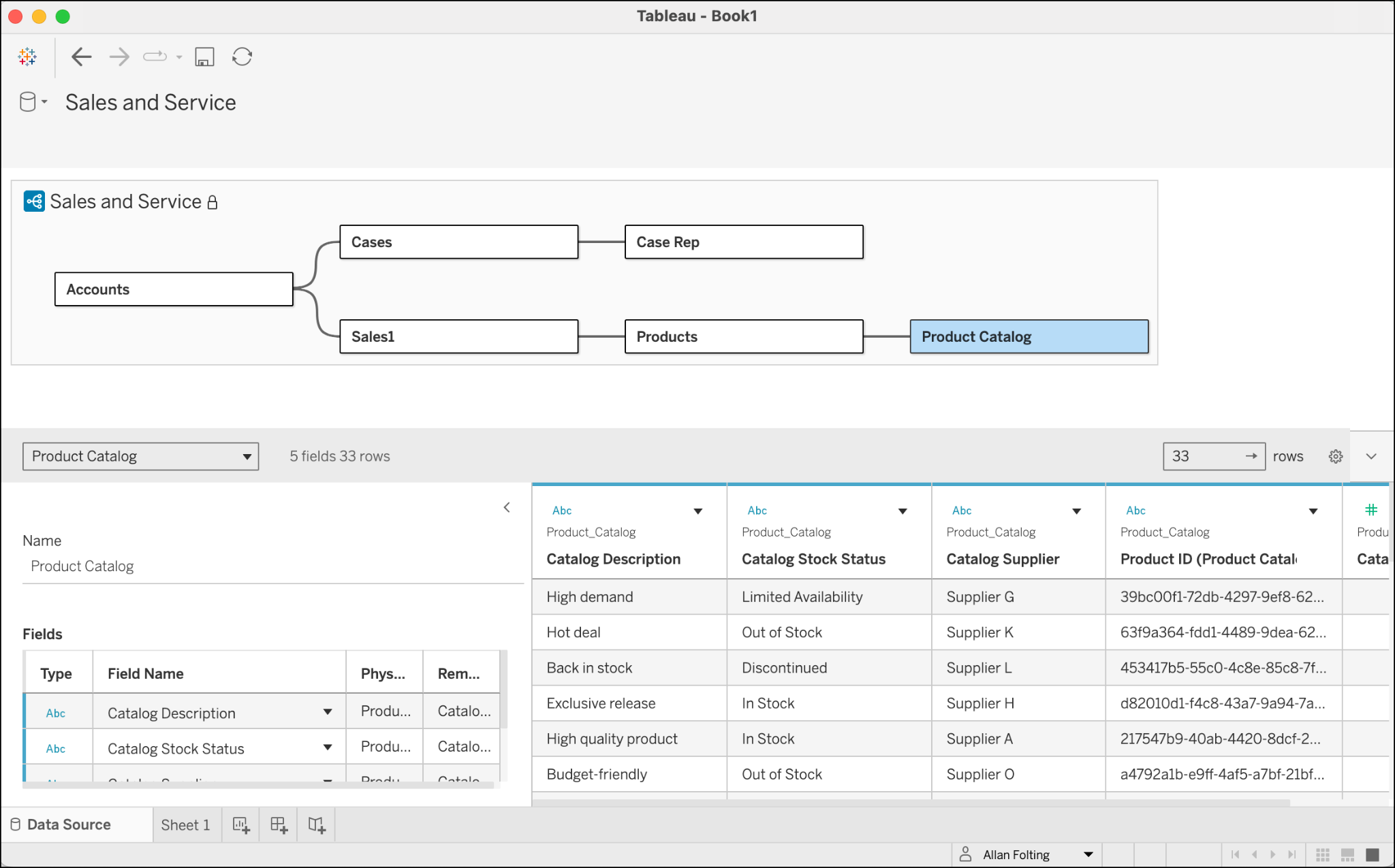
In this module, you explored the basics of Tableau Semantics. You learned how to create a semantic model, define relationships, build logical views, and add calculated fields. You also learned how to test your semantic model to make sure it works correctly and how to use Tableau Semantics in other applications. Now that you’ve familiarized yourself with Tableau Semantics, try it out for yourself and see how easy it is to define, govern, and query all your business metrics via the semantic layer.
Resources
Salesforce Help: Testing a Semantic Model in Tableau Semantics