Explore Service Requests and Resolutions
Learning Objectives
After completing this unit, you’ll be able to:
- Explain how employees request assets and services and track requests.
- Describe how IT service reps and AI agents resolve requests.
- Summarize the additional tools you can use alongside the service catalog.
End-to-End Service Delivery
So far, you’ve discovered how the Unified Catalog brings all of your services and assets together, and how service processes structure the workflows for systematic service delivery.
In this unit, you learn how Agentforce IT Service enhances and accelerates request management by following a request from start to finish. You explore the various ways that employees can discover available services and submit requests. And discover how Agentforce, service processes, and fulfillment flows automate essential tasks to help IT teams quickly fulfill requests.
Service Requests
With Agentforce IT Service, there are a few ways that employees can initiate a service request. The first method you explore uses the Unified Catalog and knowledge articles on the Agentic Center Portal to discover and request services.
Self-Service Portal Requests
Employees can navigate to the service catalog on the Agentic Center Portal to browse a list of available services. They can sort the catalog items by category, such as Hardware Requests or Software Requests, or search the catalog using keywords to find the service they need. When they find the right service, they can initiate the request by clicking the Request button on the catalog item.
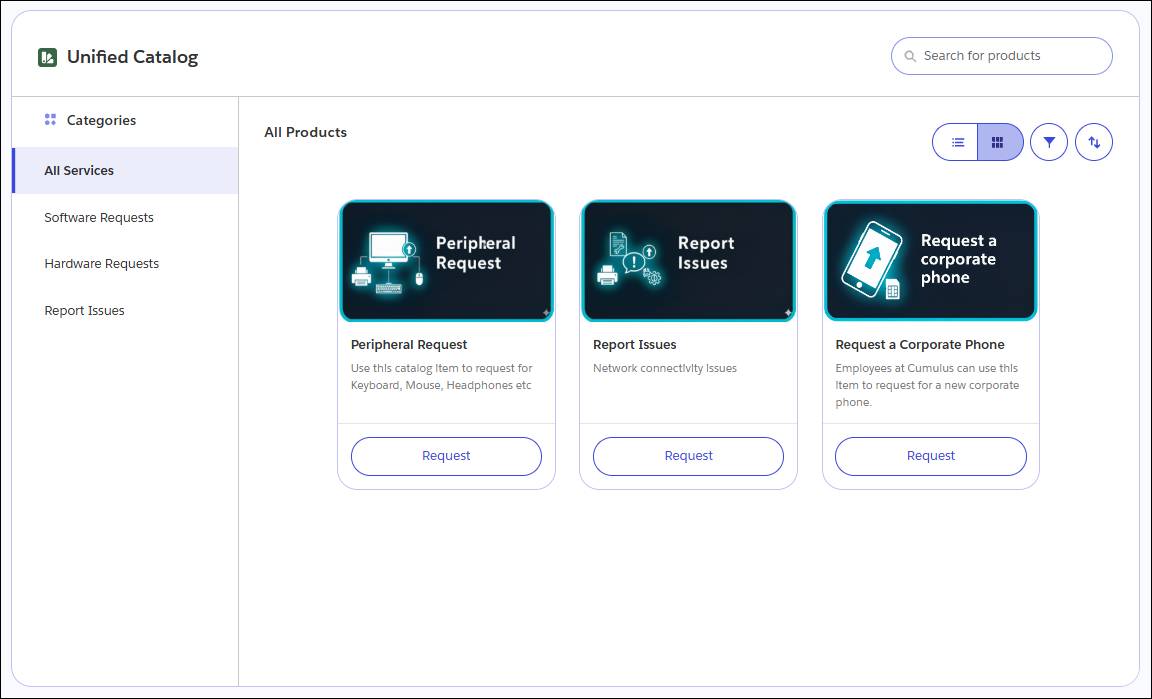
As you learned in the previous unit, employees can also find the solution they need while reading through a knowledge article on the portal and finding available services right from the related article.
After they launch the request, an intake form ensures they provide required information. For asset requests, they can also select their preferred choice from a list of products, and choose associated attributes.
For example, an Orivian employee who’s requesting a new corporate phone can choose their preferred model and storage option using a picklist.
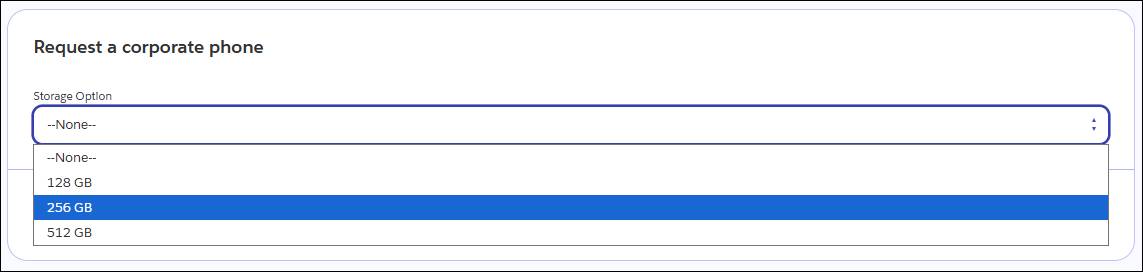
You can also use intake forms to collect other required information, such as the business justification for the request.
Agent-Assisted Requests
From the portal, Slack, Microsoft Teams, or other collaboration tools that you’ve integrated, employees can interact with the Employee Agent using natural language in a conversational interface. They can ask the agent questions, learn about possible resolutions, and request services.
The AI agent can access employee data to personalize responses based on the user’s role, location, assets, and past requests, confirm a user’s eligibility for specific services, and ensure all requirements are met to fulfill the request. For a large, diverse company like Orivian, this personalized approach helps match hardware to specific roles, ensuring that sales team members don’t receive the same hardware as the engineering team.
The agent then creates a service request, case, or incident based on the related service process, and routes any tasks to the appropriate IT team queue. With the right configuration, the agent can also directly resolve common requests, such as password resets or access to certain systems, without the need for human intervention.
For example, another Orivian employee is in need of a new corporate phone, so they launch the Employee Agent to ask about available hardware upgrades. The agent presents phone eligibility information, requests any inputs contained in the related intake form, and asks the requester which phone model they’d prefer.
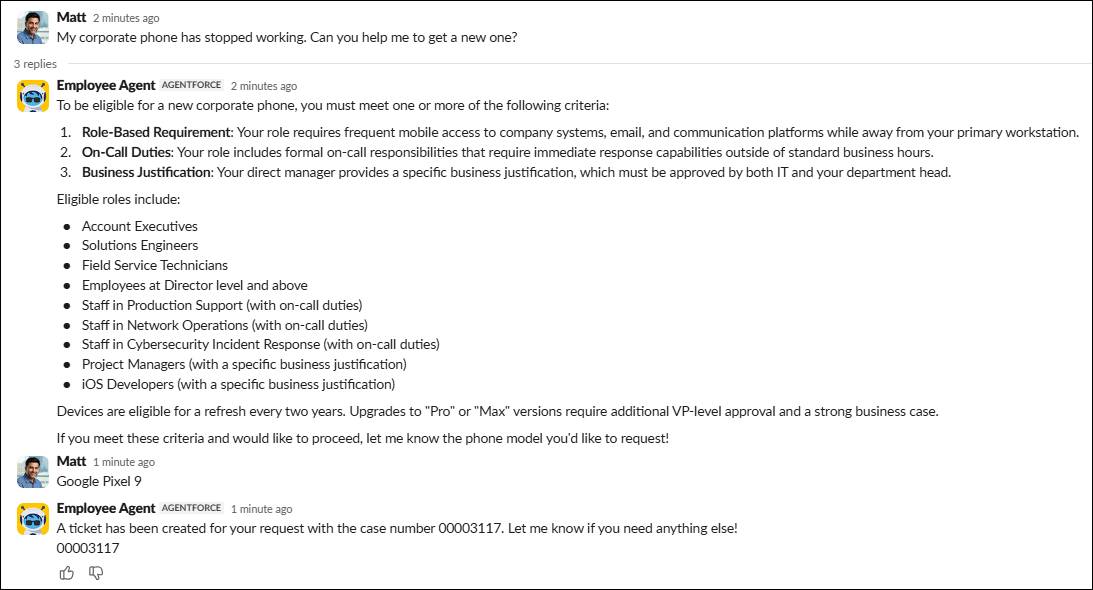
The agent then creates a ticket for IT teams to follow up–all from a single conversation.
Request Tracking
After an employee submits a request, they can monitor its status in real time by visiting the My Service Requests, My Cases, or My Incidents tab on the portal, depending on your configuration. They can also receive Slack notifications when the request status is updated.
Now that you’ve learned how employees can find information and submit service requests, let’s explore how request resolution works in Agentforce IT Service.
Resolving Requests
To resolve a submitted request, the fulfillment flow associated with the service process is triggered. As you learned earlier, the flow automatically handles the necessary record creation, routing, approvals, and fulfillment steps.
If a service requires approval, the fulfillment flow automatically routes the request to the appropriate person, such as the employee’s manager, to confirm approval. The approver can view their assigned approval tasks under My Approvals in the portal.
Once the request is approved, the flow creates the necessary tasks and assigns them to the IT team responsible for resolving the request. For complex workflows, an action plan with a series of tasks is assigned to guide the IT rep through the needed steps.
Support reps use the Agentic IT Service Desk to manage their work. From this unified workspace, they’re able to view all of their assigned incidents, service requests, and related tasks. They can access this app through Slack, Microsoft Teams, or Salesforce.
IT reps can also use the Incident Fulfiller Dashboard to track assigned incidents, monitor their status, and prioritize resolution activities.
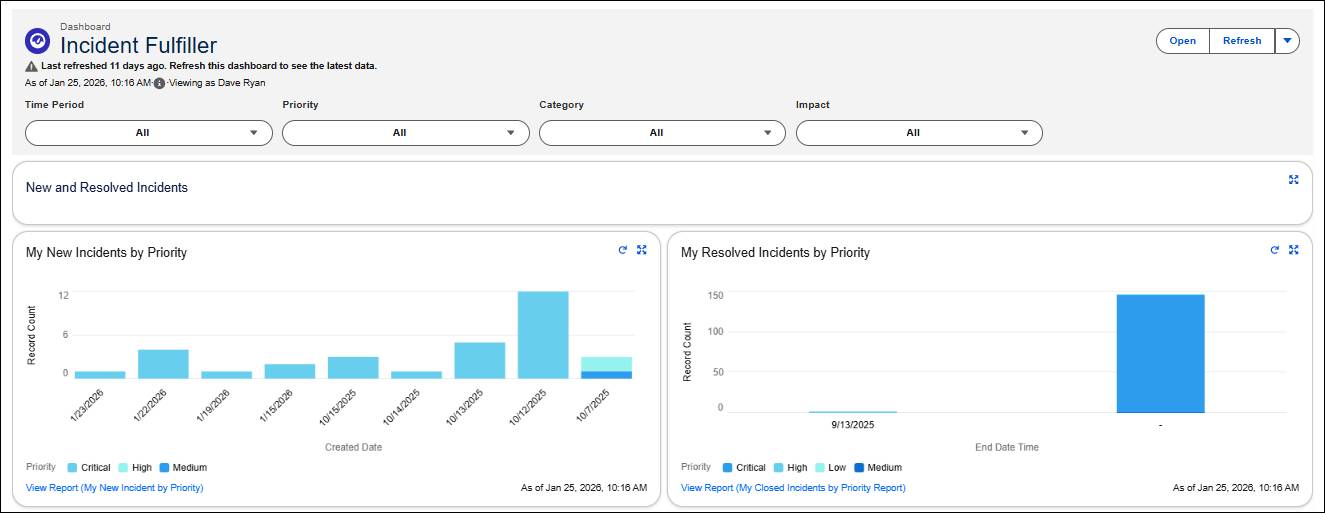

From the Service Desk, IT reps can also review important incident or request details, requester information, and asset dependencies, or use AI-generated record summaries to inform their work.
For example, an Orivian IT rep who specializes in hardware fulfillment receives a notification in Slack informing her of the new phone request. She quickly completes the fulfillment step by packaging the hardware, creating a shipping label, and sending off the new device. After she marks her task as Complete, the fulfillment flow automatically closes the request and the requesting employee receives a notification that her new phone is on its way.
With that task out of the way, the IT rep visits the Fulfiller Dashboard to see what’s next in her queue.
And on it goes! As other Orivian employees encounter obstacles that hinder their work, they browse the catalog of IT services and knowledge articles, chat with the Employee Agent, and log requests from their channel of choice. Thanks to a deeply unified system, the IT team is able to resolve service requests and incidents with speed and precision, meet their SLAs, and efficiently roll out solutions that keep Orivian running on all cylinders.
Additional Features and Tools
Along with the components and tools you learned about in this badge, Agentforce IT Service provides several other ways to enhance your request management data and processes.
With Configuration Management Database and Discovery tools, you can track asset ownership, configuration, and dependencies for even better service request fulfillment. The system automatically scans and updates information, eliminating the need for manual data entry and ensuring that fulfillment steps are based on accurate, real-time information. With this enhanced visibility, your IT team can assess risk and manage complex changes reliably and effectively.
Use the IT Service Analytics suite to measure your organization’s IT service performance. Track workloads, resolution times, and SLA compliance across request and incident records. Supervisors can view the Incident Manager Dashboard and Problem Manager Dashboard to quickly identify ongoing bottlenecks and recurring issues, or view the Case Analytics Dashboard to measure fulfillment quality and customer satisfaction over time.
By integrating Data 360, you can connect fragmented service data from external systems to create an even more unified information structure. Then ground Agentforce with this data to supercharge your request management capabilities, including intelligent search, proactive ticket triaging, and automated routing for faster resolution.
Salesforce GO makes it easy to set up and adopt Agentforce IT Service features. With this guided setup experience, you can quickly discover and configure Release Management and other powerful apps, tools, and components.
Wrap Up
In this badge, you explored how Agentforce IT Service gives you all the tools you need to provide world-class employee service. By combining an integrated service catalog, intelligent service processes, AI, and automation, you can create the perfect service delivery system for resolving any type of request.
But your journey has only started. To learn all the details about request management in Agentforce IT Service, make sure to check out the Help articles listed below. It’s time to turn your vision of fast and efficient IT management into a reality!
Resources
- Salesforce Help: Use the IT Service Catalog as an Employee
- Salesforce Help: Agentic IT Service Desk
- Salesforce Help: Configuration Management Database and Discovery
- Salesforce Help: Agentforce IT Service Analytics Dashboards
- Salesforce Help: About Salesforce Data 360
- Salesforce Help: Set Up Agentforce IT Service with Salesforce Go