Design Your AI App Architecture
Learning Objectives
After completing this unit, you’ll be able to:
- Explain how Slack’s thread and channel context management reduces API overhead in AI app development.
- Identify the diverse AI interaction entry points available within the Slack platform.
Slack is more than just a communication tool. It’s the operating system for your entire organization’s work, which now requires AI-powered workflows and agentic conversation. Slack is the platform that eliminates context-switching, improves productivity and speed, centralizes and simplifies work, and enhances security and governance.
The rise of large language models (LLMs) has largely been associated with chat interfaces, but what if you could put an LLM to work right in the flow of your workday? Imagine using AI to answer a coding question, generate a quick report, or even draft a reply—all without ever leaving Slack. The real power of AI in Slack is the ability to integrate intelligent capabilities directly into the rhythm of your workday.
Streamlined Development Lifecycle
The Slack development lifecycle offers a unified experience. This cohesive approach integrates the Slack command-line interface (CLI) for lifecycle management and Bolt for app building. Such advancements facilitate rapid deployment, allowing a working agent to become operational in a workspace in under 15 minutes.
Consistent UI for AI-Powered Interactions
Slack provides a complete and consistent set of UI components and surfaces designed for modern, AI-powered interactions. Build rich, interactive experiences with established tools like Block Kit Builder, Modals, and App Home. With components such as table blocks in Block Kit Builder, you can also display structured data from your apps.
A unified agent DM experience provides a consistent feel for every agentic interaction across all apps. You can also access AI apps via the top toolbar—a persistent, discoverable entry point for users to engage with your app’s capabilities.
Platform Context Management for AI Workflows
Managing context is a major challenge when building effective AI apps. Slack addresses this with built-in thread and channel context management. New metadata APIs also enable agents to build context as conversations evolve. This architecture significantly reduces expensive, round-trip API calls to reconstruct conversation history.
The Real-time Search (RTS) API provides timely, permission-based data, while existing web APIs allow for ad-hoc retrieval. Together, these tools form a secure data access pipeline that supports diverse AI use cases while maintaining enterprise-grade privacy. By combining user intent with LLM intelligence, you can use search results to trigger precise follow-up data retrieval. This ensures your agent fetches only the information necessary to fulfill a request.
Your Complete Stack, Working in Concert
The power of the platform shines when these features work together. Slack connects your data, apps, agents, and teams so you can focus on innovation. Industry leaders already offer advanced apps and agents in the Slack Marketplace, including Perplexity, Notion, Cursor, and Claude.
Use events, message shortcuts, slash commands, and modals to transform your app into a seamless partner.
Events
Slack provides dozens of events for your app to listen and respond to. For example, use a reaction ( event to trigger an AI response with one click. Imagine a teammate asks a complex coding question in a channel. When you react with :robot_face:, your app listens for that event and passes the question to an agent. The agent then responds with the answer in a thread. To review the code for this flow, check out Events API.
Message Shortcuts
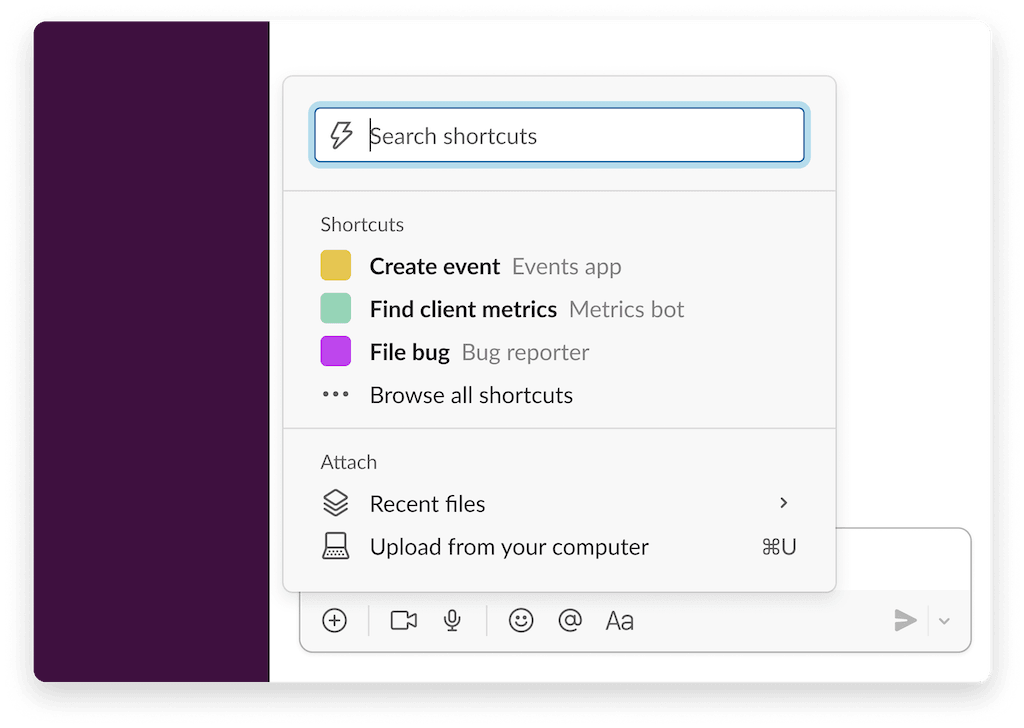
Use message shortcuts when you want a similar, one-click experience. Similar to the reacji example, a message shortcut displays in the More actions (three dots) menu of a Slack message. When a user selects the shortcut, your app sends the message content to an agent for a response. For a step-by-step example, check out Implementing shortcuts.
Slash Commands
For a universal entry point, slash commands invoke an app from any channel or DM. Simply type a forward slash (/) followed by the command name, such as /ask-code-assistant. This provides another way for users to send questions to your app. To try this yourself, review the documentation for Implementing slash commands.
Modals
For structured, repeatable tasks, modals provide a reliable way to collect predictable inputs for an app. For example, use a modal to gather a product’s name, key features, and target audience to generate a description. This approach avoids the back and forth of a standard chat interaction. In your code, provide the app with detailed instructions and the user’s input. This workflow uses a slash command to launch the modal and a view submission handler to process the input and post a response. For details, refer to the Modals documentation.
Multiple entry points give users flexibility in how they interact with your app. Whether they use a quick reaction, a shortcut, or a modal, these options make your app more intuitive and accessible throughout the workday.
Recap
Slack streamlines AI development with unified tools like the Slack CLI and Bolt. Built-in context management and UI components reduce expensive API calls and simplify how you build AI interactions. The RTS API provides secure, permission-based data access, while entry points such as events and modals let users interact with AI in their existing workflow. By connecting your data and agents in one place, Slack handles the integration so you can focus on innovation.