Monitor Your Salesforce Org
Learning Objectives
After completing this unit, you’ll be able to:
- Review changes to your Setup configuration using the Setup agent.
- Fix user access issues.
- Monitor health and usage metrics in your org.
Make Sure Coral Cloud Resorts Is Running Smoothly
The morning rush has finally quieted down, but a proactive admin's work is never truly finished. To keep Coral Cloud Resorts running smoothly, you need to stay two steps ahead of any technical hiccups. A seamless guest experience depends on a healthy Salesforce org, and you’re the one who keeps the gears turning behind the scenes.
You carve out time to perform a quick health check. In the past, tasks like fixing access issues, monitoring license usage, or digging through the Setup Audit Trail was a click-heavy chore that ate up your lunch break. Now, you simply check in with the Setup agent to get the state of the org in seconds. Setup with Agentforce helps you maintain and monitor your org, so you can react to any issues before they become headaches.

Review Changes from the Setup Audit Trail
Because there are other admins working with you in this org, you want to be aware of every change that’s made in Setup. While you could go to the Setup Audit Trail page in Setup, you can also ask the Setup agent specific questions to filter these changes.
- Start a new conversation with the agent from Setup Home or using the Ask Agent for Setup button (
 ).
).
- Enter:
Show all Setup changes made in the last week.
- The agent provides a list view of all the changes in Setup. Click View Details to see all entries.
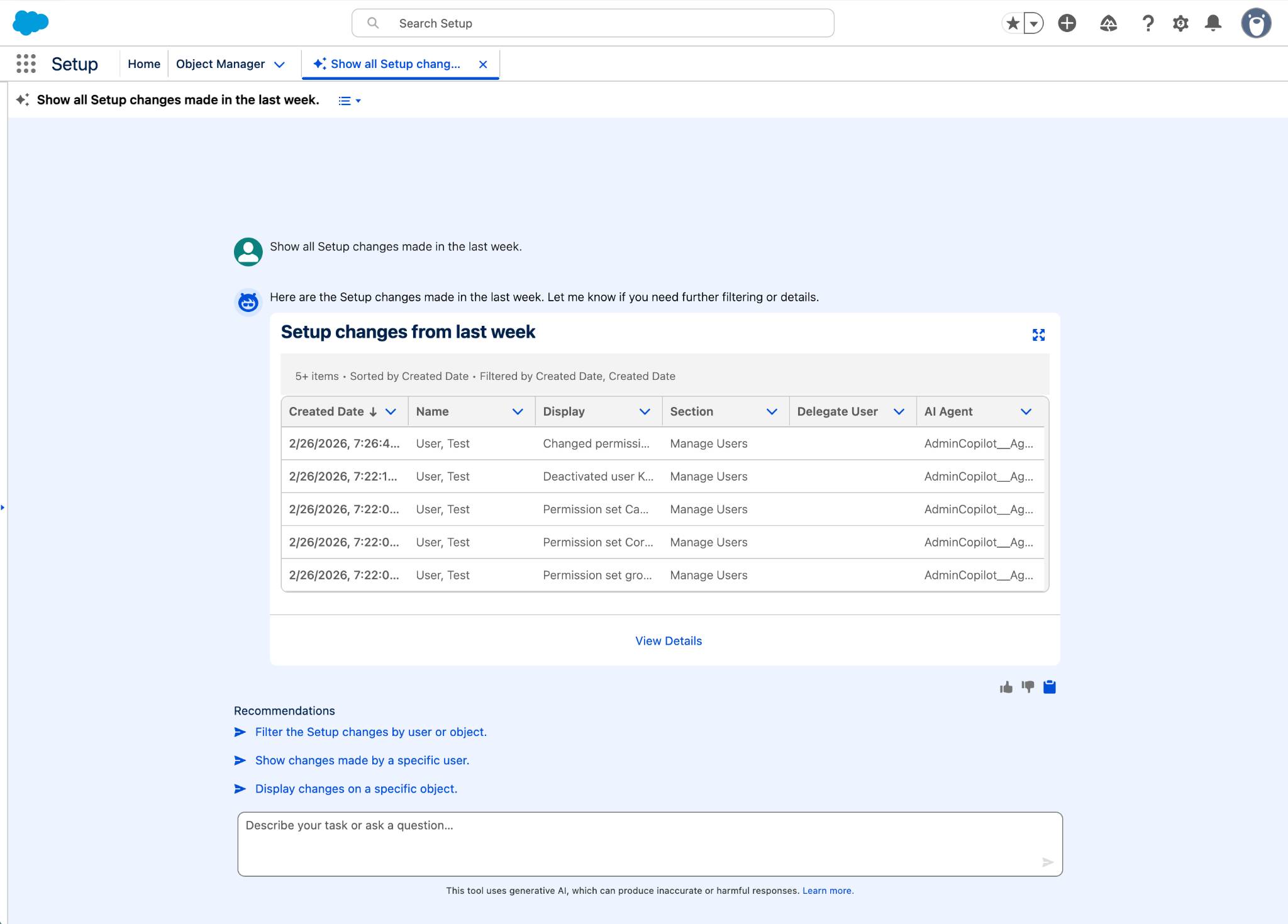
- This information is helpful, but you can also ask more specific questions, like what changes were made by a specific user or in a certain area. For example, enter: This enables you to see only those changes related to permission sets. (Some will look familiar!)
Filter audit trail data by changes related to permission sets.
Troubleshoot User Access Issues
You receive a frantic message from one of your users, Colin Reeves, that he can no longer edit the cases that he was working on. Normally, a question like this would kick off a multi-step troubleshooting process. But thanks to the Setup agent, you can fix this one quickly.
- In a new conversation, enter:
Colin Reeves can’t edit cases. What object permissions does he have for cases?
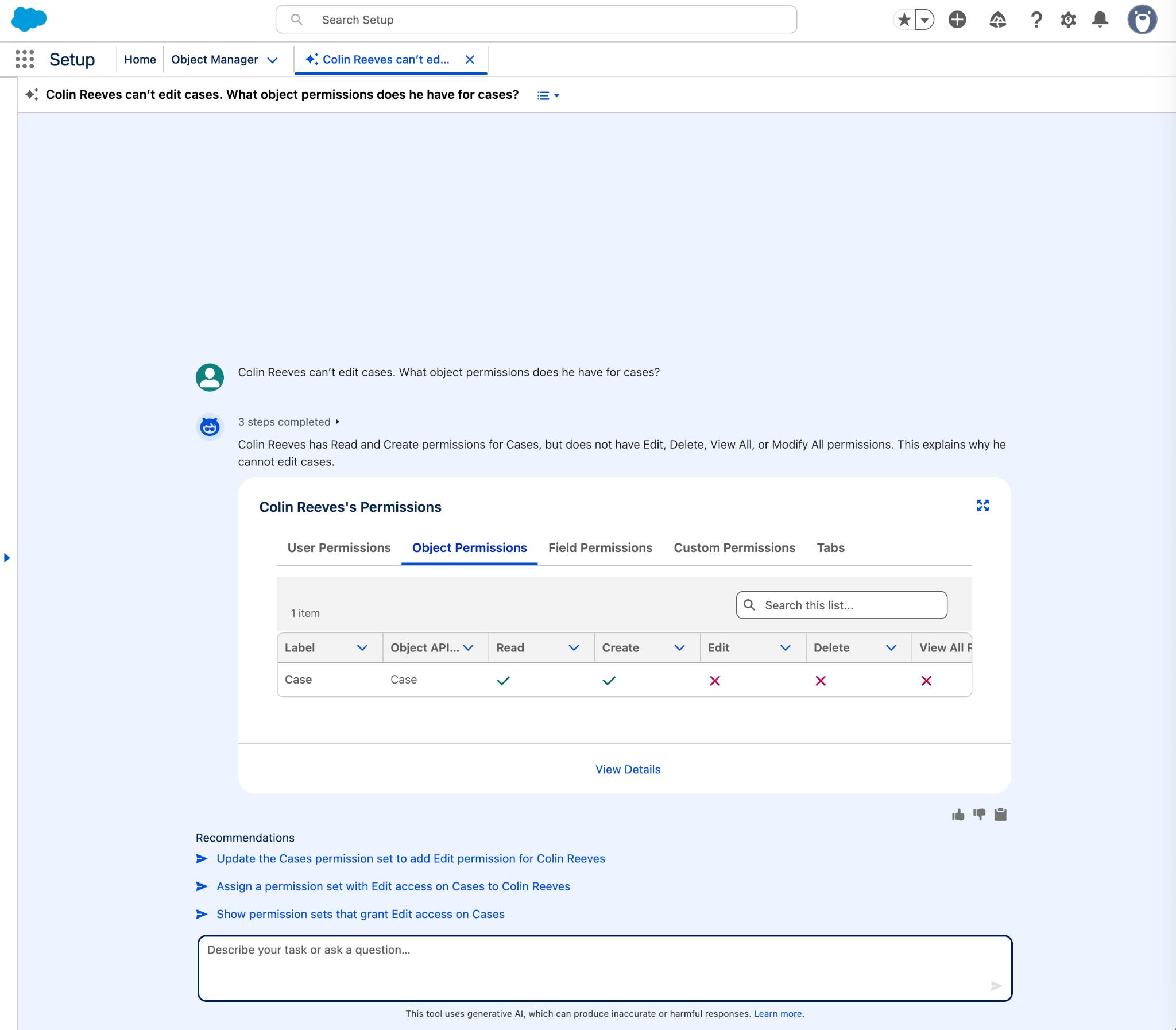
- The agent replies with Colin’s permissions, and you see that he doesn’t have the Edit permission for Cases. Follow up by asking:
What permission set gives Colin Read and Create access on the Case object?
- The agent displays the Cases: CRED permission set. This seems promising, but when you look up this permission set, it turns out it’s missing the Edit permission.
- Thinking through your permissions strategy, you decide it’s best to add the Edit and Delete permissions. Tell the agent:
Add the Edit and Delete object permissions to the Cases: CRED permission set.
- If the agent says it needs to start a new plan to update the permission set, reply
OK.
- Click Confirm.
Now your user can edit cases and is back in business.
Monitor Your Org’s Health and Usage
With the most recent crisis averted, you resume your org review. You want to see if there are measures you can take to improve the security of your org. On the new Setup Home, you can get an overview of your Salesforce org health and usage metrics so you can identify issues and potential improvements. And then you can ask the agent to delve in deeper.
- On Setup Home, in the Org Health and Usage section, find the Security Health Score tile. (Click the arrows if you don’t see it.)
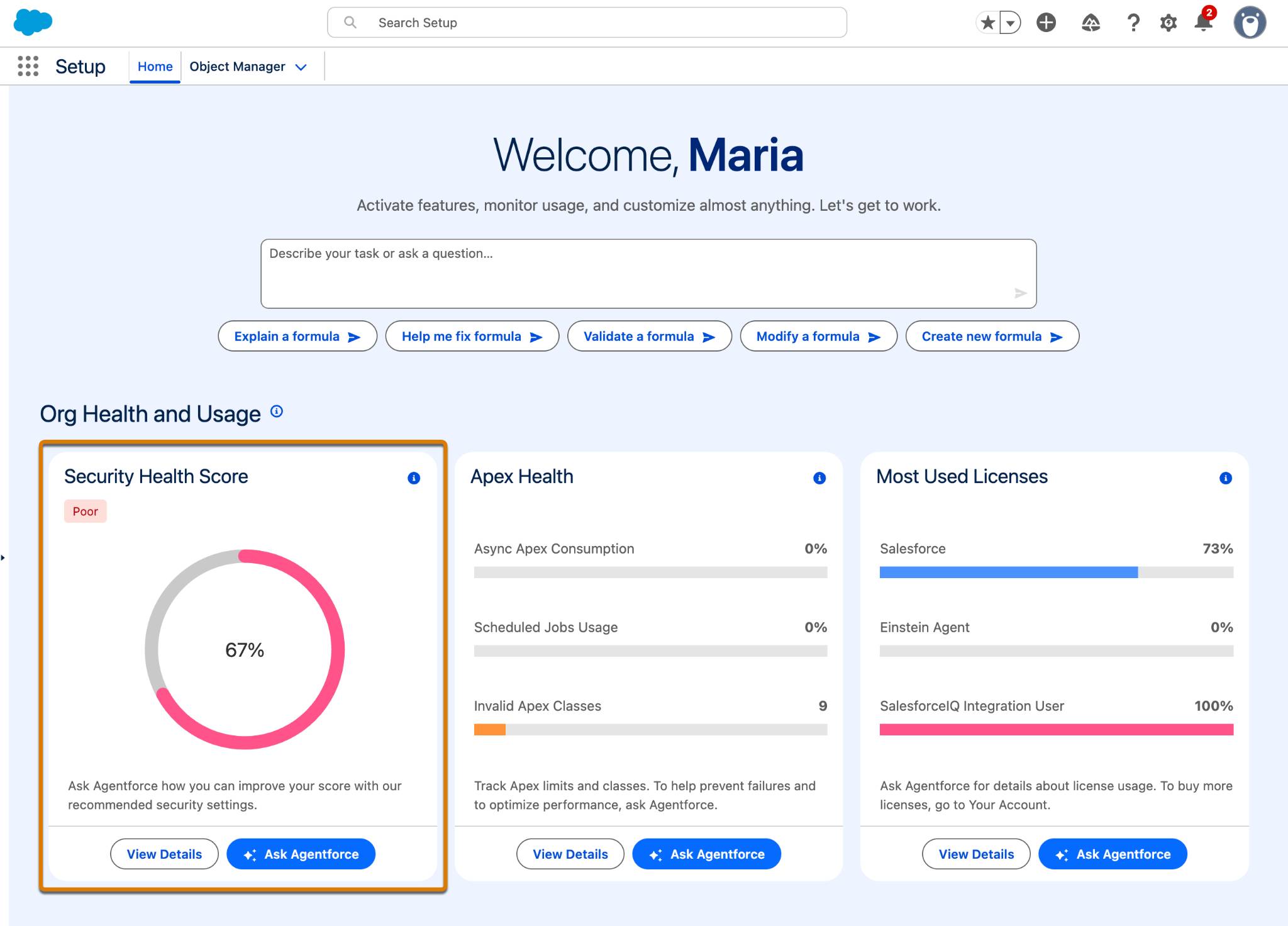
- Click the Ask Agentforce button.
- The agent provides your org’s score, and asks if you’d like to follow up with more questions. Enter:
Review org’s security settings.
- In response to the next question about which security settings you’d like to review, select or reply with:
High-Risk security settings.
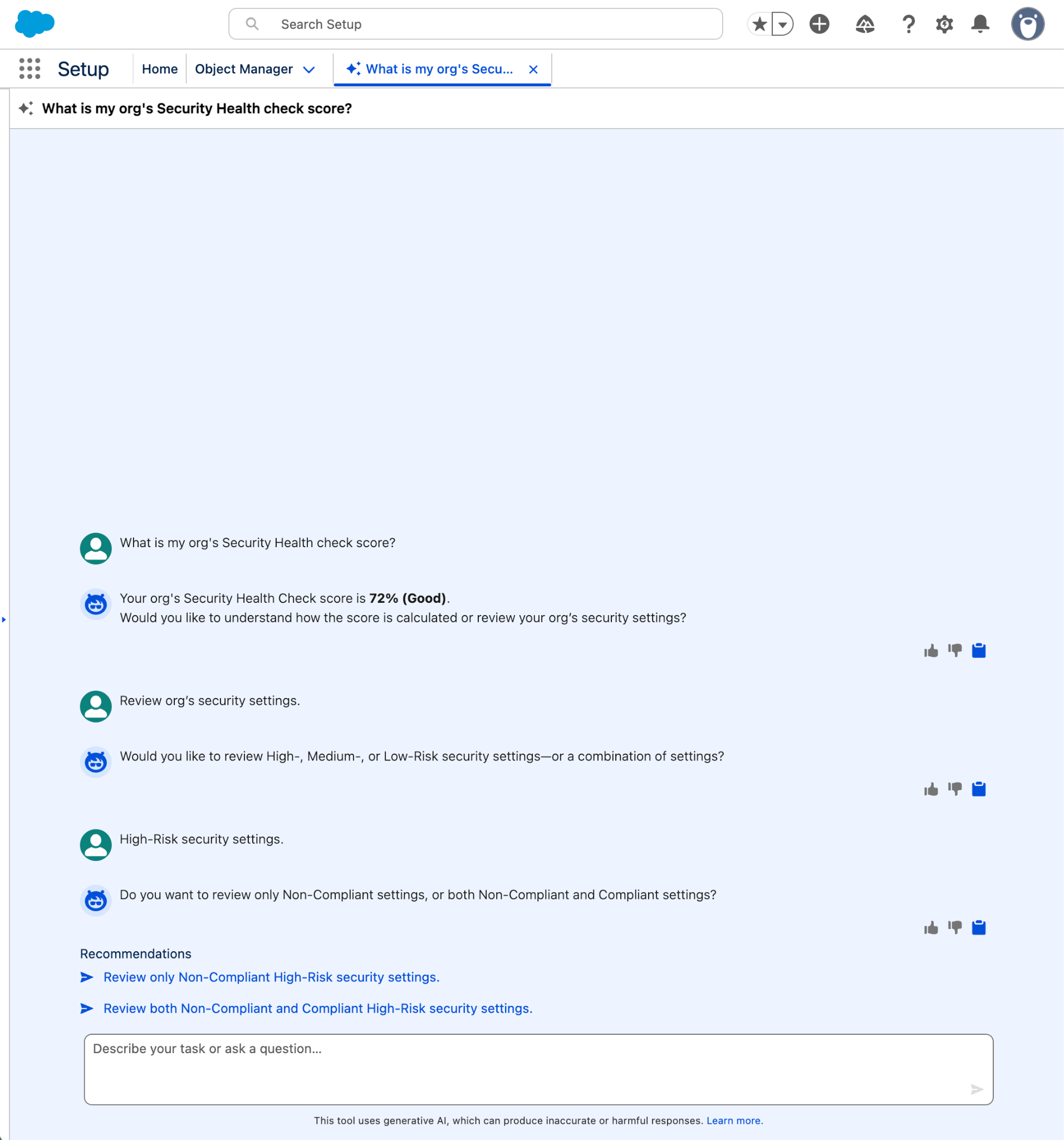
- When the agent asks about which type of settings to review, select or enter:
Both Non-Compliant and Compliant settings. - If asked whether to include Informational Security Settings in the review, reply
Yes.
- In response to these criteria, the Setup agent lists all the High-Risk security settings and their compliance status. You can take action on items that need your attention before they become an issue.
Finally, you want to make sure that your existing licenses are being used effectively and that there’s no risk of running out of your most commonly used licenses. A few questions to the Setup agent can provide you with all the info you need.
- Go back to Setup Home. In the Org Health and Usage section, find the Most Used Licenses tile.
- Click the Ask Agentforce button.
- The agent replies with a summary of your license consumption.

With this information, it’s easy to keep tabs on your license usage and check that you’re getting the full value out of your licenses.
Wrap Up
It’s been a productive day at Coral Clouds Resorts. Thanks to Setup with Agentforce, you zoomed through your to-do list. You even have time to enjoy a coffee in the late afternoon sun!
You saw firsthand how Setup with Agentforce can help boost your productivity and help you complete your daily administrative tasks more efficiently. If you’re interested in trying it out, you can enable the feature in your org today.