Generate Data Quality Rule Recommendations
Learning Objectives
After completing this unit, you’ll be able to:
- Apply the Data Quality Rule Recommendation skill to generate rules for assets without existing rules.
- Describe how to accept recommended rules to create rule occurrences in Informatica Cloud Data Governance and Catalog.
- Explain the conditions required for rule recommendations to be generated successfully.
Keep Your Data Reliable
Knowing a dataset’s score doesn’t keep the dataset reliable. The data quality rule recommendation skill helps you close that gap. Based on the business context you provide, it suggests rules for datasets that don’t have any yet.
In this unit, you follow Ana as she gets rule recommendations for a table with no existing rules. You also learn what happens when a recommendation attempt fails for her merchandising colleague.
Request Rule Recommendations
To recommend rules, the Data Quality Agent uses the business context in your prompt to identify the critical data elements in a dataset. It then recommends rules that are contextual to those elements. You can also ask for additional rules beyond the contextual ones. In that case, the agent considers the data profile or a sample row of the dataset instead.
If there are no rule templates already associated with a dataset in Informatica Cloud Data Governance and Catalog (CDGC), CLAIRE GPT falls back to the rule specifications already defined in Data Quality. The strength of your recommendations depends partly on how much rule groundwork your organization has done.
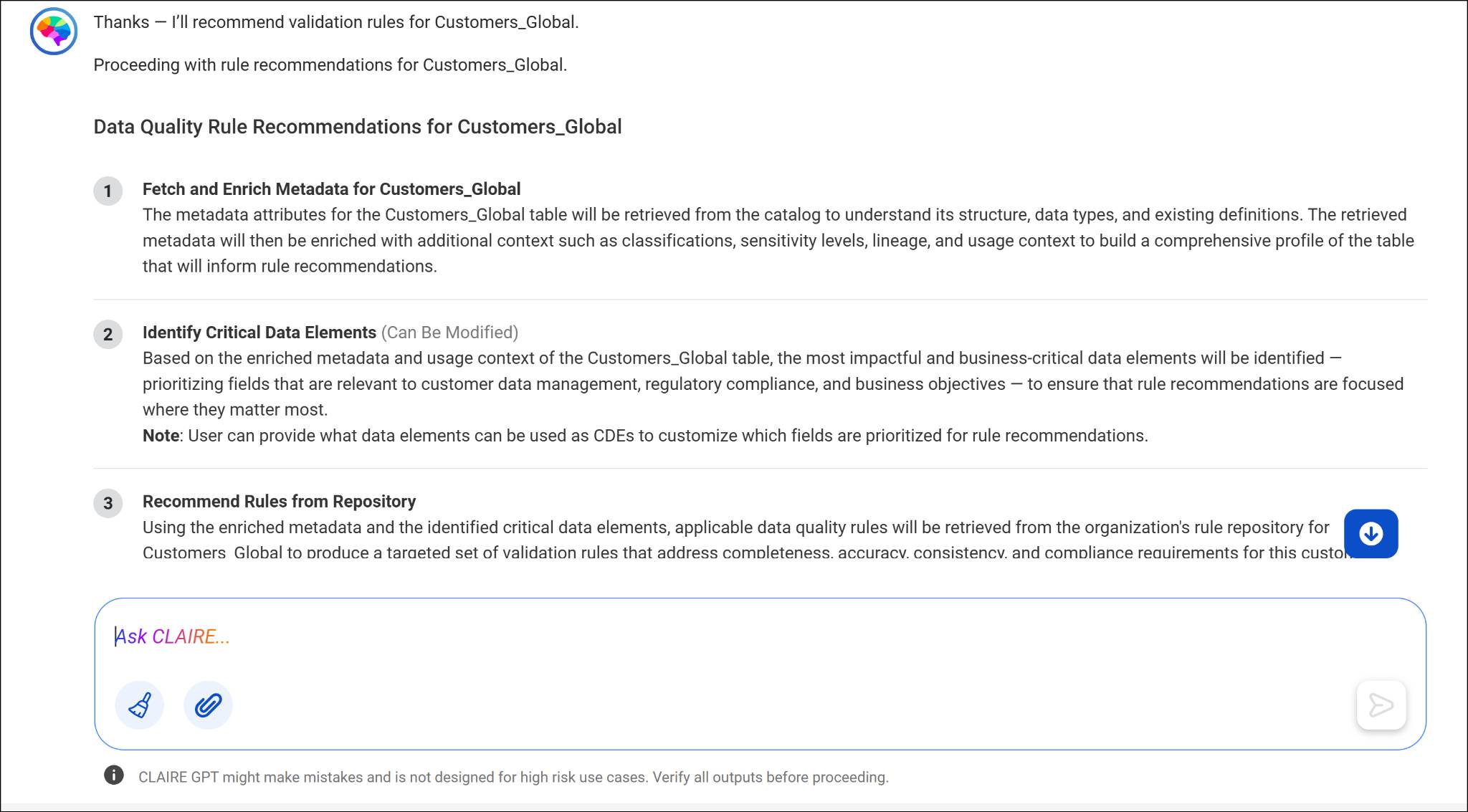
Ana wants to establish data quality standards for a customer table at Cloud Kicks that currently has no rules attached. She asks CLAIRE GPT to recommend rules for the customer table, and it returns a card listing datasets matching “customers.” After she confirms the right dataset, she asks CLAIRE GPT to recommend validation rules specifically for it. The agent outlines a plan before it generates the recommendations.
Example prompt: “Recommend validation rules for CUSTOMERS_GLOBAL.”
Accept Recommendations and Create Rule Occurrences
After CLAIRE GPT proposes rule recommendations, you can preview them, download them as a CSV file, and decide whether to accept or reject each one. If you accept a recommendation, CLAIRE GPT creates a rule occurrence for that data element in CDGC. There, you can then review the data for discrepancies going forward.
You’re not required to accept every recommendation. If a suggested rule doesn’t make sense for your business context, such as a completeness rule for an optional field, you can reject it. Keep only the rules that reflect how your organization uses the data.
After reviewing the recommended rules for the customer table, Ana accepts the ones that make sense for her use case. CLAIRE GPT confirms that rule occurrences have been created in CDGC. The customer table now has active rules that Ana can monitor over time.
Example prompt: “Yes, proceed with the plan.”
Conditions for Successful Rule Recommendations
Rule recommendations don’t always succeed automatically. To get recommendations for a data element or dataset that doesn’t already have rules, you need data quality rule specifications available in Data Quality. If none of your rule templates apply, CLAIRE GPT can generate new rules directly from those specifications. Without any rule specifications at all, CLAIRE GPT can’t generate rule recommendations for that asset.
Ana’s merchandising colleague asks CLAIRE GPT to recommend rules for a newly onboarded product table but receives no recommendations. That’s because the organization hasn’t created any rule specifications for that type of data in Data Quality. There’s nothing for CLAIRE GPT to draw from. After a data steward adds a few rule specifications, the colleague’s next request succeeds.
Example prompt: “Recommend data quality rules for the PRODUCTS table.”
Wrap Up
You now know how to turn an unrated dataset into one with active, monitored rules. You also know what to check when a recommendation attempt comes up empty. In the next unit, you take data quality a step further by cleansing data directly and generating rule specifications from scratch.