Personalize Selling with Campaigns and Promotions
Learning Objectives
After completing this unit, you’ll be able to:
- Configure Agentforce Commerce for B2C promotions within a campaign.
- Define promotion qualifiers that determine shopper eligibility for discounts.
- Assign rank and exclusivity attributes to promotions.
- Set up tiered discounts for shoppers.
Everyone loves getting a discount. With Business Manager, you can create serious discounts that drive sales and make shoppers happy.
In Business Manager, you configure discounts as promotions; and group multiple promotions into campaigns. For example, create a campaign to push new spring apparel, such as flowered dresses, lightweight pants, and raincoats. Let’s review examples of some of the types of promotions that you can configure.
- Free shipping to shoppers who spend more than a certain amount on selected apparel.
- Buy one, get one free for all flowered dresses via an emailed coupon.
- Buy one pair of khaki pants and get 50% off on the next pair.
- Buy three raincoats and get 20% off the entire order.
You can configure how the shopper qualifies for a discount. For example, a coupon is a qualifier.
Campaigns contain promotions, and qualifiers trigger promotions. Let’s take a look at how it works.
Learn About Campaigns and Promotions
A campaign is a collection of scheduled experiences that your shoppers can have in your storefront. You can create three types of experiences within a campaign.
-
Promotion: Promotions are discounts. We go into more detail about this in the Discount Types section below.
-
Slot configuration: Slots are specific places in a storefront that display content and perform some action. For example, a banner shows a child wearing a red hat and text that says, “50% off on all kids’ hats.” When the shopper clicks the banner, the search results show a list of children’s hats.
-
Sorting rule: Sorting rules make it possible for the system and your shoppers to reorder the search results in a certain way. For example, by lowest price first.
Define Promotions
When you create a promotion to define the rules that govern your discount, it’s helpful to ask three basic questions.
- What is the promotion class?
- What is the discount type?
- What is the discount?
A rule represents the combination of the answers.
Promotion Classes
There are three promotion classes.
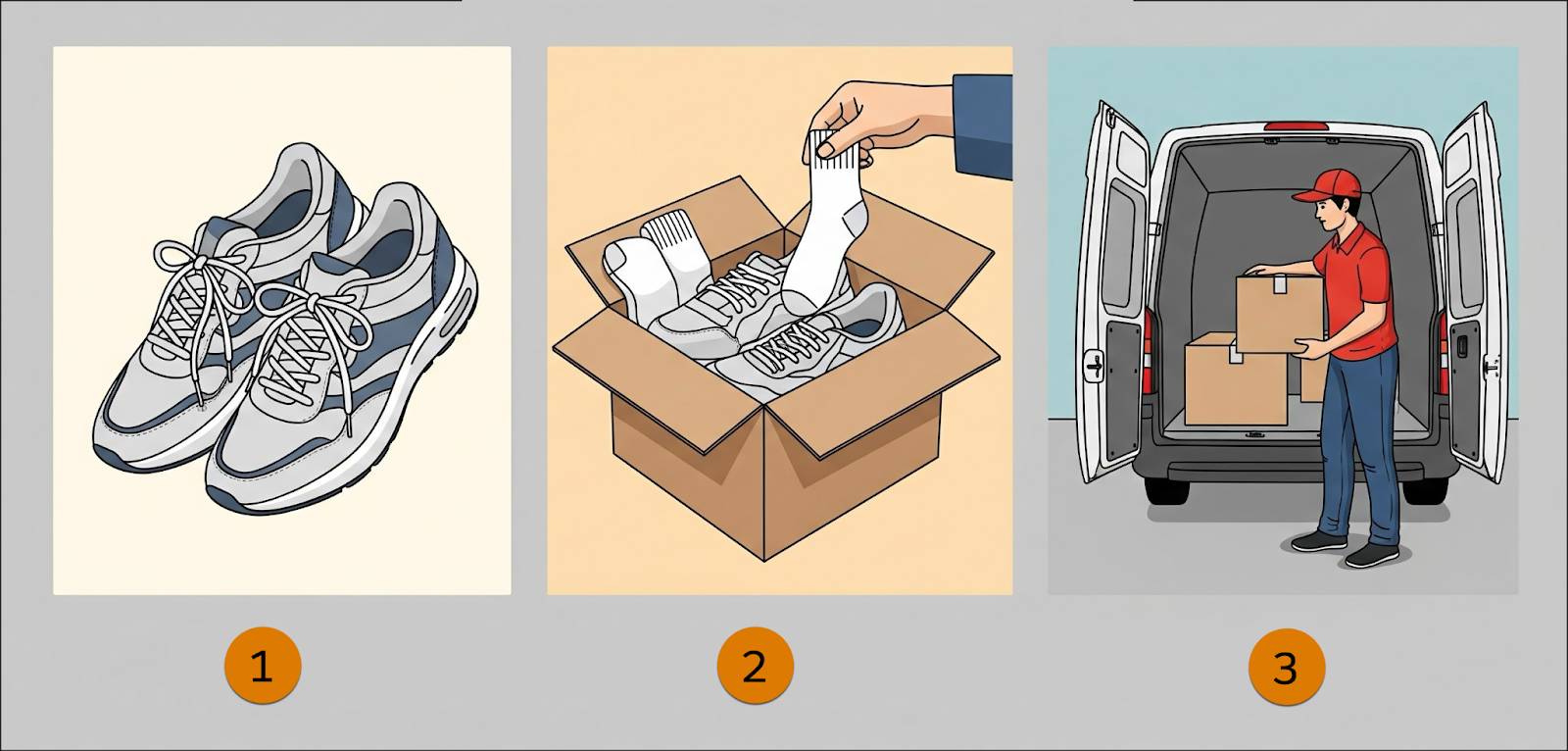
- Product: discounted individual products (1)
- Order: discount on the entire order (2)
- Shipping: discounted shipping costs (3)
Discount Types
Product promotions are the most complex, offering a matrix of discount type choices. These are the product promotion discount types in Business Manager.
Discount Type |
Example |
|---|---|
Without qualifying products |
Buy a brand A dress, get 10% off on the dress |
With an amount of qualifying products |
Spend US$80 on blue-striped shirts, get US$10 off |
With a number of qualifying products |
Buy 3 blue-striped shirts, get a free tie |
With a combination of qualifying products |
Buy pants and shirt, get US$10 off |
Buy X/Get Y |
Buy pants, get a belt at 20% off |
Buy X and Y/Get Z |
Buy a dress and a sweater, get a free necklace |
Buy X for Total |
Buy three brand A dresses for US$100 |
When you set up order promotion rules, you specify an amount the shopper must spend or the number or combination of products the shopper must buy to qualify for a discount. You can configure order promotion rules for percent off, amount off, bonus products, or choice of bonus products (list or rule) discounts.
You can configure base shipping promotion rules on the order, or on individual products, or product combinations within the order. You can give qualifying shoppers free or discounted shipping costs.
Discounts
Available discounts vary by discount type. Here’s a list of discounts that you can give.
- Percent off
- Amount off
- Fixed price
- Price from a certain price book
- Percent off product options
- Bonus products
- Choice of bonus products
- Fixed price shipping
- Free shipping
- Buy-one-get-one (BOGO)
Qualifiers
You can create qualifiers to control which customers get a discount. In Agentforce Commerce for B2C, qualifiers are dynamic customer groups, customer groups, coupons, and source codes.
Qualifier |
Example |
|---|---|
Dynamic customer groups |
Integrate with Data 360 to segment customers in near real-time based on profile data, session behavior, or purchase history. Set groups to add shoppers as they meet specific criteria and target promotions to segments like loyalty shoppers or visitors from a specific region. |
Customer groups |
Create discounts that are available to all customers who belong to a particular group. Agentforce Commerce for B2C comes standard with three predefined customer groups: Everyone, Registered customers, and Unregistered customers. You can create groups to meet your own requirements, such as:
|
Coupons |
Offer shoppers who have a coupon a discount. Configure coupons for a single use or multiple uses. You can create a multiuse coupon that’s good “while supplies last.” You can also create system-generated coupons that create coupon codes for you. |
Source Codes |
Use a source code to direct customers to a specialized landing page, featured product detail page, category list, or other URL. This source code can be provided to shoppers in your print catalog; shoppers manually enter the code in your storefront. You can also provide the code via a redirect link on an affiliate website. |
Control Promotions with Tiers, Rank, and Exclusivity
You don’t want to give away products by applying multiple discounts when shoppers qualify for them. With Agentforce Commerce for B2C, you control which discounts apply, in what order, and how many times. You can exclude certain products from discounts or offer volume discounts.
Tiered Discounts
You can tier discounts so that the discount amount increases as the shopper buys more products or spends more money.
For example:
Quantity |
Unit Price |
|---|---|
1 |
US$10 |
3 or 4 |
US$9 |
5 or more |
US$8 |
Rank
If a shopper qualifies for multiple discounts, you can use the rank to limit which discounts apply. Ranking promotions prevents stacking, or the excessive application of multiple discounts. Rank is a number that you can assign—the smaller the number, the higher the rank. Discounts with a higher rank apply before lower-ranked discounts.
Exclusivity
Exclusivity attributes define how promotions interact with one another when applied to a customer's cart. The attributes help you apply promotions in a manner that aligns with business rules and prevents conflicts or unintended stacking of discounts. You can set the exclusivity attribute to specify if promotions are mutually exclusive, either in general or relative to a promotion's class. When you create a promotion, setting the exclusivity attribute is mandatory.
Here are the exclusivity of discounts settings.
-
NO: Permits combined discounts.
-
CLASS: Disallows combining discounts in the same class.
-
GLOBAL: Prevents combining all discounts.
Know the Applied Discount Order
If a shopper qualifies for multiple promotions in a cart, the promotions are applied in a well-defined order to prevent double dipping or unpredictable results. For example, a product promotion is applied before an order promotion, because order promotions depend on the resulting total after the product discounts.
This is the order that discounts are applied.
-
Class: The promotion types in the sequence of product, order, and shipping.
-
Exclusivity type: Whether promotions are mutually exclusive, in general or relative to a promotion's class.
-
Rank: Which promotions take precedence (with 10 = highest and 100 = lowest)?
-
Discount type and value: Discounts in order (for example, Fixed Price, Total Fixed Price, and Free).
-
Maximum application: Limits the number of times a discount can apply in an order (only certain discounts have this option).

Next Up
In this unit, you learned how to configure discounts as promotions within Agentforce Commerce for B2C campaigns. Promotions fall into product, order, or shipping classes and use qualifiers such as coupons or customer groups to determine eligibility. You also learned how to use promotions controls like rank and exclusivity to prevent the excessive application of multiple discounts. Next, learn how to increase conversion rates with Agentforce Commerce for B2C Search.