Get Started in Your New Community
Learning Objectives
After completing this unit, you’ll be able to:
- Join the Trailblazer Community in Slack and set up your channels.
- Use Slackbot to find trusted answers, people, and Trailhead learning.
- Explain how you can help shape what comes next.
Ready, Set, Go
Ready to jump in? Getting started is easy, and you don’t need a paid Slack license to join the Trailblazer Community.
- Navigate to the Trailblazer Community in Slack.
- If necessary, choose your sign in method by selecting Sign In with Trailblazer Identity. If you don’t have a Trailblazer ID, select Don’t have an account? Sign up for free at the bottom of the screen.
- Complete the sign in process using your selected credentials.
- Select Accept the Terms of Service once you review them
And you’re in! Welcome to the Trailblazer Community in Slack.
A great place to start is the #welcome channel, where you find onboarding guidance and helpful resources.
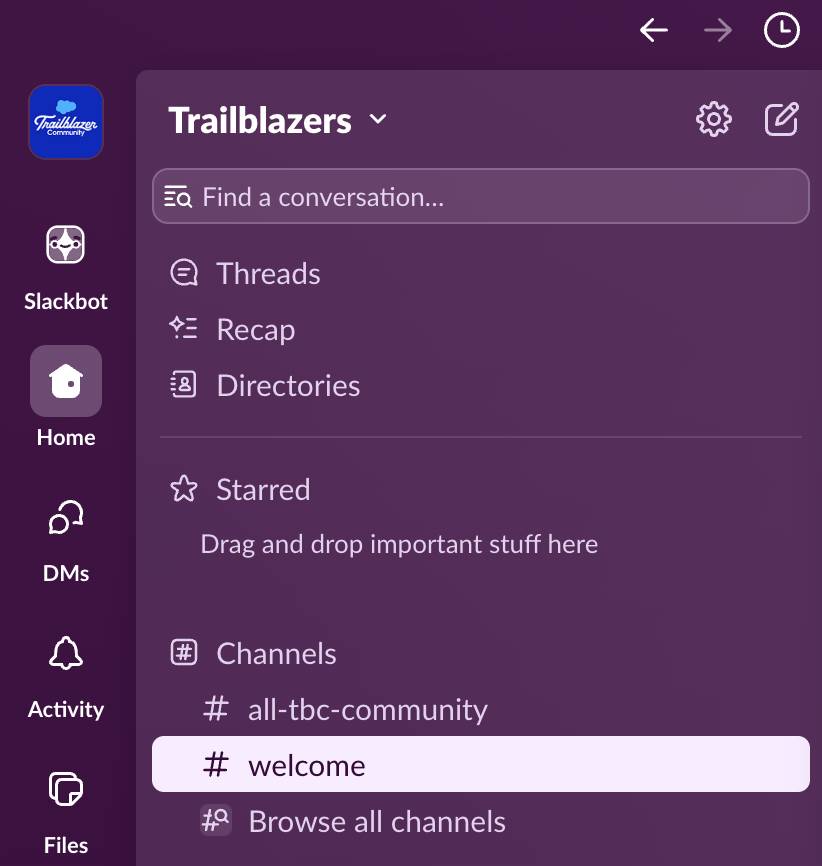
Explore recommended channels based on your existing community memberships, then select additional interests to personalize your experience.
Learn the Basics
New to Slack? Check out the introductory resources to get familiar with Slack and community etiquette in the Getting Started with Slack Canvas. If you have additional questions, ask in the #community-get-started channel.
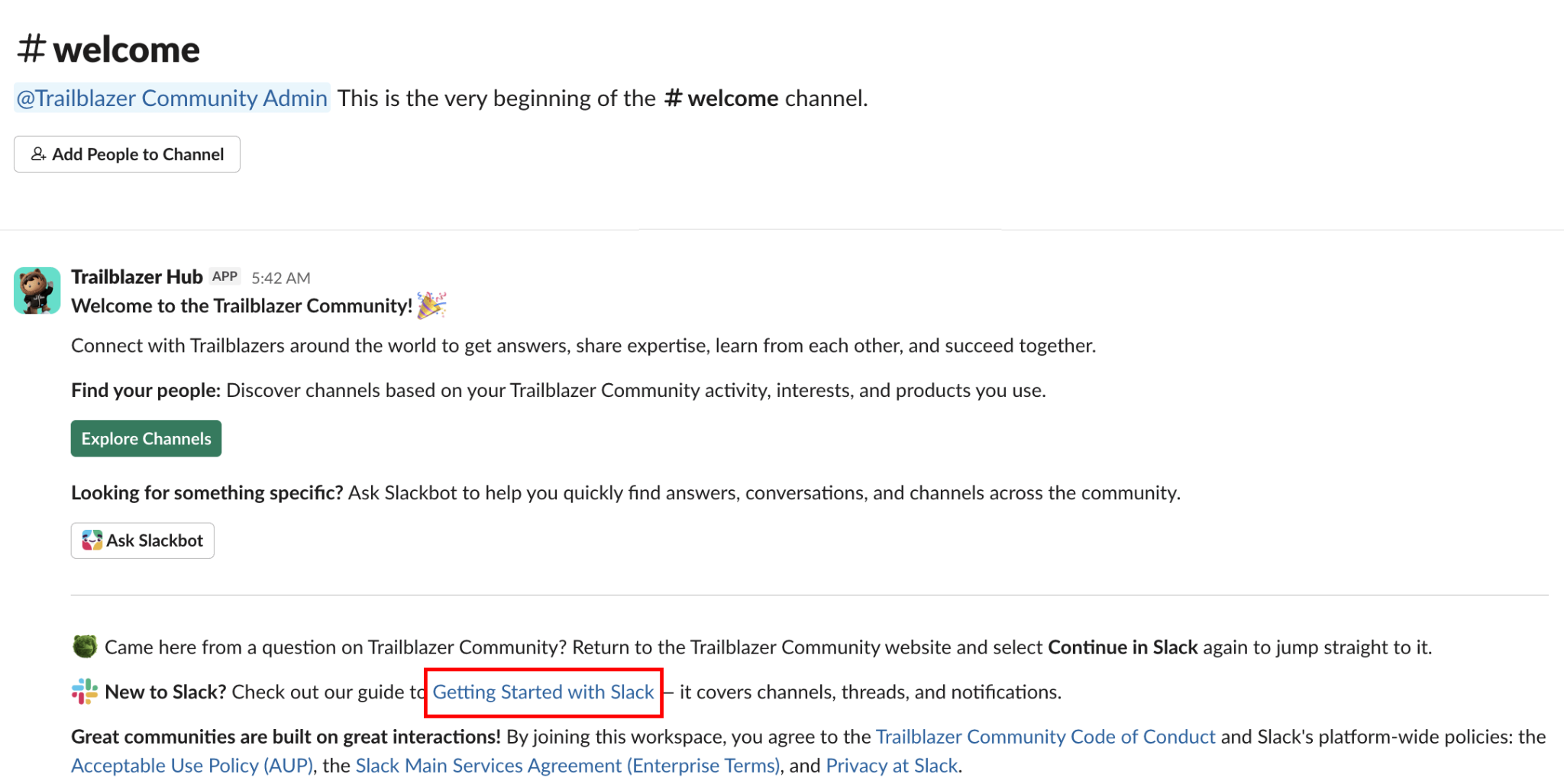
Explore the Trailblazer Hub
The Trailblazer Hub is the place to manage your settings and make this space your own.
- Select Home and then under the Apps section, select Trailblazer Hub .
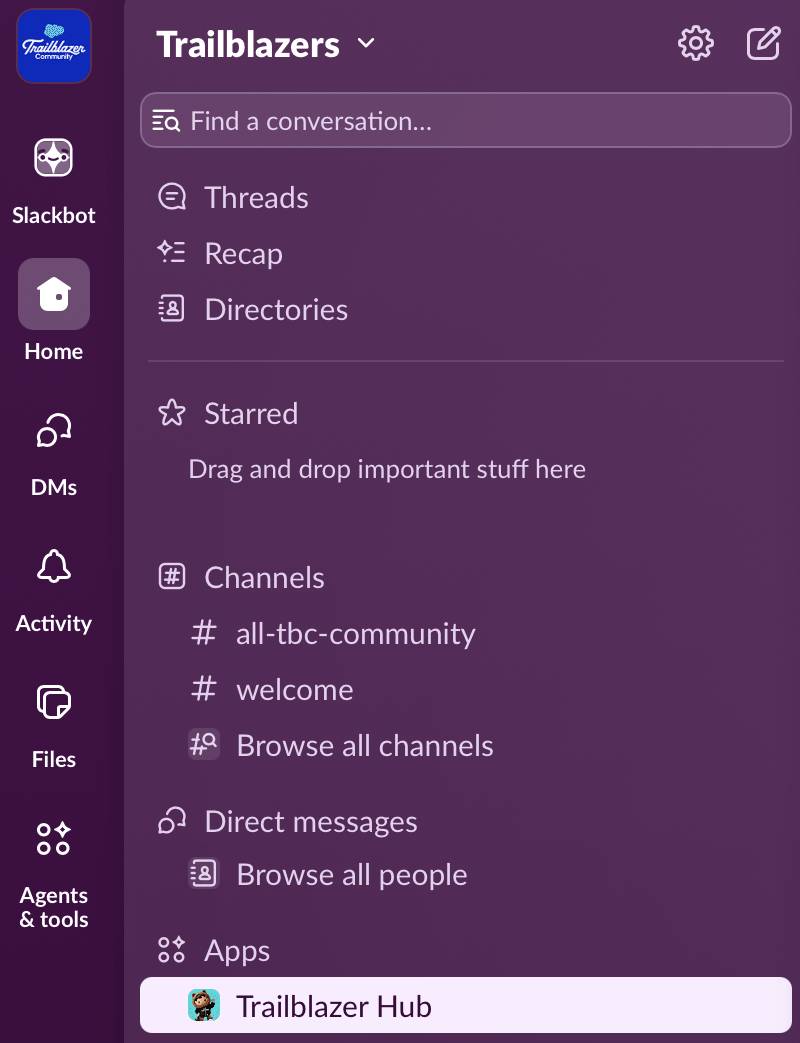
Note: If the Trailblazer Hub is not listed, select the three dots button to the right of the word Apps to open more actions. Select Browse apps and search Trailblazer Hub.
- Within the Trailblazer Hub app, ensure the Home subtab is selected and find the Settings section at the bottom of the page.
- Select Enable next to Show my profile when I post, so that your name and photo appear when you ask a question in a workflow.
- While still in the Settings section, select Update next to Update Profile.
- Follow the directions to update your Trailblazer profile (information like photo, title, role, and location) so fellow Trailblazers can better connect with you.
- Select the back arrow
 to return to the Trailblazer Hub app.
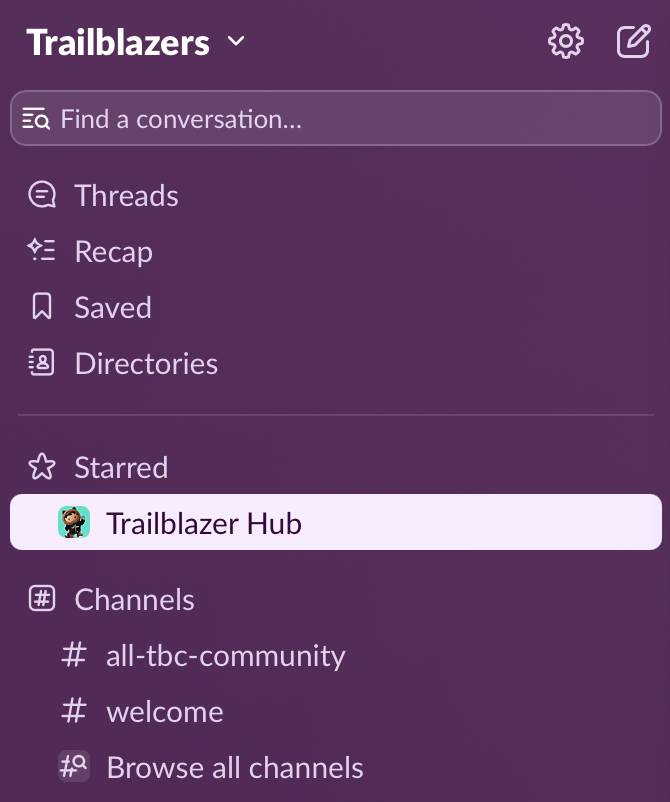
- With the Trailblazer Hub app open, select the More actions button in the upper right and select Star conversation.
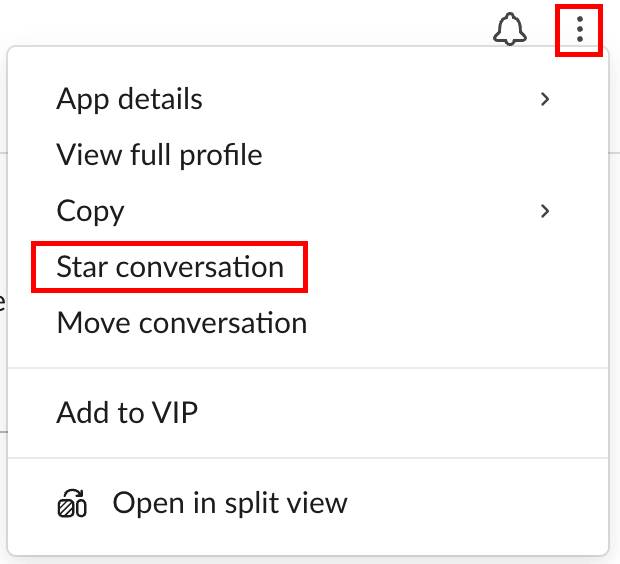
- Notice that the Trailblazer Hub app now appears in the Starred section of the main menu for easy access in the future.
Find Your People
- Within the Trailblazer Hub app, select Find local channels and Search by role or product to discover regional hubs, local user groups, and product and role-based channels to build relationships online and in person.
- Looking for something beyond the basics? In the Channels section, select Browse all channels.
- Explore interesting community spaces, such as MVP office hours, to see the many ways Trailblazers connect.
But Wait, There’s More
Your Trailblazer journey doesn’t stop when you solve today’s problem. The community can also help you discover your next skill, certification, mentor, or career opportunity.
Use Slackbot to find relevant Trailhead content, connect with study groups, and discover conversations aligned with your goals. For example, imagine you’re preparing for the Salesforce Certified Platform Administrator exam. Ask Slackbot for preparation resources, explore the official certification prep materials, and connect with other Trailblazers who are studying for the same exam.
As you learn:
- Find Trailhead badges, trails, and other relevant learning resources.
- Connect with peers who share your learning goals.
- Ask questions and exchange exam preparation tips.
- Share your milestones and celebrate the achievements of others.
Learning together makes the journey more engaging—and your next opportunity might begin with a single conversation.
Help Shape What’s Next
The Trailblazer Community has always been built by its members. As the experience evolves, your ideas, feedback, and participation help shape what comes next.
Explore the new experience, try the available features, and share what works well and what could be better by using the resources in the #feedback channel. Your perspective helps us make the community more connected, conversational, and easier to navigate.
Remember these three principles.
-
This is where we’re headed: The community experience is designed to make learning and connecting easier.
-
We’re building it together: Members remain essential partners in shaping the future.
-
There’s more to come: The community continues to learn, listen, and evolve alongside its members.
The next chapter isn’t just something we’re building for the community—it’s something we’re building with you.
Now you know why the Trailblazer Community moved to Slack, and even how to join this community. (Did we mention it is free to join?!) So if you haven’t already, join the more connected, conversational, and intelligent Trailblazer Community in Slack. Your fellow Trailblazers will meet you there!