Get Started with Incident and Problem Management
Learning Objectives
After completing this unit, you’ll be able to:
- Define incident management and its primary goal of restoring service quickly.
- Define problem management and its primary goal of identifying and resolving the root cause of recurring issues.
- Explain how Agentforce IT Service provides both reactive and proactive solutions.
Before You Start
Before you start this module, consider completing this recommended content.
Review the Basics
There’s a good chance you’re already familiar with the fundamentals of information technology service management (ITSM) and IT infrastructure library (ITIL) best practices. While Agentforce IT Service covers the entire service lifecycle, this badge focuses on the top two processes in the stack: incident management and problem management.
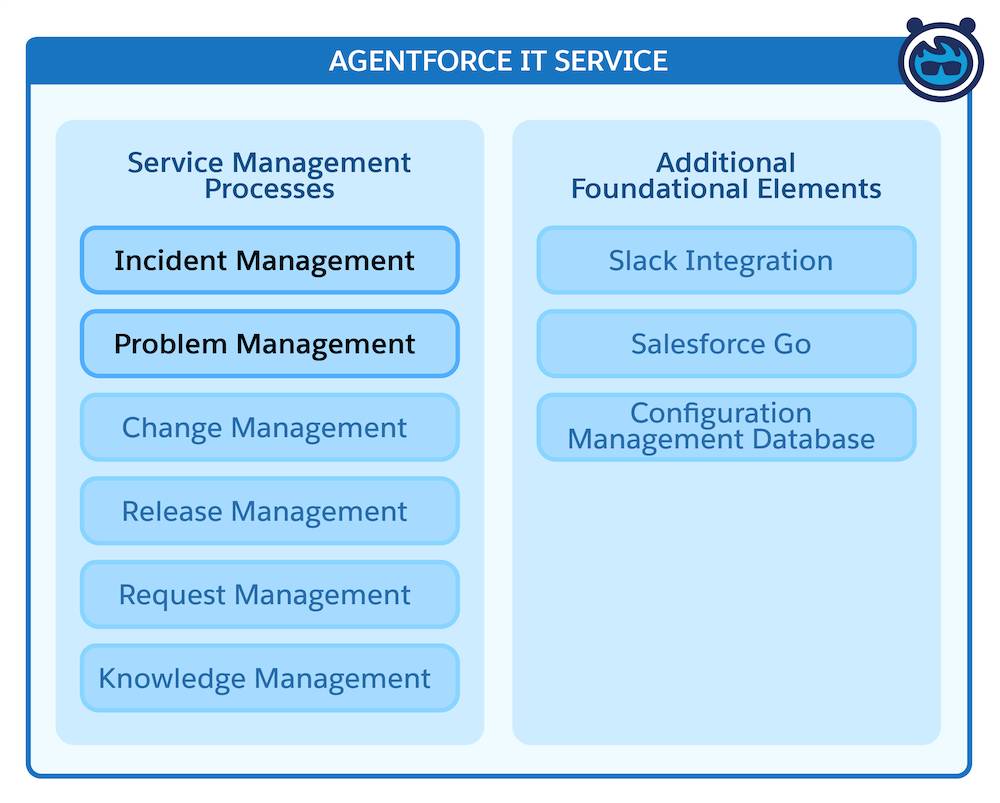
These two processes work in tandem, but they have different goals.
-
Incident management: An incident is an unplanned interruption to a service. The goal here is speed: Restore normal service operation as quickly as possible to minimize the impact on the business. Think of this as putting out the fire. Incident management is often reactive in nature.
-
Problem management: A problem is the underlying cause of one or more incidents. The goal here is stability: Identify the root cause of recurring incidents to prevent them from happening again. Think of this as fireproofing the building so the fire doesn't restart. Problem management is often, but not always, proactive.
Now that you’ve reviewed definitions, let’s explore how Agentforce IT Service helps you move from “firefighting” to “fireproofing.”
Common Challenges for IT
Incident and problem management are at the front end of any comprehensive ITSM solution. They’re where service issues first appear. And they’re where you learn what’s happening across your environment, so you can resolve disruptions quickly and keep them from recurring.
Here are a few common challenges that small, medium, and large enterprises (SMLE) face when it comes to IT.
Process |
Challenge |
Solution |
|---|---|---|
Incident management |
Unplanned downtime that stalls work |
Keep things moving by resolving issues quickly and consistently. |
Unstructured firefighting |
Replace ad-hoc responses with a clear, repeatable process everyone can follow. |
|
Lack of visibility into what’s broken |
Provide a single place to report issues and track progress. |
|
Problem management |
Recurring issues that waste time |
Break the cycle of fixing the same problem again and again. |
Unpredictable service reliability |
Strengthen stability by addressing what causes disruptions—not just the symptoms. |
|
Limited IT bandwidth |
Free your IT team from constant “break/fix” work so they can focus on higher-value improvements. |
Agentforce IT Service simplifies these challenges with intelligent automation. But while regular employees don’t need to understand how the automated troubleshooting happens, incident and problem fulfillers absolutely do. As an IT worker, you need to understand the manual workflows first in order to manage the intelligent solution even better.
Understand the Foundation
Think about the computer you use every day. Most of the time, you navigate using a sleek graphical interface. It’s fast, visual, and easy. But when things get tricky—or when you need total control—power users drop into the command line or advanced settings to get things done. When you understand what happens at a foundational level, you can better troubleshoot the surface level. The same logic applies to Agentforce IT Service.
Agentforce IT Service offers incredible automation tools. Employees can report issues via self-service portals, and AI agents can automatically triage tickets and draft resolution summaries. However, sometimes the best way to understand the data is to open the app, point, click, and fill out the fields yourself. Agentforce IT Service empowers you to do both.
What to Expect Next
You’ve reviewed the basics of incident and problem management and how they work together to move IT teams from reactive firefighting to proactive fireproofing. Now that you understand the strategy, it’s time to focus on the execution.
In the following units, you focus on the manual methodology of incident and problem management with Agentforce IT Service. To learn about AI automations in Agentforce IT Service, check out AI for Agentforce IT Service.
Sign Up for a Custom Playground with Agentforce IT Service
To complete this badge, you need a custom playground that contains Agentforce IT Service.
- Select Create Playground.
- Your new org is automatically attached to your Trailhead account.
- Make note of your org’s expiration date, and complete this badge before then.
- To open your new playground, select Launch.
Set Up Automatic Incident Priority
In a real-world production environment, a Salesforce admin typically manages backend setup and automations. However, as you prepare to work as an IT fulfiller, you will quickly turn on these features, explore the default configuration settings, and learn how you can customize them to meet specific business needs.
Complete this quick setup to ensure your special Developer Edition org is fully configured for the day-to-day triage you execute in the next unit.
Salesforce Go is your centralized dashboard for deploying features and solution bundles in Agentforce IT Service. Use it to activate your incident tracking platform.
- Select Setup (gear icon).
- From the dropdown, select Salesforce Go.
- In the Search features in your org… box, search for
IT Service Enablement.
- In the IT Service Enablement tile, select Set Up.
- Select Get Started.
- Select Turn On.
- Select Turn On again to confirm. It could take a few minutes to complete the required steps.
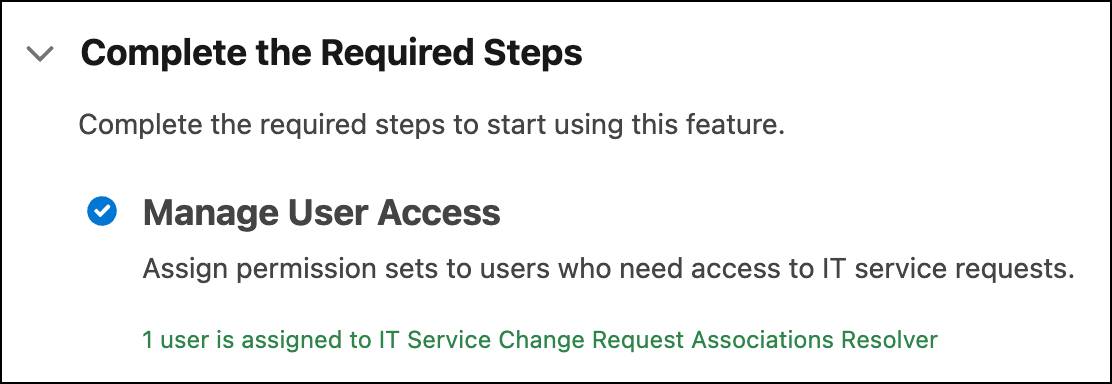
- Select Salesforce Go to return to its homepage.
- In the Search features in your org… box, search for
Incident Management.
- In the IT Service Incident Management tile, select Set Up.
- Select Get Started.
- Select Turn On.
- Select Turn On again to confirm.
- If needed, expand Set Up the Basics, then Define Incident Priority.
- Make sure Configure Rules for Automatic Incident Priority is checked.
- Select Configure.
- Click the Turn on Automatic Priority Assignment for IT Service slider so it changes from Inactive to Active.
- Confirm the following settings.
- Default Priority: Moderate
- Set priority manually is not checked. (Leave it unchecked to enable priority autocalculation in the next unit.)
- Default Priority: Moderate
- Take a minute to view the Priority Settings. The Urgency and Impact settings are used to autocalculate the Priority when you create new incidents later on. Notice the control you have to customize settings to meet your business needs.
- Scroll down and save your work. Use the default values for this exercise.
Up Next
To pass the challenge, make sure to select Check Challenge to Earn 500 Points. Then, move on to the next unit to begin triaging incidents.