Access Your Office on Your Phone
Learning Objectives
After completing this unit, you’ll be able to:
- Identify key features of the Field Service mobile app.
- Explain how the features have an impact on your business.
- List ways to customize the mobile app.
Welcome to Field Service Mobile
Field service work is all about being in the right place at the right time, with the right tools and information. Whether it's a routine maintenance visit or an urgent repair, the work doesn’t start or end at the customers door. There's a whole world of logistics happening before, during, and after every appointment.
Keeping mobile workers informed has traditionally been one of the biggest challenges in field service. Before modern mobile tools, workers relied on physical data packets and phone calls back to the office just to get basic information. It was slow, error-prone, and left plenty of room for things to go wrong.
The Field Service mobile app changes all of that. It gives mobile workers everything they need to manage their day from their phone. from reviewing their schedule and job details before heading out, to navigating to customer sites, accessing knowledge articles on the go, and capturing signatures and photos once the work is done. All without needing to call the office or return to base.
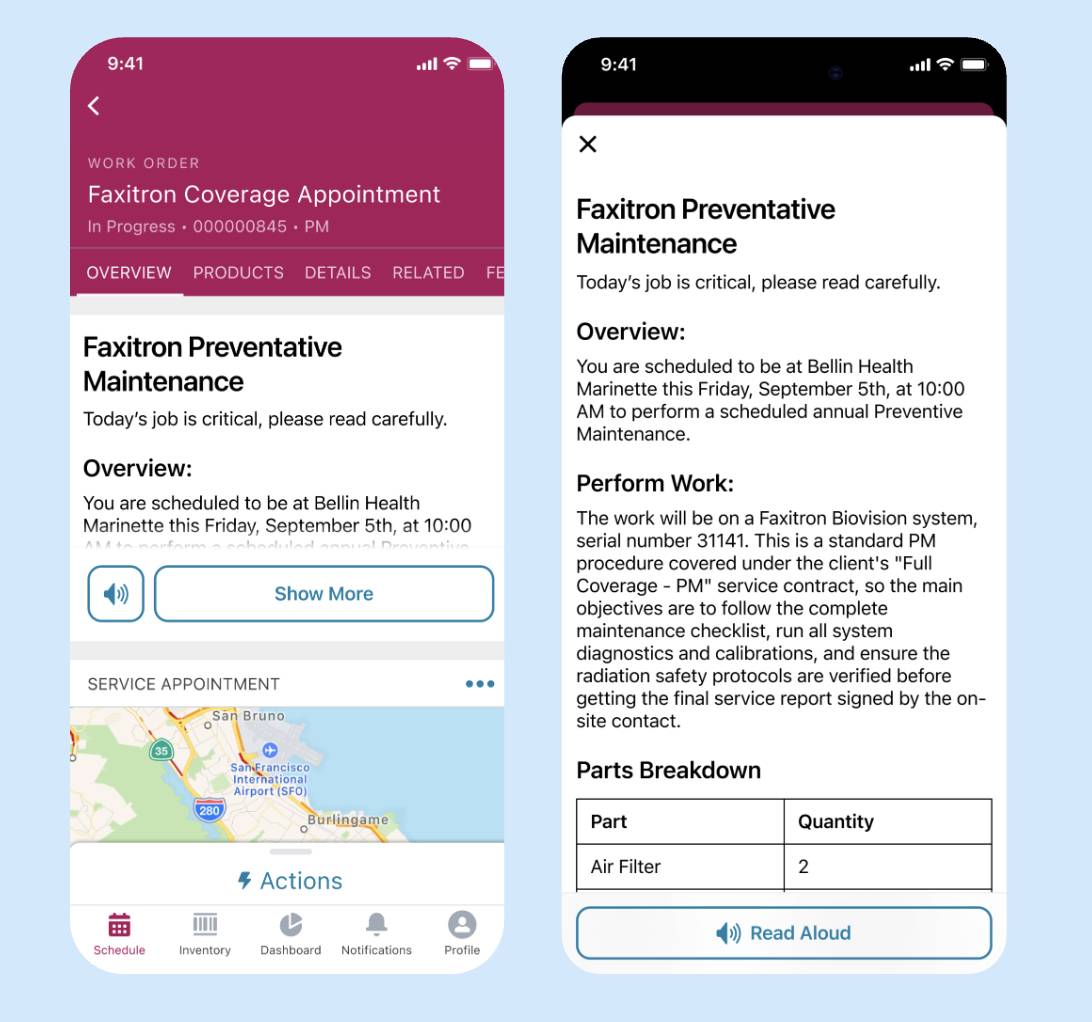
To see the app in action, let's follow a mobile worker through a typical day. It starts with a schedule review so the worker knows what's ahead and what parts are needed for each job. With the vehicle loaded and the day mapped out, the mobile worker uses the app to pull up their first job on a map and get turn-by-turn directions to the customer site. While traveling, they can use the app to get up to speed on the job ahead. Before arriving, a mobile worker might:
- Review the work order details to understand exactly what needs to be done
- Check knowledge articles for step-by-step guidance
- Message their dispatcher directly through the app if they have questions or need to flag a delay
- Contact the customer to confirm the appointment or provide an updated arrival time
Once the work is complete, the mobile worker can capture a photo of the finished job, record the customer's signature, and update their vehicle inventory to reflect the parts used. Everything is logged in real time, right from the field, with no paperwork and no need to report back to the office.
How Field Service Mobile Delivers Value
The Field Service mobile app isn't just about digitizing paperwork or replacing phone calls. It's about fundamentally changing how field service work gets done. Every feature in the app is designed to solve a real problem that mobile workers and their companies face every day. The table below lists some of these features and the problems they solve to make a tangible impact on your business from day one.
Feature |
Impact |
|---|---|
Schedule and appointment view |
Workers can see their full day at a glance. They know what's coming next, and can plan their time effectively. |
Built-in navigation and maps |
Workers get turn-by-turn directions to every job site without switching apps, helping you reduce travel time and ensure on-time arrival. You can also download maps to work offline. |
Work order and customer details |
Workers have complete context before they arrive, including service history and special instructions. This helps you deliver personalized, informed service every time. |
Knowledge article access |
Workers can look up procedures, troubleshooting steps, and product information on the spot, greatly reducing any chance of errors. |
Inventory and parts tracking |
Workers can see what's loaded on their vehicle and update inventory as they use parts. This helps you track consumption, allowing you to maintain and forecast stock levels. |
Product and service recommendations |
Workers can suggest additional products or services based on what they see at the job site. With this, your company increases revenue through field-driven upsell opportunities. |
Work Anywhere with Offline Priming
One of the most valuable capabilities of the Field Service mobile app is how it handles connectivity challenges. Mobile workers often find themselves in places where cell service is unreliable or nonexistent: basements, remote locations, large buildings with poor signal. A mobile app that stops working the moment connectivity drops isn't much use in the field.
The Field Service mobile app handles this through a process called offline priming. When the app is connected to a network, it automatically downloads and stores all the data the mobile worker is likely to need throughout their day. This happens in the background without the mobile worker needing to do anything.
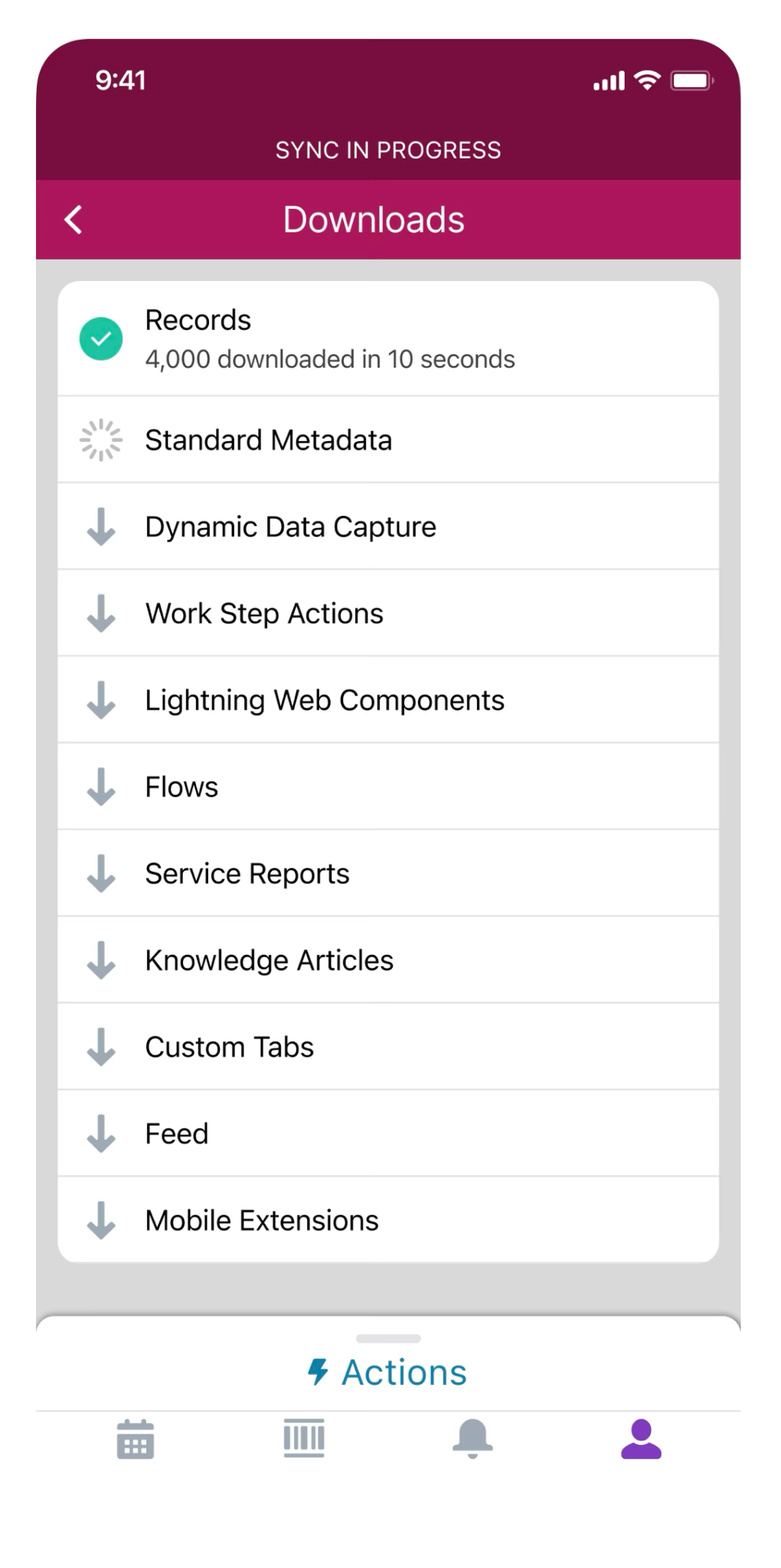
The result is that even when connectivity disappears entirely, the mobile worker still has full access to everything they need to do their job. Once a connection is restored, the app syncs any updates back to Salesforce automatically. It's a seamless experience that lets mobile workers stay focused on serving customers rather than worrying about their signal strength.
Customize the App
The Field Service mobile app works as soon as you install it. But you can also customize it to meet your company’s needs. Common customizations include the following.
- Set up branding using key colors and background images.
- Alert mobile workers of upcoming appointments and changes to their schedules with custom notifications.
- Add quick actions to object-specific page layouts so your mobile workforce can easily create and edit records, send messages to contacts, and more.
- Add global actions to all page layouts in the app so your mobile workforce can access them from every screen.
- Create flows to guide workers as they view information, create and update records, and trigger input-based actions.
- Let users pass data from the Field Service mobile app to other apps using app extensions.
- Let customers track a mobile worker's location when they're en route to the appointment.
The beauty of this approach is that you don't have to customize everything upfront. You can get your team up and running with the default configuration and layer in customizations over time as you identify what would make the biggest difference for your mobile workers. Start simple, learn what works, and refine as you go.
What’s Next
You've now seen how the Field Service mobile app transforms the way mobile workers operate in the field. It puts critical information at their fingertips and keeps them connected to dispatchers and customers. You've also learned how admins can customize the app to meet their organization's unique needs without having to build everything from scratch.
In the next unit, you roll up your sleeves and walk through the process of installing the Field Service mobile app and setting up a mobile worker so they're ready to hit the field.
Resources