Design a Referral Program
Learning Objectives
After completing this unit, you’ll be able to:
- Describe how to create a referral program.
- Explain how to model vouchers as referral rewards.
- Describe the process of creating a promotion.
Create a Referral Program
The Referral Marketing app is user-friendly and intuitive, with built-in promotion, email, and widget templates for creating immersive customer experiences.
Yasmin begins by creating a program called Cloud Kicks Referral Program.
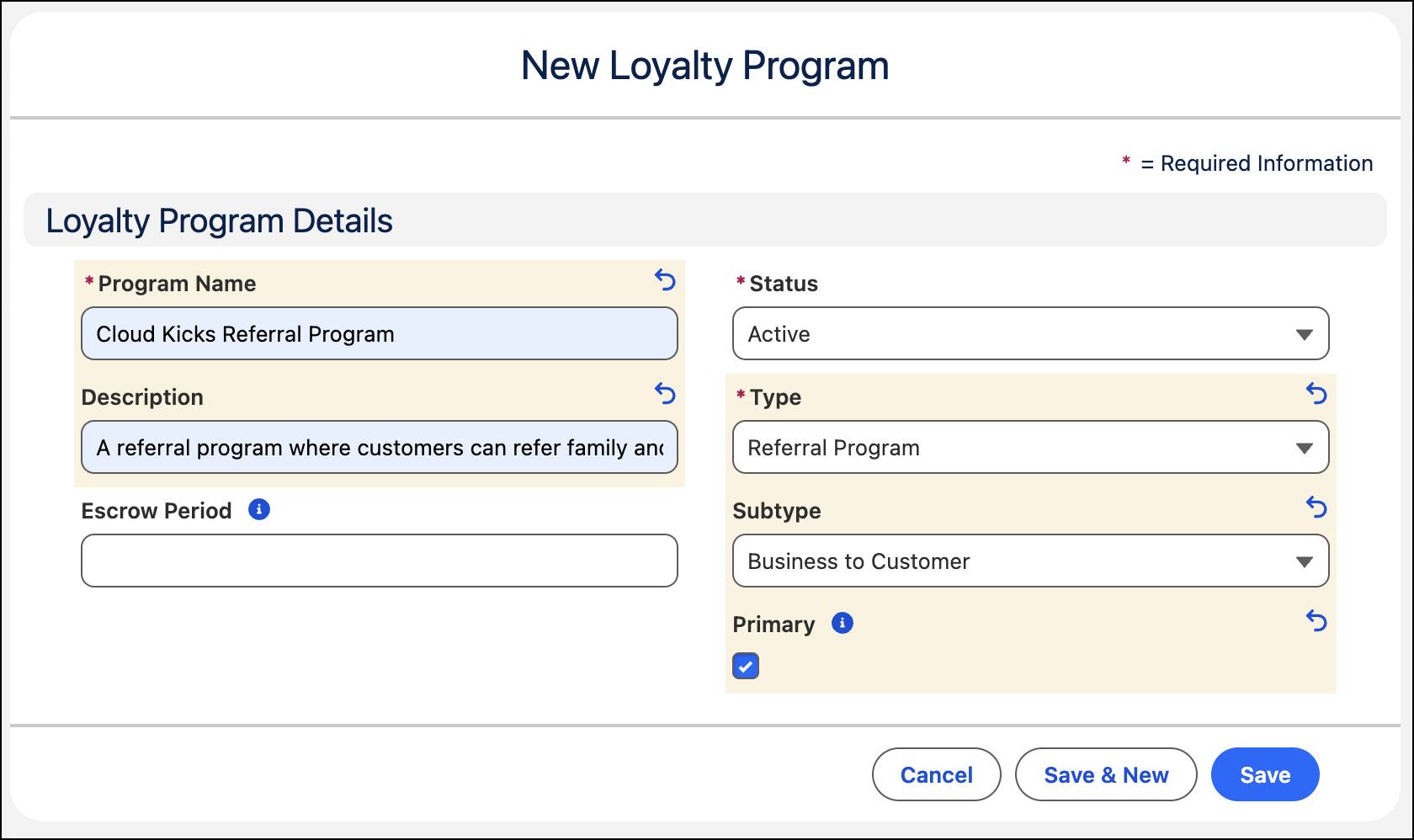

After Yasmin creates the program, she can add advocates individually or as a group. To learn how to do this, check out Add Advocates.
Add Rewards to the Referral Program
With Referral Marketing, you can model referral rewards as vouchers or extended rewards. Create vouchers for a discount, a fixed value, or a free product or service as incentives for advocates and friends. Additionally, you can design various reward types such as gift cards and cashback for both advocates and friends. These extended rewards, however, require external systems for implementation. To learn more, refer to the Create Extended Reward Definitions help topic.
Yasmin decides on a $20 voucher for both groups and creates the voucher definition.

The program issues this voucher as a unique code that customers apply at checkout. You’ll soon find out how to use this voucher in the promotion.
Plan a Referral Promotion
Promotions are central to referral programs. You can run multiple promotions in a referral program to target specific audiences. You create promotions with a guided flow: add details, define rewards and audience, and customize email templates and the referral widget.
A default promotion template, Refer a Friend, serves as the basis for all promotions. The template determines the configuration of the promotion. You can also create a custom template where you define stage names, when advocates and their referred friends are rewarded, the reward types, and the activities that trigger rewards.
Yasmin creates Give $20, Get $20, an end-of-year promotion that runs from December through the beginning of next year. During this time, advocates can join the program and refer their friends. And friends can sign up and make their first purchase.

Yasmin uses the default template and defines a promotion code. When an advocate is added to the program, they’re assigned a member referral code. The promotion code and the member referral code together form the advocate’s unique referral code for that promotion.
When a friend signs up, they use the advocate’s referral code. Because the promotion code is embedded in the referral, it’s easy to identify which promotion to apply when multiple promotions are running at the same time. The code also links each referral back to the promotion, making it easier to analyze promotion performance.
After defining the key attributes of the promotion, Yasmin sets up the rewards and the audience.
Set Up the Rewards and Audience
Yasmin now chooses the vouchers that advocates and friends receive.
The vouchers are incentives for customers to engage in the program. However, when a reward is involved, there’s a risk of misuse. To prevent this, define a limit for the maximum number of rewards an advocate can receive.
You can set the validity of the reward limit to last the promotion duration or the calendar year. This way, advocates can refer more friends, but advocates are eligible for only the allowed number of rewards. As an added precaution, you can also define the maximum number of times an advocate can refer their friends by email in a day. This limit has a rollover period of 24 hours from their last referral.
Here’s how Yasmin configures the promotion rewards and audience.

Based on the limits in this example, an advocate can earn a reward for up to 10 successful referrals during the promotion, and can email a friend up to three times in a rolling 24 hours.
To get quality leads, you can target customers based on their referral potential. You can select the target audience from these options.
- Choose all advocates of the referral program as the promotion’s target audience.
- Select campaign members as the promotion’s target audience. You can include an advocate in a campaign by adding the advocate’s contact record to the campaign record.
- Use Data 360 to gather customer data from different sources such as stores and ecommerce sites, and create a unified view of the customer. Create segments and use them as the target audience for your promotions. All members of the segment receive email about the referral program.
Yasmin selects all advocates of the referral program as the target audience. In the next unit, she designs the communication assets.