Explore the Two Pillars of Salesforce Health Insights
Learning Objectives
After completing this unit, you'll be able to:
- Describe the Product Adoption and Implementation Health pillars.
- Identify the domains within each pillar.
- Explain the difference between mandated and dispositionable controls.
One Shared View of Org Health
Salesforce Health Insights is built on two pillars—Product Adoption and Implementation Health—that work together to turn org data into action. Every finding across both pillars is measured against the same Salesforce Standards and shown in the same unified view. Admins, architects, and business owners work from one picture of org health instead of switching between separate tools.

Pillar 1: Product Adoption
Product Adoption shows the value you've unlocked with Salesforce, plus recommendations (next-best actions) to unlock even more. At GA, Sales Cloud and Service Cloud have Product Adoption coverage with additional clouds being enabled soon.
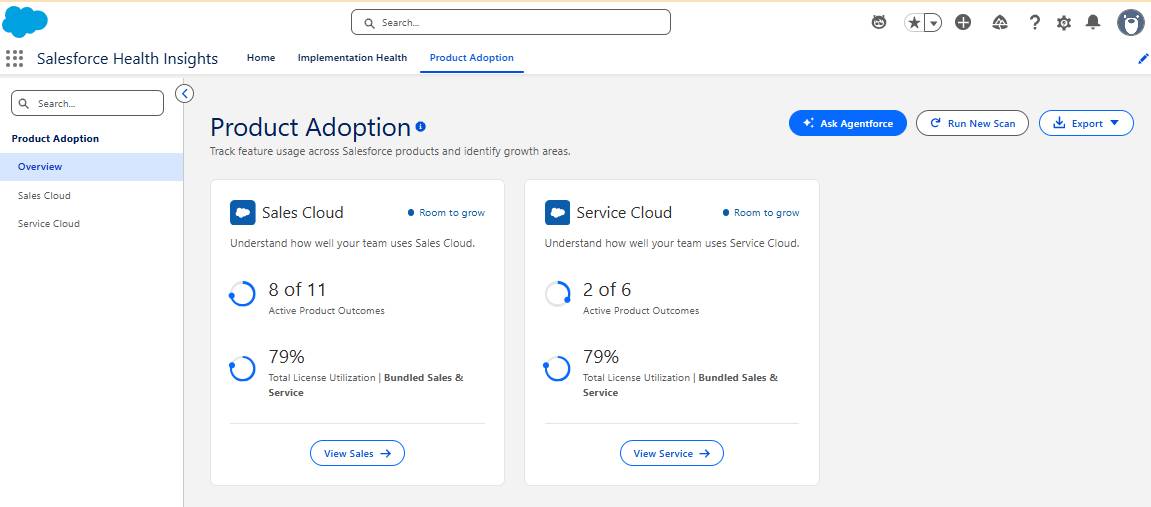
Active Product Outcomes
Each outcome maps to the features that help achieve it, so you can prioritize the outcomes best aligned with your business goals.
License Utilization
This allows you to understand current adoption through monthly active users and identify adoption gaps across clouds.
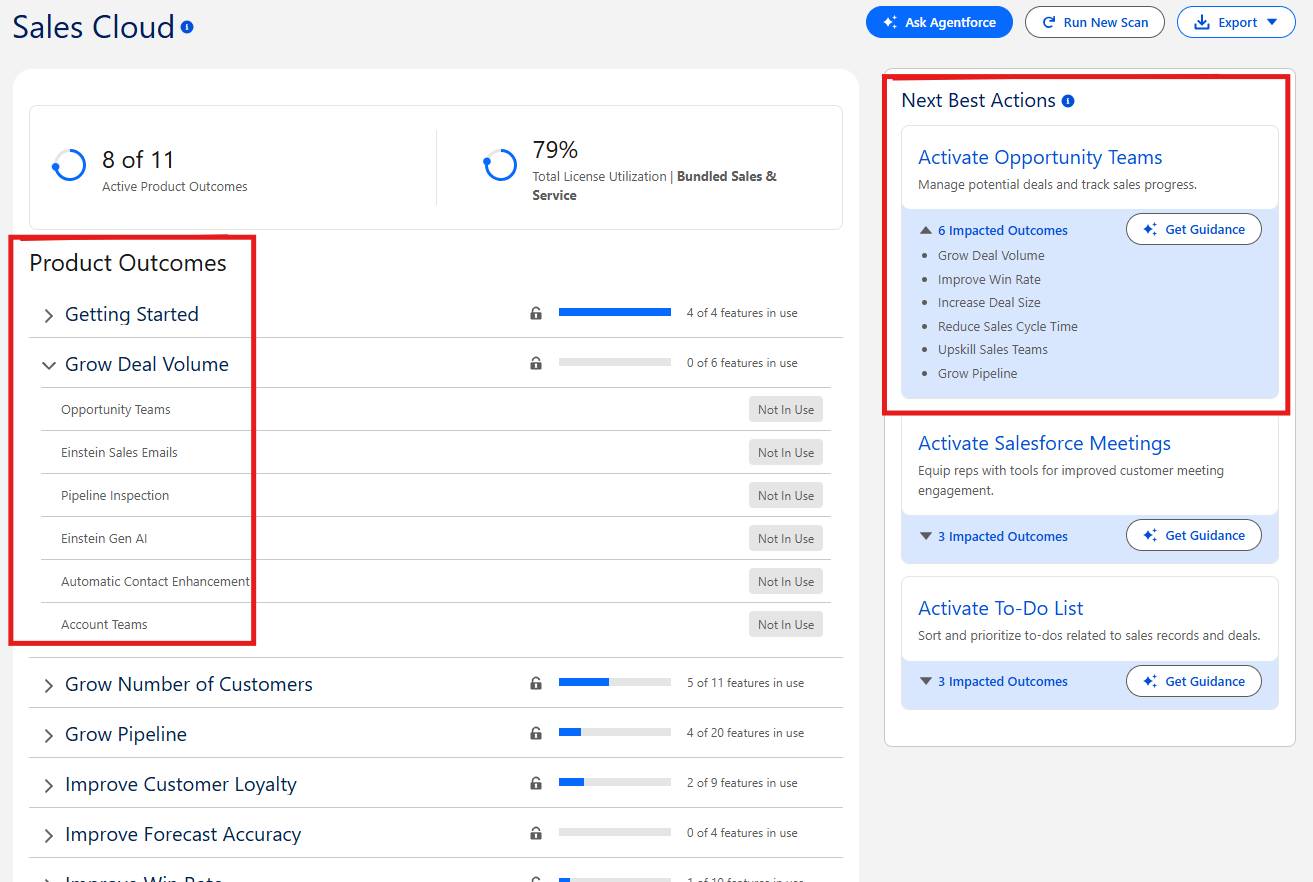
The Cloud specific page shows Product Outcomes (POs) or business goals, and each one expands to the specific features that help you achieve it, showing which are in use.
The Next Best Actions panel adjoining it turns adoption gaps into a prioritized to-do list. Each card, such as Activate Opportunity Teams, names the feature to enable and lists the Product Outcomes it supports. Select Get Guidance to receive step-by-step help from Agentforce on turning it on.
Pillar 2: Implementation Health
Implementation Health gives you insight into your org's security and process automation, with prioritized findings and actionable recommendations.
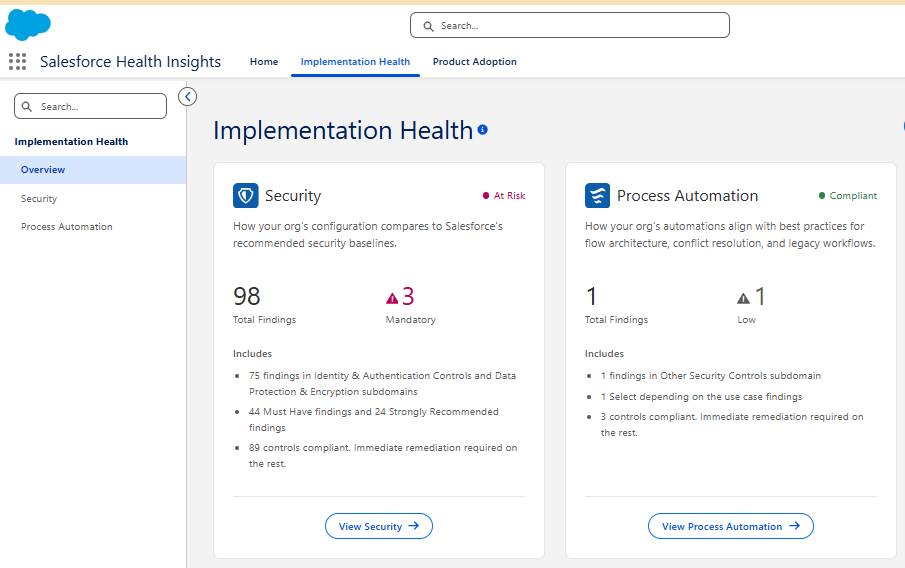
Security
Health Insights evaluates your org's configuration against Salesforce baselines. It covers identity and authentication gaps, session and password policy risks, and MFA enforcement coverage.
Process Automation
It analyzes your org's active metadata for tech debt and process risk. This includes Workflow Rules pending migration to Flow, automation conflict knots (order risks), and Process Builder retirement debt.
How Findings Work
Each finding carries a severity (Critical, High, Medium, Low, or Mandatory for Salesforce-mandated controls), the specific affected item, and a recommended baseline. You can track it (target date, status) or dispose of it (accept risk, mitigate by alternative control, not applicable) directly in the org.
Health Insights access via Salesforce MCP
You can also reach Salesforce Health Insights from your agentic tool of choice, like Slackbot. With Slackbot connected to the Salesforce MCP, just ask a question about your org's health, and it returns your Product Adoption and Implementation Health insights right in the conversation. You can spot risks, share them with your team, and decide what to act on next.
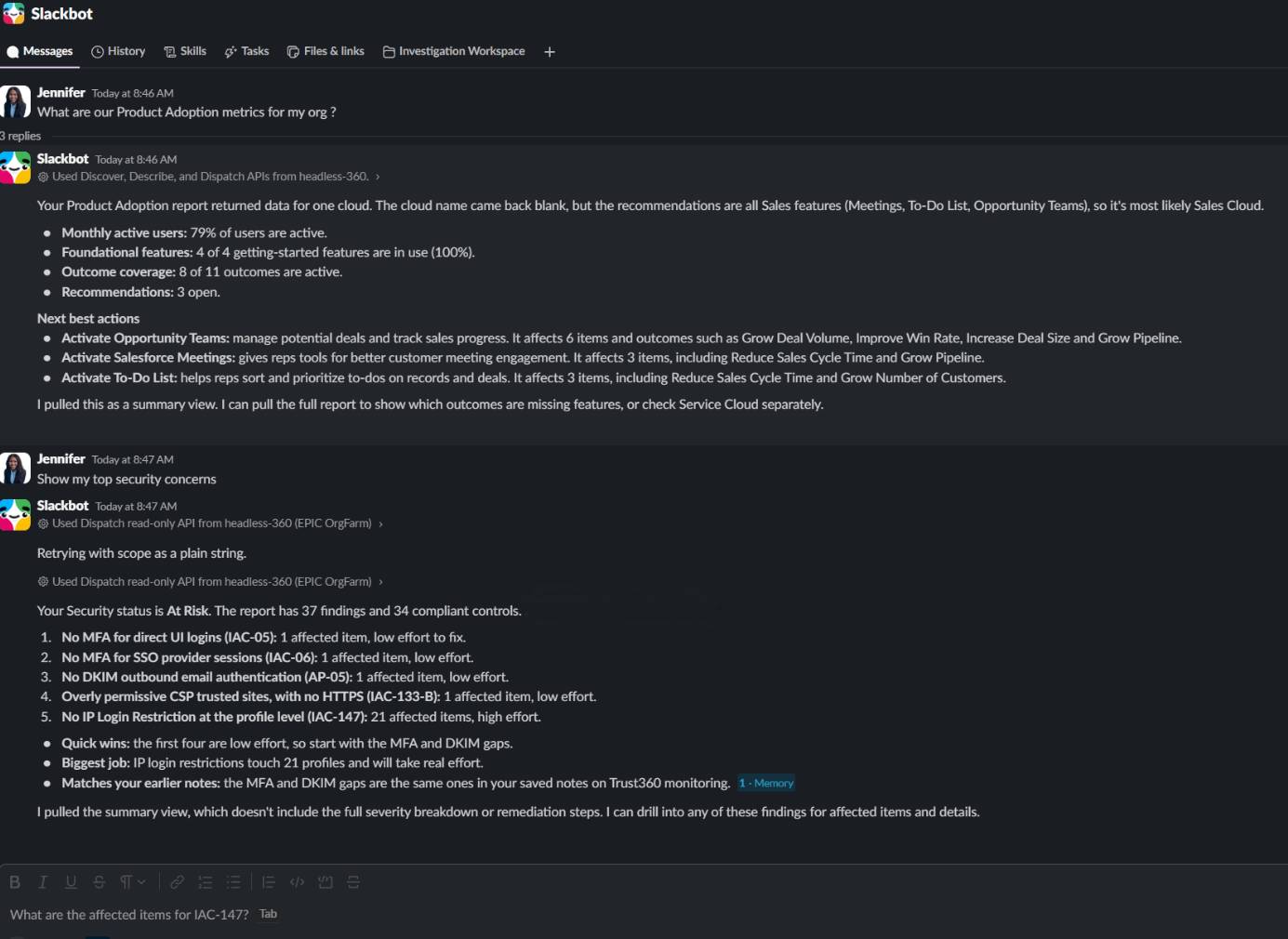
Find instructions and documentation for connecting to the Salesforce MCP servers in the Hosted MCP server setup guide
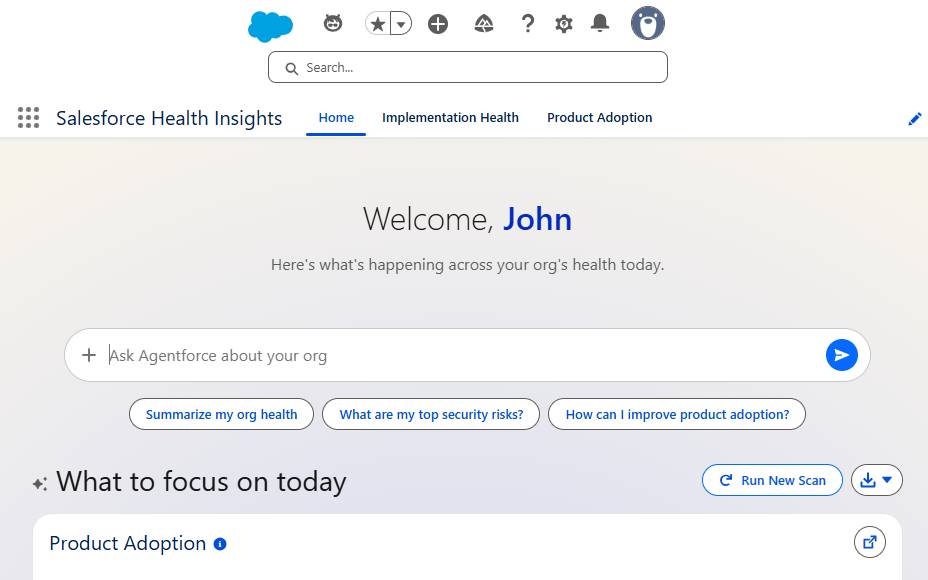
Agentic interface to the Health Insights
From the Health Insights pages, “Ask Agentforce” box to get answers in plain language. Select a suggested prompt, such as "Summarize my org health," or "How can I improve product adoption?" Or type your own question. Agentforce responds with explanations grounded in your org's own findings and can walk you through next steps, so you can move from insight to action without leaving your flow of work.
Now you know the two pillars and how findings are classified. Next, learn how a recommendation turns into action.