Get Started with Security Center Essentials
Learning Objectives
After completing this unit, you’ll be able to:
- Explain what Security Center Essentials is and how it helps you monitor and manage your org's security posture.
- Navigate the Security Center Essentials dashboard to explore key security metrics.
- Interpret your Security Health Check score and identify areas for improvement.
Discover Security Center Essentials
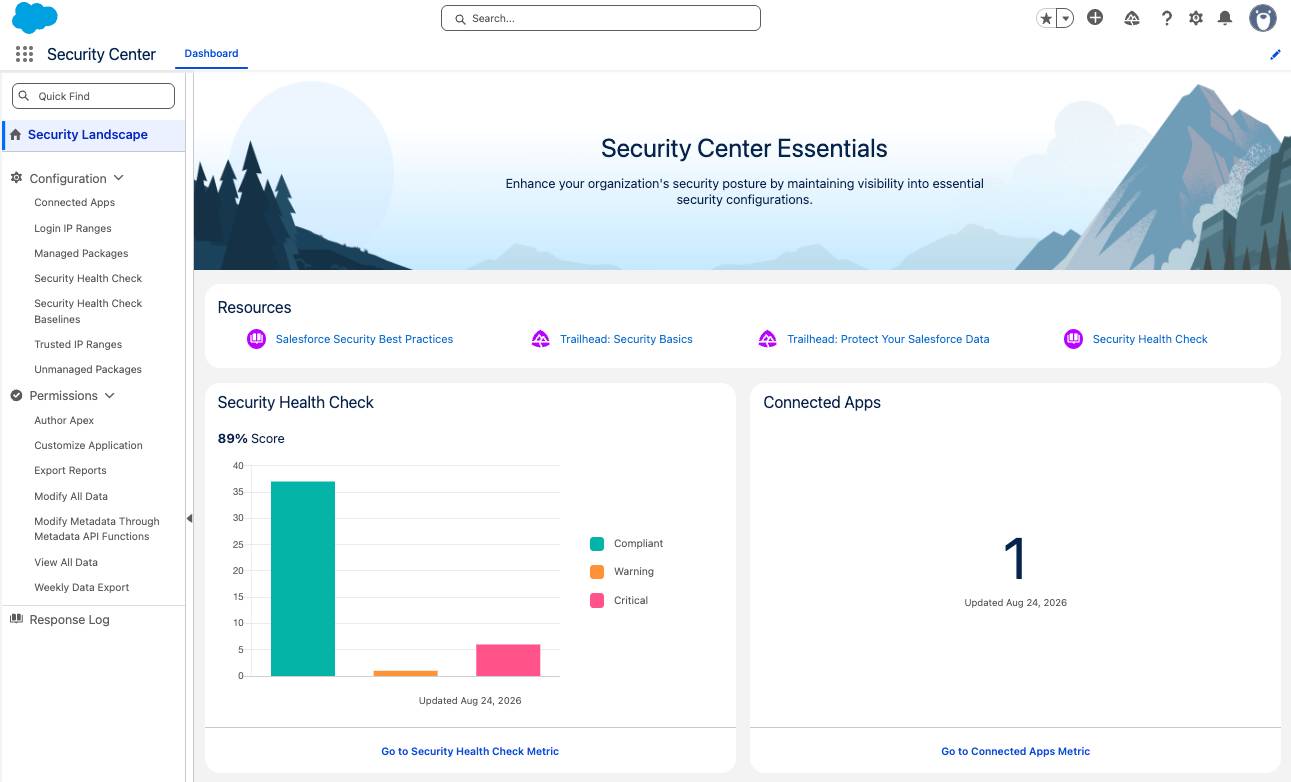
Security Center Essentials is a foundational version of Security Center. It provides every customer a centralized hub to monitor and manage their security posture as standard functionality.
Security Center Essentials makes it easy to give your Salesforce org a security checkup. Its dashboard shows you a set of important security metrics, including your Security Health Check score, connected apps, managed and unmanaged packages, permission metrics, and more. The best part? It's available at no additional cost in all Salesforce editions.
Think of Security Center Essentials as your security GPS. Just as a GPS shows where you are and where you need to go, Security Center Essentials shows your org’s current security posture and highlights where you need to take action. The dashboard automatically collects data weekly and stores it for 30 days, so you can track trends and identify changes over time. If your org upgrades from Security Center Essentials to the full version of Security Center, all historical metrics data is automatically retained.
Security Center Essentials in Action
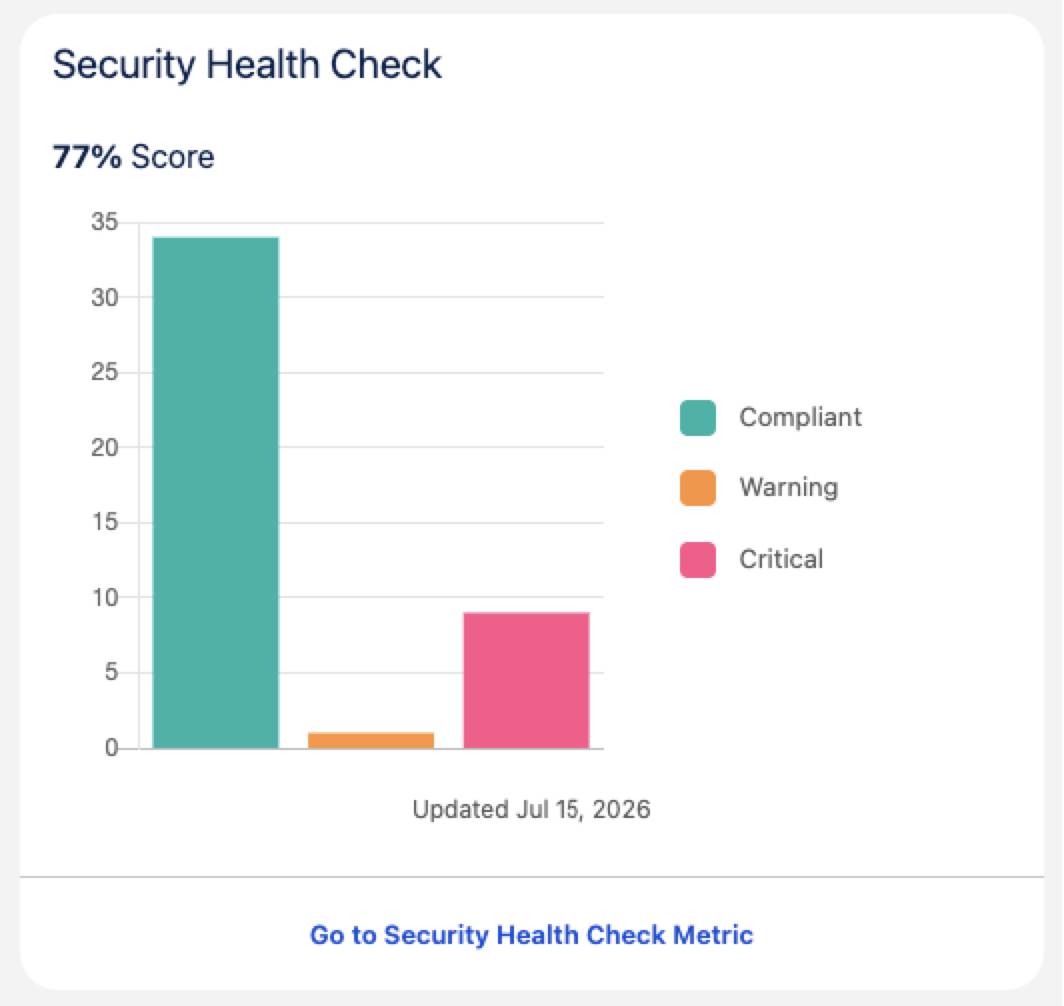
Meet Maria, a Salesforce admin at a growing tech startup. She’s responsible for keeping her company’s Salesforce org secure, but she’s not a security expert. One morning, Maria logs in to Salesforce and discovers Security Center Essentials. On the dashboard’s Security Landscape view, she sees her org’s Security Health Check score: 77%. That’s not bad, but there's room for improvement.
Explore the Score
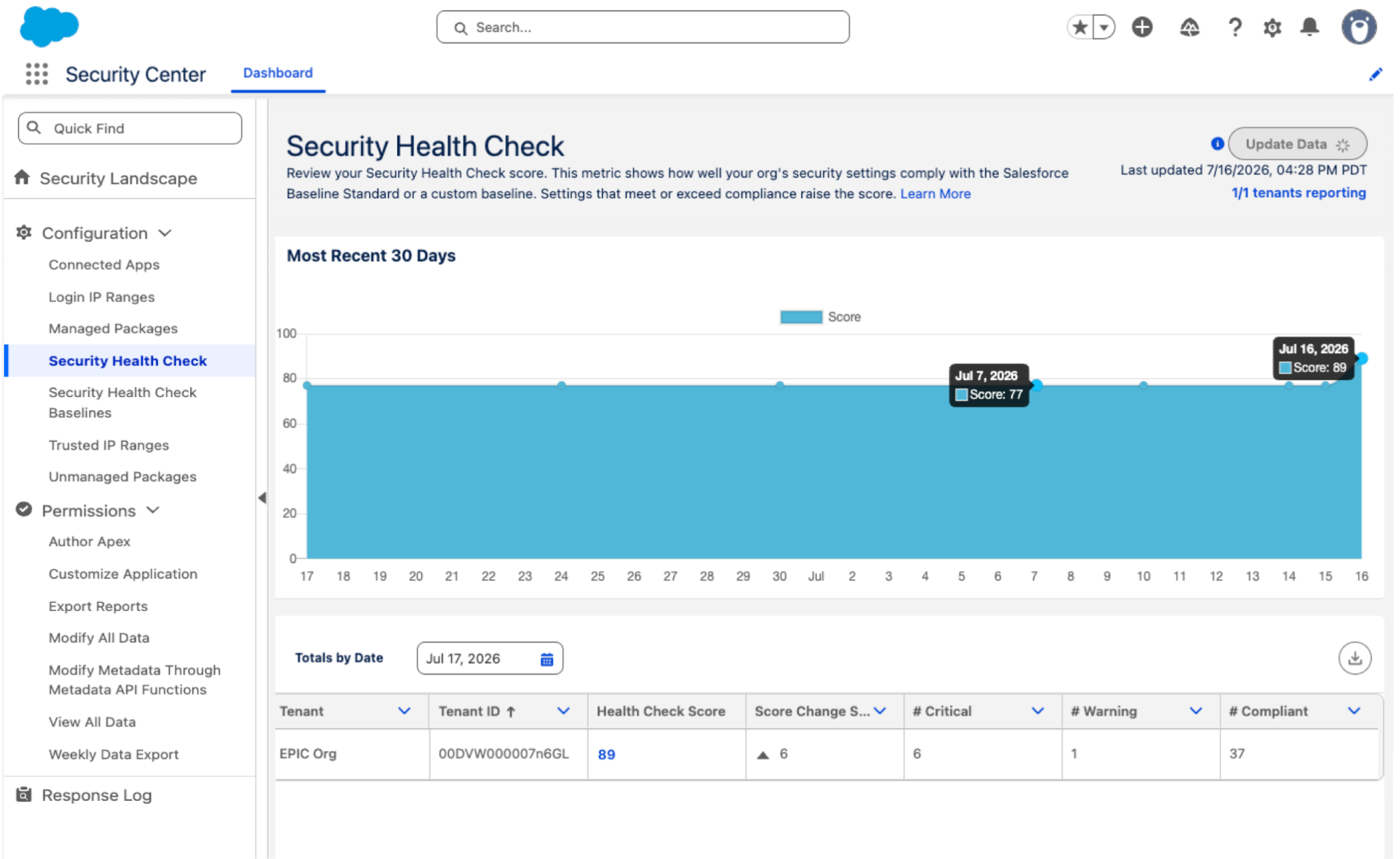
Maria clicks on the Security Health Check tile to learn what's affecting her score. Her org's security settings are measured against the Salesforce Baseline Standard, a set of recommended security configurations. Settings that meet or exceed this baseline raise her org’s score, while settings that fall short of the baseline lower its score.
The Security Health Check metric page shows a chart with a trend line tracking her org’s score over the past 30 days, and it’s been steady at 77%.
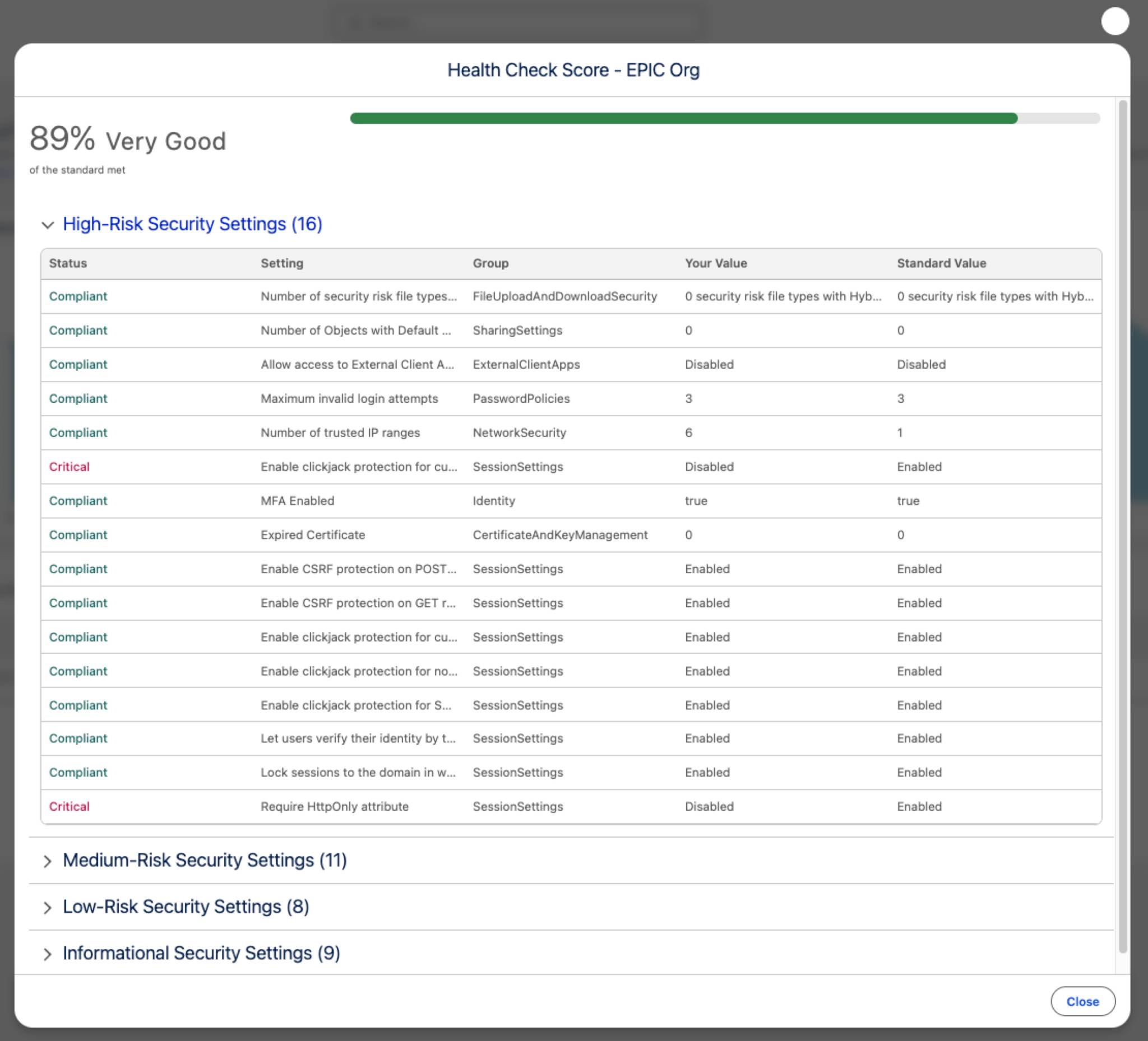
She clicks the score number in the Totals by Date table and a popup appears with a breakdown of security settings. This view organizes security settings into four categories: High-Risk, Medium-Risk, Low-Risk, and Informational. Within these categories, each setting has a status: Compliant, Warning, or Critical.
Maria reviews the High-Risk settings that are flagged as Critical and discovers that she can adjust some Identity and Session Settings configurations to make her org more secure. She goes to Setup, makes adjustments, and sees her org’s Health Check score climb to 89%, a solid improvement.
Get More with Metrics
Maria knows that Security Center Essentials is more than scores. She explores the other metric categories to fully understand what’s happening in her org and take further action if needed.
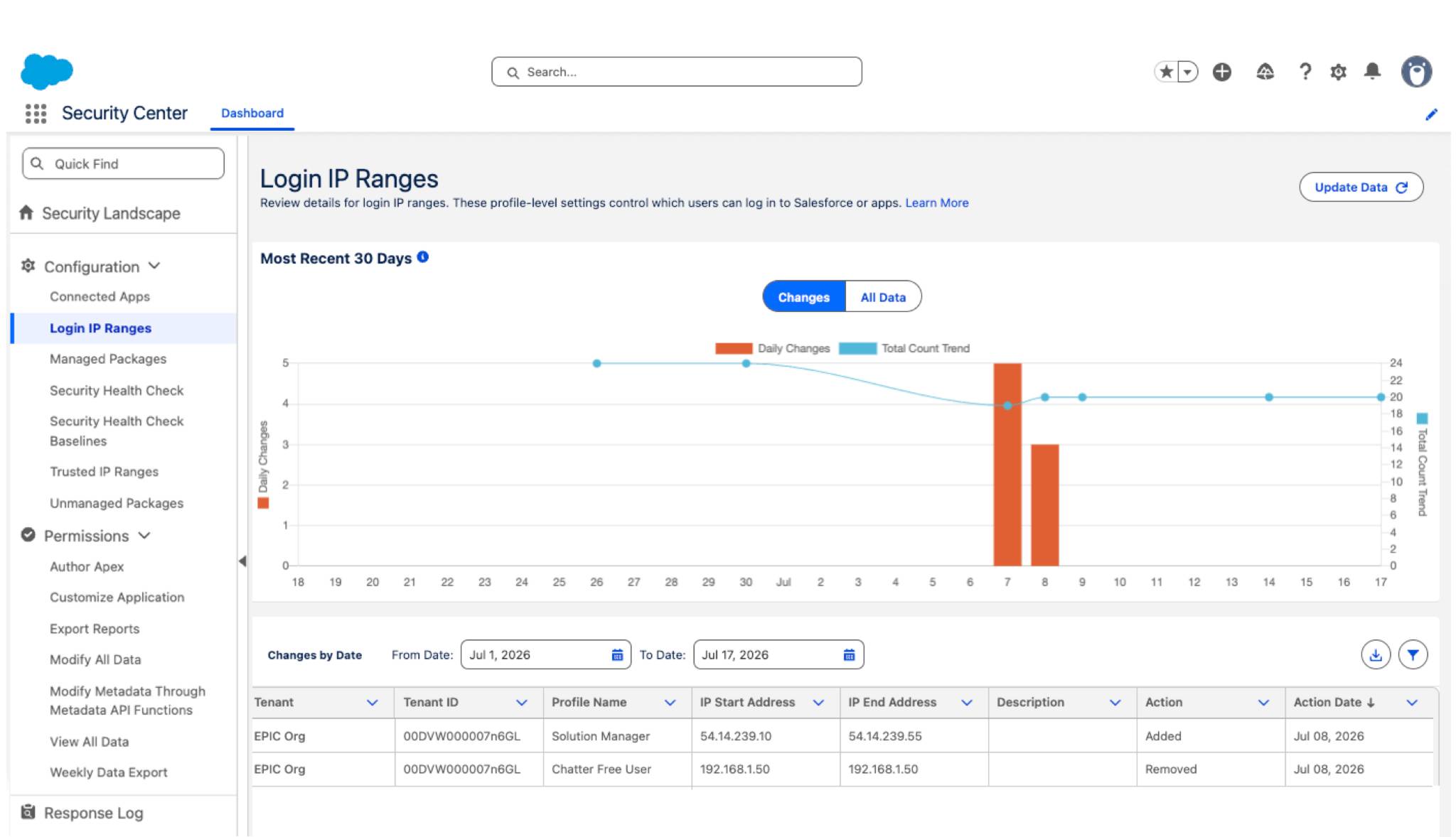
The Connected Apps metric shows her which third-party apps are integrated with Salesforce and who installed them. The Managed Packages metric reveals details about packages from AgentExchange, including whether they've passed security review. And the Login IP Ranges metric helps her identify which IP addresses users can log in from, which lets her block unauthorized access if necessary.
Each metric detail page offers two views, Changes and All Data. On the Changes view, the Changes by Date table shows what’s been added or removed over time, while the All Data view provides a snapshot of everything currently configured. Maria finds this information especially useful when she wants to optimize the login IP ranges and associated profiles allowed for her org.
Wrap It Up
With Security Center Essentials, Maria confidently manages her org's security. She can catch issues early, understand what’s changed, and take action before small problems grow into major ones. Security Center Essentials is a simple, powerful tool that puts security savvy at Maria’s fingertips—and yours!