Learn About Partner Cloud Setup
Learning Objectives
After completing this unit, you’ll be able to:
- Explain the challenges Partner Cloud helps you solve.
- Identify the three audiences who use Partner Cloud.
- Describe the three stages of setting up Partner Cloud in Salesforce Go.
Before You Start
Before you start this badge, consider completing this recommended content. The work you do here builds on the concepts and work you do in that content.
Why Partner Cloud?
Your company probably doesn’t sell everything on its own. Resellers, distributors, referral partners, and service providers all help bring in business. That’s great news for the pipeline. But keeping track of all those relationships can get messy fast.
Without a dedicated system, partner programs tend to run on spreadsheets, email threads, Slack messages, and shared drives. Channel managers chase partners for deal updates. Partners can’t find the latest price sheet or tell whether the lead they sent over went anywhere. And you, the admin, get asked to patch it all together.
Partner Cloud brings that work into Salesforce. Because it’s built on the same platform as the rest of your org, your partners and your internal teams work from the same data. Deals, leads, resources, and partner performance live in one place instead of five.
Meet the Users You’re Setting Up For
Partner Cloud serves three types of users. As the admin, you set up the experience for all of them, including yourself.
Audience |
Who They Are |
What They Need from Partner Cloud |
|---|---|---|
Admins |
That’s you. You configure Salesforce for your company. |
A straightforward way to set up Partner Cloud, control who sees what, and keep data secure. |
Channel managers |
Employees at your company who recruit, onboard, enable, and support partners. |
One place to manage partner accounts, track deals, and review partner performance. |
Partners |
People at outside companies who sell and deliver on your behalf. |
A site where to register deals, work leads, find resources, and collaborate with your team. |
Keep these three groups in mind as you go. Every setup step in this badge serves at least one of them.
It All Starts with the Partner Site
Here’s the thing about partners: They can’t do much for you until they have somewhere to work. Your channel managers already work in Salesforce. Your partners are outside your company, so they need their own front door. That front door is the partner site—an Experience Cloud site built for partners. It’s where partners log in and get down to business with you. No partner site, no partner engagement.
If you’ve ever set up a partner site manually, you know it can take a lot of work. You turn on a feature in one place, build the site in another, and then switch between Setup pages to sort out roles, permissions, and sharing. And it all has to happen in the right order. Miss a step, and your partners can’t log in. Or worse, they could see data they shouldn’t.
Salesforce Go simplifies this process. It’s a guided experience in Setup that helps you configure Salesforce features. For Partner Cloud, Salesforce Go sets up the foundational settings for you and then guides you through the rest of the setup in one place.
Your Setup Roadmap
You set up Partner Cloud in Salesforce Go in three stages. Here’s an overview of each.
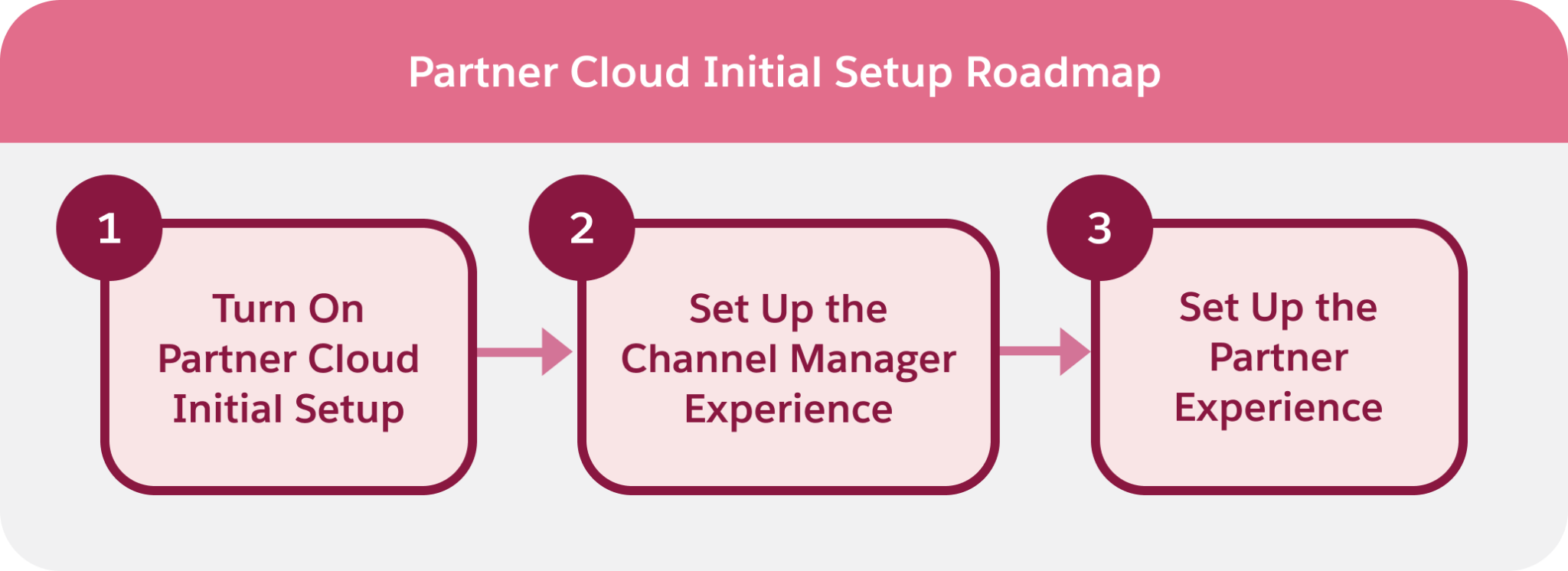
1. Turn On Partner Cloud Initial Setup
This is where it all begins. When you turn on initial setup, Salesforce Go configures the foundational settings Partner Cloud needs. It turns on the features that power your partner site, creates the site, and gives your channel managers their tools. Tasks that once required separate steps in Setup now happen automatically.
2. Set Up the Channel Manager Experience
Next, you get your channel managers ready. You give them a place in your role hierarchy and the permissions they need to manage partners. Why does the role matter? Partner users roll up under the channel manager who owns their account. With that structure in place, channel managers can see and support their partners.
3. Set Up the Partner Experience
Finally, you prepare the site for your partners. You decide what data partners can see, give them the permissions they need, and control who can log in. When you confirm the settings are correct, you activate the site, and your partners can start working with you. Each stage builds on the previous one, so complete them in order. Channel managers need their roles before partners can be assigned to them, and partners need the right access before you activate the site.
Sum It Up
Your partners are ready to work with you—all they need is a way in. In the next unit, you open Salesforce Go and complete each stage, starting with initial setup.