Translate Data with Tableau Semantics
Learning Objectives
After completing this unit, you’ll be able to:
- Explain how a semantic model bridges the gap between raw data and business terminology.
- Describe how to build data relationships to combine multiple data objects into a single source of truth.
- Define standardized metrics and calculations that remain consistent across tools and AI agents.
- Validate a semantic model before deployment.
Speak the Language of Business
The biggest hurdle to AI adoption is a lack of context, not a lack of information. While a database might have a column labeled total_rev_adj_net, an executive is far more likely to ask, “How much revenue did we generate yesterday?”
To bridge this gap, you use Tableau Semantics to build a semantic model. This flexible metadata layer sits on top of your Data 360 objects to describe your data without moving or duplicating it. While Data 360 structures and indexes your data to ground the agent in company facts, the semantic model applies the business logic required to interpret those facts.
Create a Semantic Model
To begin constructing the logic layer, you need to create a semantic model. This model is the structure that contains the business logic that your system uses to interpret incoming questions.
The resulting layer acts as an active translator, giving the agent the information necessary to turn a user’s natural language question into an accurate database query. Because the agent references these centralized rules, it can safely parse and answer complex business questions on demand.
For detailed steps, see Build an AI-Ready Semantic Model.
Select Your Data
Building your semantic model starts with choosing your entry point and the underlying data it will reference. You can add semantic models in two ways depending on where you choose to work.
-
In Tableau Next: You can either create a completely new semantic model or select a semantic model based on an existing asset. For more information, see Semantic Models in Tableau Next.
-
In Data 360: You can create semantic models directly within Data 360 using Tableau Semantics. For more information, see Create a Semantic Model in Data 360.
To keep your system fast and accurate, it helps to follow the principle of a minimum viable model when you build your semantic model. This simply means you include as few data objects as possible to answer your users’ targeted questions, which prevents your model from getting unnecessarily cluttered.
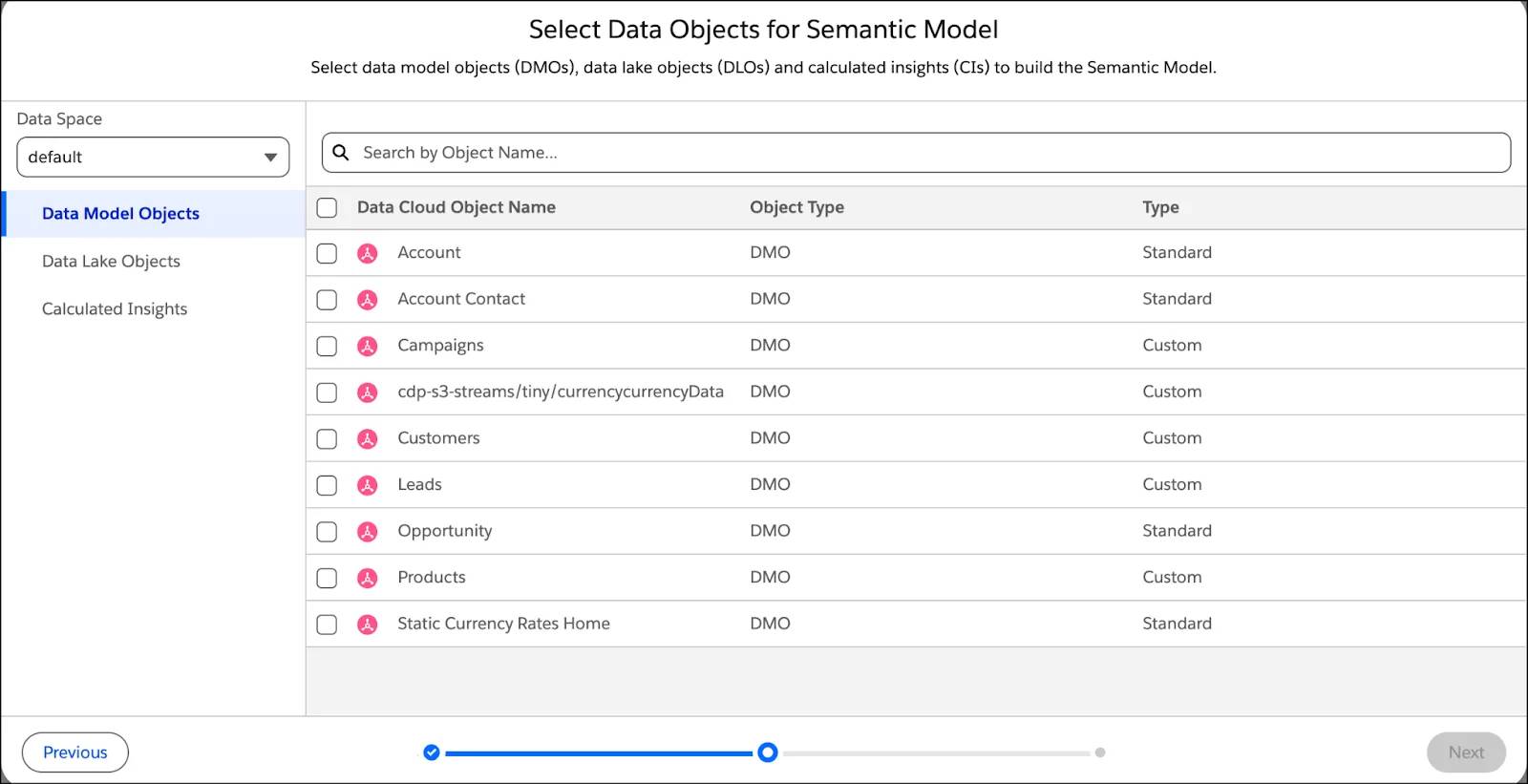
To ensure your model is fully optimized for AI, be sure to follow the established best practices for designing AI-ready semantic models.
Connect Data Objects
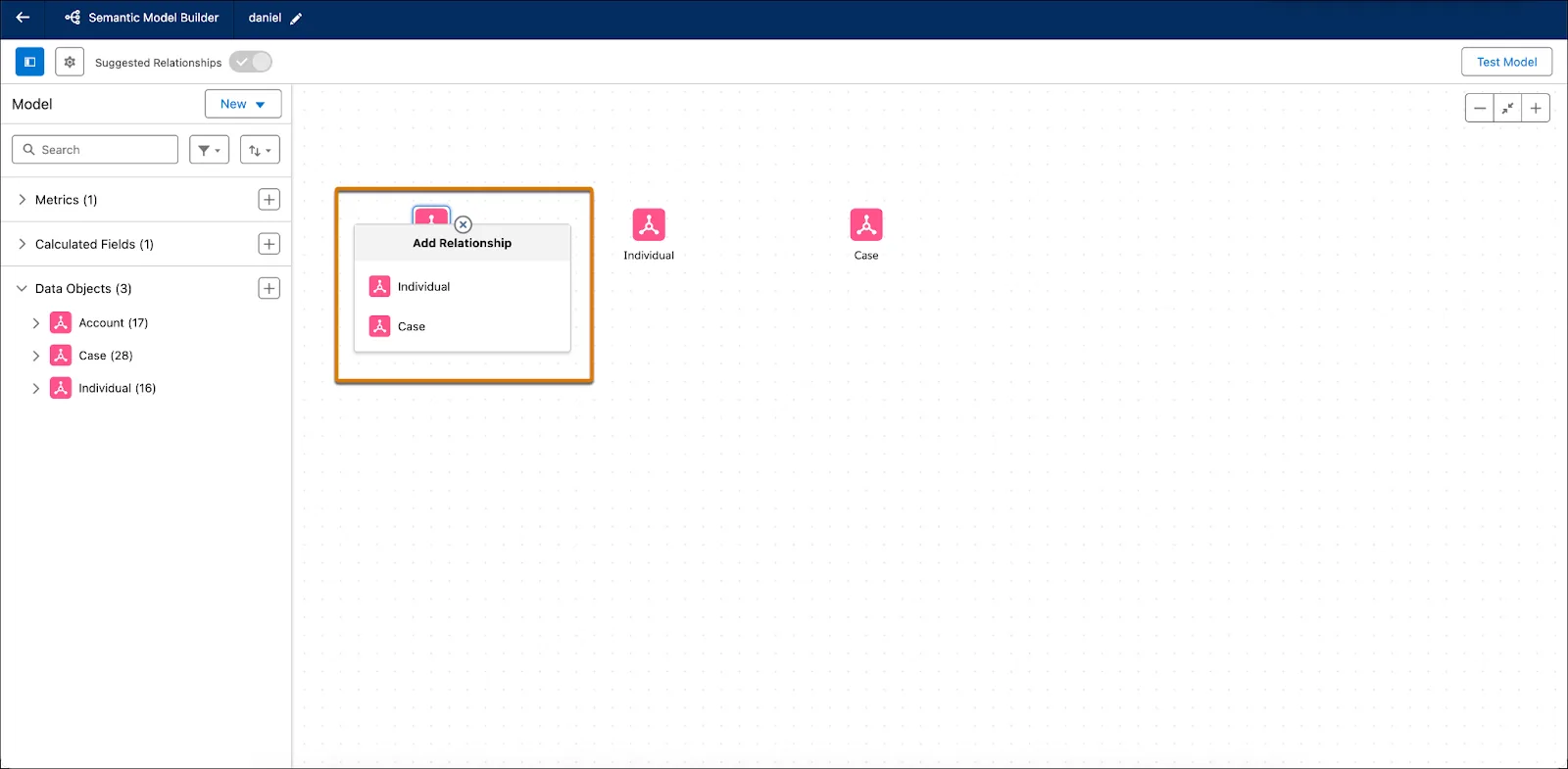
After you select your data objects, you must define how they interact, such as linking a customer profile to a sales transaction or a product code to a geographic region. In the semantic layer, you establish these connections as flexible relationships rather than rigid database joins so that the data maintains its native level of detail. The system automatically selects the correct join type for each specific request, ensuring the agent can stay flexible and isn’t bound by a specific join logic.
Define Your Math and Business Terms
With your data objects related, you then define the metrics and terms that drive decision-making. By setting things up in the semantic model, you create a single source of truth for your entire company. If the definition of a KPI changes next year, you only have to update the formula in this one central model to automatically push that change to every connected AI agent, dashboard, and report.
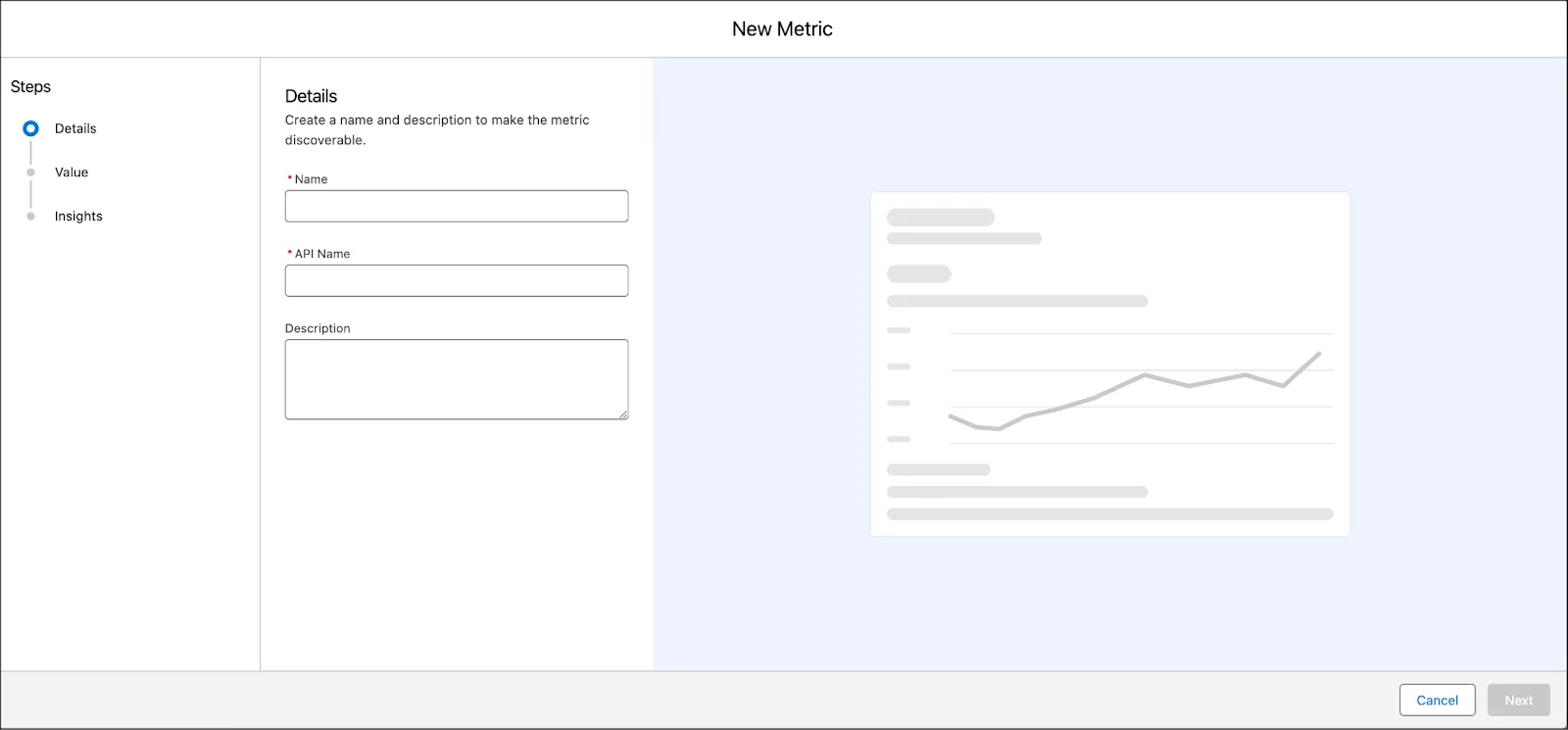
During this stage, you translate your company’s standard business logic into formal KPIs so the agent has a solid foundation for answering numbers-based questions. You also add synonyms to broaden the agent’s understanding of the words that your team actually uses, such as revenue or total bookings. This process ensures that the agent matches casual human phrasing with your exact formulas, so that if an executive asks, “How much revenue did we generate yesterday?” they receive an accurate response.
Technical Validation of Your Model
Before you share your model with a pilot group of testers or put it into production, you must ensure that your business logic and data relationships perform as intended. Within the Semantic Model Builder, there’s a dedicated test environment for this validation, so you can catch errors before anyone else sees them.
The Admin’s Audit
Use the built-in test environment to optimize and test your semantic model. At this stage, your goal is to remove ambiguity so the agent never has to guess what a user is asking for.
Eliminate the Clutter
Data clutter—an accumulation of redundant, low-value, or overlapping information—is a common cause of inaccurate AI outputs. When an AI model encounters too many similar options, it often struggles to determine the correct context. For example, if the system sees five different date fields, it might pick the wrong one for a Current Quarter calculation.
To combat this, perform these checks.
-
The date test: If you have fields like Created_Date, Last_Modified_Date, and Fiscal_Close_Date, hide everything except the field your business uses for official reporting.
-
The ID test: Hide system-generated IDs (like Record_ID_18_Char) that have no analytical value. This step prevents the agent from trying to calculate mathematical averages on ID strings or selecting an ID when a user asks for a name.
Test and Repeat
Use the model tester to ask a sample question like, “What was our revenue last month?”
- If the agent fails, check if you need to add a synonym. Did it fail because you forgot to define “revenue?”
- If the agent provides the wrong number, check if it’s pulling from a hidden field that should be excluded from the model.

Validating Logic Versus Verifying Experience
By completing your technical validation now, you ensure that when your pilot group starts testing in the next unit, they can focus on business outcomes rather than reporting broken calculations. Here’s how the two types of testing differ.
-
Technical validation (this unit): This testing is your behind-the-scenes audit. You’re checking that the math is correct, that the relationships between data objects are accurate, and that the agent won’t return inaccurate outputs due to technical noise or a lack of synonyms. You do this in a sandbox or a built-in test environment.
-
Pilot testing (next unit): This testing moves from technical accuracy to user experience. When you’re confident the math is right, you recruit a small group of power users to interact with the agent. Their goal isn’t to check your formulas, but to verify that the agent is clear, the insights are helpful, and the suggested actions are relevant.
Certify Your Semantic Model’s AI Readiness
When your technical validation is complete, you’re ready to certify your model. The agent requires a finalized data source to answer questions. By marking your semantic model as ready for use, you create a quality gate that ensures the agent only utilizes fully defined and reliable data.
Share Your Model
By default, all new semantic models are private. Users can’t view or interact with a model until you grant them access. To prepare for the pilot testing discussed in the next unit, you can share your semantic model with your pilot testers. If you’re still finalizing who to include in your pilot, you can skip this step for now. Just remember to share the model before your pilot testing begins.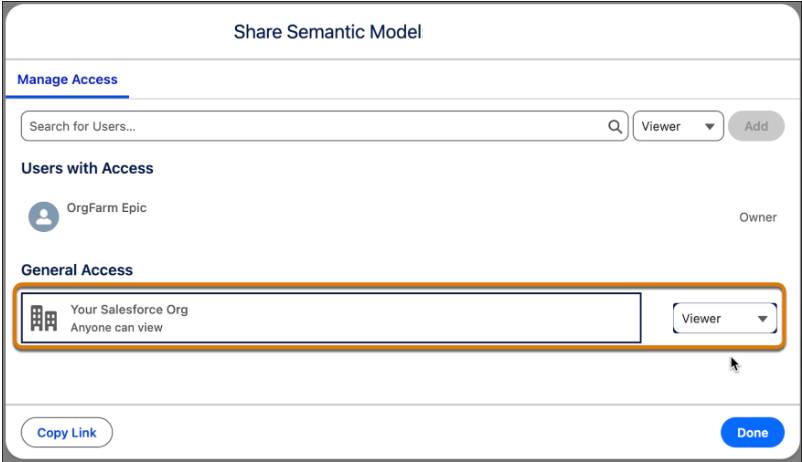
Moving Forward
You’ve successfully bridged the gap between raw data and business intent. Now it’s time to move to the frontend, where you empower your users to easily build, visualize, and interact with data using Tableau Next.