
Hi everyone,
I have a question for my Tableau workbook.
I used the template from null , null and null called Sunburst to create something similar to this:
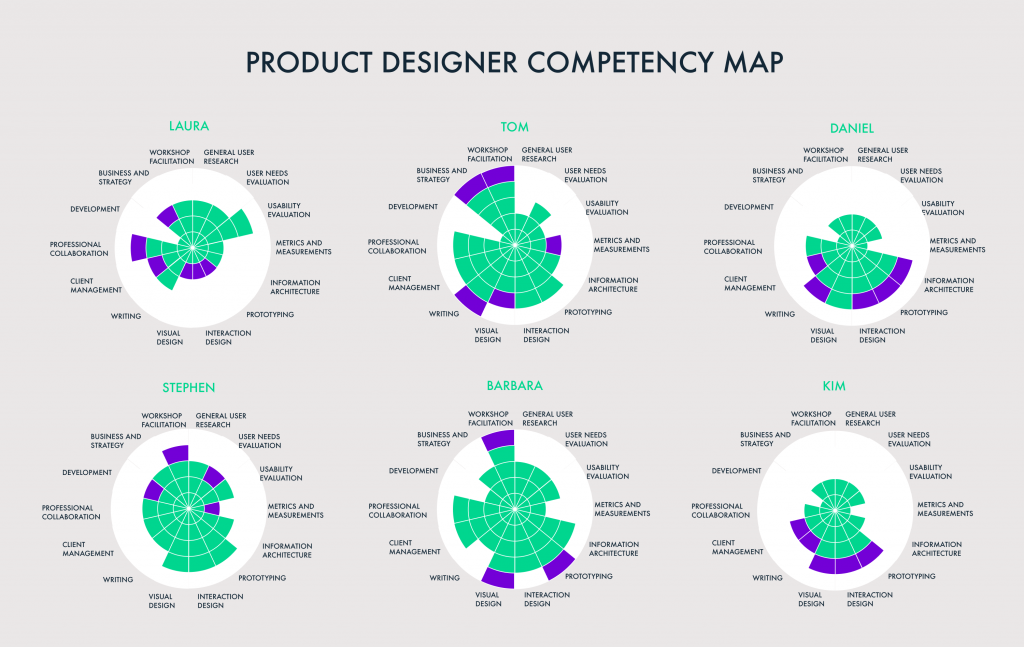
I already made my one pie chart and also know how to leave the blanks.
But now my question is how to make multiple charts in one dashboard, so how can I combine the data in the excel I have to make multiple of my charts.
This is how it looks now:
The simplest way to do this would probably be to create multiple sheets, then place them all on a dashboard. I'd start by adding a new field to the spreadsheet that has an ID or name of your chart. See below that I have a new Chart column, which has values 1 and 2.
Then, in Tableau, when you connect to the new data set, it will include both and will go a bit haywire.
Add Chart as a filter and select the value, "1". Then right-click the filter and add it to context. You'll now have this:
Duplicate this sheet then change the filter to 2.
You can then add them both to the dashboard.
Of course, you'll need to do that for each of your charts.
See attached.
