Discover MCP for Agentforce
Learning Objectives
After completing this unit, you’ll be able to:
- Explain how agents get more work done with access to MCP servers.
- Identify the features of MCP for Agentforce that create a trusted experience
Get to Know MCP for Agentforce
Looking to do more with your agents? Model Context Protocol (MCP) unlocks the power of third-party assets to help businesses streamline and automate with confidence. MCP is an open standard for securely and seamlessly connecting AI models to external systems, including their services, tools, and data. It extends the already expansive capabilities of your agents by providing a standardized way to integrate with valuable services across providers. MCP enables truly interoperable AI solutions by fostering a collaborative, trusted ecosystem built on a common language for run-time interactions.
Let’s say you want your agent to use data from an external resource, like Snowflake. Without MCP, you have to manually integrate the two systems. That means handling everything yourself—from API connectivity to authentication to data access and custom code. MCP acts as a translator between systems, so this complex manual work is done for you. With MCP in place, agents can use relevant Salesforce data and retrieve data obtained from Snowflake.
For a customer, it feels like a seamless experience. To create that sense of ease, MCP protocol relies on servers, clients, and hosts.
-
An MCP server is created by service providers like MuleSoft, Heroku, and third-party service providers. A server contains all of the assets an external system makes available–namely, tools. Server tools are similar to agent tools–they’re executable functions that an agent can call to perform actions in external systems.
-
An MCP client connects to one or more MCP servers to access the external system’s tools and data. Think of a client as a retriever of functionality and information for agents.
-
An MCP host is the application that coordinates interactions between servers and clients. The host provides an interface for using the tools and data from the MCP server and manages the MCP client.

The Agentforce native MCP client provides built-in functionality so you can easily register and manage MCP servers, allowing your agents to securely access and use server tools. Most importantly, it gives you the ability to use third-party services to extend agent capabilities while looking out for what matters most–user trust.
A Trusted Way to Work with Third-Party Servers
Third-party systems and services can be integral parts of your business workflows, providing context and capabilities that your customers count on. But all the power of connecting systems matters only if those connections prioritize trust. With Agentforce acting as the host and providing the client for you, you can count on the same security and compliance controls as the rest of Agentforce, including the Einstein Trust Layer and our zero data retention policy. Your Salesforce data stays in Salesforce.
You also control how your agents access and use server tools, right in Agentforce Builder.
- When you register a server, you select which tools to make available in Agentforce.
- You register external and third-party MCP servers using Agentforce Registry.
- You register MuleSoft MCP Servers and Salesforce Standard or Custom MCP servers using API Catalog.
- You register external and third-party MCP servers using Agentforce Registry.
- To make a server tool available to an agent, you add it to the agent as an agent tool.
- To define how an agent uses a server tool, you specify reasoning instructions.
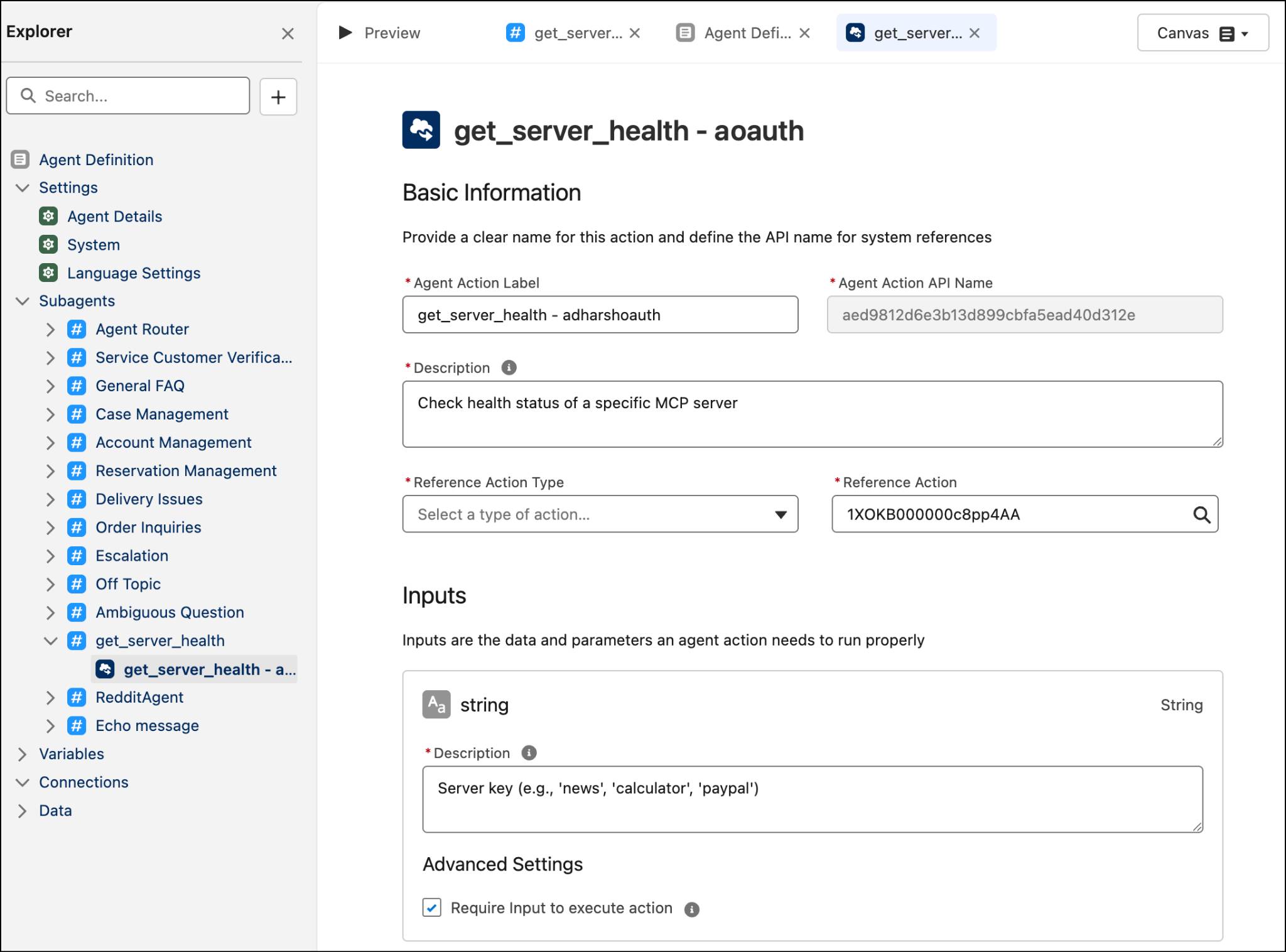
Most importantly, you can enforce standards for your MCP functions using the Agentforce Gateway. This control center allows you to create your own policies for MCP usage, including rules for specific agents and tools. You can confidently make the most of third-party tools and deliver the trusted experience you provide for customers without the practical concerns of automating tasks at scale. For example, you can limit how many times an agent can call a server tool in a set time period.
Policies can be applied manually or automatically based on your criteria. Policies can be added or tuned dynamically to improve how your agents use MCP servers to get the job done. Plus, you’re able to use all the same monitoring and observability for MCP server tools as you do for other Agentforce features.
Agentforce + MCP = More Work Done
MCP functionality connects your agents to more tools they can use to get work done. Agentforce makes it easy to register and use MCP servers. Whether your agents are sending an invoice or connecting to a third-party calendar, the Agentforce approach to MCP-powered agents provides a trusted way to take advantage of tools your team and customers love.