Establish the Best Version of the Truth: Override Survivorship
Learning Objectives
After completing this unit, you’ll be able to:
- Identify when a survivorship override is necessary for a master record field value.
- Override a surviving field value and explain how the trust score is affected.
- Remove an override to restore survivorship-based field value calculation.
Why Override Survivorship?
In Unit 1, you learned how to review trust scores and how they contribute to building a master record. In this unit, you learn how to override survivorship.
Coral Cloud Resorts consolidates supplier data from multiple source systems—procurement, finance, HR, and enrichment—into a single, trusted master record. It’s just onboarded Pacific Linen & Hygiene Company, a new cleaning supplier. Supplier 360 automatically builds the supplier’s record from four source systems, and the survivorship rules do their job. Most values appear correct. But the procurement team notices a problem.
While survivorship rules successfully aggregated data from four source systems to create the master record, the procurement team identified an issue with the Supplier Type. Specifically, the Procurement system, which holds a trust score of 100, contributed the value Distributor (S21) to the master record.
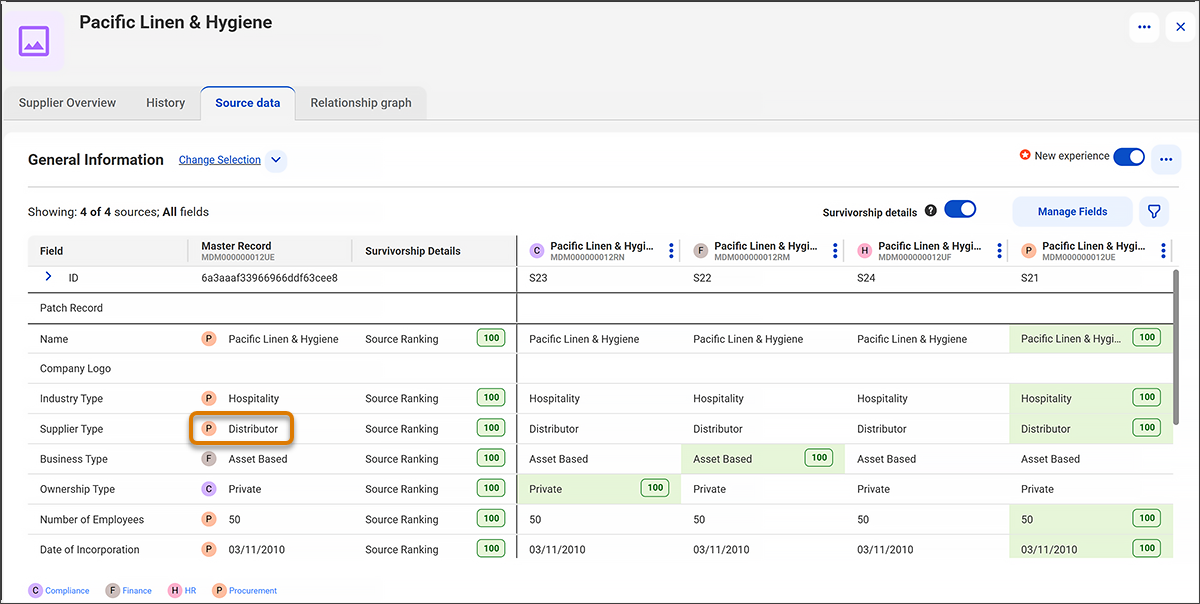
Pacific Linen & Hygiene originally served Coral Cloud Resorts as a distributor for various manufacturers, a role reflected in a classification assigned years ago. Today, the company manufactures a line of eco-certified hygiene and linen products, and supplies them directly to the resort. Now, the Supplier Type needs to be updated from Distributor to Manufacturer.
This is where survivorship override comes in. Reconfiguring the survivorship rules across all four systems would take weeks. The procurement team needs to act immediately. So they manually override the Supplier Type field, changing it from Distributor to Manufacturer. The override locks the correct value in place, which ensures survivorship rules can’t overwrite it the next time the process runs.
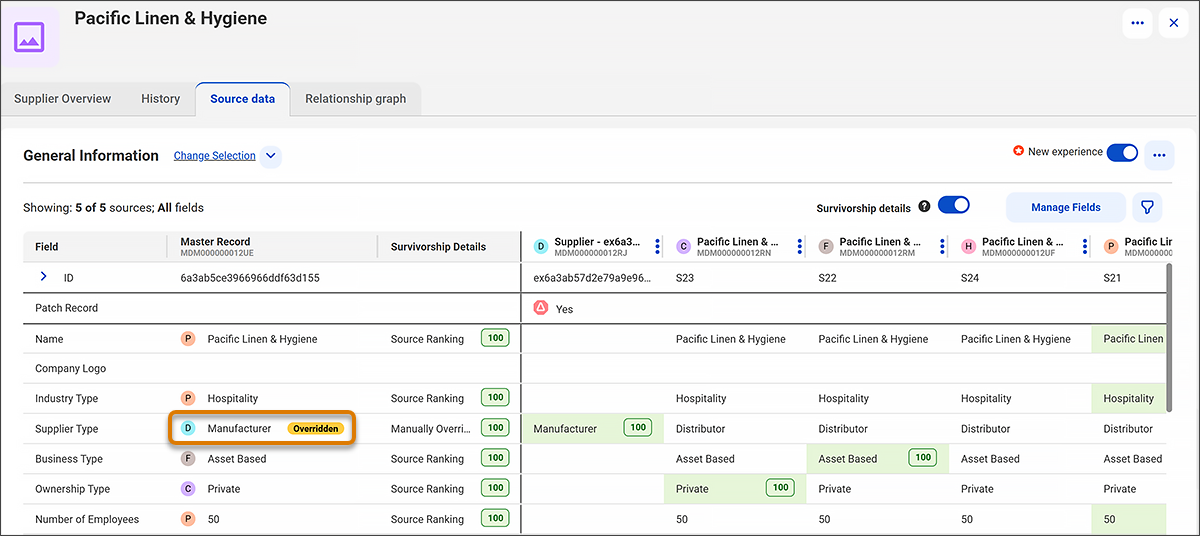
When to Use an Override, and When Not To
Overrides are best used for temporary or exception-based corrections—when the source system is reliable but the survivorship result is wrong in context. If the issue is a persistent data error in a source system, it’s better to fix it at the source so survivorship rules can do their job accurately over time.
How Trust Scores Behave After an Override
When you manually override a field value, you set the trust score of that field value to the highest value. Here’s what you need to know about trust score behavior after an override.
- The trust score doesn’t decay over time.
- The trust score is recalculated only when you manually remove the override.
- The trust score remains the same when you update the overridden field or other fields in the source record.
- The trust score remains the same even when you merge the source records.
Clean Up and Remove the Override
Eight weeks later, the Coral Cloud Resorts team completes a full cleanup of all four source systems. Every system now correctly records Pacific Linen & Hygiene Company as a Manufacturer. Survivorship rules consistently select the right value going forward, and no manual intervention is needed.
Leaving an override in place is risky. It freezes the current value, so the system ignores future updates about the supplier, even if its business model changes. In this case, the record might include an outdated value that fails to represent the current state.
The procurement team removes the override. The Supplier Type field is now back under survivorship control—correctly set to Manufacturer, and fully responsive to any future changes in the source systems.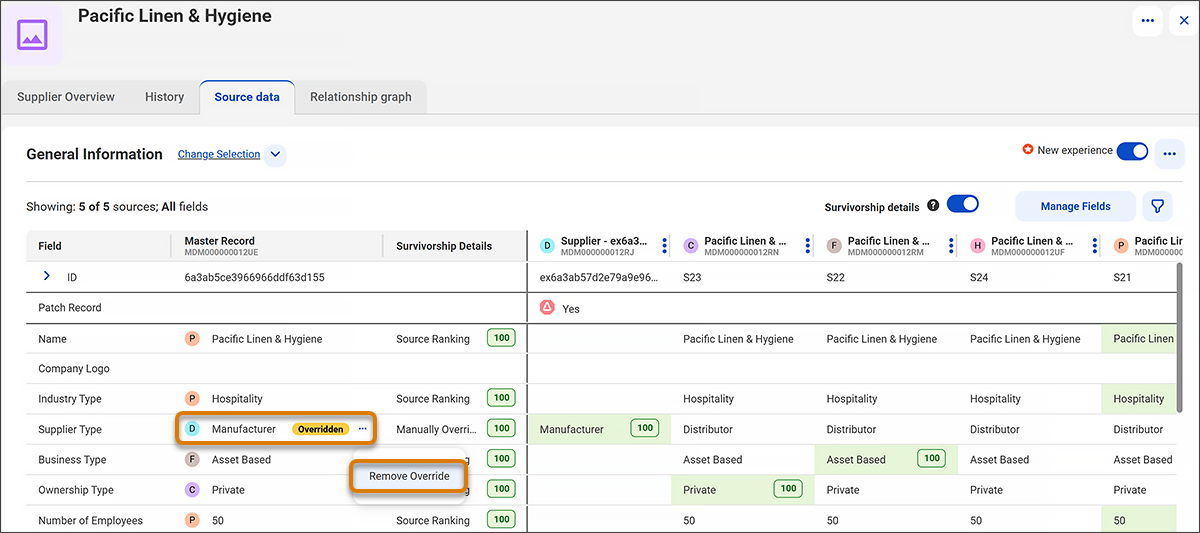
In this unit, you learned how to override a surviving field value in a master record with a value from another source record. You also learned how to remove an override to restore survivorship-based calculation, and how trust scores behave when a field value is manually overridden. In the next unit, you learn how to manually merge master records and unmerge source records to resolve data conflicts.