Plan an App for Enterprise+
Learning Objectives
After completing this unit, you’ll be able to:
- Explain how Enterprise+ features impact app design and development.
- Use appropriate terminology when referring to fundamental Slack platform concepts.
Get to Know Enterprise+
Enterprise+ is Slack’s solution for large or complex organizations. It empowers an organization to work with the agility of a small team and at the same time tap into the resources and shared knowledge of the entire enterprise org. Enterprise+ has built-in security and compliance features that make it attractive to any organization that wants more management and control.
Many apps, integrations, and bots can work as expected on Enterprise+. But it’s worth revising your app to gain full compatibility with the unique behaviors, conditions, nuances, and opportunities of Enterprise+. Let’s get into it.
Multiple Workspaces
With Enterprise+, organizations can collaborate across many workspaces. Instead of everyone working in a single workspace, an Enterprise org houses multiple interconnected workspaces across the company. This means that teams or business units can work inside separate, dedicated workspaces. These workspaces are connected through search, direct messaging, and a member directory that works across the entire organization.

Enterprise+ is a “network” of two or more Slack workspaces in a single org. Each workspace has its own workspace membership (not every user will be a member of all workspaces in that org), channels, applications, and more.
For the most part, Enterprise+ workspaces are the same as workspaces on other Slack plans, but there are some special considerations that warrant review.
Structure and Features of Enterprise+
Let’s see how Enterprise+ is a bit different from Slack’s Free, Pro, and Business+ plans.
Shared Channels
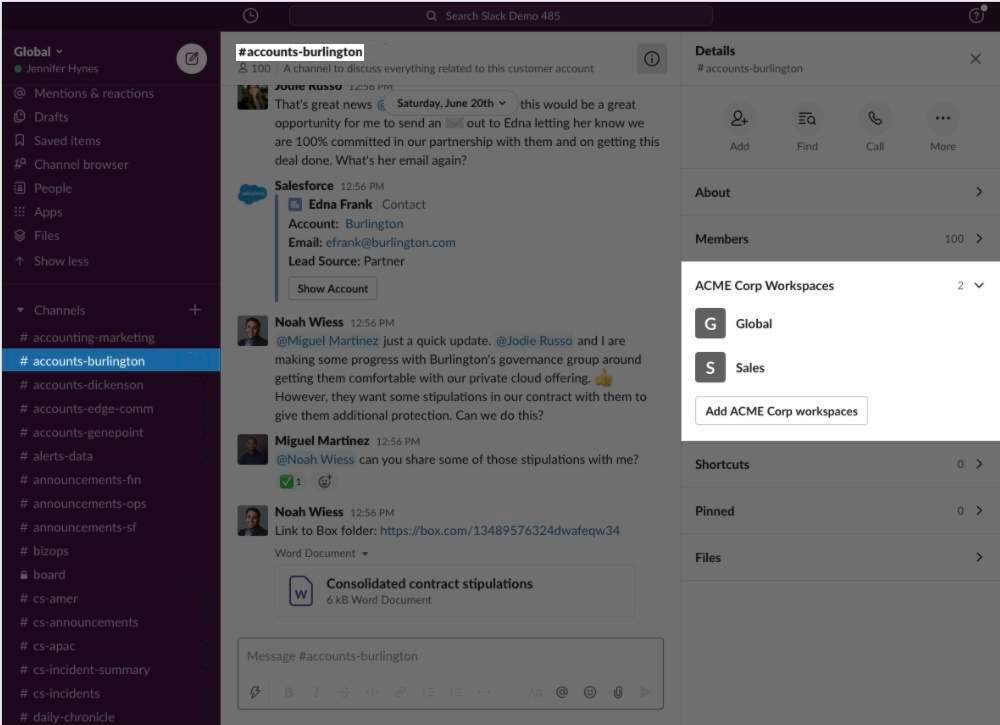
There are two types of shared channels in Slack: multi-workspace channels and Slack Connect channels. For developers, multi-workspace channels are one of the most important Enterprise+ features.
-
Multi-workspace channels are shared between multiple workspaces within the same Enterprise org. This feature is exclusive to Enterprise+.
-
Slack Connect channels are shared between up to 250 external organizations. This feature is available on any of Slack’s paid plans. You can learn more in our Slack Connect guide.
Enterprise Organization or Org
This is an entity introduced with Enterprise+ to house multiple Slack workspaces. When a customer is on Enterprise+, all users and their direct messages are stored at the organization level.
Enterprise Organization User
An Enterprise+ user has the same identity and profile field values across all workspaces within an organization.
Global User ID
Global IDs begin with U or W and represent a user across all workspaces within an Enterprise org (although the user might not be provisioned for all the workspaces within the org). These are also sometimes called “enterprise user IDs.”
Local User ID
Also known as a “team user ID” or “legacy user ID,” these are the user IDs you’ve come to know and love in Slack. They are unique only to a user in a given workspace. They begin with U.
Translation Layer
This is a translating service that converts global user IDs to legacy user IDs. It allows apps to migrate data.
Workspace
As you’ve learned, this is where a team works. The terms, “workspace” and “team” are often used interchangeably. When you see the object name such as team_id, it refers to the ID for a workspace.

You’ve reviewed the terminology for fundamental Slack platform concepts. Before you move on, take a minute to consider how the features of Enterprise+ might impact your app's design and development.
Prepare Your App
Working with Enterprise+ means that no matter what your app does or which API methods it uses, it's more likely to encounter an enterprise-related quirk. We recommend that all developers review their apps' current assumptions, operations, and configurations.
Test on Enterprise+
We understand that not every developer uses Enterprise+. For those who do, we offer special Enterprise sandboxes that give you a sense of the Enterprise org without the fear of making a mess in a live org. An Enterprise sandbox allows you to test your app with the functionality of multi-workspace channels, multiple Slack workspaces, and other Enterprise org features.
Once you have an Enterprise sandbox, there are a few important steps to take to set it up, such as creating a workspace (or two or more), setting up single sign on (SSO), adding users, and more. Learn the details to get your Enterprise sandbox up and running.