Get Started with the Customizable Actionable Relationship Center
Learning Objectives
After completing this unit, you’ll be able to:
- Describe Actionable Relationship Center (ARC).
- Explain how ARC helps bankers build relationships with their clients.

Explore Complex Relationships
In the banking industry, building strong relationships with clients is important for everyone’s success.
Clients need to know that their bank is looking after their money, so trust is key. And bankers need access to the right client data to answer clients’ questions and make informed financial recommendations.
Give your bankers an organized view of client data using Actionable Relationship Center (ARC). With ARC, bankers can view customers’ relationships in an easy-to-navigate interactive graph.
In this badge, you explore the basics of custom ARC graphs.
Map Connections Between Records
ARC helps your team understand relationships among people and businesses by presenting them in interactive components.
You build the data structure for these components with the ARC Relationship Graph Builder. There, you customize ARC graph nodes using standard and custom Salesforce objects to show your users relevant client relationship data.
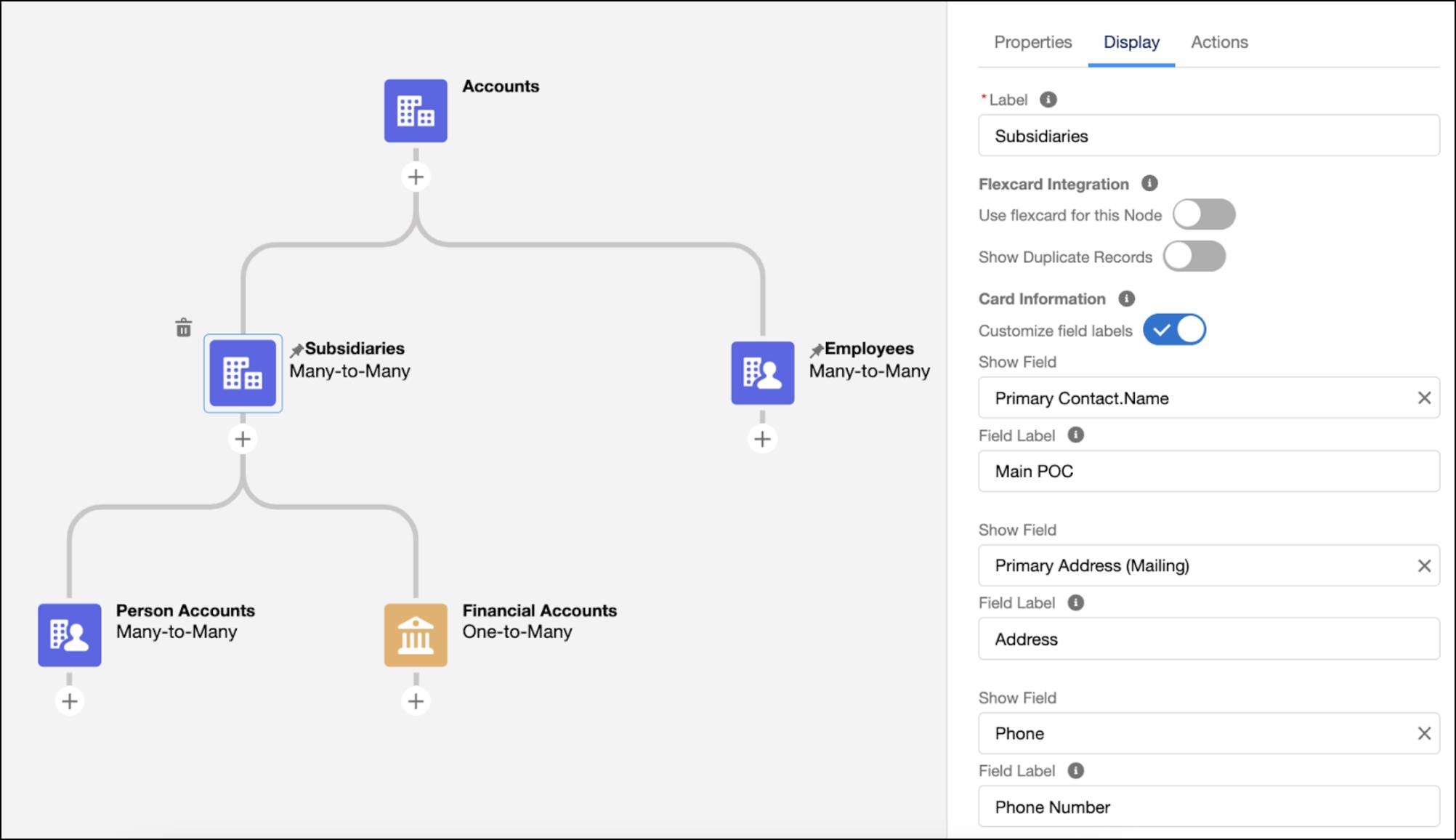
On the Display tab, you define the fields your users see on each node. And on the Actions tab, you can customize the object and record actions that help your users respond and engage with records. Then, add the ARC Relationship Graph component to page layouts so your users can easily view, edit, delete, and create records during client interactions.
With ARC, your users spend their time more efficiently. Instead of jumping between multiple screens to piece together client relationship data, they see all the important details in a single view.
Here’s an example of an ARC graph. Each card represents a Salesforce record.
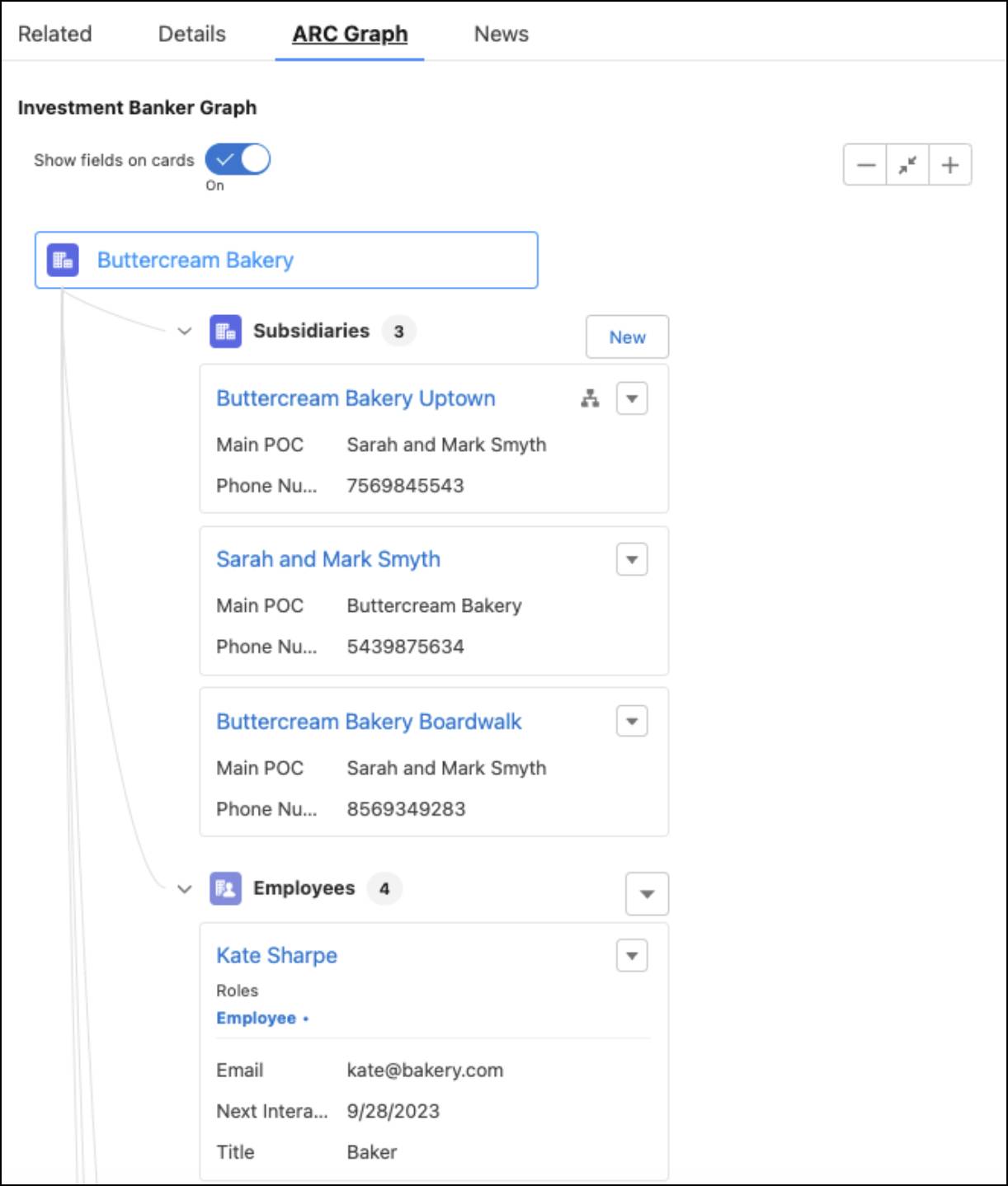
You can create multiple relationship graphs for an object and add the graphs to page layouts for users to view based on their Salesforce profile.
Now that you know the basics of ARC, explore an example use case.
Put ARC to Work
Nora Clark is a banker at Cumulus Cloud Corporation, a large financial services institution. Nora’s day-to-day tasks include building her client base, nurturing relationships, and keeping client portfolios up to date.
Nora is working with new client Buttercream Bakery, a family business that sells cakes and pastries. Mark and Sarah Smyth own and operate the business. Nora collected abundant information about the bakery, but sifting through it and connecting the dots is overwhelming.

Before Nora can create a strategic financial plan for Buttercream Bakery, she needs some key info: What subsidiaries does the business own? Who are the main points of contact? Does the business have open opportunities with the bank? Does it have any debt refinancing or major financial goals for the future?
This information is stored across Salesforce objects, and navigating between recordstakes time.
For example, Nora can see that Buttercream Bakery has two locations. However, to get a closer look at the contacts, financial accounts, and opportunities at each location, she needs to open multiple browser tabs.
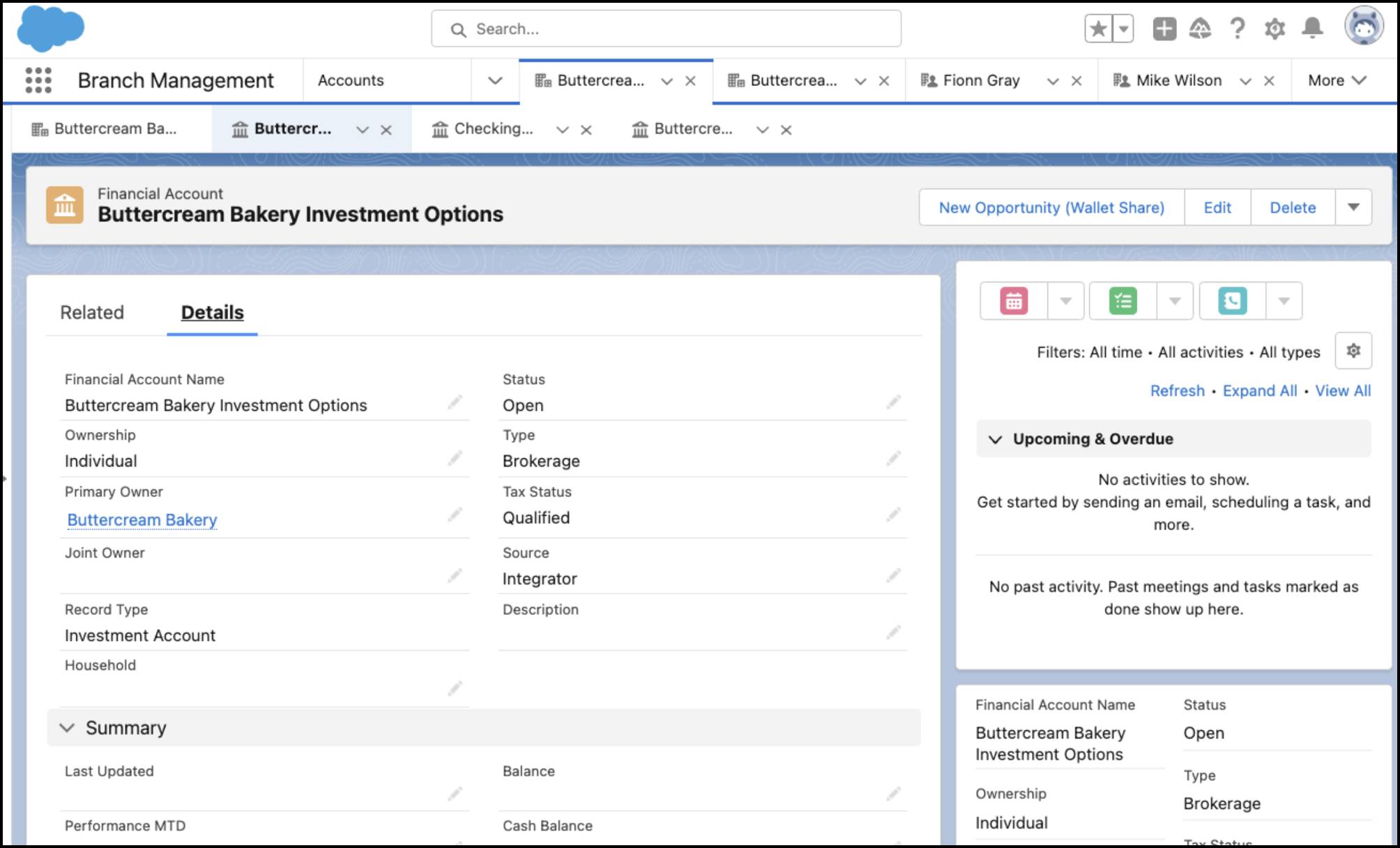
This keeps Nora from seeing a full picture of the business. She dreams of a visual representation where she can see client data in a single, unified view. This way, when it’s time to jump into a conversation with the client, she’s ready.
Fortunately, with ARC, Nora can quickly see multiple relationship graphs for Buttercream Bakery, including subsidiaries, employees, and financial accounts. With these insights, she's ready to start crafting the new financial plan for owners Mark and Sarah.
What’s Next?
In this unit, you learned that ARC makes it possible for bankers to view clients’ relationships in an easy-to-navigate interactive graph.
In the rest of this badge, you’ll follow an example of how to customize ARC graphs to meet the needs of Nora and other bankers at Cumulus.