Learn About Starter Suite
Learning Objectives
After completing this unit, you’ll be able to:
- Explain Salesforce Starter Suite.
- Describe who benefits from adopting Starter Suite.
- List how Starter Suite drives sales, service, marketing, and commerce productivity.
What Is Starter Suite?
Starter Suite is the fastest—and the easiest—way to get started with Salesforce customer relationship management (CRM).
Salesforce has a long history of helping businesses find, win, and keep more customers. Along this more than 20-year journey, we’ve connected with customers to learn how top-performing sellers, marketers, and service agents use Salesforce to tackle their day-to-day needs. Those collective best practices are built into Starter Suite.
It’s easy to bring your teams together to collaborate in a single workspace. Starter Suite includes sales, service, marketing, and commerce functionality in a single platform, reimagined with a simplified design. (You learn more about built-in tools in the next section).
Setting up a workspace that serves multiple teams and processes sounds complex and complicated, right? Think again! Starter Suite was designed so you can spend less time on setup and implementation, and start using the most effective features and functionality right away. An easy-to-use, guided setup helps your users get started quickly, boosting productivity and saving time from day one.
Who Is Starter Suite Designed For?
Along with a simplified user experience informed by years of experience building a scalable CRM, Starter Suite is equipped with streamlined setup and onboarding help. It’s ideal for companies, entrepreneurs, or teams brand new to Salesforce or CRM and those looking to scale teams and increase productivity.
Let’s take a look at two of the features that help first-time CRM users.
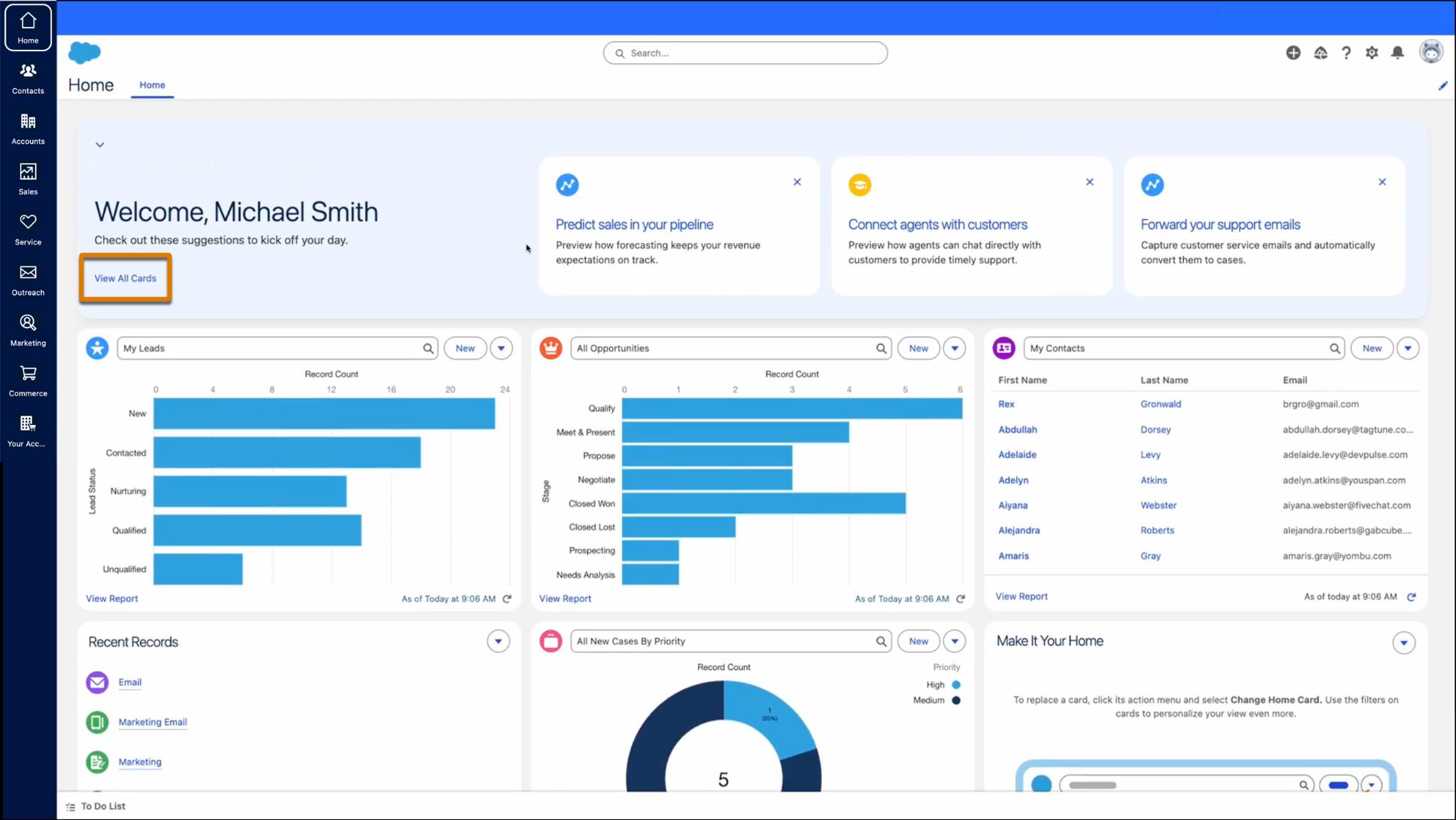
Start your day tackling the most important tasks based on what your focus is with the Home app. Check out some action cards, or Spotlight Cards, that are recommended to you based on your business needs and processes. Select View All Cards to explore more tools that help you be more productive.
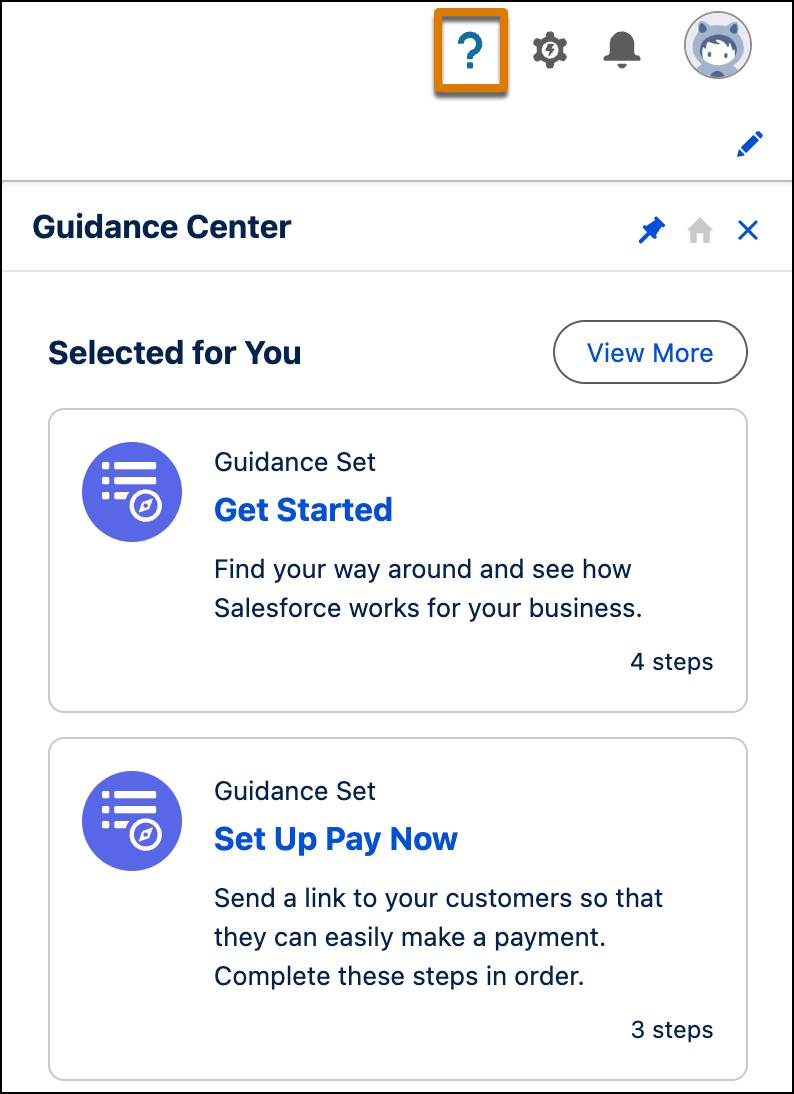
Open the Guidance Center by clicking the icon in the top right corner of the global header. This panel offers always-available, hands-on help for common setup and data management tasks, such as importing data, inviting users, and creating your first records.
Starter Suite Features
This all sounds pretty inviting, right? Let’s dig deeper into how Starter Suite drives productivity across sales, service, marketing, and commerce from a single platform.
Sales
Starter Suite helps your sales teams prioritize important deals and increase productivity.
-
Out-of-the-box sales paths: Revenue reports keep your teams on track and help manage sales pipelines.
-
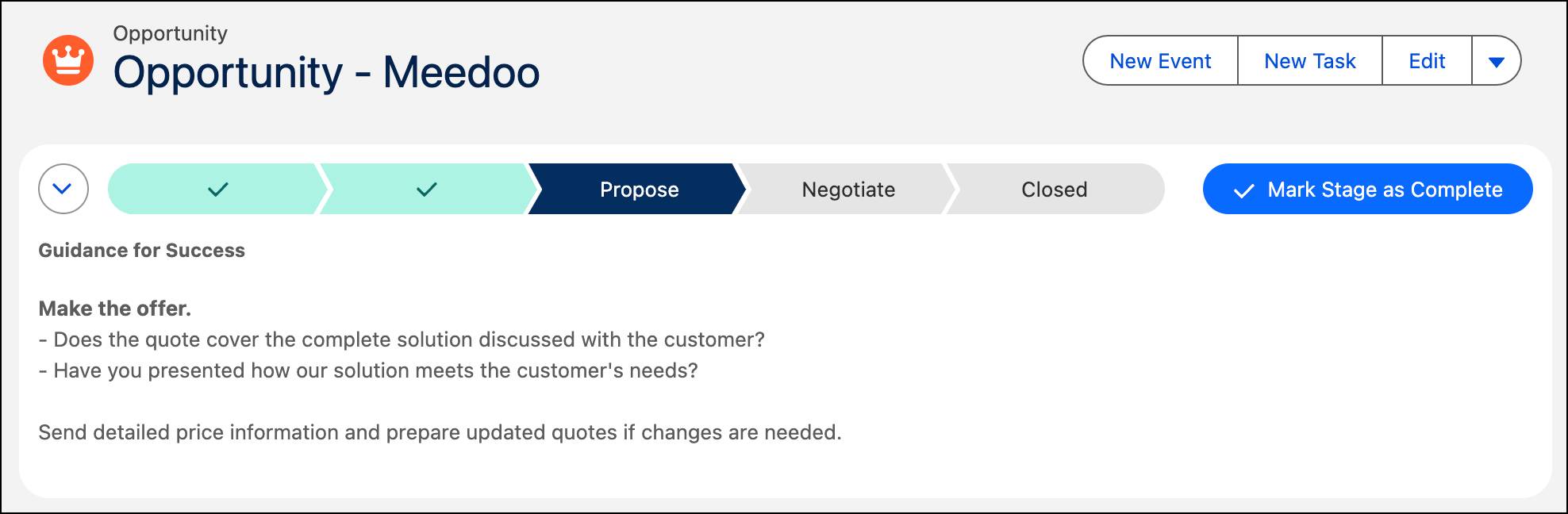
Built-in guidance: Helpful guidance for success walks you through considerations and recommended actions during each sales stage.
-
Automated lead nurturing: Lead and opportunity records capture important details, conversations, and interactions with prospects and potential customers.
-
AI assistance: Automated routine tasks are included, like drafting follow-ups and capturing key details, giving your team more time to focus on building relationships.
Service
Starter Suite helps your service team deliver quick, helpful, personalized service to your customers. Keep customers happy with a service solution that connects you with your customers. No matter where or when they need help.
Here are a few service features included in Starter Suite:
-
Data-driven analytics: Starter Suite tracks customer engagement history and details that influence decision-making for growth.
-
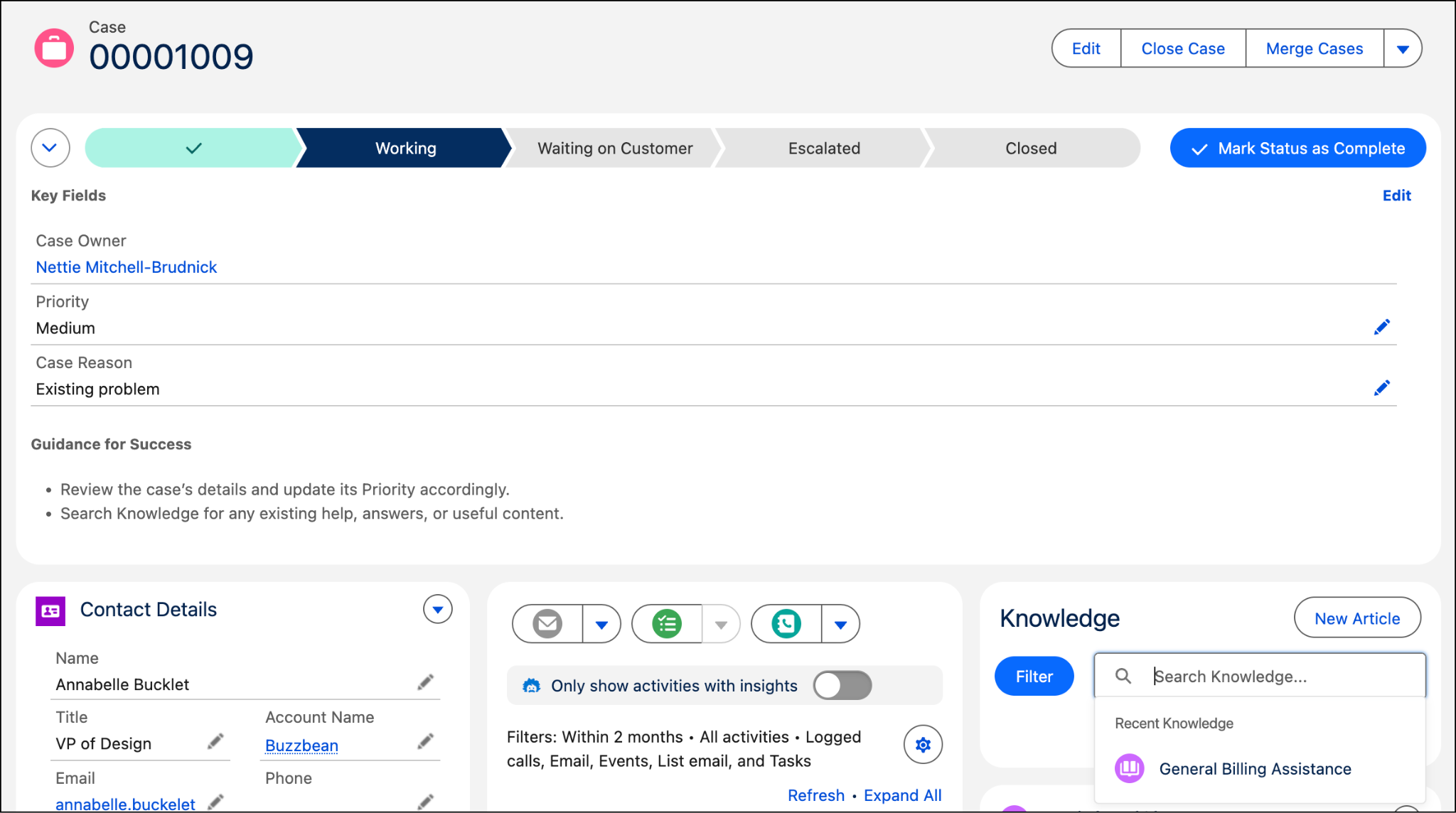
One collaborative dashboard: A single unified app manages customer cases and a knowledge base.
-
Embedded AI: Built-in AI helps teams draft case responses, summarize customer interactions, and identify the right solutions more quickly.
Marketing
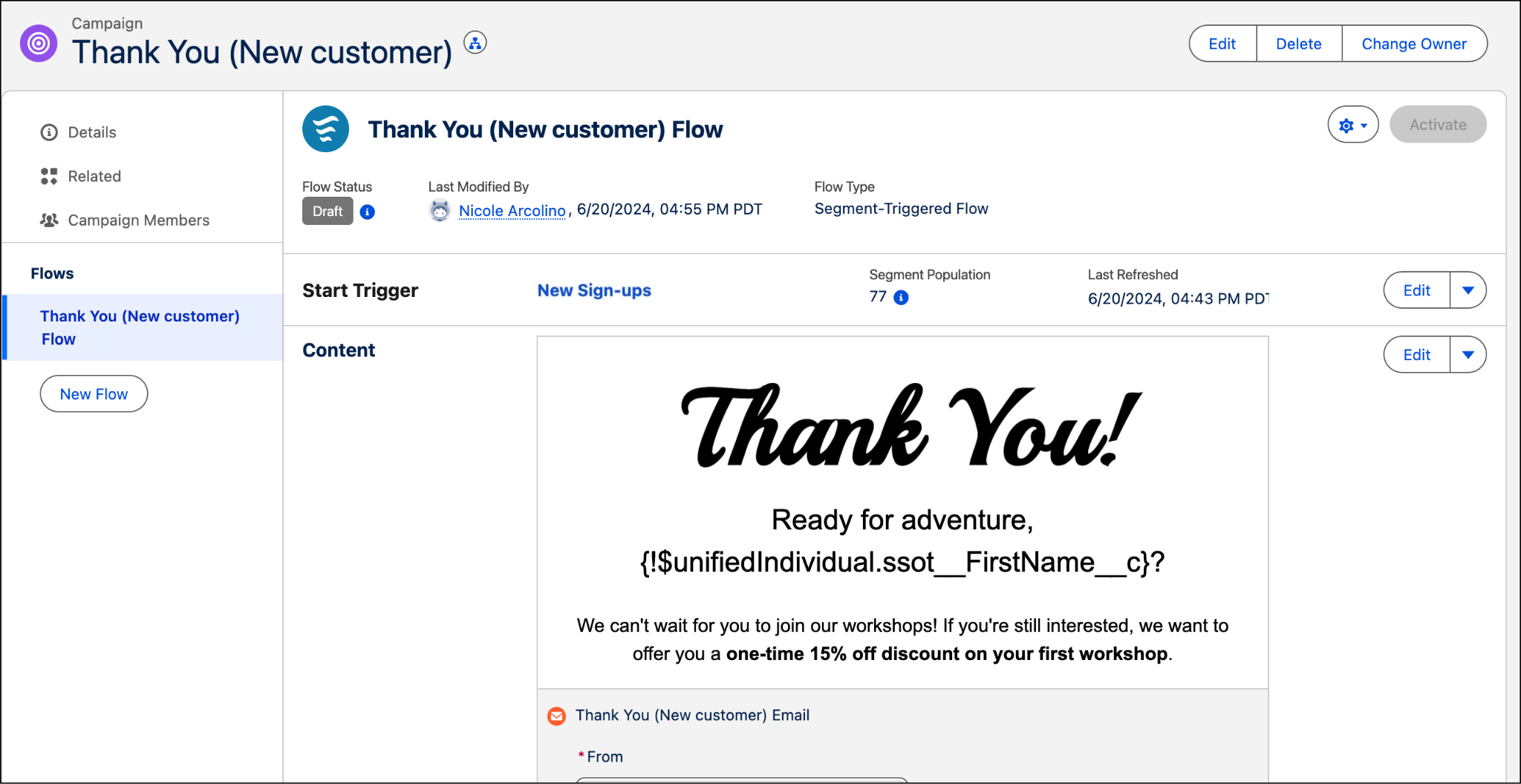
Starter Suite helps your marketing team build branded marketing content and track customer interactions. Marketing in Salesforce just got easier—so small businesses can move faster and focus on their own business, without switching tools. Email leads and customers from day one—no extra tools, no complicated setup.
Here are a few marketing features that are included in Starter Suite:
-
Tailored views for teams: List views allow users to select prospects or customers to reach out to.
-
Customized campaigns: Email templates make it easy to create beautifully branded messages for sending company updates and offers.
-
Personalized automation: Automated email sends offer personalized customer journeys with Einstein Send Time Optimization.
-
Smart lead capturing: Branded landing pages and forms to capture leads directly into Starter Suite from your website.
Commerce
Commerce Storefronts are built-in for small businesses or startups looking to establish an online presence with an ecommerce direct-to-consumer (D2C) store. It has all the basic features you need to quickly set up an online store, engage shoppers, and drive sales. And it's easy to use even if you don't have any technical experience.
Here are some of the features you get with Storefronts:
-
Setup guidance: Guides you through and automates the process to get your site up and running efficiently.
-
Simplified data import: Easily import your products into Starter Suite with drag-and-drop.
-
Store template: Builds your store pages using a modern web design.
-
Buyer groups: Segment your customers based on your business needs.
-
Easy store checkout: Add checkout functionality to your store, including payment, shipping, and tax calculation services.
-
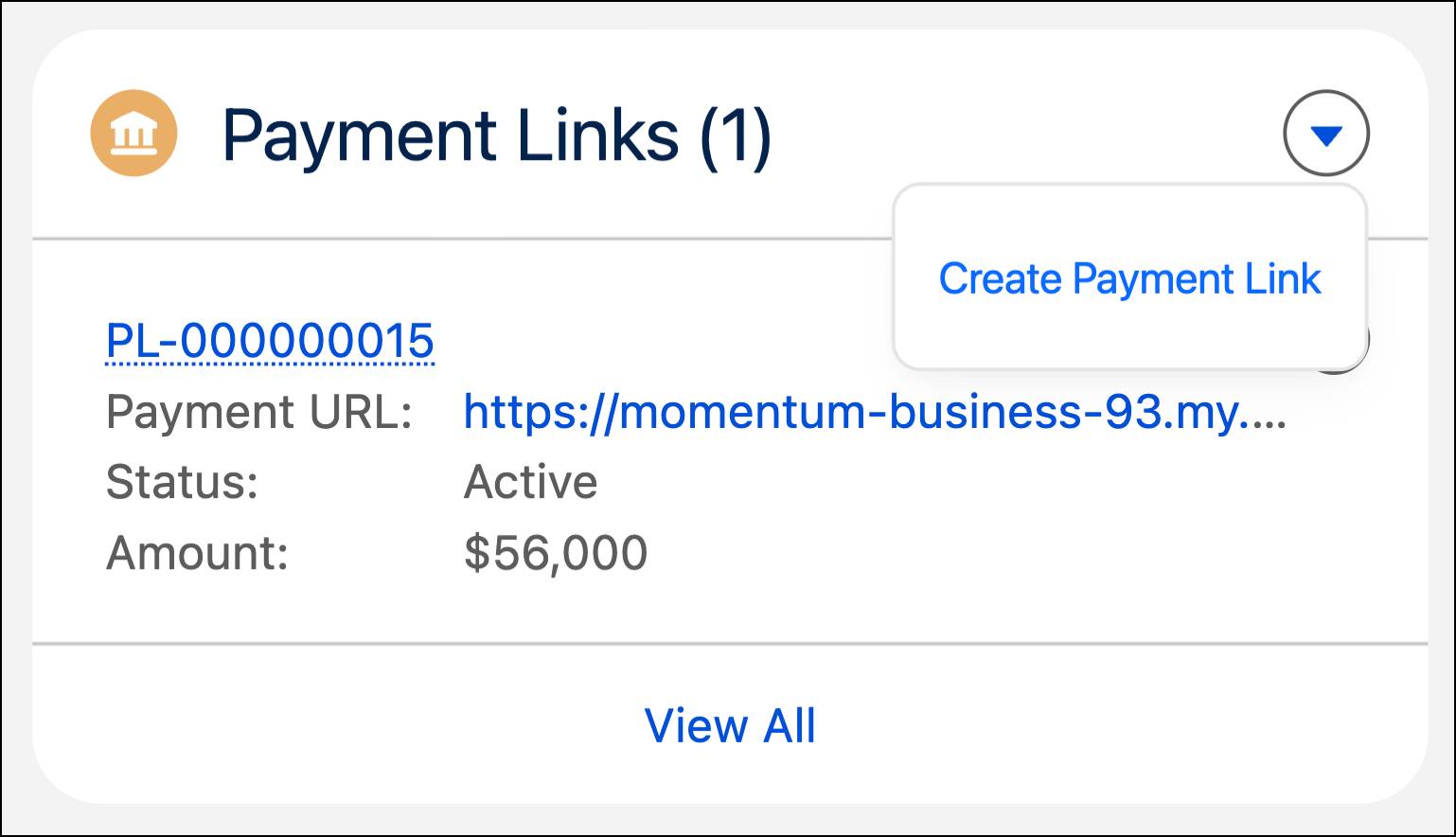
Pay Now: Generate links that direct customers to a Pay Now page.
Commerce Storefronts
Storefronts, embedded within Salesforce Starter Suite, offers a powerful platform to create and manage your online D2C store. If you’re looking for an easy-to-use platform for your ecommerce store experience, Commerce Storefronts is the perfect choice.
Pay Now
Starter Suite helps you collect revenue quickly from a closed opportunity with Pay Now. After setting up a merchant account, you can create a payment link and email it to a recipient to complete a transaction.
Reports and Dashboards
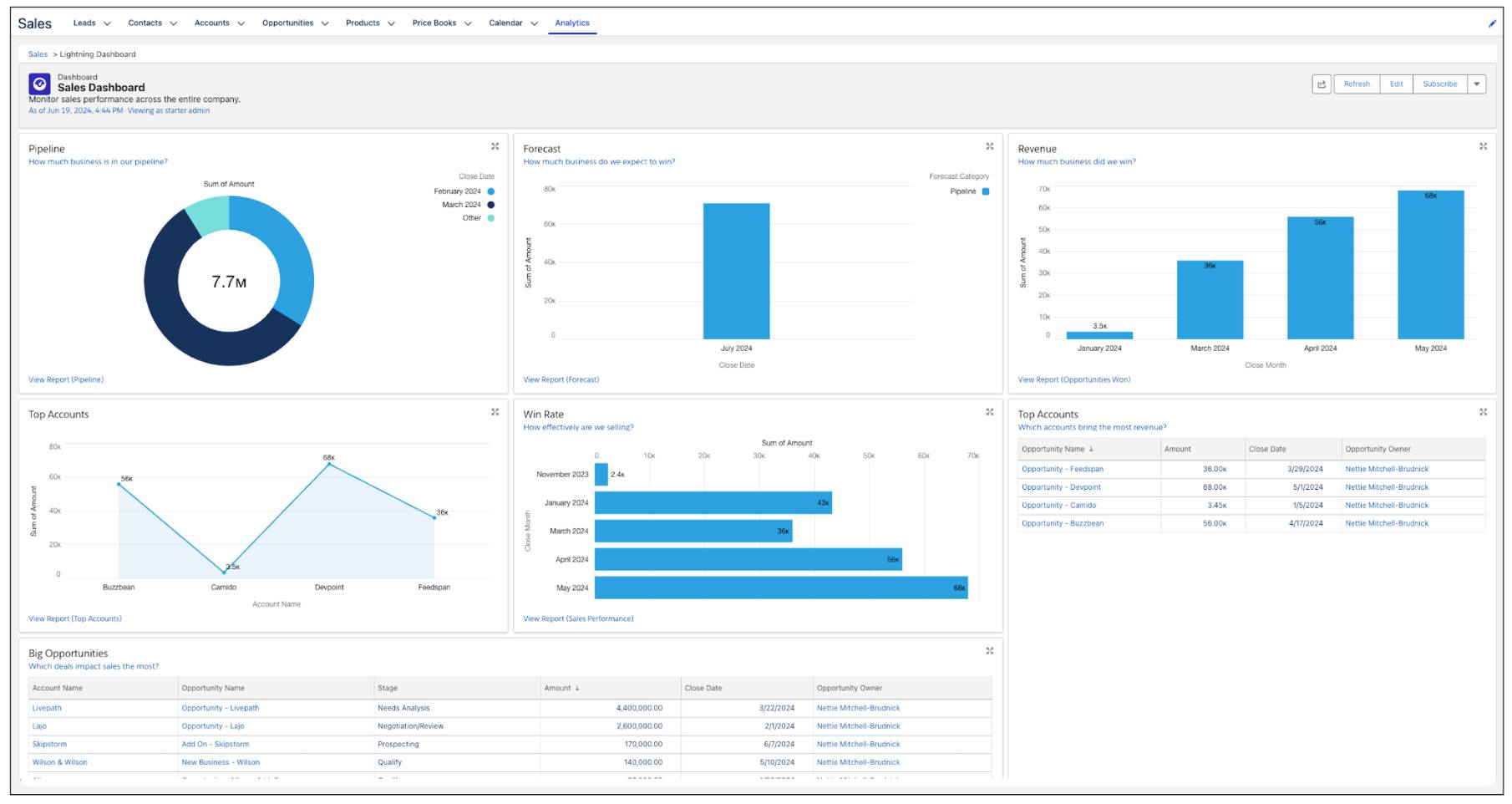
Starter Suite allows for continuous tracking of business performance with reports and dashboards. In Analytics, you can manage, analyze, or build your own reports and dashboards.
Here are some reporting features in Starter Suite:
-
Built-in analytics: Collaborative dashboards are included to help you visualize your business data.
-
Smart reporting: Report templates help you track key success metrics.
-
Cross-portfolio insights: Several prebuilt sales, service, and marketing reports offer data to explore.
Get Started with a Simple AI CRM
Do you want to climb out of the never-ending pile of spreadsheets and to-dos in front of you? Stop drowning in emails and manually updating customer data?
With Starter Suite, your business can spend more time with customers and less time trying to find information about customers. You can build deeper customer relationships with sales, service, marketing, and commerce functionality in a single platform. And it’s all contained in a simplified design that streamlines setup, onboarding, and everyday tasks.
Check out the resources for more information about Starter Suite and how to sign up for a free trial. And experience for yourself the most efficient way to drive your business forward.
Continue on to the next unit to learn about Pro Suite, which offers all the features of Starter Suite—and more.