Get to Know Einstein Messaging Insights
Learning Objectives
After completing this unit, you’ll be able to:
- Define an Einstein Messaging anomaly.
- Identify what is monitored by Einstein Messaging Insights.
AI with Einstein
Artificial intelligence (AI) is changing the landscape of digital marketing. And Einstein—Salesforce’s AI brand—offers an entire suite of intelligent products and services. In this module, Einstein—the brilliant scientist—becomes a brilliant marketer and your personal assistant. With his help, you can be alerted when something noteworthy changes with your marketing performance right in the header of Marketing Cloud Engagement.
Einstein Messaging Insights
Let’s meet your marketing personal assistant: Einstein. No matter where you’re working in Marketing Cloud Engagement, Einstein Messaging is looking out for you! Einstein Messaging Insights offers—you guessed it—insight into how your email messages and journeys are performing. You can find the Einstein notification badge in the header of Marketing Cloud Engagement, next to feedback and your account information.
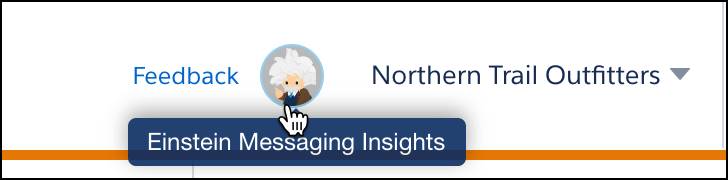
The notification badge shows you when an anomaly (an unexpected event) occurs.
What Does Einstein Messaging Insights Do?
Einstein monitors the open rate, click rate, and unsubscribe rates of both batch and journey email sends. For journeys, Einstein analyzes all email activities in a journey—rather than analyzing each individual email against its previous performance. If something looks particularly high or low (compared to your historical data), a note or insight is generated.
Einstein uses up to 90 days of performance data to create an average of expected performance. This average is used as the expected value for the variable that’s measured. Einstein evaluates each journey and each batch email send once a day. And the evaluation doesn’t stop after the send date. Einstein Messaging Insights tracks events, such as opens and clicks, for many days after sending.
Einstein Messaging Insights Dashboard
If you want to investigate one of Einstein’s alerts, simply click the insight or click View All Insights to be taken to the Einstein Messaging Insights Dashboard.
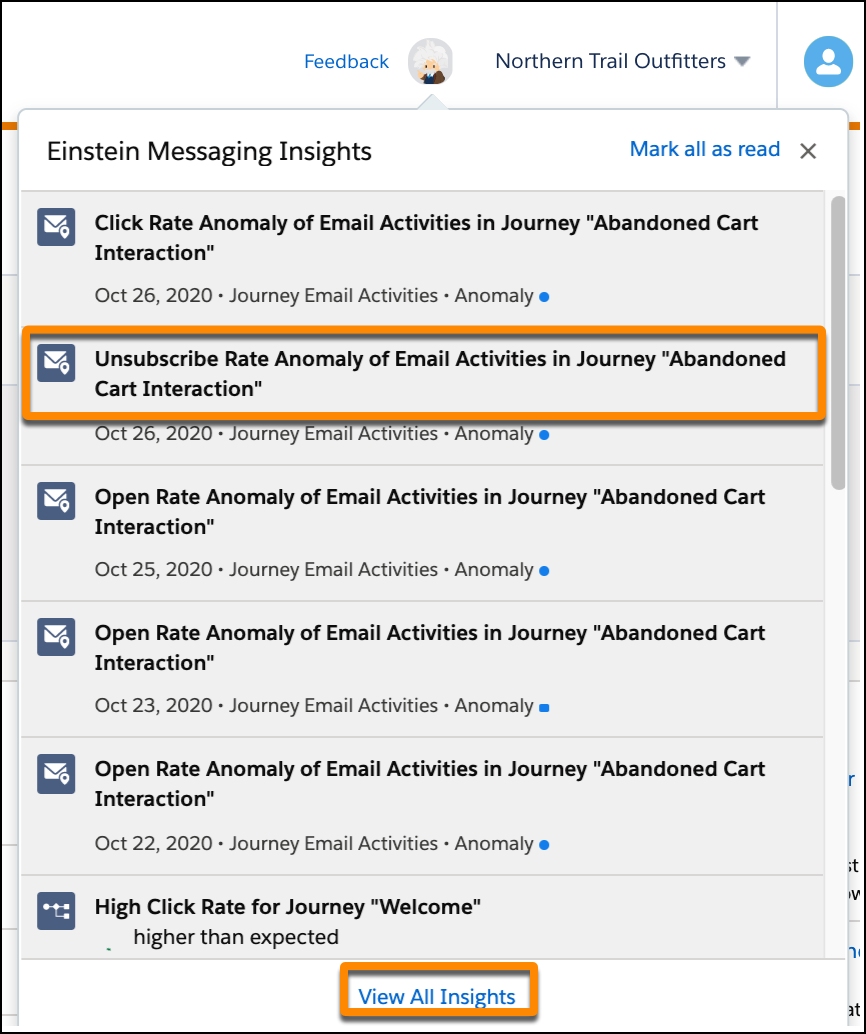
Let’s take a look at an anomaly found on the dashboard for Northern Trail Outfitters (NTO), an outdoor and sporting goods retailer.
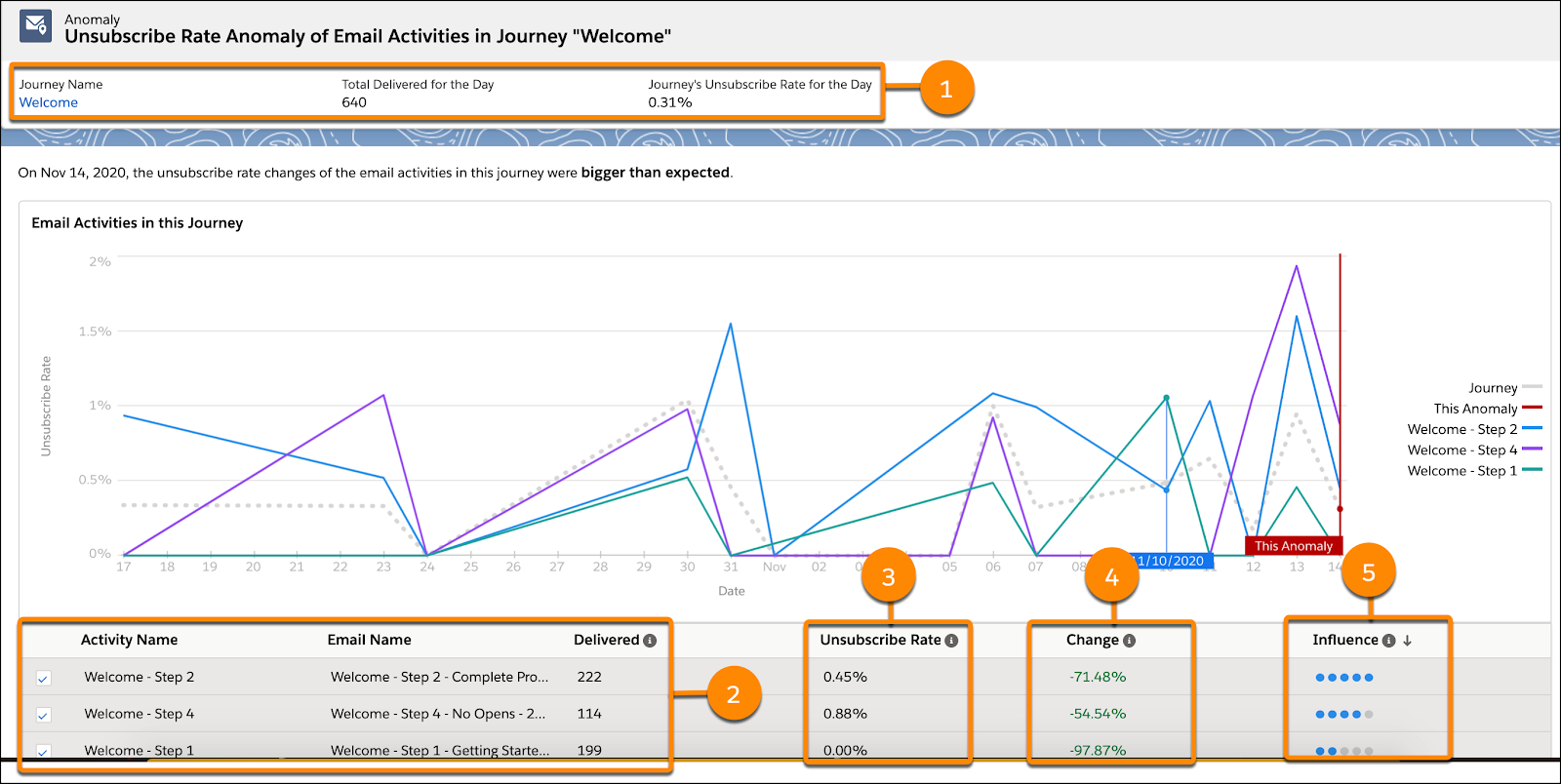
The dashboard shows send-related information (1) for a welcome journey. This includes the total delivered for the day, and the reason for the notification (in this case, an anomaly in the unsubscribe rate). Additional information about the anomaly is provided below the chart. You can view each email in the journey and the number of emails delivered (2), along with the unsubscribe rate (3) that caused the anomaly. The change column (4) shows the percentage of change compared with the day before the anomaly was detected. Influence (5), shown as a scale of blue dots, represents the predicted impact of the anomaly on your journey or message. One blue dot represents a low impact, and five blue dots represent a high impact.
With this in mind, be sure to review your high-impact anomalies and determine what changes you might make to your messages. And, on the flip side, review what is already working and making a positive impact. That’s what’s great about Einstein Messaging Insights, you have a handy personal assistant ready to serve up what’s working and what’s not—giving you what you need to get to work.