Explore the Tableau Exchange
Learning Objectives
After completing this unit, you’ll be able to:
- Navigate to and explore the Tableau Exchange.
- Choose and download a Viz Extension.
Tableau Exchange is your hub to find all the latest Exchange products, including Accelerators, Connectors, Dashboard Extensions, and Viz Extensions. Visit Tableau Exchange.
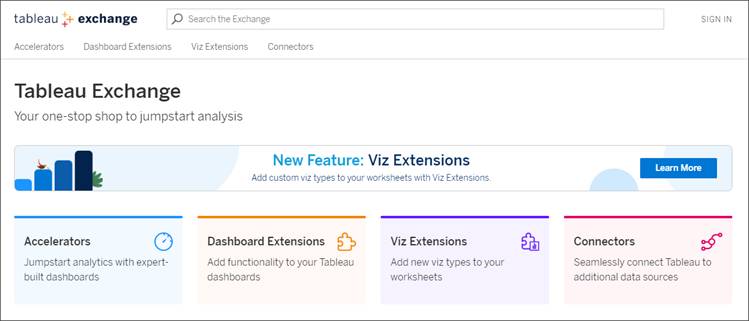
Within the exchange, you can search for products or filter products by features, including Free, Sandboxed, Works with Tableau Public, and Built by Tableau + Salesforce. You can also filter by category. For example, you can find extensions that help you filter your data, use custom viz types, or use formatting not native to Tableau.
In the next unit, you build a Sankey diagram, and in the final unit, you build a Tableau Table. Get ready by learning more about Viz Extensions.
- From Tableau Exchange, select the Viz Extensions tab.
- On the left-hand pane, filter by Built by Tableau + Salesforce and Works with Tableau Public.
- Select Sankey.
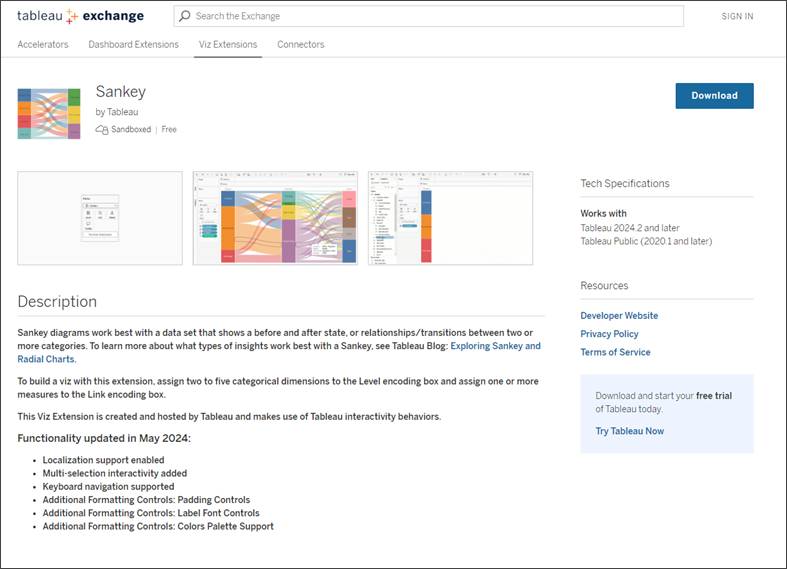
On the Sankey description page, you can find more information about the extension. You can see that it’s a sandboxed extension built by Tableau. You can see the Tech specs, including which versions of Tableau the extension works with, and how to get support.
Most importantly, you can see how to build a viz with the Sankey. It says that you need to assign two to five categorial dimensions to the Level encoding box and one or more measures to the Link encoding box.

On the extension summary page image, you can also see more extensions built by the developer whose extension you’re viewing. In this case, more extensions built by Tableau.
Next, find out more about the Tableau Table extension.
Return to the Viz Extensions page, filter features by Built by Tableau + Salesforce, and select the Tableau Table extension.

This page looks like the Sankey Viz Extension page, but it has more information about the Tableau Table and how to build it. You can see that this extension lets you build data tables directly in Tableau, and has conditional formatting built-in. To build a viz with Tableau Table, drag Dimensions and Measures to the Detail encoding box on the Marks card.
The extensions referred to in this unit are built with Tableau + Salesforce. Remember that the Tableau Exchange also hosts extensions built by trusted partners and third-party developers. The extension’s developer creates each listing, so all listings won’t have the same information. Some third-party extensions require a fee to download. The pricing is set by the developer.
Both the Sankey and Tableau Table extensions are free to use for Tableau customers. Downloading the extension is easy. You can download the extension from this summary page. For this exercise, you don’t need to download an extension. In the next unit, you get hands-on with a Tableau workbook with the extensions you need already installed.