Submit Your App to the Slack Marketplace
Learning Objectives
After completing this unit, you’ll be able to:
- Describe the prerequisites and requirements for submitting an app to the Slack Marketplace.
- Describe the process and best practices for submission.
- Explain app installation options.
Get Listed on the Slack Marketplace
The Slack Marketplace features apps that make work easier and safer for customers, but not every app is approved for listing. Apps can be rejected if they compromise user privacy, replicate core Slack functions, request excessive permissions, enable destructive or risky behavior, or are incomplete or untested. To list your app in the Slack Marketplace, you must meet the Slack Marketplace Submission Guidelines and Requirements. Reviewers verify that your application adheres to these core standards before approval.
What to Know Before You Submit
- Apps must provide clear value within Slack, respect user privacy and security, and avoid risky or unsupported features.
- Reviewers use their judgment to approve or deny apps, even beyond the examples provided.
- The requirements and policies are regularly updated, and additional restrictions may apply.
By distributing your app through the Slack Marketplace, you agree to abide by the following core policies and terms.
-
Slack App Developer Policy
-
Slack Marketplace Agreement
-
Slack Security Review
-
Slack API Terms of Service
-
Media Kit
Apps that don’t follow these terms won’t be accepted in the Slack Marketplace.
Follow the App Submission Process
Follow the Slack Marketplace Review Process to confirm your app is fully prepared for review.
Key Requirements
- Complete all required fields in your app’s listing, including a clear description, icons, support contact, and privacy policy.
- Submit detailed security and compliance information with your application. Many Slack admins review this information as part of their organization’s risk assessment before they allow apps in their workspace.
- Ensure your app meets technical, privacy, and security best practices, including correct use of OAuth 2.0, user data protection, and adherence to the Slack Marketplace Review Guide.
- Submit security and compliance information with your application submission. Slack admins who are tasked with performing risk assessments of applications for their organization often consider this information.
Install Your App
Your app can be installed in one of two ways.
-
Landing page: The Add to Slack button on your listing sends users to your landing page, where you embed the Add to Slack button. When users select the button, it begins the OAuth 2.0 installation flow.
-
Direct install: The install button on your Slack app listing page sends the user immediately to the OAuth installation flow.
Once you’ve prepared your app and have gone through the submission checklist, you’re ready to send your app for review, which can be done from your App Config’s Submit to Marketplace page.
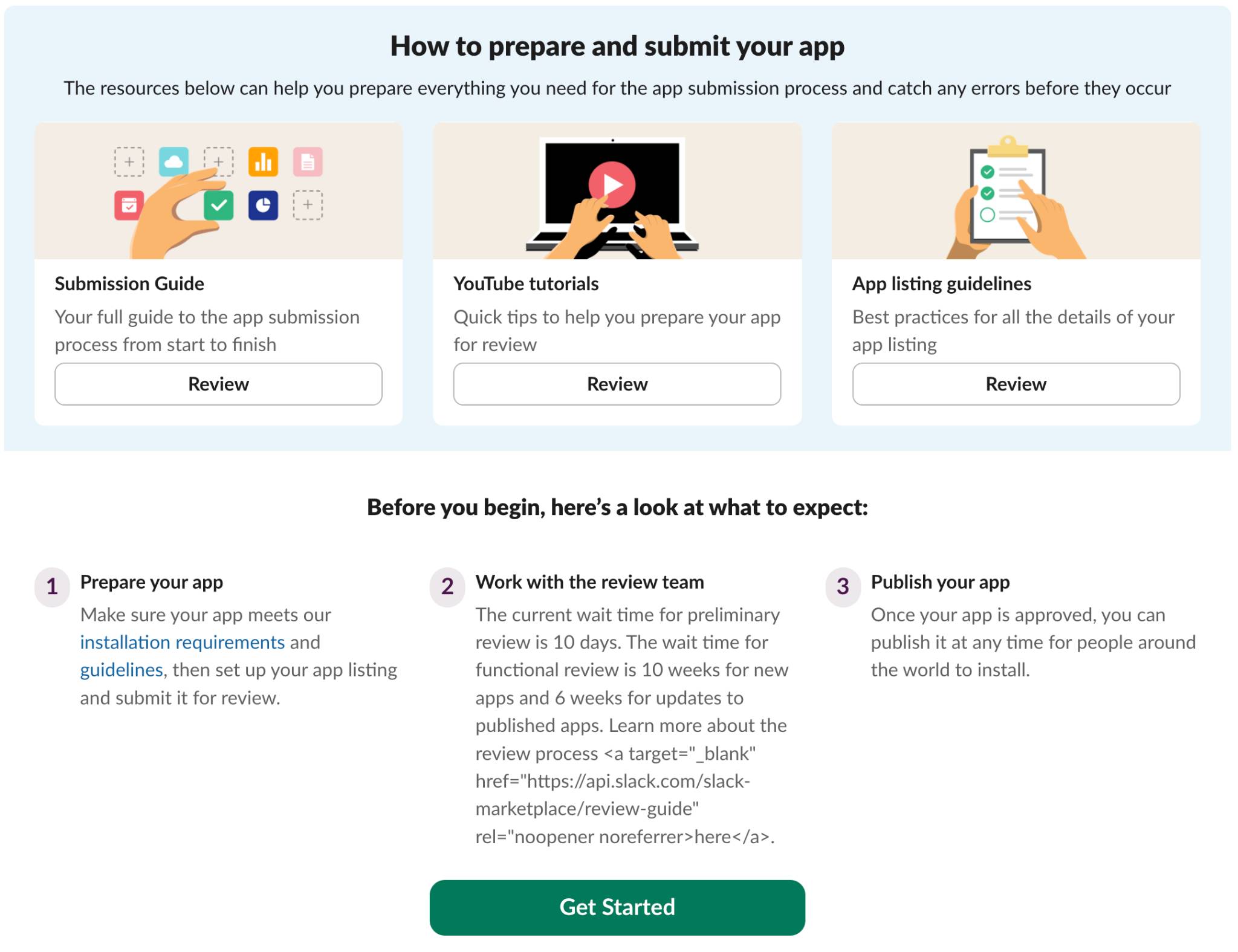
Submit Your App for Review
- Go to your app’s settings dashboard.
- Navigate to the Submit to Slack Marketplace section.
- Select Prepare & Submit to review resources, tutorials, and guidelines.
- Then select Get Started.
- Go through the submission flow and select Submit App for Review.
- In the Preview Your App Submission modal, verify everything is correct, and select Submit App.
Once you’ve submitted your app, the Slack team starts the review process, which is split into two parts.
The Preliminary Review
This makes sure that the listing information and associated pages meet Slack guidelines and that your app is ready to be installed and tested. Feedback from this part of the review generally takes up to 10 business days, and you must make all of the changes outlined before the submission can be moved to the next part of the review.
If these changes aren’t made or there’s missing information, this step is repeated until the requirements are met. Your place in the queue is reset each time you resubmit your app, which restarts the review timeline for the next part of the review.
When you’ve satisfied the requirements from the preliminary review, your submission moves on to the functional.
The Functional Review
At this point, the submission is assigned to a reviewer who installs and tests the app to assess the user experience. Feedback from this part of the review generally takes up to 10 weeks. When you receive feedback and submit changes, your place in the queue is not reset—unlike during the preliminary review.
After you address the feedback and everything passes, your app is approved!
Ready to go live? Return to the app’s settings dashboard to publish in the Slack Marketplace. Now that users can discover and install your app, it’s important to maintain it properly. Let’s review what’s expected of developers in the marketplace.
Set Up App Suggestions in the Slack Marketplace
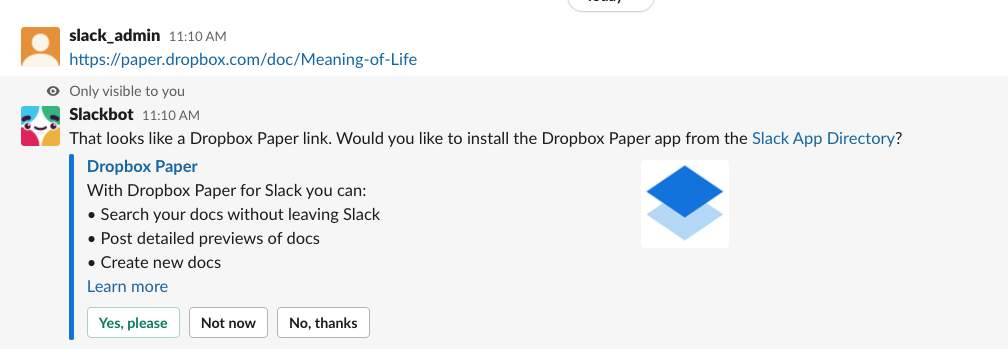
Users share lots of links inside Slack. When you set up app suggestions, you help people who already use your product or service discover your Slack app. All you need is to include an HTML meta tag on your website, which allows users to see a prompt to learn more about your Slack app.
Get Your App Featured in the Slack Marketplace
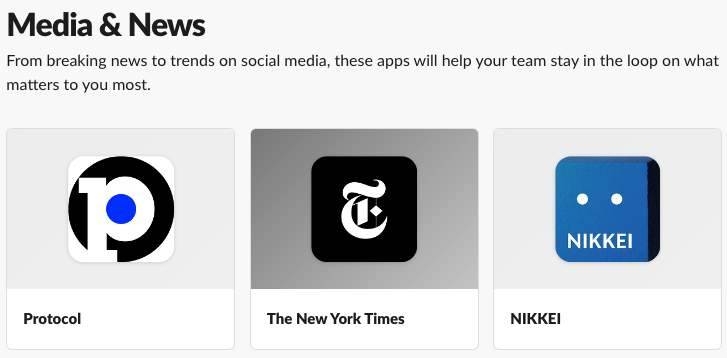
Want to see your app featured in the marketplace? Just send us a note indicating in which category you want your app to be shown along with its name, app ID, and customer testimonials.
Before You Go
This unit covered the key differences between single environment, distributed, and published Slack Marketplace apps, along with the best practices and process for submitting an app to the Marketplace. Now that your app’s listed, complete the next unit to learn how to maintain your app listing.