Get to Know Salesforce Multi-Framework
Learning Objectives
After completing this unit, you'll be able to:
- Describe what Salesforce Multi-Framework is and the problem it solves.
- Explain how a React app is deployed to a Salesforce org as a UI bundle.
- Describe how the Data SDK connects React apps to Salesforce data.
- List some of the things you can build with Multi-Framework.
Discover Salesforce Multi-Framework
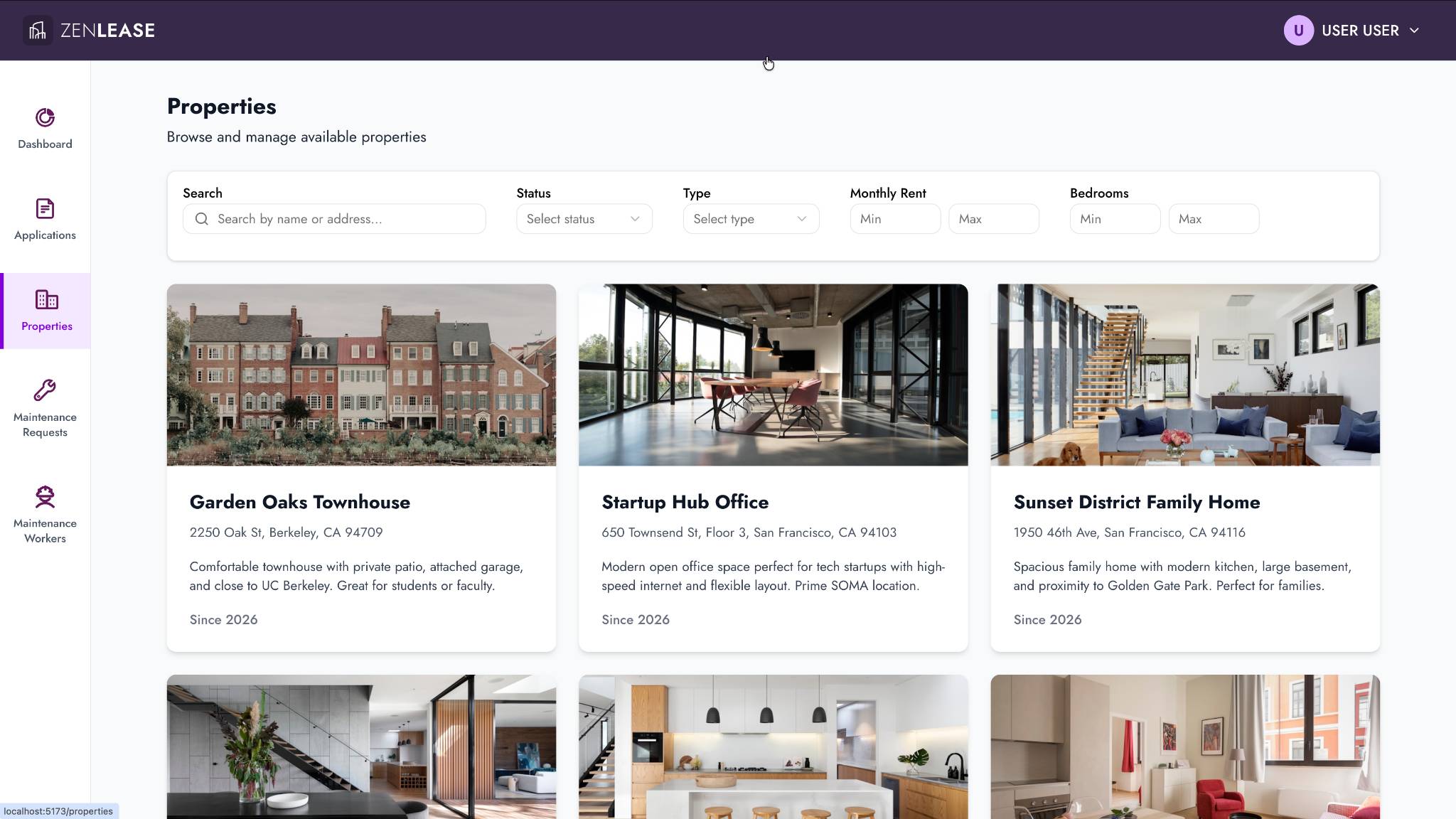
Ever wished you could build a Salesforce app using React? With Salesforce Multi-Framework, now you can. Build rich, interactive React apps—employee tools, customer portals, dashboards, wizards—and deploy them directly to your Salesforce org. Your users access them from the App Launcher on desktop or the Salesforce mobile app, just like any other Salesforce app.
Multi-Framework gives you the full React ecosystem. That means your favorite component libraries, styling frameworks, routing solutions, and npm packages—all running on the Agentforce 360 platform. Salesforce handles authentication, data access, and deployment infrastructure. You focus on building a great experience.

The UI Bundle
So how does a React app end up running in your Salesforce org? Through a UI bundle, a metadata type purpose-built for modern framework apps.
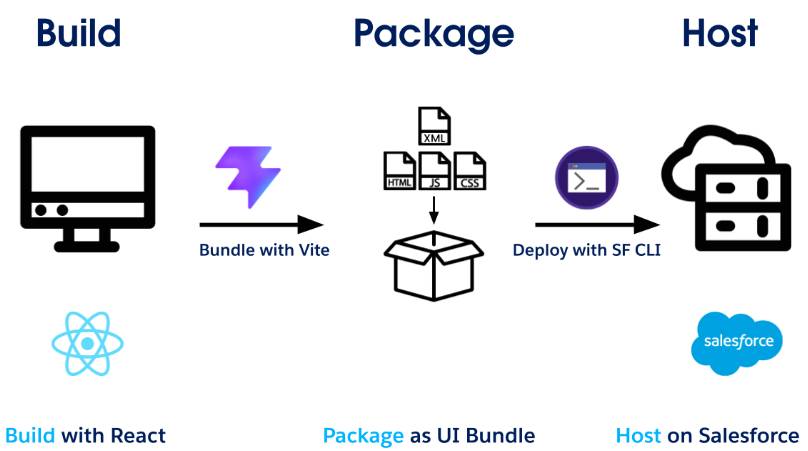
You develop your React app locally using Vite and TypeScript, just like you would any React project. When you're ready, you build it and deploy it to your org using Salesforce CLI. The UI bundle lives inside your standard Salesforce DX project structure, right alongside your Apex classes, custom objects, and permission sets. That means version control, CI/CD, and team collaboration all work the way you're used to.
The deployment flow is simple.
- Build your React app locally.
- Package it as a UI bundle.
- Host the app on Salesforce.
You don’t need external hosting, iframe embedding, or a separate authentication flow. You deploy your build artifact and metadata to Salesforce and it just works. Once deployed, you can access the app from the App Launcher in Salesforce.
The Data SDK
The real magic is how your React app talks to Salesforce data. The Data SDK gives your components a unified interface for accessing Salesforce data. Use it to run GraphQL queries and mutations against the UI API, call Apex REST endpoints, or use the Connect API without managing authentication manually.
What makes the Data SDK special is that it’s runtime-aware. Whether your app is an internal employee tool accessed through the App Launcher or a customer-facing portal on an Experience Cloud site, you write the same data-access code. The SDK detects the runtime context and handles the rest.
If you've used @wire(getRecord) in Lightning Web Components, the concept is familiar: You're querying the same underlying UI API data layer. The difference is that instead of reactive wire adapters, you use standard React patterns like useEffect and useState to interact with records imperatively using the Data SDK.
What You Can Build
Multi-Framework enables you to build fully custom applications using React and its vast open-source ecosystem. You choose the component libraries, styling frameworks, and routing solutions that fit your project. Salesforce handles the hard parts: authentication, data access, and deployment infrastructure.
-
Employee-facing apps: Build internal tools that go beyond what's possible with standard Lightning pages—complex multi-step workflows, rich data visualizations, and highly interactive interfaces using open source packages.
-
Customer portals: Create branded, customer-facing experiences with full design control. Use any React UI library to match your brand while Salesforce handles authentication and data.
Do More with Multi-Framework
Here are some additional capabilities available to your Multi-Framework apps.
- Read and write org data using GraphQL queries and mutations.
-
Call Apex REST endpoints and Connect API from your components with fetch.
-
Style with SLDS, Tailwind CSS, shadcn/ui, or any CSS approach you prefer.
-
Add the Agentforce Conversation Client to your app.
Now that you know what Multi-Framework can do, explore the resources below to start building your first React app on Salesforce.