Explore Compliance in Salesforce
Learning Objectives
After completing this unit, you’ll be able to:
- Describe the complexities of operating in highly regulated industries.
- Explain how Process Compliance Navigator mitigates risks.
- Describe the stages of setting up business processes, regulations, policies, and controls in Process Compliance Navigator.
Avoid Compliance Missteps
Operating in a highly regulated industry is complex and costly.
In regulated industries such as financial services, healthcare, and life sciences, the costs of noncompliance quickly add up in terms of staff time, money, and your organization’s reputation. Manual compliance processes often aren’t enough to reduce these risks.
Process Compliance Navigator helps organizations in every industry overcome these challenges with automation and regulatory compliance enforcement directly in the flow of work. It helps you track processes, share regulatory and policy information, implement controls, and avoid the high costs of noncompliance.
In this badge, you learn the basics of Process Compliance Navigator and how it helps your team operate within regulations and policies. In this unit, you start with a quick overview of the solution.
Meet Process Compliance Navigator
Process Compliance Navigator is a comprehensive regulatory and process management tool designed to ensure your organization adheres to external regulations and internal policies in the flow of work using automated controls.
Many institutions today manage governance, risk, and compliance (GRC) separately from the frontline processes where the risk occurs. Process Compliance Navigator bridges this gap by bringing GRC and process management together in one platform. With regulatory and policy details and integrated controls in your Salesforce org, you have a single compliance and risk management system.
It helps you:
- Centralize all regulatory requirements to establish a single source of truth.
- Embed compliance controls into business processes inside and outside of Salesforce.
- Prep for audits in minutes, not weeks, with real-time compliance reporting.
These features work together to reduce the fines and reputational costs associated with noncompliance. Plus, your compliance team saves time and headaches with simplified information gathering and evidence management when regulators ask for information.
Track Regulations and Policies, and Put Them into Action
Before you start, complete some initial setup in Process Compliance Navigator, such as assigning permissions and turning on Business Rules Engine (BRE). For details, read Set Up Process Compliance Navigator in Salesforce Help.
After you complete setup, you map business processes, create and manage regulations and policies, and define compliance controls.
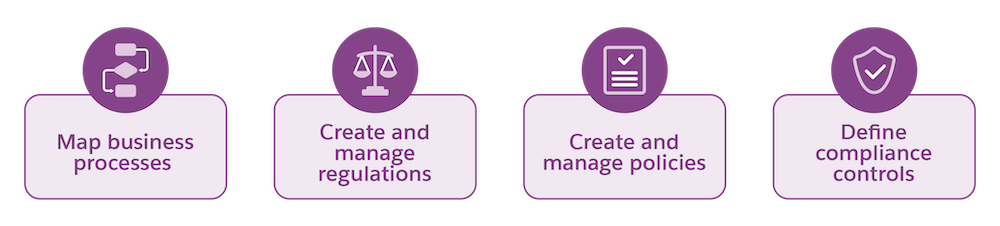
Explore each task in this section to better understand Process Compliance Navigator.
Map Business Processes
Compliance officers, also called risk officers, use Process Compliance Navigator to capture and track business processes and later connect them to regulation and policy clause versions. Business operations process records help your organization better understand when to make adjustments to your business processes and related controls as related regulations and policies change.
Create and Manage Regulations
Compliance officers capture and track third-party regulations and rules, including using versions to track changes to regulations over time. Your team creates records for regulatory authorities, regulations, regulation versions, regulation clauses, and regulation clause versions. Tracking individual clauses and clause versions provide you with version control to see how a regulation changes over time. Compliance officers map regulation clause versions to business processes and internal policy clause versions to assess the impact of regulatory changes.
Create and Manage Policies
Compliance officers create and manage internal compliance policies with policy, policy version, policy clause, and policy clause version records. As with regulations, policy clauses and policy clause versions give you a view of how policies change over time. Your team maps policy clause versions to regulation clause versions and business processes to track how external regulations, internal policies, and your work intersect.
Define Compliance Controls
After compliance officers create regulations and policies, control managers define how your organization complies with them. Control managers then work with compliance officers and IT admins to create controls to ensure regulations and policies are followed. Process Compliance Navigator includes a tool chest of low-code, no-code, and pro-code tools on the Salesforce platform to seamlessly integrate controls into workflows. Your end users stay compliant easily as they do their jobs, and your compliance team gets an audit-ready log of their work.
What’s Next
Now that you understand the basics of Process Compliance Navigator, you’re ready to learn more about how to complete each configuration task. In the next unit, you learn about the tools compliance officers use to track regulations and policies.