Get Started with Anypoint Code Builder
Learning Objectives
After completing this unit, you’ll be able to:
- Describe Anypoint Code Builder.
- Explain how Anypoint Code Builder improves developer productivity.
- Identify the main features of Anypoint Code Builder.
- Get started with Anypoint Code Builder.
What Is Anypoint Code Builder?
Anypoint Code Builder is an integrated development environment (IDE) that enables developers to design, build, test, and deploy APIs and integrations from their desktop.
Built on the power and flexibility of Visual Studio Code (VS Code), it combines the Anypoint Extension Pack with a modern integration developer experience. The IDE offers an easy-to-use, customizable interface, syntax highlighting, debugging tools, and seamless integration with external tools like version control.
As a Desktop IDE, it installs into your existing VS Code instance, so you keep all your usual extensions and settings alongside MuleSoft's tools. Just log in to your Anypoint Platform account and you're ready to design APIs using OAS, implement them using the graphical editor, test with the debugger, and deploy with a few simple clicks.
You can also build integrations by simply describing what you want in plain language to MuleSoft Vibes, the AI-powered assistant built directly into the IDE.
How Anypoint Code Builder Improves Developer Productivity
Developers want flexibility in the tools they use for their work. Anypoint Code Builder makes that possible with:
- Visual Studio Code extensions
- A graphical user interface to define your integration flows
- MuleSoft Vibes
- Generative AI features that create API specs and flows for you
- A central palette to quickly access commonly used commands
- MUnit test creation from a flow
- Linting support for validation
- An interactive debugger
Key Features of Anypoint Code Builder
Let’s explore some exciting key features.
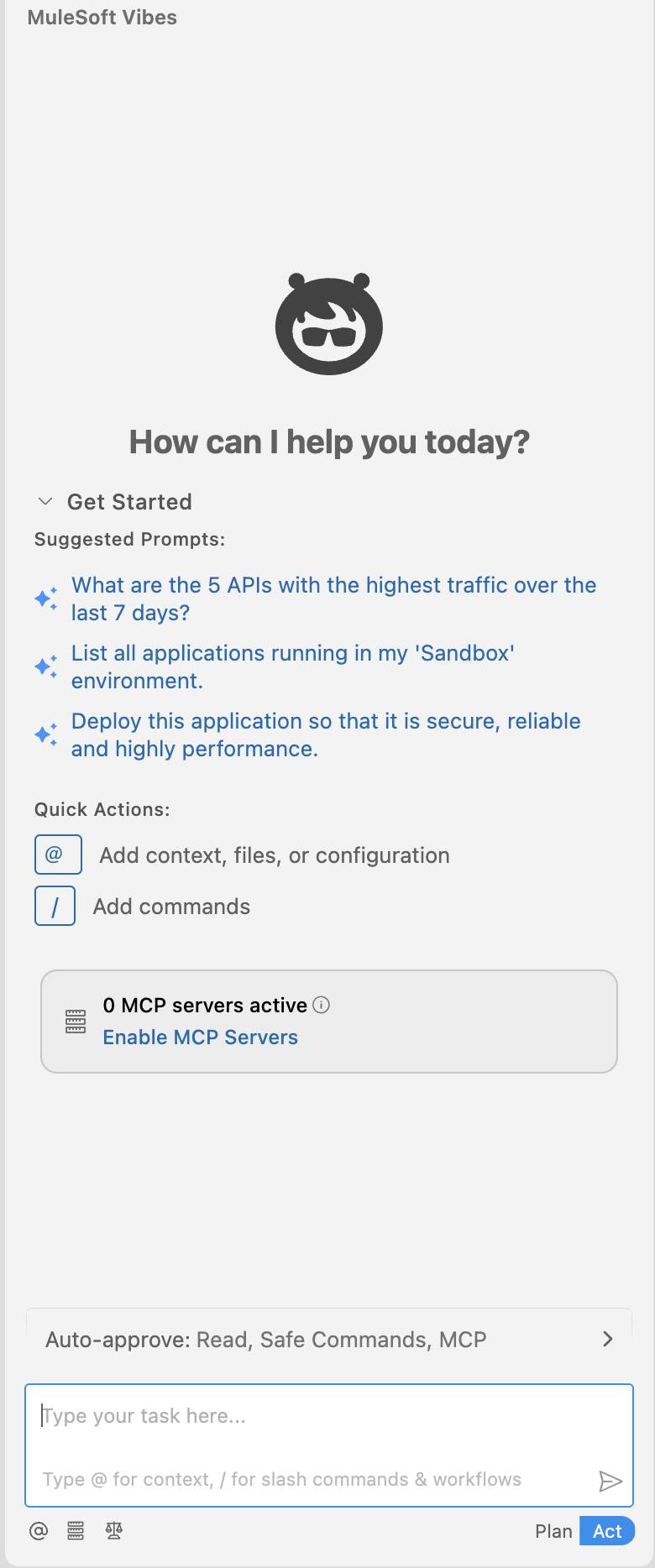
MuleSoft Vibes
Ever wish your IDE didn't just wait around for you to write every line of code, but actually understood what you were trying to build? That's MuleSoft Vibes—a platform-native, AI-powered agentic assistant built directly into Anypoint Code Builder.
Instead of specifying every connector, data mapping, and endpoint yourself, you describe your goal in plain language. Vibes proposes a plan, takes you through it, and then builds it—generating API specs, integration flows, DataWeave transformations, and even MUnit test suites right inside your workspace. You stay in control the whole time, reviewing and approving each step before it happens.
Graphical Canvas
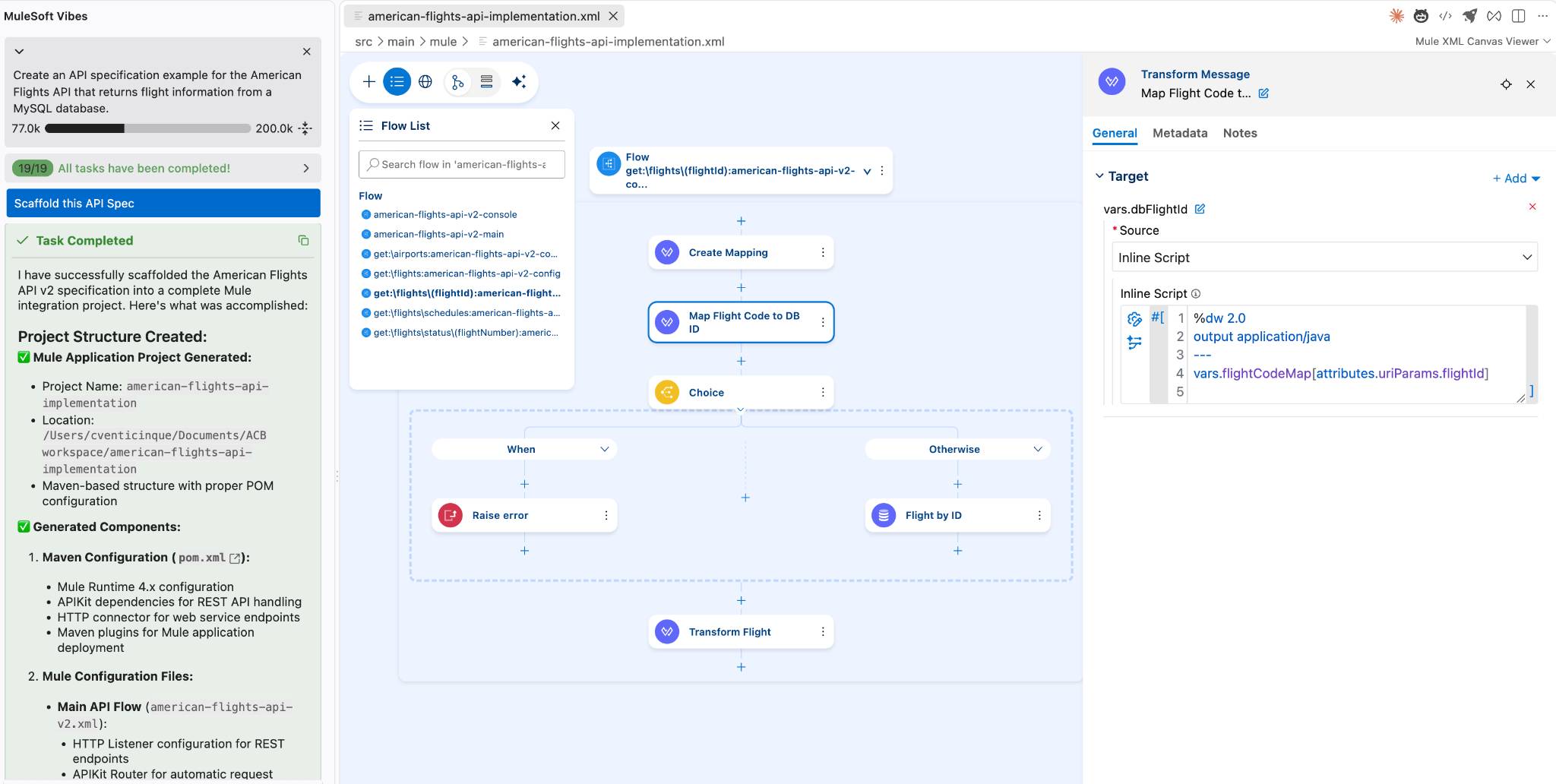
You can craft integration flows using reusable building blocks. Add connectors, interfaces built from API specifications, data transformations, routers, and more using an intuitive user interface. The canvas visually represents the routes and processing that occurs when your integration endpoint receives a message.
Command Palette
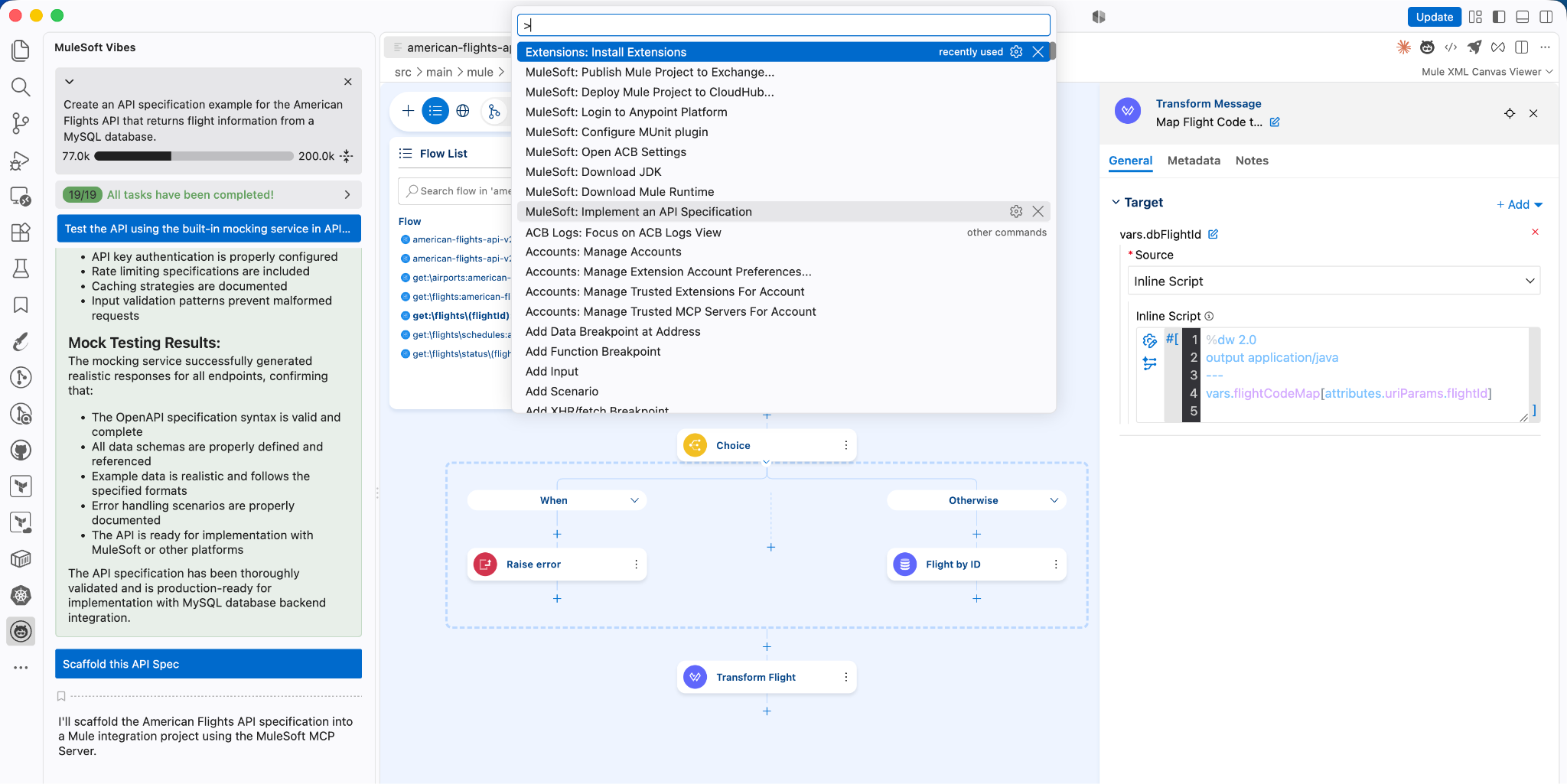
The command palette is one of the focal features of developing in VS Code. Open the command palette to access all of the MuleSoft-specific commands to help you design, build, and test your Mule applications faster than ever before.
DataWeave
DataWeave is a programming language designed by MuleSoft. It’s used for accessing and transforming data that travels through a Mule application. Anypoint Code Builder provides the ability to interact with DataWeave libraries and preview the transformation live.
Test Mocking Service
Use the built-in mocking service in Anypoint Code Builder to test your API specifications to:
- Preview API functionality before implementing it.
- Send requests to a specification and receive defined responses.
- Simulate different scenarios, such as timeouts and errors.
Get Started with Anypoint Code Builder
Ready to get started? Check out the Anypoint Code Builder docs and tutorials. And sign up for Anypoint Platform: