Claim Your Digital Space
Learning Objectives
After completing this unit, you’ll be able to:
- Describe security as a form of permission.
- Explain how security controls support confident decision-making.
- Differentiate between trust and trustworthiness.
Start with Instinct
This badge follows a unique approach to cybersecurity. Instead of focusing on systems and tools, you explore cybersecurity through the lens of instinct, context, and trust.

First, take a look at something unexpected: a dodder vine. In the documentary What Plants Talk About, scientists placed a seedling between a tomato and a wheat plant to observe which one the vine would select. Following its instinct, the vine sensed its options and chose the tomato plant 90% of the time. Why? Because that choice was its best chance for survival based on the context of its environment.
Humans do the same. With the data available to you, you evaluate, assess, and instinctively choose the option that you believe is most likely to support your physical, emotional, and psychological survival. Throughout your workday, you decide where to attach–that is, who to trust, which processes to follow, and which technologies to use. Security controls don’t stop this natural behavior, but they can influence whether your decisions hurt or help the security posture of the business.
The link between your natural instincts and your daily work decisions is why cybersecurity is a necessary part of the business, not just an expense or a box to check for compliance. In the white paper Elevating Cybersecurity: Ensuring Strategic and Sustainable Impact for CISOs, the World Economic Forum suggests that top leaders should now see the chief information security officer (CISO) as a business enabler.
This shift lets the security team actively manage real-world risks and helps create a secure environment where every employee is empowered to make smart, secure choices.
Understand Security in Context
When you feel secure, you experience it as permission or confidence to act. Here’s a working definition: Security is the presence of conditions that allow people and systems to decide and act, and the capacity to see, choose, and respond when conditions change.
Both of these conditions must be present to create true security. If a system only has rigid controls that stop all movement and decision-making, that creates gridlock, not security. A system with too many restrictive rules fails when the unexpected happens, because it leaves people with no option but to break those rules for their own survival. True security is about enabling adaptive action, not shutting it down.
People don’t always act from a place of security or clarity. Often, they move forward simply because it feels easier than stopping, especially when the task is familiar, urgent, or frustrating. This is a survival response known asbounded rationality. When certainty is out of reach, people choose what seems “good enough” to complete the task.
Effective cybersecurity doesn’t fight this response. It works with it to minimize the risk that secure behavior will take a backseat to momentum. Explore this instinct in action by comparing how people move through physical space based on their context.
Scenario 1: Secure Movement
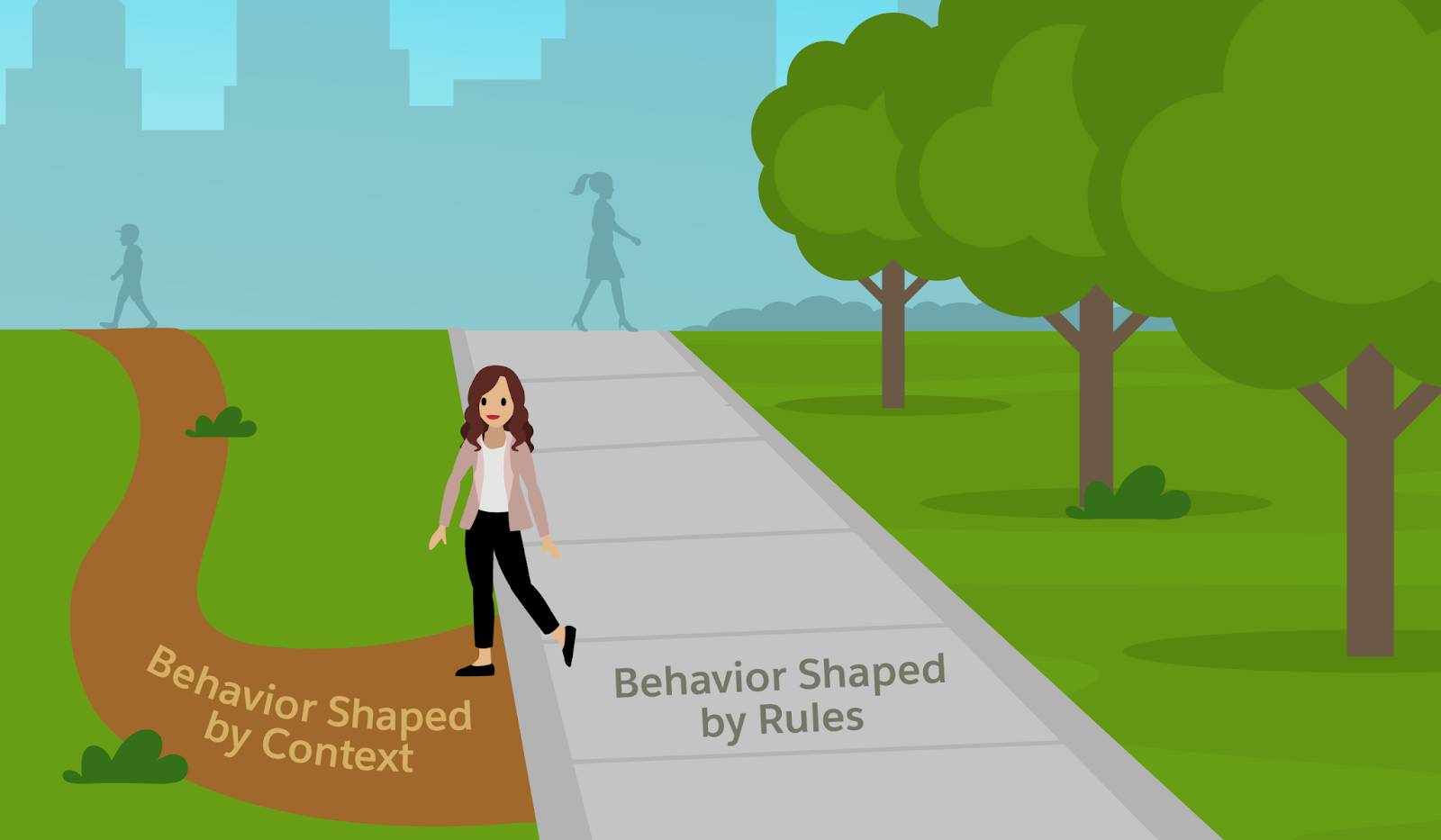
Imagine you’re walking at night on a well-lit sidewalk in your neighborhood. You know the path, the lights are on, and neighbors are outside. You’ve walked this route before, so you move naturally and don’t overthink your decisions. You check for cars before crossing, wait for the Walk signal, and obey pedestrian signs.
Scenario 2: Uncertain Movement
Now imagine you’re walking at night in a new city. The sidewalks are uneven, it’s foggy, and several streetlights are out. You’re still moving, but how you move changes. You walk in the street instead of the sidewalk for better visibility, ignore No Trespassing signs, and cross where it feels safer instead of at designated crosswalks.
In both cases, you are making decisions. But the quality of those decisions depends on the clarity, comfort, and conditions around you. In the second scenario, you defaulted to your own instinctive decision-making. This is a personal survival response that almost always overrides policy and rules.
In a cybersecurity context, this behavior looks like:
-
Bypassing multi-factor authentication (MFA) to reduce friction and accelerate tasks because it's unclear why MFA is necessary at that moment.
-
Copying data locally because a shared secure location is confusing or access is blocked.
-
Ignoring a warning because the warning is unclear about the actual risk or what action to take instead.
-
Reusing a password because they already have too many to remember and no preferred way to securely manage them.
Sometimes these choices come from carelessness or disengagement. But often, they come from the need to keep moving, especially when relevant security information is missing, unclear, or too difficult to use. In those moments, shortcuts and workarounds feel good enough to get the job done. This is why the design of security controls is essential.
Security Controls as Your Digital Senses
Think of security controls like your senses. Just as sight, hearing, and other senses help us understand and navigate our physical environment, security controls help us navigate the digital one. Here are a few examples.
Try It Now: Your Digital Senses in Action
Instructions are based on the Windows OS. For other systems, search online for equivalent commands.
Sense |
Security Control |
What It Helps You Do |
Try It Now |
|---|---|---|---|
Sight |
Audit logs, dashboards |
See what’s happening: Who’s logging in, what’s changing, what apps are running |
Type |
Hearing |
Network monitoring, system alerts |
Hear signals: Pings, alerts, and patterns that flag unusual behavior |
Type |
Touch |
File permissions, access control |
Feel friction: Know where you’re allowed to move, change, or act |
Log into a cloud account. Notice where you need to verify your identity |
When designed with clarity and behavior in mind, controls act as the digital senses for the entire business. Controls support better decisions, faster responses, and more confidence for everyone, from cyber teams and IT staff to every individual employee. This level of design matters because it’s how businesses demonstrate consistent, observable actions that show people, inside and out, that their trust is well-placed.
Trustworthiness as the New Currency
In the digital world, every customer, partner, and investor decision rests on one primary question: Can I trust this business to protect what I share and deliver what I expect? As systems become more complex, this reliance on trustworthiness becomes critical. You can explore the full definition of digital trust in the Trailhead module Digital Trust in the Software Development Lifecycle.
Trust only matters when there’s a goal because every goal carries risk. Trustworthiness is what assures people that the goal is respected and the risk is being managed. Think of the most trustworthy person you know. Why do you trust them? Probably because they’re aware and responsive. They consistently show up in ways that make you feel secure.
You trust them because they:
- Tell you the truth (Transparency).
- Show up when it matters (Accountability).
- Respect your boundaries and protect what you share (Privacy, Fairness).
- Have your back when things go wrong (Safety, Security).
The more trustworthy the environment, the less likely employees are to take risky shortcuts. When secure behavior feels safe and worthwhile, security requirements stop feeling like rules and start feeling like the natural way to operate. However, you cannot rely on rigid rules alone. Trustworthiness must be demonstrated through intentional security design that supports employees, even in uncertain or high-pressure situations.
Designing for a Secure Response
The most trustworthy organizations intentionally share security information with their employees to bring that clarity to the digital environment. When employees can clearly see the value of security, they become stronger partners in keeping the business safe.
Here are a few ways organizations are actively embracing transparency to build trust and competence.
Transparency Practice |
How It Builds Trust and Competence |
|---|---|
Share security metrics. |
Turn security from a black box into a visible, active enabler by showing real-time threat metrics, demonstrating its value to all staff. |
Provide personal security reports. |
Empowers employees to manage their own risk by providing a personalized, nontechnical view of their device’s security health (for example, disk encryption or OS status). |
Foster an open culture. |
Builds a report-early-and-often culture by publicly recognizing employees who spot and report suspicious activity. |
Operate by default openness. |
Challenges the norm of secretive security operations by making virtually all nonsensitive data accessible to staff, ensuring everyone is informed about the organization’s risk posture. |
Controls only work well when they’re configured intentionally. If settings are unclear or left at defaults, most teams settle for good enough, not because they don’t care, but because the system works out of the box and feels safe to leave alone. That might make them compliant, but it is not the same as demonstrating trustworthiness.
Trust gets stronger when security controls are clear, match how the business actually works, and can quickly respond to new conditions. Configuring controls to reflect your business priorities creates an environment where your employees can move with clarity, partners can confidently collaborate, and customers can trust the safety and security of what they can't see.
Sum It Up
In this unit, you saw how instinct drives behavior and how security in context creates the conditions for action. You learned that trustworthiness is a configuration demonstrated by intentionally designing controls that make the digital world visible and clear for everyone.
By making deliberate choices, instead of settling on defaults, you build trust and shape both security and employee participation. When you rely only on defaults, you leave value on the table. In the next unit, you start claiming that control by mapping your space, examining the boundaries of your responsibility, and aligning your security configuration with the way your business actually moves.