Get Started with Branch Management
Learning Objectives
After completing this unit, you’ll be able to:
- Discuss the need to track branch performance.
- Explain Branch Management features.
- Describe the Branch Management data model.
Before You Start
Before you start this badge, consider completing this recommended content.

Collect Data About Your Branches
To remain competitive in the financial services market, you must closely monitor operations to optimize every process, particularly at the branch level.
To maximize resources, you identify trends and winning ideas from your highest-performing branches and apply those lessons to other branches.
For example, your institution can monitor its workforce and deploy top-performing bankers across multiple branch locations. To effectively implement this strategy, you first must accurately credit and track each banker’s performance across branches. You need detailed insights from client engagement metrics, such as the acquisition rate of high-net-worth clients and the speed of potential lead conversion.
How can you collect this data? Branch Management in Agentforce Financial Services can help.
In this badge, you learn about Branch Management and follow an example to explore how it works in practice.
Meet Branch Management
Branch Management helps your financial institution track branch performance and connect branches to employees, clients, and activity data. It provides a complete view of branches and banker assignments to improve your operations.
Branch Management can monitor your physical branches and also track the productivity of your virtual branches, digital teams, and contact centers. While branches are often associated with retail banking, Branch Management works in any financial services vertical, including wealth management.
By tracking details about your branches, your users gain rich insights through branch-specific reports on key metrics such as clients, lead conversion, and closed wins.
Branch Management includes:
- A dedicated console app to manage branches, bankers, and clients
- A utility bar component to help users quickly switch between branches when they change locations
- Automatic assignment of accounts to branches
- The ability to create custom branch reports and dashboards
- Client interaction tracking
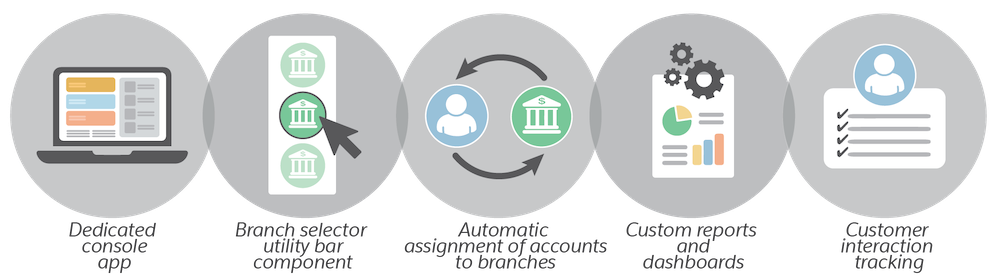
Combined with other Agentforce Financial Services capabilities, these features streamline the daily tasks of your branch managers and bankers.
For example, personal bankers can easily switch between branches, depending on where each banker is scheduled. With the proper branch assigned, the system automatically links new accounts to that location, ensuring the banker's work is tracked accurately.
Explore the Branch Management Data Model
The foundation of all of these features is a powerful data model built specifically for financial services. In this section, explore the objects that help your institution track your branches and the relationships between your branches, bankers, and clients.
Branch Unit
Branch Unit is the central object in the Branch Management data model. It represents both physical and virtual branches. Branch units can be organized to create networks and hierarchies of branches. Capture more branch-related information by linking branches to the Location and Operating Hours objects.
Banker
The Banker object represents who works at branch units. Banker records relate to either users or contacts.
Branch Unit Business Member
Branch Unit Business Member is a junction object that relates banker or user records to branch units. Create multiple branch unit business member records to track many-to-many relationships between branch units and employees. For example, if a banker works at two branches, create two branch unit business member records.
Branch Unit Customer
The Branch Unit Customer object relates customer accounts to branches. Branch Management helps admins synchronize branch hierarchies with Salesforce account hierarchies. You can also link branches and related records to key Agentforce Service objects, such as Service Territory, Service Territory Member, and Service Resource.
Branch Unit Related Record
Branch Unit Related Record is a junction object that connects other Salesforce records to a branch. Those records can be accounts, cases, leads, opportunities, contacts, and interaction summaries.
What’s Next
In this unit, you learned the basics of Branch Management and its key objects. In the next unit, find out how these objects work together through an example set of records that connect a branch unit and banker.
Resources