Walk Through a Custom Event Setup
Learning Objectives
After completing this unit, you’ll be able to:
- Identify the prerequisites you need before you can configure an Engagement Signal.
- Describe how an Engagement Signal turns customer behavior into a usable event.
- Explain how an automation event-triggered flow connects a signal to a personalized email response.
Meet Coral Cloud Resorts
Coral Cloud Resorts has a problem hiding in plain sight.
Every day, guests visit the resort’s Rates and Availability page. They check dates, compare room types, and even narrow down a property. These are the actions of someone who's seriously considering a booking. But here's the catch, many of these guests leave without booking, inquiring, or signing up for anything. The lead simply goes cold, often before the marketing team even knows it existed.
The marketing team knows this pattern exists. What they’re missing is a way to act on it in real time. By the time the behavior shows up in a report, the guest has already moved on and the moment has passed.
The challenge is that this kind of behavioral signal falls outside of what standard events are designed to capture. Standard events are built around interactions that happen within Marketing Cloud Next’s own channels, like an email click or a form submission. A guest quietly browsing a webpage doesn’t generate that kind of signal on its own. To detect that behavior and respond to it, Coral Cloud Resorts needs a custom event.
In this unit, you follow a Coral Cloud Resorts marketer as they build a setup that turns missed signals into timely, personalized responses.
Understand Engagement Signal Prerequisites
Before building an automation event-triggered flow, you need to ensure a few things are in place.
Web activity data is flowing into Data 360: The Coral Cloud website uses the Data 360 Web SDK to send browsing data into Data 360. When a guest visits the Rates and Availability page, that activity is captured and streamed in automatically. If no data is flowing in, the Engagement Signal has nothing to read.
The data is mapped to the right DMO: After the web data lands in Data 360, it needs to be organized into a DMO that contains the right fields–specifically, the page URL and a contact identifier. This DMO should be categorized as Engagement in Data 360. The marketer confirms this DMO exists and is populated before building the signal.
The contact is known and unified in Data 360: Custom event-triggered flows work for both known contacts and unknown individuals. A known contact already exists as a unified profile in Data 360, so their web activity is matched to that profile automatically. For unknown individuals, a flow can still process the event as long as an email address or phone number is passed in with the event payload. That said, an anonymous visitor with no identifying information won't trigger anything.
Configure an Engagement Signal
To capture high-intent browsing behavior, the marketer creates an Engagement Signal so that Marketing Cloud Next knows exactly what to watch for.
Define the Signal's Source
Every Engagement Signal starts with a source: the DMO that holds the data Marketing Cloud Next should monitor. The marketer selects Website Engagement as the source DMO and configures the signal to be available in a flow, so it can directly trigger an automated follow-up.

Map the Engagement Fields
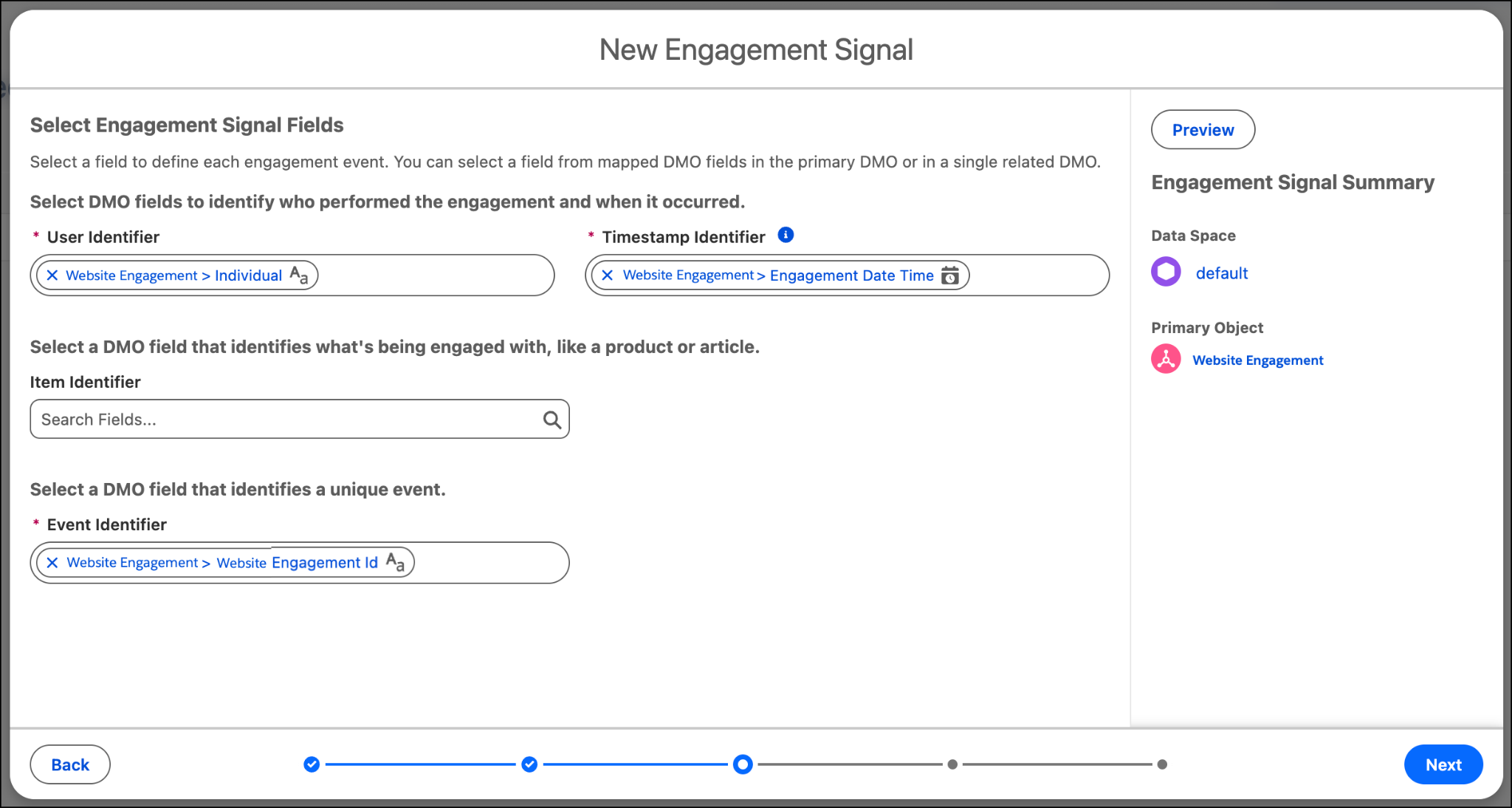
With the source in place, the marketer maps the fields that define the who, what, and when of a qualifying interaction.
- User Identifier indicates the individual contact who browsed the site.
- Timestamp Identifier indicates when the contact’s engagement occurred.
- Event Identifier indicates the unique web interaction involved. The Website Engagement ID is the primary key for each engagement record.
Set Additional Requirements
Not every web interaction carries the same weight. To ensure the signal reflects high-intent behavior, the marketer adds a condition that filters for the specific action that matters. Each qualifying interaction counts as a discrete engagement signal, so that the flow starts at exactly the right moment.

Name and Save the Signal
With the source, fields, and conditions in place, the marketer names the signal High Intent Page Visitor and saves it. It's now available as a trigger in Flow Builder, ready to detect the moment a guest shows real booking intent.

The next step is preparing the email content that the flow will send.
Design the Follow-Up Email
The marketer prepares the email that goes out when a high-intent guest is detected. In Marketing Cloud Next, email content is stored in a CMS Workspace, a central library for managing campaign assets.
The marketer starts from a prebuilt template and personalizes the subject line using a merge field that pulls the contact's first name from a data graph. The result is an email that feels like it was written specifically for that guest, not a generic campaign blast. After the content is ready, the marketer publishes the email and makes it available for use in the flow.
Build the Automation Event-Triggered Flow
Now that they’ve configured the Engagement Signal and the email, the marketer can bring it all together in Flow Builder.
Set Up the Flow
The marketer creates an automation event-triggered flow because it can respond to real-time signals.
Connect the Signal
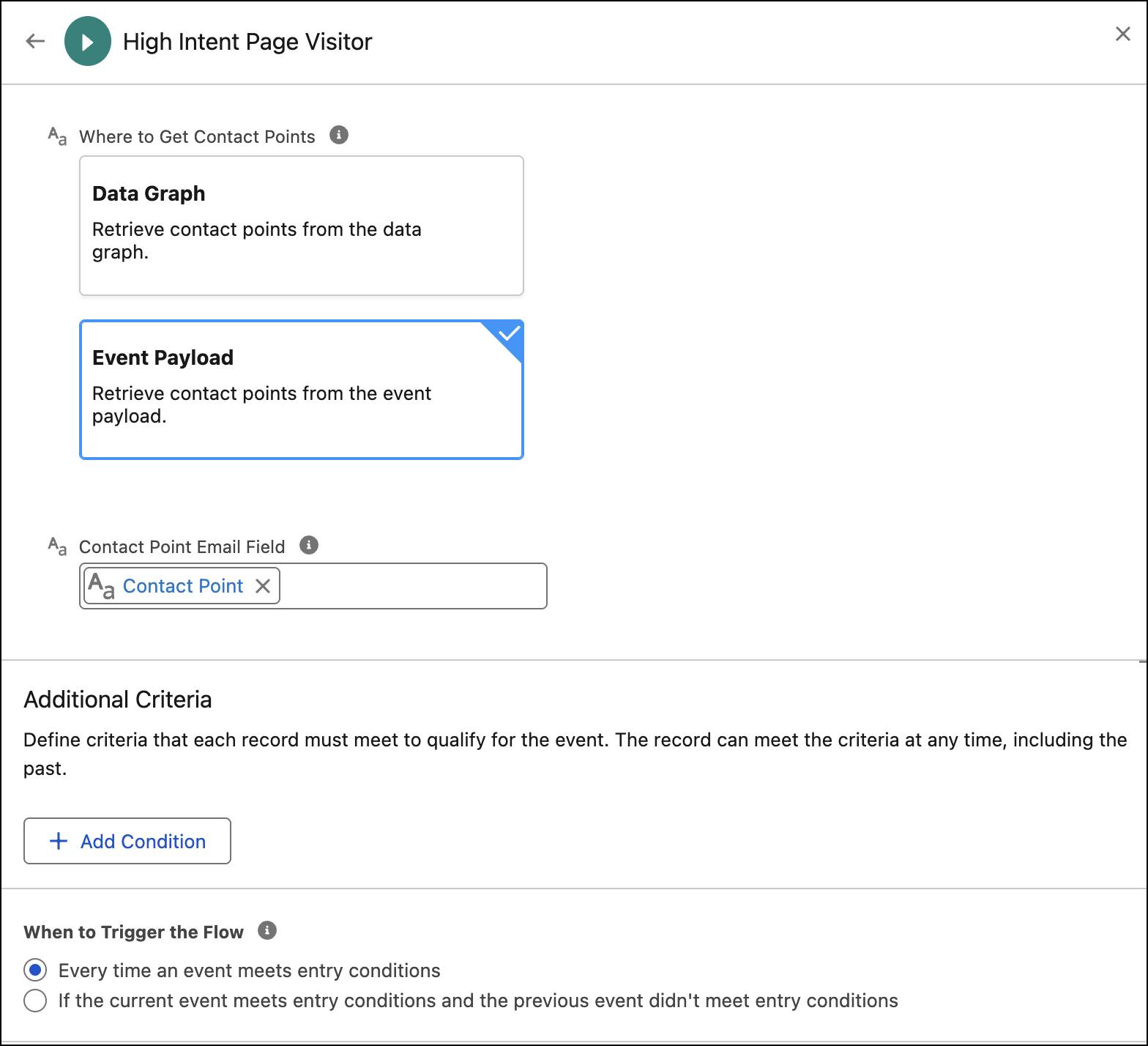
In the Start element, the marketer selects the High Intent Page Visitor custom event as the entry trigger. The flow uses the event payload as the contact point source. The payload contains details such as the contact identifier and interaction. This tells the flow who to reach and ensures no high-intent visitor slips through.
Add a Wait Element
Before the email goes out, the flow includes a short wait of 30 minutes. This gives the interaction a natural pause so the follow-up feels timely rather than instant.

Include an Email
The final element sends the email. The marketer connects the personalized email from the CMS Workspace, labels it, and assigns it to the Marketing communication subscription so it is sent only to opted-in contacts. Because the flow is triggered by an event payload, it can use details like the contact identifier and the page visited to personalize the message, creating a timely, relevant follow-up instead of a generic email.

The marketer saves the flow as High Intent Web Flow and activates it. From that point on, every time a contact meets the signal condition, Marketing Cloud Next starts the flow and delivers a personalized follow-up automatically.

Associate the Flow with a Campaign
The marketer ties the active flow to the Summer Escape Promotion campaign, a seasonal campaign running across Coral Cloud Resorts' properties to drive bookings during peak travel months.
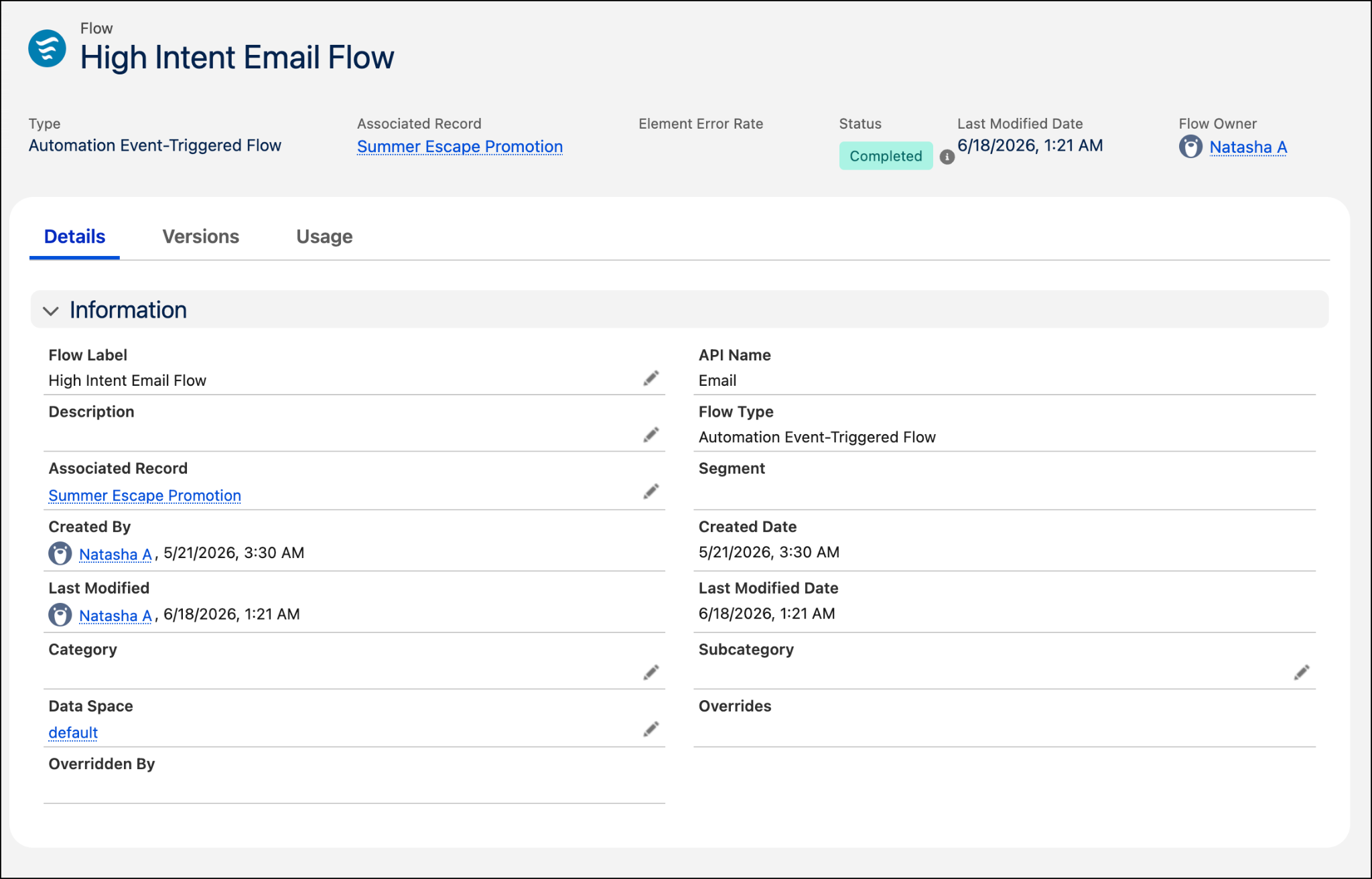
Associating the flow with the campaign means that every follow-up email is tracked in one place, giving the marketing team a clear view of open rates, click-throughs, and resulting bookings.
Wrap Up
In this module, you explored how Marketing Cloud Next uses events to power timely, behavior-driven flows. You learned about the different available event types, where events play a role inside a flow, and how to build an end-to-end setup that responds to what customers actually do. Whether you’re reengaging a dormant subscriber, nudging a high-intent prospect, or responding to a record change, the same principle applies. The right message, triggered at the right moment, makes all the difference.
As for Coral Cloud Resorts, their marketing team now has a system that works as hard as they do. High-intent contacts get a personalized follow-up 30 minutes after their browsing behavior triggers the signal, and every interaction is tracked against the campaign so the team can learn what's working.
You now have everything you need to build event-triggered flows that respond to real customer behavior. Start with a signal, connect it to a flow, and let Marketing Cloud Next take it from there.