Configure and Run Synchronization Tasks
Learning Objectives
After completing this unit, you'll be able to:
- Differentiate between the operational capabilities of a mapping task versus a synchronization task in Cloud Data Integration (CDI).
- Configure a synchronization task to execute insert, update, or upsert operations.
- Define match keys and field mappings inside the Synchronization Task wizard.
- Schedule task execution and configure automated email notifications.
Go Beyond the Mapping Task
Cassie, a developer at AW Computing, has configured custom pipelines that work exceptionally well to extract, transform, and load (ETL) structured datasets into AW Computing's databases. However, the sales operations team has introduced a new operational requirement: synchronize external contact records into Salesforce every night, and prevent creating duplicate entries if a contact already exists.
Standard mapping tasks excel at inserting new records. However, deciding whether to insert a new row or update an existing one, an operation called upsert (update + insert), traditionally requires building custom canvas mappings and matching incoming records against the existing target.
To handle simple, data-sync scenarios without designing a mapping from scratch, Cloud Data Integration (CDI) provides a purpose-built, wizard-driven component called the Synchronization Task.
Define a Synchronization Task
A synchronization task is a streamlined predefined task in CDI that reads from a source and writes to a target using a configurable data manipulation language (DML) operation: insert, update, upsert, or delete.
Unlike a mapping task, a synchronization task does not require a mapping. It has its own built-in wizard for selecting source, target, field mappings, and operation type. This makes it faster to configure for straightforward sync scenarios.
This table highlights the key differences between a mapping task and a synchronization task.
Mapping required |
Transformation support |
Data operations such as insert, update, and delete |
Ideal use case |
|
|---|---|---|---|---|
Mapping Task |
Yes |
Full transformation pipeline |
Insert (default; requires Update Strategy for others) |
Complex extract, transform and load (ETL) pipelines |
Synchronization Task |
No (has its own configuration wizard) |
Basic inline field expressions and data filtering |
Insert, Update, Upsert, Delete |
Record synchronization, upsert, and deduplication |
Configure a Synchronization Task
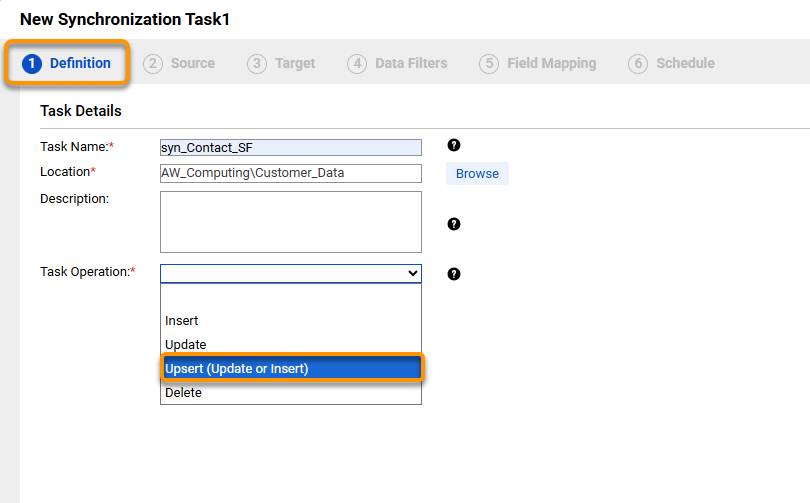
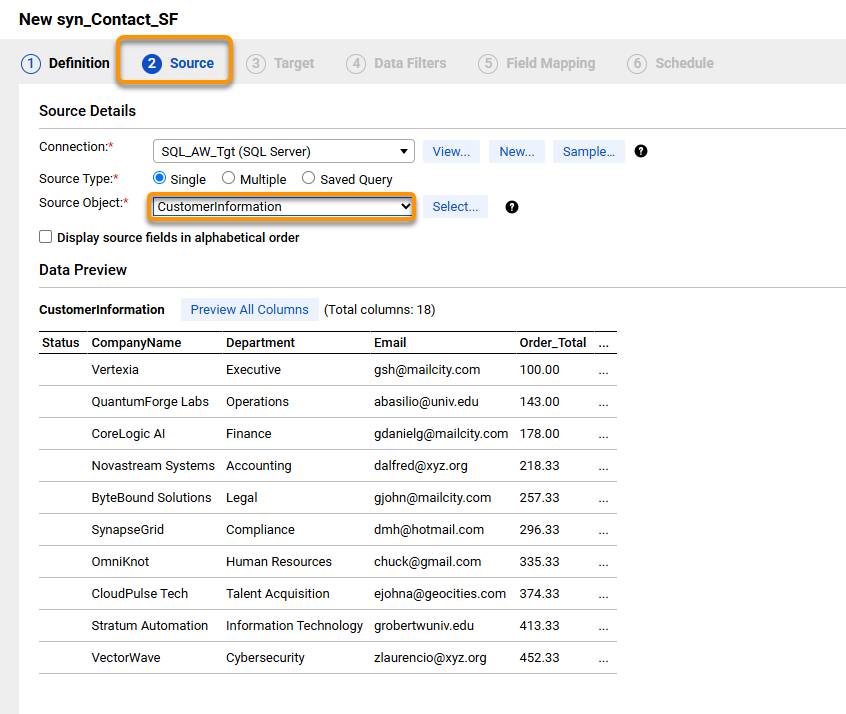
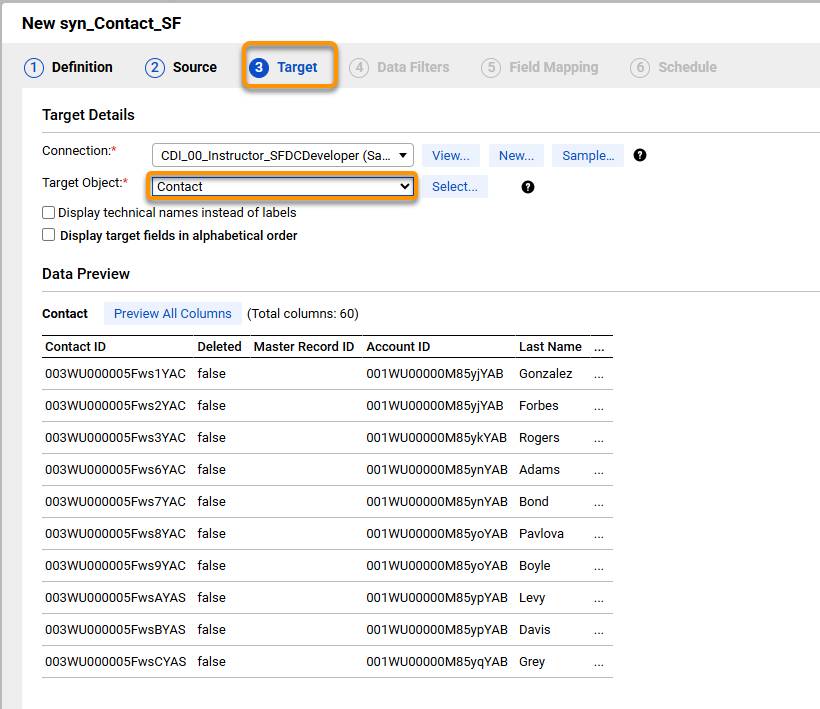
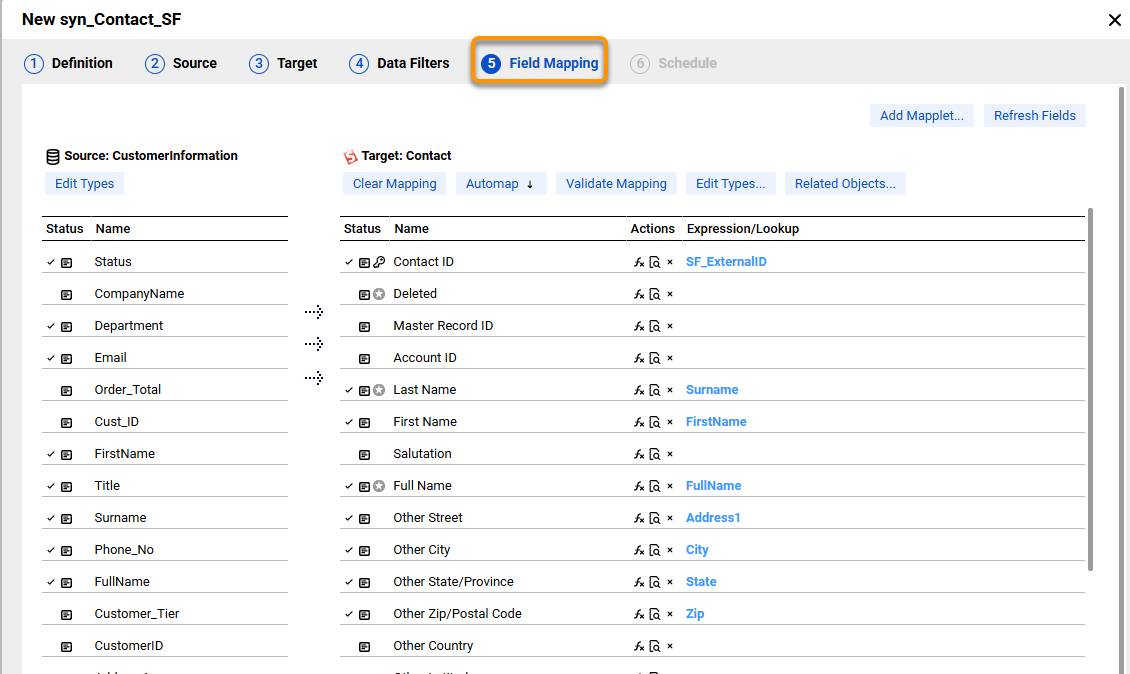
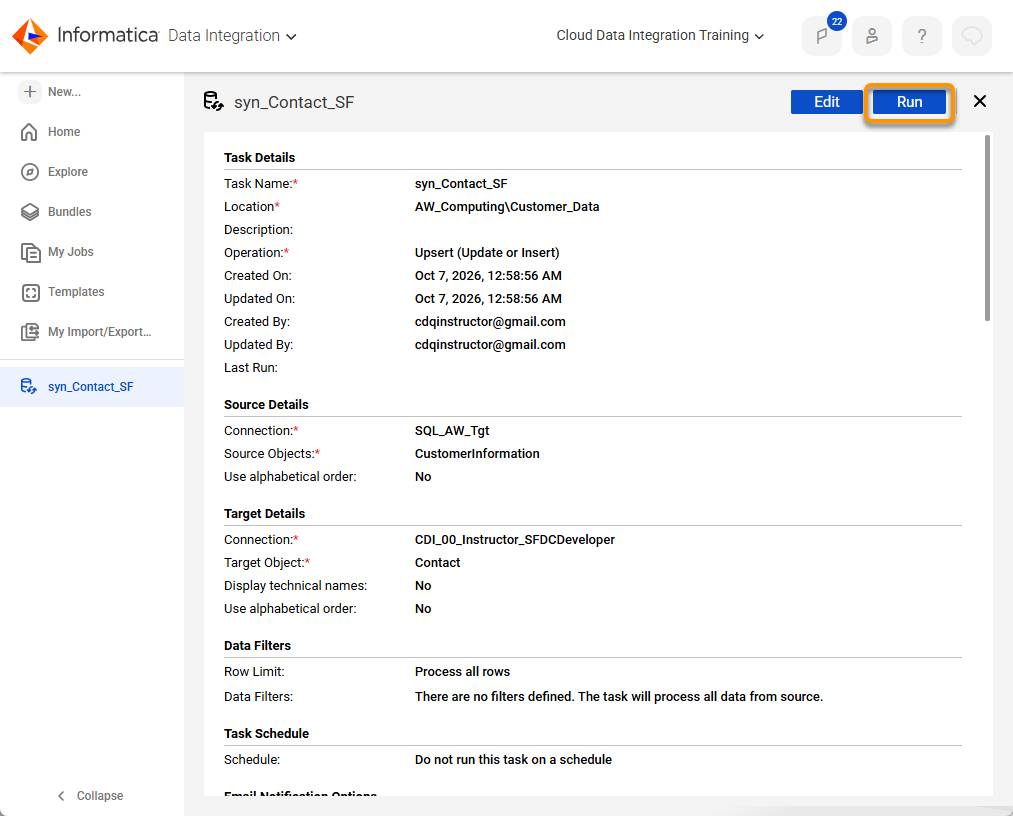
Cassie creates a new synchronization task by choosing New |Other Assets | Synchronization Task. She inserts/updates contact data in the Salesforce Contact table. The wizard prompts her for:
-
Definition: Name, Location, and Task Operation settings: Upsert
-
Source: A SQL connection that points to the updated table.
-
Target: A Salesforce connection that targets the Contact object.
-
Field mapping: She maps columns to Salesforce Contact fields and moves to the final tab. Cassie maps the SF_ExternalID field to the Salesforce Id field. If a matching record is found in Salesforce, it is updated. If no matching record is found, a new Contact is inserted. If a source field value is null and the target field already has a value, the existing value is retained.
-
Schedule: The task can be scheduled to run on the Schedule tab.
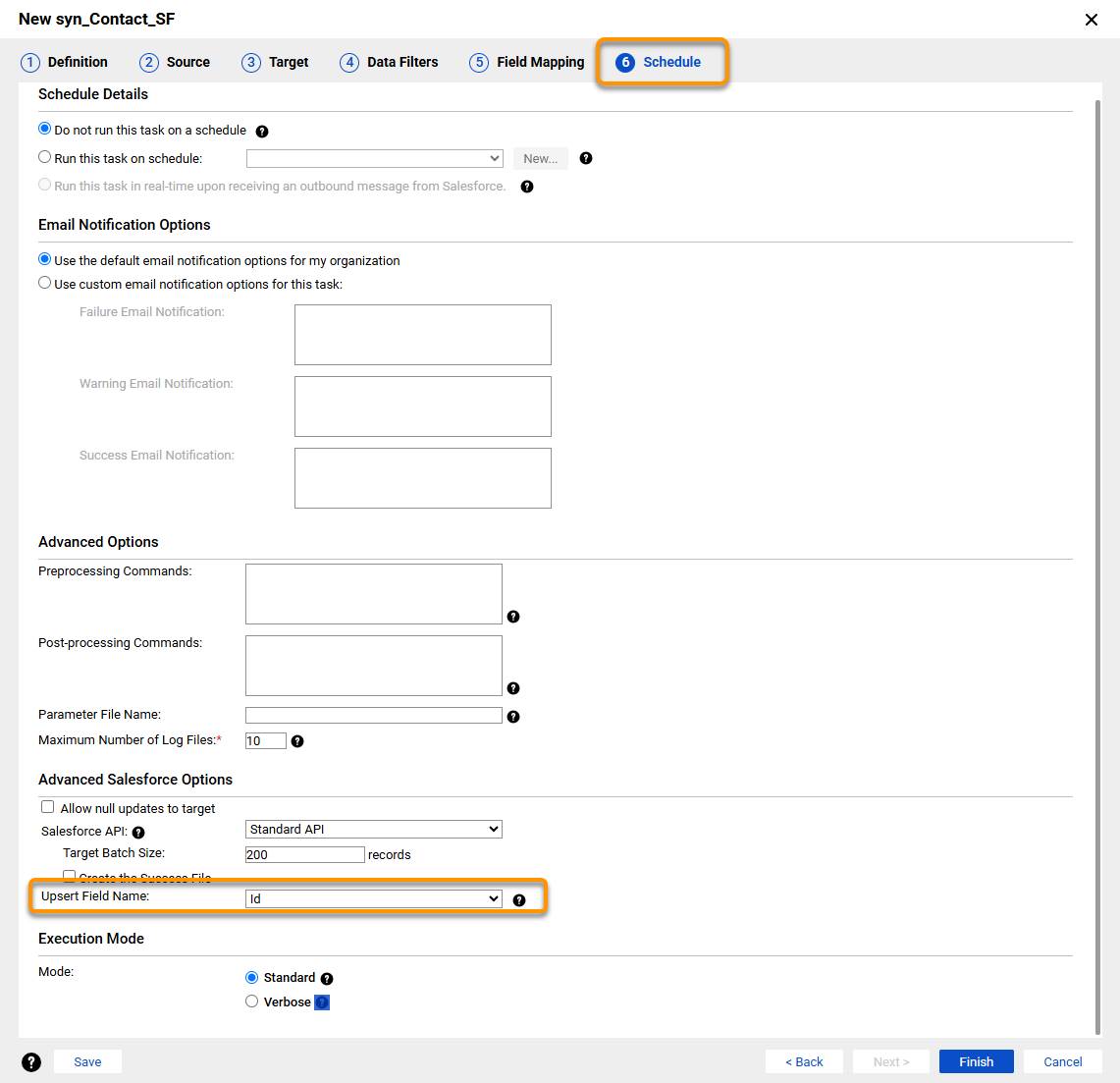
When Cassie configures a synchronization task to perform upserts on a Salesforce target, she configures the upsert field on the Schedule tab.
You can use an ID field for standard objects like Account and Contact. You can use an external ID field or any field with the idLookup field property enabled (idLookup just marks a field as usable for record lookups) for standard and custom objects. Ensure that you include the upsert field in the field mappings for the task.
- After completing the configuration, Cassie saves and runs the task.
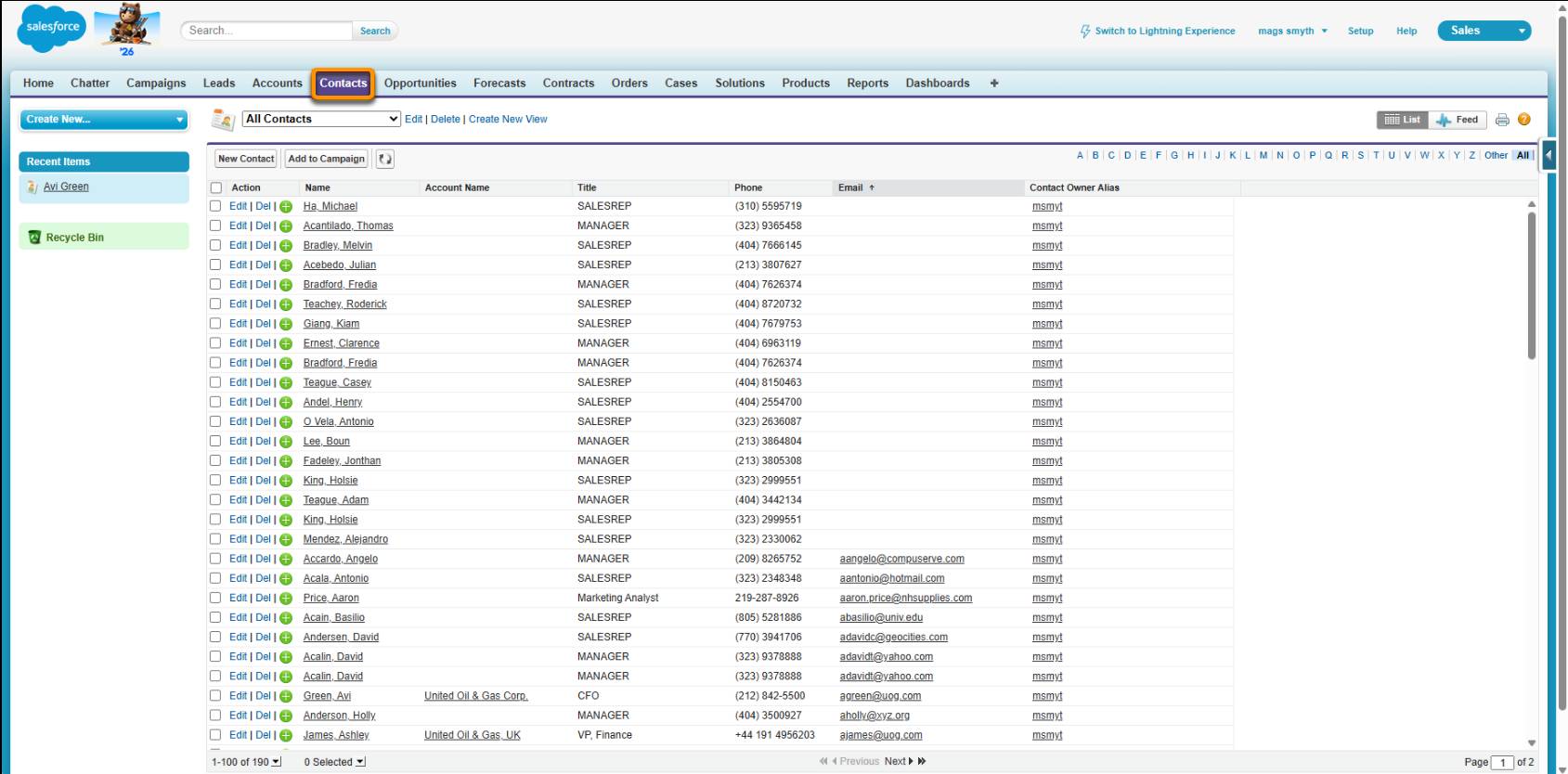
- At runtime, Informatica Intelligent Data Management Cloud (IDMC) processes each incoming record and checks Salesforce for a match based on the object's standard configuration. It also automatically updates existing contacts or inserts new ones in a single pass.
Schedule a Synchronization Task
Cassie's contact synchronization task needs to run automatically every night after the primary customer load finishes. Rather than logging in to trigger the task manually each morning, she configures a recurring schedule and automated alerts directly within the synchronization task.
A Secure Agent is a lightweight program that runs on a local machine or cloud server and executes the task on IDMC's behalf. When Cassie assigns a schedule, IDMC uses the Secure Agent at the configured time to run the task without any manual intervention.
To automate execution and notification settings:
- Open syn_Contact_SF and navigate to the Schedule tab.
- Select the appropriate schedule from the dropdown menu.
- In the Notifications panel, enter the email addresses for Cassie and AW Computing's compliance team.
- Select Send email on success and Send email on failure.
- Click Save.
After saving, IDMC automatically triggers the task at the configured time using the assigned Secure Agent. Cassie receives a confirmation when the sync completes successfully and an immediate alert if it fails. Her compliance team receives the exact same automated daily run summary, providing a complete audit trail without requiring direct access to IDMC.
Demo
Cassie needs to sync contact records from a SQL table into the Salesforce Contact object. For each record, she has to check whether the contact already exists. If it does, she updates it. If it doesn't, she inserts it.
In this video, watch Cassie use a synchronization task to handle this upsert logic in one pass. You'll step through each task step required to sync data between two heterogeneous datasets.
Wrap It Up
Cassie used a synchronization task to upsert contact data from a SQL Server table into the Salesforce Contact object, with no custom mapping required. She configured the task in the wizard, selected an upsert field, and mapped it on the Field Mapping tab. She then defined the schedule and set up email notifications. The task now runs on its own each night, and her compliance team gets a run summary for the audit trail.
It isn’t long before Cassie receives another request to pull data from Salesforce and write it to a backup location. It’s time for her to look into which type of task might work best to achieve that.