Launch a Slack Project Plan
Learning Objectives
After completing this unit, you’ll be able to:
- Create a project plan that ties back to the statement of work.
- Identify the project phases of a Slack project plan.
Launch a Slack Project Plan
As an experienced consultant, you know that a robust project plan fuels early client discussions by giving them a better understanding of how the project is progressing. The delivery methodology outlined in this badge is based on many successful deliveries by the Slack Services team and has proven to be an effective way to deliver a Slack services engagement. You and your delivery team should be familiar with this methodology prior to any Slack client engagements.
Using the statement of work as your input, and any supplementary discussions with the client, you can start drafting the first iteration of the project plan. For early discussions, the next example clearly outlines the overall flow and timing of the engagement.
Once you have alignment at a high level, the recommendation is to transform this into a task-based plan in a corresponding project management tool of your choice.
Components of a Slack Project Plan
A Slack project plan is generally organized by project phases and workstreams. This is a way to think about a Slack project plan to help you manage what activities and deliverables to execute and when. Here’s a bit more detail on each of these components.
A Slack services engagement project spans multiple weeks with important project milestones and deliverables happening consistently along the way. It can help to think of a services project in phases with specific activities and deliverables happening during each phase. This can make the project easier to manage for you and easier to understand for your client. Here’s what to expect during each project phase.
-
Prepare: Get ready. You gather the team, schedule the kickoff meeting, and share important information.
-
Understand: Time to learn. You discover the client’s needs, challenges, and goals through interviews and workshops.
-
Design: Build it. You plan the Slack setup, including grid design, channels, and settings, and the client configures Slack.
-
Launch: Go live! The client “turns on” Slack, users log in, and you deliver training and announcements.
-
Transition: Hand off. After completing the project, you provide the client with recommendations for ongoing support and communication.
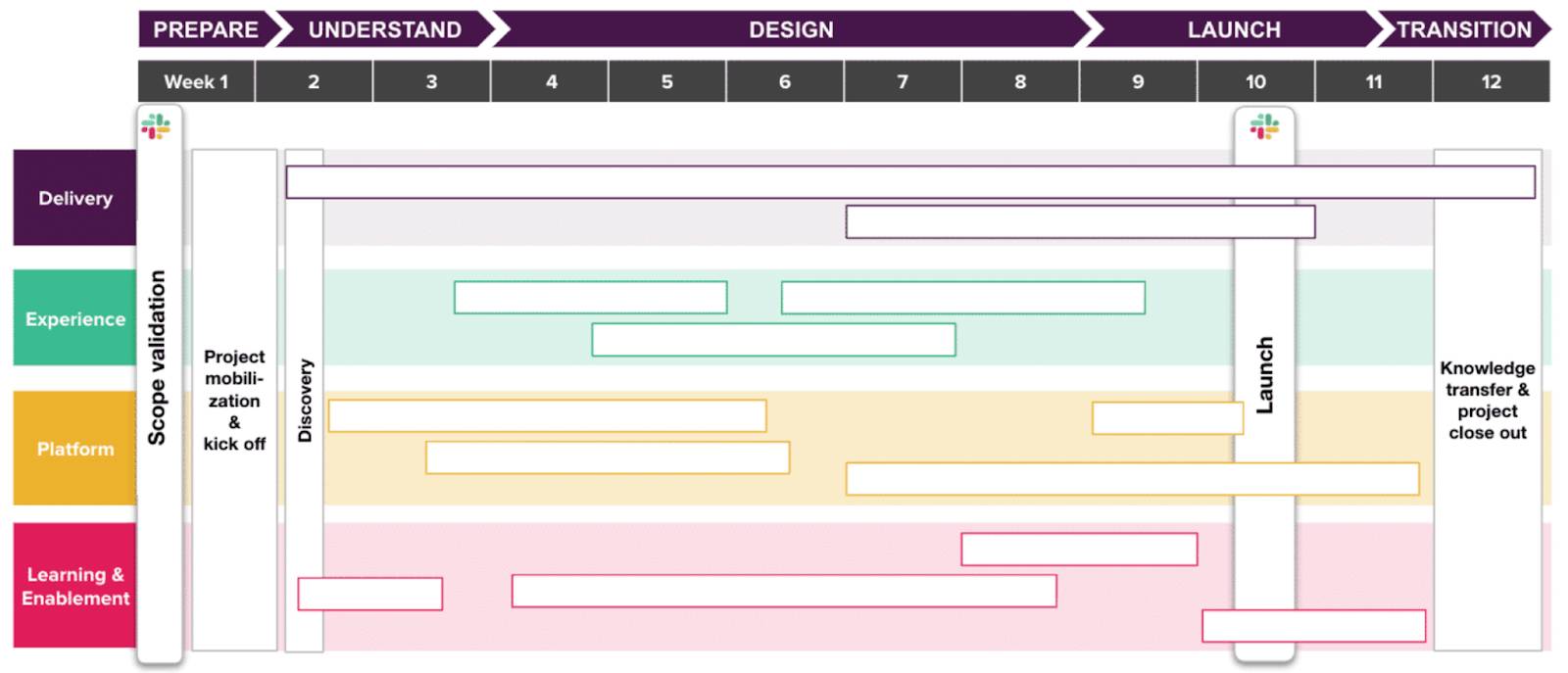
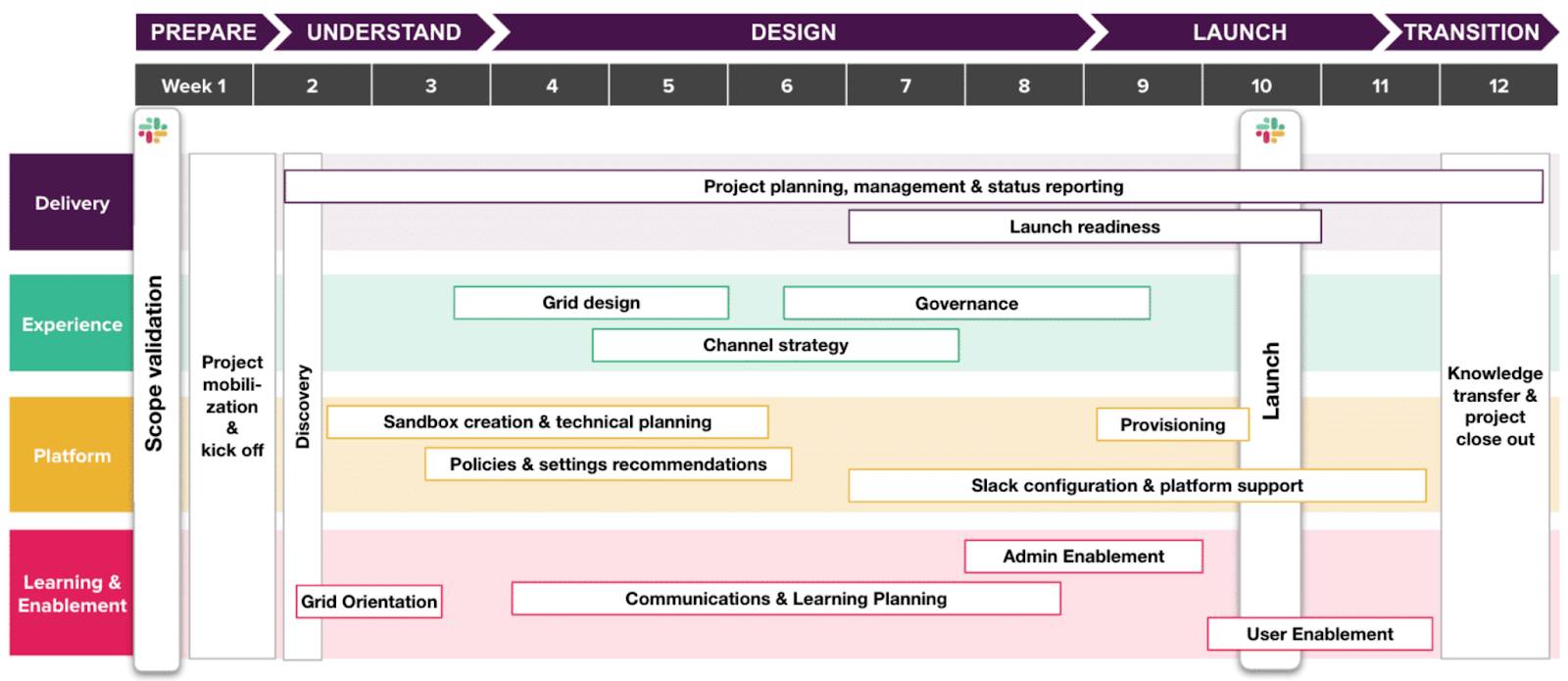
Now that you have an understanding of the general timeline of a project using project phases, start filling in the activities and deliverables based on workstreams.
The Four Workstreams
Service engagements are organized into four workstreams that run in parallel throughout the project. Each workstream has its own purpose in supporting the completion of the project, including its own roles and deliverables. Together, these workstreams—delivery, experience, platform, and learning and enablement—cover all aspects of a Slack services engagement. Each workstream shows the applicable deliverables and activities.
Workstream 1: Delivery
The delivery workstream involves the project management that ensures the project is delivered on time and on budget. This includes governing project cadence, managing the team, and overseeing completion of deliverables.
Deliverables:
-
Project planning, management, and status reporting: Project governance required to deliver the project on time, on budget, and in scope.
-
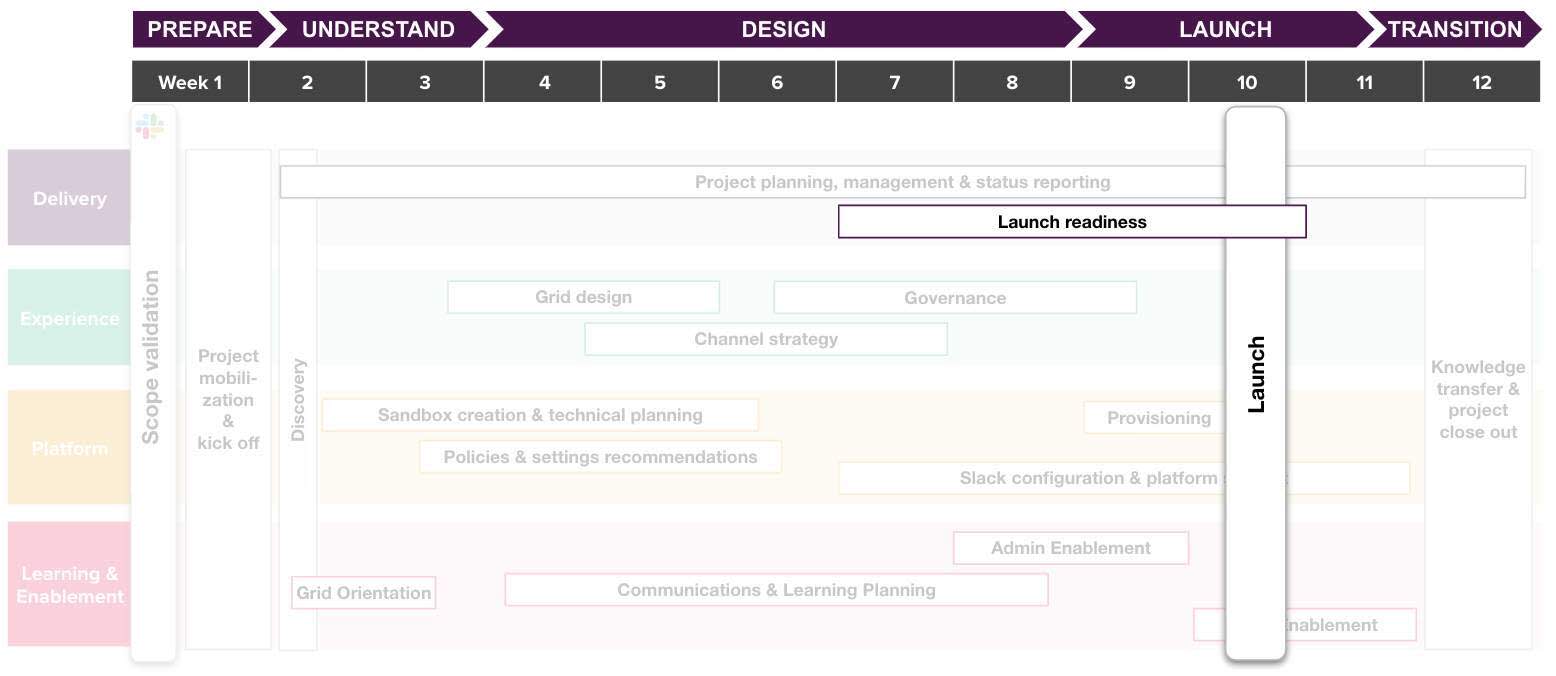
Launch readiness: Tracking the progress of the project toward launch and ensuring completion of all deliverables and activities before launch.

Workstream 2: Experience
This is the decision-making workstream, focusing on the design and strategy of the Slack experience based on the client’s objectives.
Deliverables:
-
Grid design: A deliverable to define the structure and design of workspaces within an Enterprise Grid organization.
-
Governance: A deliverable, usually run in the format of a meeting, recommending the roles, responsibilities and user support model required for purposeful and sustained usage of Slack over time.
-
Channel strategy: A deliverable, usually run in the format of a workshop or meeting, to recommend an initial channel structure and set-up on Slack.
Workstream 3: Platform
This workstream covers the technical setup of the platform based on the decisions made around Slack governance and user experience.
Deliverables:
-
Sandbox creation and technical planning: An activity focused on identifying the major areas of technical configuration relevant to your client.
-
Policies and settings recommendations: A deliverable, usually run in the format of a workshop or meeting, recommending initial configuration of Slack’s policies and settings. Best practice during the session is for your client to bring up their policies and settings dashboard on their existing Slack instance as you review the list.
-
Slack configuration and platform support: An activity focused on supporting your client to execute their selected policies and settings.
-
Provisioning: An activity focused on configuring users’ access to Slack prior to launch.
Workstream 4: Learning and Enablement
This workstream is about enabling users and admins based on the decisions made around platform and experience.
Deliverables:
-
Grid Orientation: A deliverable in the form of a training to enable the client’s project team on Slack Enterprise Grid.
-
Communications and Learning Planning: An activity that includes multiple deliverables and check-ins with your client, including a communication plan, key messaging, and learning plan.
-
Admin Enablement: Training for your client’s Slack admins.
-
User Enablement: Training for your client’s end users.
Assessing Launch Readiness
You're responsible for keeping track of progress and ensuring all the boxes have been checked before launch. But how do you know which boxes need to be checked? Launch readiness is categorized into two main buckets: Platform readiness and Enablement readiness.
Platform Versus Enablement Readiness
Platform Readiness |
Enablement Readiness |
|---|---|
|
Grid Configuration: Has the customer finalized their grid design and defined a channel strategy? Provisioning: Has the customer provisioned users and guests? Policies and Settings: Have grid policies and settings been established for the whole org? Security: Have the necessary security solutions been put in place for the customer's needs? Apps/Custom Apps: Has the customer defined which apps are pre-approved and put an app approval process in place? |
Support Model: Are roles and responsibilities for the end user support model in place? Training: Are user trainings scheduled and self-serve training materials available? Communications and Awareness: Is a plan in place for communications and launch day activities to raise awareness? |
Project Governance and Cadence
With your experience as a consultant, you know the importance of establishing a proper governance structure and project cadence to ensure the team is aligned and aware of the latest project status, risks, issues, and open items. You take certain steps within the first week of the engagement to ensure success.
It’s recommended to document action items and define collaboration efforts to ensure alignment within your project.
Action items:
- Identify stakeholders that need to be included in the project.
- Identify client constraints for key events, deployments, and code freezes.
- Set up a shared document repository to collaborate on key deliverables.
- Track weekly hours against the total budget allotment.
Team collaboration:
- Hold weekly team syncs.
- Give weekly status reports.
- Engage in time-off tracking.
- Log for open items, risks, and issues with completion dates.
Proper project governance provides the guardrails to successfully deliver the project. The stronger project governance you put in place, the less likely it is that your project gets off track.