Create Cross-Platform Data Consistency in Tableau
Learning Objectives
After completing this unit, you’ll be able to:
- Explain the importance of cross-platform data consistency.
- Define a semantic model and its role in cross-platform data usage.
- Describe the benefits of using a single semantic model across all of your Tableau products.
- Describe the steps to create a semantic model in Tableau Semantics.
Explore Why Cross-Platform Data Consistency Matters
As stronger integrations are built between Tableau Next and Tableau Classic (including Tableau Cloud and Tableau Desktop), it’s easier than ever to analyze your data, no matter where it lives.
There are situations when you want to do analysis in an environment that’s distinct from where your data is, such as:
- You have more experience with a specific platform and find it easier to navigate.
- You need to use functionality only available in a specific platform.
- You want to do the analysis where your consumers are.
No matter which platform you choose, your data still needs to stay consistent. Tableau handles this by building a shared layer that keeps everything in your ecosystem connected.
Learn How Cross-Platform Data Consistency Works in Tableau
You can create a single source of truth for your data and use it across the Tableau ecosystem using semantic models.
Semantic Model Basics
A semantic layer, made up of semantic models and definitions, helps turn your data into a consistent, reliable, and trusted asset. Each semantic model sits between a data source and the end user, translating complex data structures into familiar business terms.
For example, your database may contain a table like cust_ord_yr_2024, with column headers that include o_id and o_amt. A semantic model translates these into “2024 Customer Orders,” “Order ID,” and “Order Amount.” The semantic model also includes all of the metadata for your data, such as hierarchies, formatting, and calculations.
Semantic queries use a query syntax that doesn’t specify how to get the data (what joins, how to aggregate, and so on) but instead requests the data that is needed and leaves the rest to the source semantic model. This means that business definitions, like what qualifies as "revenue," are respected during analysis so the results are always consistent. For instance, when you ask an AI agent like Tableau Agent or Agentforce to find "stale support cases," a semantic query ensures the agent uses your predefined semantics when asking the data source for data that meets your criteria. By looking for cases older than a specific date, exactly as you defined, it provides a precise and reliable answer.
The Tableau Semantics Layer
Semantic models built with Tableau Semantics, either in Tableau Next or Data 360, can be used in Tableau Cloud and Tableau Desktop. Tableau Semantics is the semantic layer that’s integrated with Tableau Next and Data 360. To learn more, check out Tableau Semantics.
Benefits of Using a Semantic Model
Using a single semantic model across all of your Tableau products has several benefits, including:
-
Reliability: Everyone in your organization is using the same data and calculations, which ensures that your visualizations (or vizzes) are consistent and accurate.
-
Efficiency: You don’t have to recreate the same data model for every workbook. You can create it once and then reuse it across all of your vizzes.
-
Agility: You can make changes to the semantic model without having to update every workbook that uses it. This makes it easy to keep your vizzes up-to-date with the latest data.
-
Security: You can set permissions on the semantic model to control who has access to the data. This helps you keep your data secure and compliant with regulations.
-
Context-aware AI: When you build semantics definitions, downstream AI agents gain business context. This is critical for agents to understand vague or ambiguous questions (like, “What product drove the most ACV in Q1?”).
Power AI Agents with Semantic Models
A semantic model is the trusted data foundation required to tap into the full potential of AI agents. Because semantics define your data objects, calculations, and hierarchies, the agent can reliably execute multi-step tasks.
For example, a business user could ask a complex question like, “What’s causing our low conversion rate this month, and what should I do about it?” Here’s what happens next.
- The agent processes the natural language question and uses the semantic model to interpret “conversion rate,” “this month,” and “low” (related to conversion rate) according to your business’s standard business logic.
- The agent triggers a query for the necessary data analysis.
- The agent identifies a pattern in the results. For example, there’s a significant drop in conversion for customers who viewed a specific product page but didn’t add an item to their cart.
- The agent uses its business context to provide an actionable output: “The conversion rate for Product X landing page dropped by 10% in the last week. Recommended action: Launch an automatic email follow-up campaign to users who viewed the page but didn’t click Add to Cart.”
Create a Semantic Model in Tableau Semantics
In many cases, you can connect to a semantic model that already exists. When your project is new or involves specialized semantics (such as a custom fiscal calendar), you may need to create a new semantic model.
To create a new semantic model from scratch, follow these steps.
-
Select data objects: In Data 360, go to the Data Model tab and verify you have the necessary data objects for your semantic model.
-
Create a new model: Navigate to the Semantic Layer tab, click New Model, and select Start with a New Model.
-
Add data objects: Choose the data objects you want to include in your model, such as Account, Sales, Product, and Case.
-
Define model details: Enter a unique name, API name, and an optional description for your semantic model.
-
Build relationships: Use the Semantic Model Builder to define relationships between your data objects, either manually or with Semantics AI.
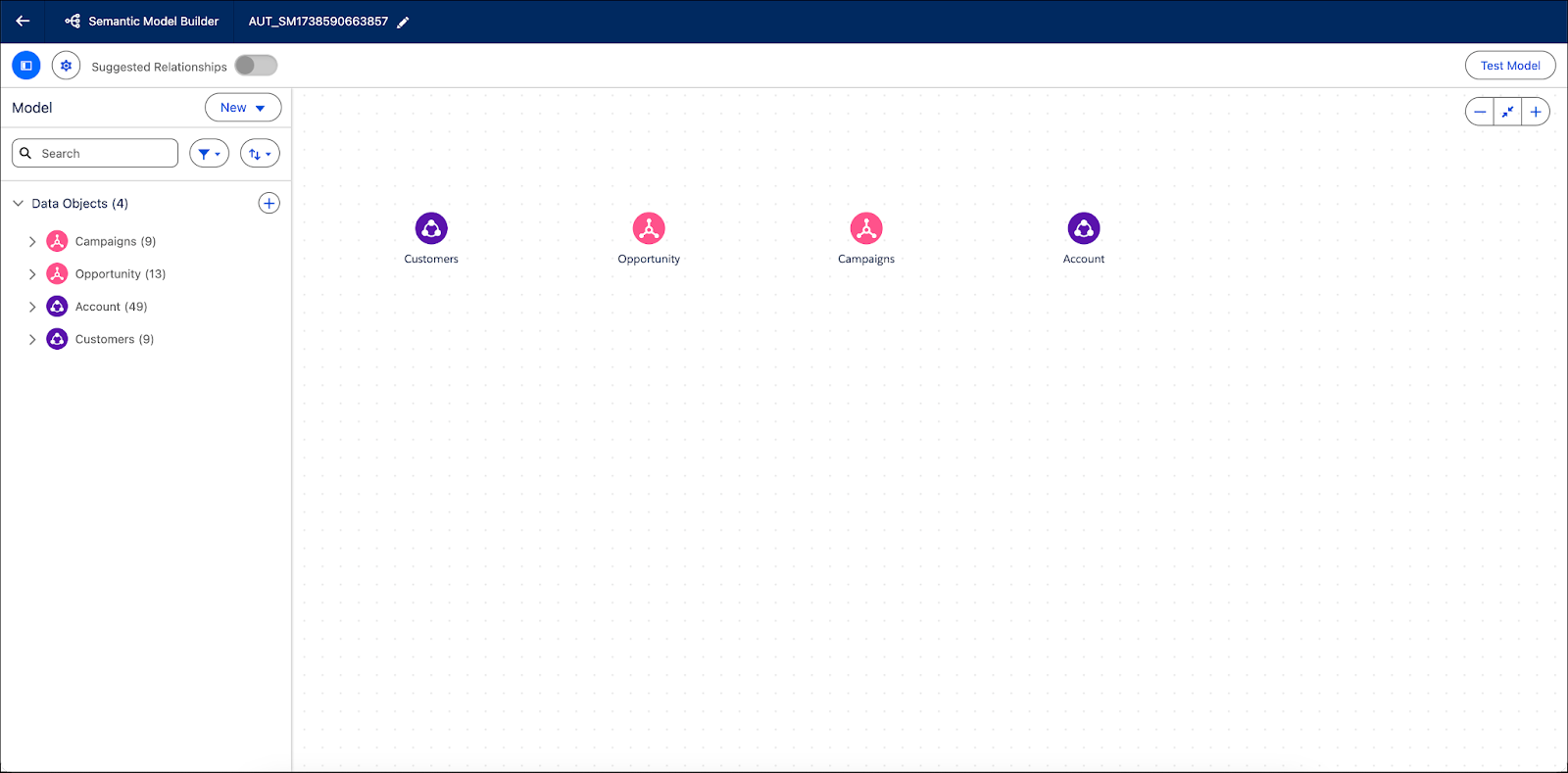
For more detailed steps, see Create a Semantic Model in Tableau Semantics.
It’s time to move on to the next unit where you’ll learn how to connect to a semantic model.