Mule アプリケーションのデプロイメントモデルについて学ぶ
学習の目的
この単元を完了すると、次のことができるようになります。
- Mule アプリケーションのデプロイの主なオプションを説明する。
- 各デプロイメントモデルのメリットと考慮事項を説明する。
- デプロイ済みアプリケーションの管理で Anypoint Runtime Manager が果たす役割を特定する。
デプロイメントの概要
API の開発から本番への移行準備が完了すると、デプロイメントが次の重要なステップとなります。デプロイ先とデプロイ方法が、その API のパフォーマンスや運用コスト、またユーザーのニーズをどれだけ満たせるかに影響します。
可用性、拡張性、コンプライアンス、制御の要件は組織ごとに異なります。最小限のセットアップで迅速に拡張できる完全管理型プラットフォームを必要とするチームもあれば、 特に厳格なセキュリティや規制環境下で作業する場合など、インフラストラクチャの制御を優先するチームもあります。
こうしたニーズに対応するために、MuleSoft は複数のデプロイメントオプションを提供しています。この単元では、Anypoint Platform で利用できる主なモデルと、各モデルが異なるビジネス目標と技術的な目標をどのように達成するかについて学習します。また、MuleSoft の監視と運用の一元化ツールである Anypoint Runtime Manager を使用して、デプロイ後に Mule アプリケーションをどのように管理するかについても学習します。
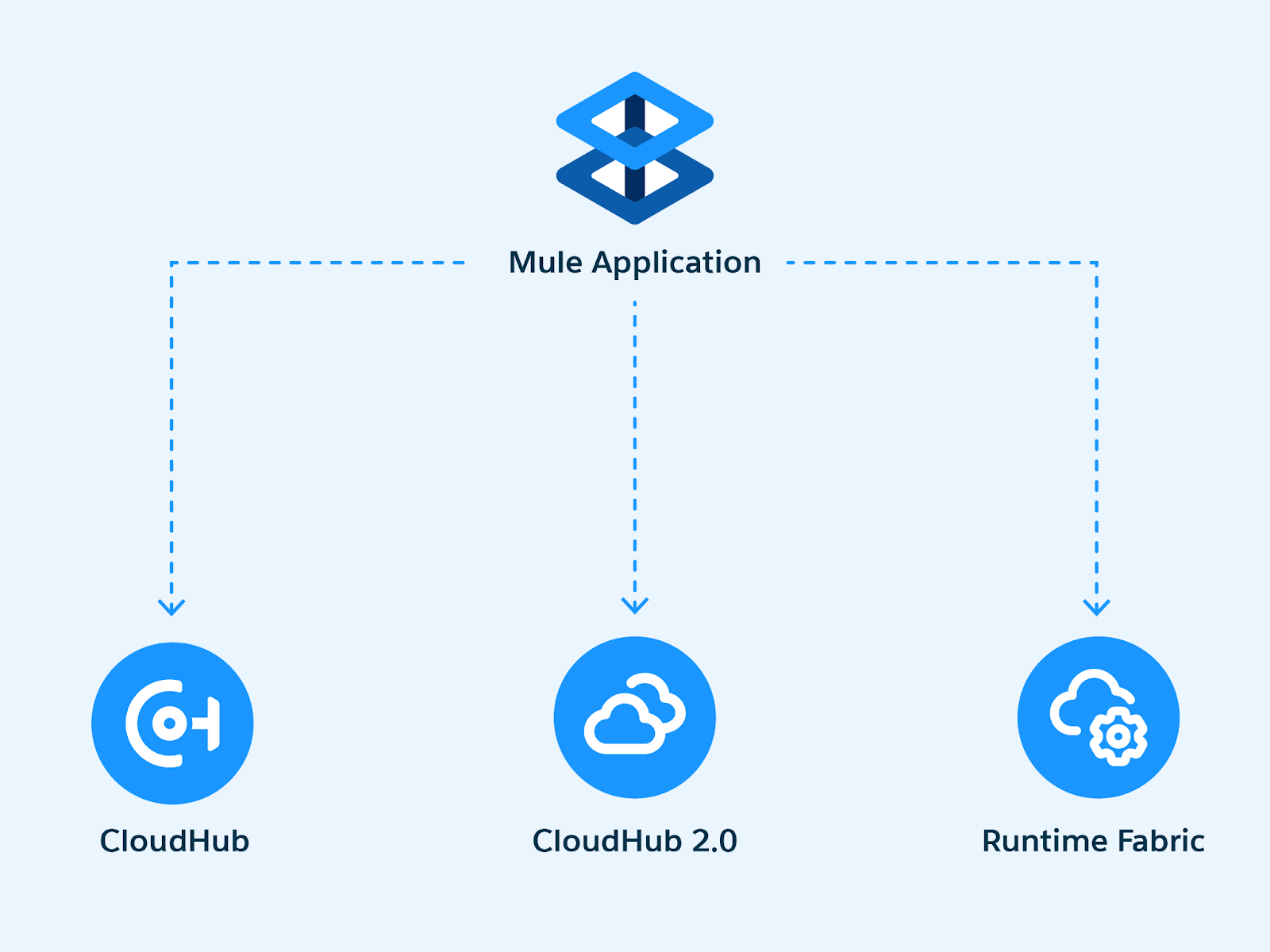
CloudHub の概要
CloudHub は、MuleSoft の完全管理型のマルチテナントデプロイメントプラットフォームです。インフラストラクチャのセットアップやメンテナンスを行うことなく、Mule アプリケーションを迅速かつ確実にデプロイする方法を提供します。このプラットフォームは、要求のルーティング、トラフィックの分散、アクティビティのログ記録、需要に応じた容量の調整といった運用の詳細を処理します。各アプリケーションはそれぞれ独自のセキュア環境で実行され、Anypoint Runtime Manager を通じてすべて管理することができます。
CloudHub: 適した利用者
このモデルは、アプリケーションを迅速に立ち上げ、サーバーの管理よりもインテグレーションの構築に注力するチームに適しています。CloudHub はグローバルな可用性を実現するように設計されており、複数のリージョンにまたがるユーザーにサービスを提供する必要がある API にも適しています。
CloudHub 2.0 の概要
CloudHub 2.0 は、Mule アプリケーションをデプロイするための、MuleSoft の次世代プラットフォームです。CloudHub の基盤の上に構築されており、柔軟性と回復力を高めるために設計された最新のコンテナベースのアーキテクチャを採用しています。
CloudHub 2.0 では、各アプリケーションは、自動スケーリングと障害回復が可能な専用コンテナで実行されます。アプリケーションの複数のレプリカをデプロイして、可用性を高めたり、トラフィックをより効率的に分散したりできます。また、このプラットフォームでは各アプリケーションへのリソース割り当てをより細かく制御できるため、パフォーマンスとコストの最適化が容易になります。
CloudHub 2.0: 適した利用者
このデプロイメントモデルは、高可用性、リージョン単位の制御、または微調整されたリソース管理を必要とするエンタープライズチームに適しています。CloudHub と同様に、完全管理型であり、Anypoint Runtime Manager を通じてアクセスします。
CloudHub と CloudHub 2.0 の比較
CloudHub 2.0 では、高度なスケーリング、高可用性、最新のクラウドプラクティスをサポートする、より柔軟なコンテナベースのアーキテクチャが導入されています。
ただし、CloudHub は現在も広く使用されており、完全にサポートされています。多くのチームが、そのシンプルさ、安定性、使いやすさから、引き続き CloudHub を利用しています。
スピードとシンプルさを優先するチームや、制御性とカスタマイズ性を重視するチームなど、組織の異なるニーズに対応するために両方のオプションが提供されています。
Runtime Fabric の概要
Runtime Fabric は、Mule アプリケーションを独自のインフラストラクチャで実行するチーム向けのデプロイメントオプションです。クラウド、オンプレミス、ハイブリッド環境をサポートしており、組織はアプリケーションのホスト場所とホスト方法をより細かく制御できます。
CloudHub や CloudHub 2.0 とは異なり、Runtime Fabric は顧客管理型です。つまり、アプリケーションを実行するインフラストラクチャのセットアップとメンテナンスは、お客様のチームが行います。その代わりに、リソースの設定方法、トラフィックのルーティング方法、社内ポリシーやコンプライアンス要件に合わせたデプロイメントの方法について、より高い柔軟性が得られます。
Runtime Fabric: 適した利用者
Runtime Fabric は、厳格なセキュリティ要件、リージョンごとのデータ規制、複雑なネットワークトポロジーを持つ企業に適しています。アプリケーションはコンテナで実行され、Anypoint Runtime Manager を通じて管理される点は変わりませんが、ランタイムレイヤーは自社の環境内で動作します。
適切なデプロイメントモデルの選び方
各デプロイメントモデルには、それぞれ異なる強みがあります。最適な選択は、スピード、制御、柔軟性、コンプライアンスなど、チームが最も重視するものによって異なります。
-
CloudHub は、インフラストラクチャのオーバーヘッドなしで迅速にデプロイするのに最適です。
-
CloudHub 2.0 は、完全管理型を維持しながら、より高度なスケーリングと回復力をサポートします。
-
Runtime Fabric を使用すると、オンプレミスを含め、アプリケーションの実行場所と方法を完全に制御できます。
ホスト型デプロイメントと顧客管理型デプロイメントの比較
どのデプロイメントモデルにも、制御性、責任範囲、使いやすさの間でトレードオフがあります。MuleSoft は、異なる優先事項に対応するために、ホスト型と顧客管理型の両方のオプションを提供しています。
CloudHub や CloudHub 2.0 のようなホスト型モデルでは、MuleSoft が基盤となるインフラストラクチャを管理します。お客様のチームはアプリケーションの構築とデプロイに専念でき、アップタイム、スケーリング、パッチ適用、セキュリティはプラットフォームがインフラストラクチャレベルで管理します。これにより、提供までの期間を短縮し、運用オーバーヘッドを軽減できます。
Runtime Fabric のような顧客管理型モデルでは、アプリケーションの実行場所を完全に自社で管理します。これには、環境の設定、インフラストラクチャのメンテナンス、既存システムとの統合が含まれます。このアプローチでは、より高いカスタマイズ性、データとトラフィックのより厳密な制御、特定のコンプライアンスやネットワーク要件との整合性を実現できます。
Anypoint Runtime Manager
Runtime Manager は、デプロイ済みアプリケーションの監視と運用を一元的に行うツールです。環境全体を 1 つのビューで表示し、パフォーマンスの追跡、デプロイメントの管理、ログの確認、アラートの設定などを行えます。また、アプリケーションの再起動やワーカーの拡張、Sandbox、ステージング、本番などの環境間でのアプリケーションの昇格にも使用できます。
Runtime Fabric を使用するチームにとっても、Runtime Manager はオンプレミスまたはクラウドホスト型のインフラストラクチャを、より広範な Anypoint Platform に接続する重要な役割を果たします。これにより、ハイブリッド環境においても、一貫したガバナンスと可視性が確保されます。
Runtime Manager を使用することで、チームはデプロイメントから日々の運用まで、ライフサイクル全体を通じてアプリケーションの制御を維持できます。
Mule United Airport での活用例
Mule United Airport (MUA) では、開発チームがリアルタイムの運航情報を共有する新しい API の構築を完了しました。次のステップは、信頼性、パフォーマンス、セキュリティを確保できるデプロイ方法を決定することです。
MUA のアーキテクトは、組織の目標を検討しています。チームがこの API に求めるのは、可用性が高いこと、旅行の繁忙期に容易に拡張可能であること、航空業界のコンプライアンス基準を満たすのに十分なセキュリティを備えていることです。アーキテクトは、チームが持つ技術的な専門知識についても検討しています。開発者はインテグレーションを得意とする一方で、インフラストラクチャの管理についてはリソースが限られています。
CloudHub は、そのスピードとシンプルさが魅力です。チームは、インフラストラクチャのセットアップを気にすることなく、迅速にデプロイできます。また、完全管理型の環境により、運用タスクを最小限に抑えられます。一方、Runtime Fabric はより高い制御性と柔軟性を提供します。これは、空港が社内システムと統合する場合や、特定のデータレジデンシー要件を満たす必要がある場合に重要です。
同時に、開発者は、API が稼働した後に Anypoint Runtime Manager が監視と管理にどう役立つかを検討します。開発者は、ログの確認、ダウンタイムやエラー率の上昇に対するアラートの設定、アプリケーションがサービスレベルの期待値を満たしていることの確認に活用できることを把握します。
最終的に、MUA は制御性と利便性のトレードオフを見極める必要があります。オプションを十分に理解できたことで、チームは技術的なニーズとビジネス目標のバランスが取れた選択を行う準備が整います。チームは、さまざまな環境にわたって Mule アプリケーションを監視して管理できることから、Runtime Fabric を採用することにしました。
この単元では、デプロイメントモデルのオプションについて確認しました。次は、MuleSoft が API プロキシを使用して実装とアクセスを分離するしくみを確認し、API の公開と管理をさらに細かく制御する方法を見ていきます。また、MUA が API のデプロイをどのように進めたかについても学習します。