Manage Wallets and Track Consumption
Learning Objectives
After completing this unit, you’ll be able to:
- Explain the purpose of Wallet Management.
- Describe the use of Consumption Management.
Improve Visibility with Wallet Management
Now that you've learned how to set up your products, rates, and selling process, it's time to manage wallets and track consumption.
Let’s find out how you can give your internal teams and customers a clear, real-time view of consumption.
Automatic Wallet Creation
Wallet Management creates wallets for each usage resource. Every usage record is evaluated against that wallet’s balance. If usage exceeds entitlements, the system applies overage pricing, blocks additional usage, or alerts the sales and support team.
For instance, a media streaming company offers a subscription where customers can download 20 movies per month. The wallet:
- Starts with a balance of 20
- Reduces by 1 with each download
- Alerts the user at 15 and again at 18
- Blocks access after 20 or offers a top-up at additional cost
Monitor Usage
The Wallet Dashboard gives users a complete overview of all wallets, how much they used, and how much is left.
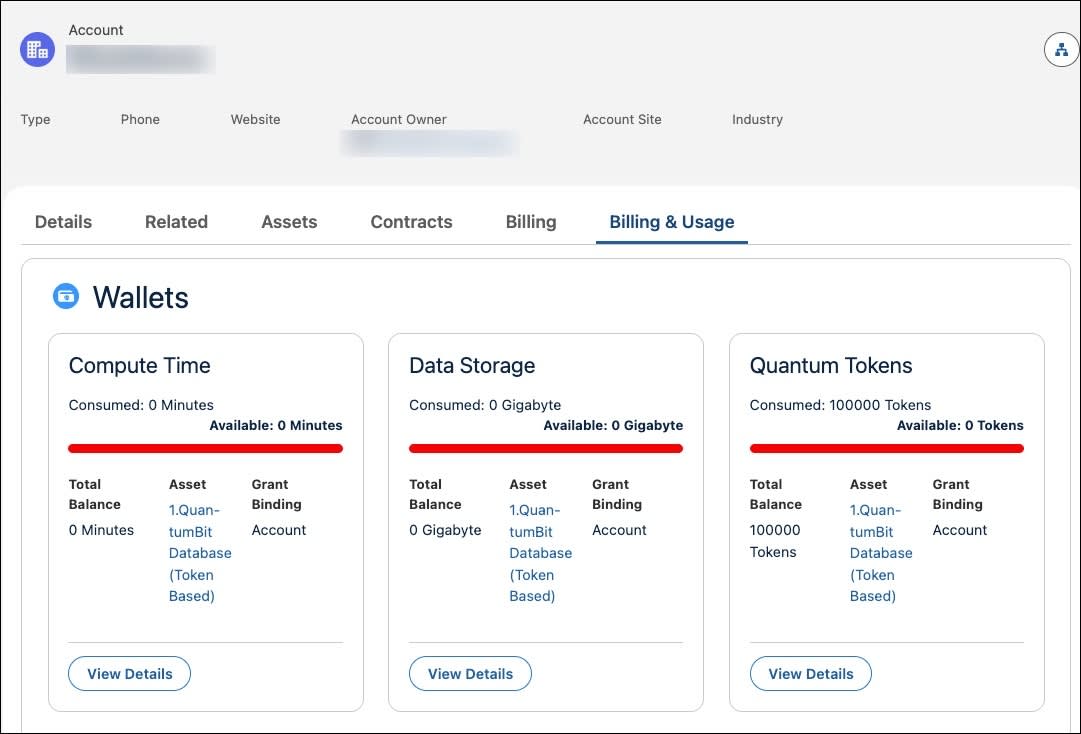
Account executives also use wallets to view credits, consumption, entitlements, and transactions.
Implement Tracking and Billing with Consumption Management
Now you track customer consumption and manage it through the billing cycle. How? You use the Consumption Management component in Usage Management.
Capture Usage Data
The process begins by capturing usage data, such as customer and product IDs, resources, and units consumed. This data is saved as time stamped usage records and linked to customer accounts, and are then grouped into batches for easier processing.
Generate Summaries
To support billing and forecasting, Agentforce Revenue Management creates usage summaries by day, week, month, or billing cycle. These summaries turn raw data into clear insights for invoices, usage caps, alerts, and reports. It also creates ratable summaries for accurate revenue recognition, compliance, and allocation across billing periods for accounting.
You gain full traceability of consumption data across all processing stages with Consumption Management. Each usage record is linked to:
- Usage Details (granular input)
- Ratable Summaries (how charges are calculated)
- Wallet Statements (customer balances)
- Liable Summaries (final amounts owed)
And that’s not all. You can create usage summaries and ratable summaries on-demand to resolve customer disputes or forecast resource consumption.
Run Standard Flows
With standard flow templates, you can create the necessary summaries at every step of the management process. For example, the Orchestrate Usage Management flow can be scheduled to run periodically to create a liable summary. For more information, see Consumption Management Standard Flow Templates.
With Consumption Management, you’ve got everything you need to track usage, create summaries, and keep billing accurate and effortless.
Wrap Up
In this module, you explored how Usage Management streamlines the lifecycle of consumption-based products, and how it drives efficiency and revenue. You move from manual, inefficient processes to an automated, end-to-end system. So you can design flexible products, bill accurately, and boost sales. You also give customers a real-time view of usage, helping build trust and reduce billing disputes. With this foundation, you’re ready to start applying Usage Management in your own organization.