Define Data Cleansing in Data Quality Management
Learning Objectives
After completing this unit, you’ll be able to:
- Explain why data cleansing is foundational to data quality.
- Identify common categories of data issues that cleansing addresses.
- Describe data cleanup best practices.

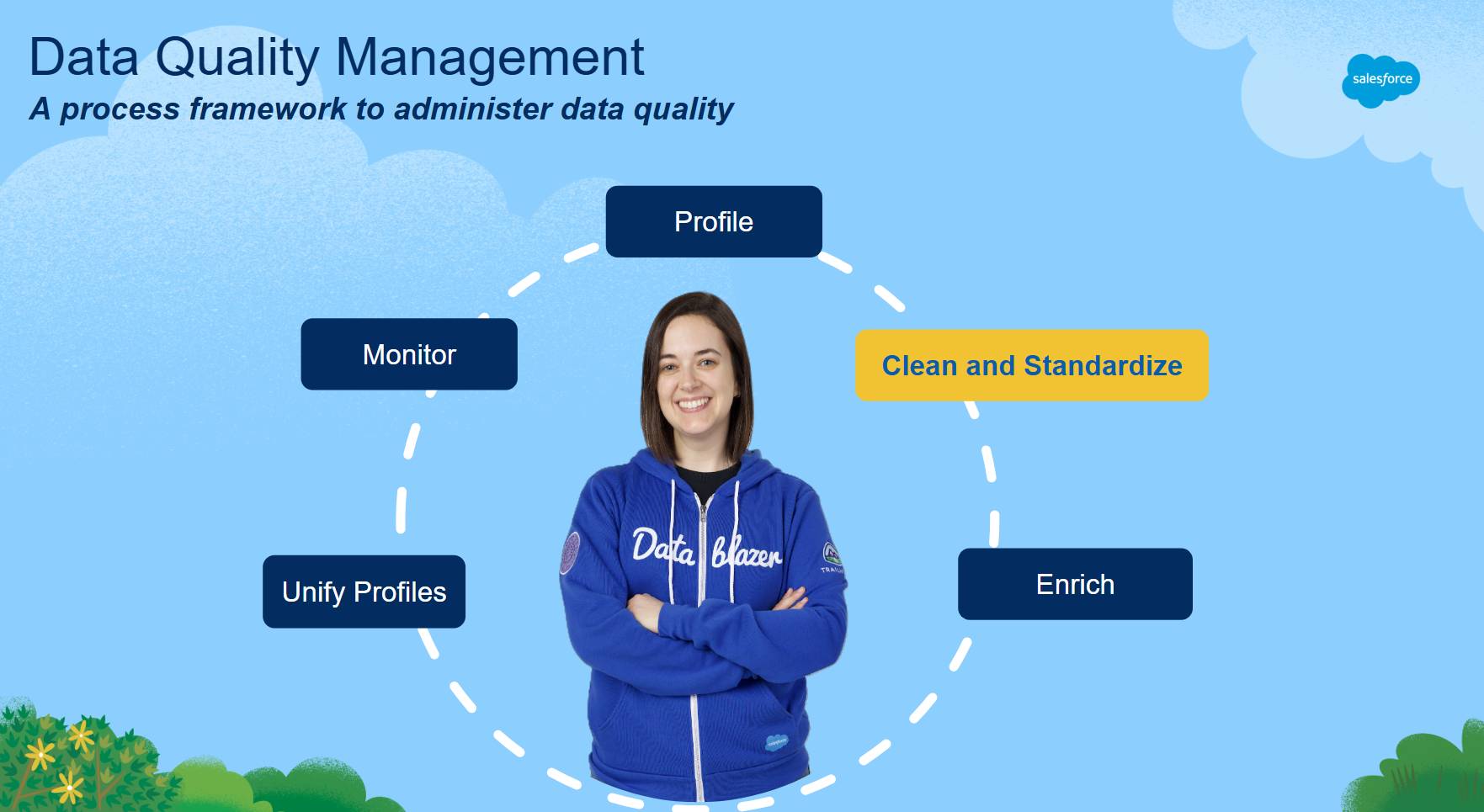
If you took Data Management Fundamentals, you learned that data quality management is a multistep process. In the Salesforce Data Quality Management Framework, data cleansing is the second step.
What Is Data Cleansing?
Data cleansing is a key process for making data fit for business purposes. It corrects errors, standardizes inconsistent values, removes or filters irrelevant data, and addresses conditions that create downstream risk.
Cleansing is the second step after data profiling for a reason. Once you understand where issues occur, you should fix the problems that are most likely to cause errors first. Do this before you enrich data or unify profiles so you can work more efficiently, reduce avoidable risk, and realize immediate business and technical benefits.
Explore Example: Prepare NTO’s Customer Support Data for Activation
Northern Trail Outfitters (NTO) is preparing to launch a new customer service initiative. The goal is to help service reps resolve cases faster, provide more personalized support, and recommend relevant products when appropriate. NTO also plans to use AI agents to answer common questions so human agents can focus on situations where a personal touch is most valuable.
To support this initiative, service reps must be able to rely on accurate and well‑organized customer information. When Luna, NTO’s data architect, joined the company and ran a data profiling assessment, she discovered several issues that could slow down the initiative if they were not addressed first.
The data profiling insights revealed patterns such as:
- Unused or rarely used fields that clutter the user interface and slow down service reps
- Duplicate customer records that make it harder for reps to find the correct information and understand the full customer relationship
These findings confirmed that NTO needed to improve the quality and structure of its data before expanding automation or AI capabilities.
Since Luna is responsible for improving the data foundation that powers this experience, she applies her data profiling insights to the key data sources that service reps use to support inquiries. She asks: “Now that we understand our issues, what do we need to fix so NTO’s customer data is complete, consistent, and reliable across channels?”
In this badge, you follow Luna’s process to clean NTO’s data. Along the way, you learn practical data cleanup techniques that help ensure your data and configuration accurately reflect the business reality they support.
Common Issues That Warrant Data Cleansing
Data cleansing isn’t a single task—it’s a set of approaches applied to different categories of data issues. This unit explores how to identify each type of issue, how to fix it, and why it matters for accurate data, automation, and customer experiences.
Type of Issue |
Description |
Why It Matters |
|---|---|---|
Bad or misleading values |
Values are clearly invalid or irrelevant to the intended business purpose. For example, the email field contains placeholder values such as na@na.com, or the shipping phone number belongs to a store rather than the customer. |
Incorrect data can distort automation and analytics, which reduces user trust. For example, Sam Smith and Samuel Smith both have the placeholder email na@na.com. Not only can this lead to false matches, it’s also an unreachable email address. |
Inconsistent values that need standardization |
Multiple values represent the same meaning. For example, in-store point-of-sale systems use a two-character country code (for example, US), while Commerce Cloud uses a short name (for example, United States). Without standardizing values, NTO can’t have consistent sales analytics by country. |
Inconsistent values can break reporting and segmentation, cause workflow exceptions, and reduce match quality across systems. Inconsistent levels of granularity, for example, “Education” versus “K–12” and “Higher Education,” can lead to incorrect decisions. |
Unreliable fields |
Fields that contain a single value or only the default value across most records suggest the field isn’t relevant or reliable. |
Unreliable fields add noise, create misleading signals for AI and automation, and waste effort in downstream processing. |
Duplicates and disconnected records |
There are multiple records for the same entity. For example, two different contacts for the same person in Service Cloud. If duplicates are unintentional, merging records in the system of record is a cleansing technique. Intentional duplicates, such as two different lead records by the same person expressing an interest in two different products at different times, shouldn’t be merged but instead unified. |
Duplicate and disconnected records lead to false positives and an incomplete or inaccurate customer history. |
Old records that should be archived or purged |
Records haven’t been updated in years, even though history is only required for a defined retention period. After that period, the data can be archived or summarized. |
Retaining outdated records increases cost and complexity and makes it harder for users and AI agents to find relevant information. |
Unused fields or unused configuration |
Fields or settings, such as unused picklist values, are still visible even though they’re no longer used. |
Over time, the system becomes harder to use and maintain. |
Data Cleansing Best Practices
Data cleansing is a step-by-step process. Regardless of your specific goal, follow these practices to avoid expensive mistakes, rework, or wasted effort.
Best Practice Checklist
-
Start with the business needs. Clarify what’s driving the cleanup initiative—such as usability complaints or an upcoming AI, data migration, or a Data 360 analytics project.
-
Profile to identify issues and root causes. Use data profiling to review the objects in scope. Review data within the user’s permissions to find issues that can affect results. (Check out Data Profiling Fundamentals to learn more.)
-
Prioritize based on quantity and impact. Focus on issues that affect the most data and have the biggest impact on reporting, automation, analytics, and AI.
-
Document decisions and align stakeholders. Cleansing decisions often affect many teams, such as service, operations, and data governance. Use data profiling results to explain decisions and keep teams aligned.
-
Choose the right remediation approach per issue type. Standardize inconsistent values and remove or fix bad data. Don’t merge records just because they look like duplicates—some records might exist for valid business reasons. Use Data 360 to unify profiles when needed.
-
Validate and verify with evidence (before and after). Run data profiling in a sandbox to set a baseline. Apply your changes, then run data profiling again to confirm improvements and check for issues. Repeat in production using proper change controls.
Take the Next Step
Now that Luna understands the types of data issues revealed by data profiling, the next step is to learn how to address them using practical data cleansing techniques.
Resources
- Trailhead: Data Management Fundamentals
- Trailhead: Data Profiling Fundamentals
- Salesforce Blog: Quality Over Quantity: 5 Steps to Cleaner, More Effective Data
- AgentExchange: Data Profiling Solutions
- Article: Your Ultimate Guide to Data Management Tools on the AgentExchange
- Trailhead: Data and Identity in Data 360