Simplify Your Workspace Creation Request Process
Learning Objectives
After completing this unit, you’ll be able to:
- Explain how you can efficiently manage the workspace creation request process.
- Describe how admin APIs can help you manage workspace creation.
Efficiently Manage Workspace Requests
In this badge, you explore the processes, settings, and tools that make it easier for org owners and admins to manage Slack workspace creation requests. Plus, you learn how to help members find and join your organization’s workspaces. This is especially important for organizations that have multiple independent teams or require greater flexibility.

To start, design and implement a workspace request process that streamlines requests and gathers the right information from members. By default, all members of an organization can request workspaces, but as an org owner or admin, you can choose to turn this off.
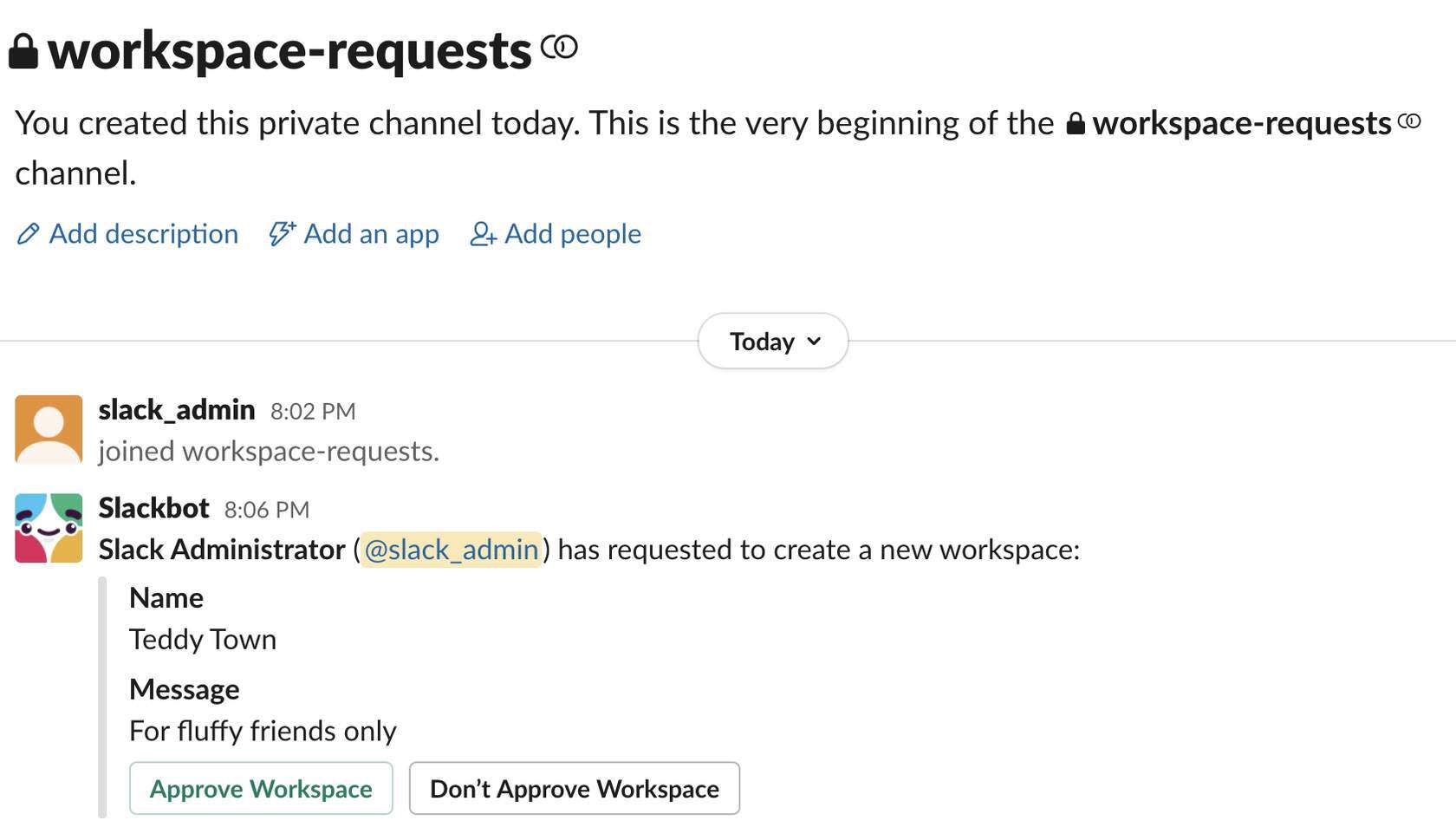
Next, set up a private channel where workspace creation requests can be sent. If you expect requests to be frequent, share this responsibility with other owners and admins who can help you review incoming requests.

Ask members who request the new workspace to provide information on scope, cross-functional partners, complexity, sponsor, business purpose, intended business unit, and potential Slack Connect channels. You can do this via request form or ask directly in a conversation thread. This helps you determine whether or not to approve the workspace request.
Once a request is approved by either an org owner or admin, the member who requested the new workspace automatically becomes the workspace owner and can invite members to join.
The org owner is automatically assigned to every new workspace created in their org.
Use Admin APIs to Manage Workspace Creation
Another way to manage workspace creation is with Slack admin APIs. Custom apps use APIs to simplify the workspace creation process for admins.
As an owner or admin on the Enterprise+ plan, you can build a custom Slack app or run an API to manage workspace creation in your organization. Apps built with APIs can be connected to third-party services like an identity provider (IDP) or IT ticketing software to ensure new members are properly provisioned into the right workspaces.
Through automations, an app can:
- Create workspaces.
- Manage app approvals.
- Manage invite requests.
- Control the addition and removal of members.
- Mark a member as an admin or owner.
Use Custom Apps for Workspace Requests
Admin APIs help you efficiently manage what could otherwise be a manual process. A custom app can help admins automatically approve or reject new workspace requests from members by integrating with your company's help desk ticketing tool.
Here are three simple steps to create your own custom app.
Step 1: Design an intake process.
Build a workspace request form in your help desk ticketing tool to collect details from the requestor. You might want to include the following fields.
- Proposed workspace name
- Business rationale
- Members to invite to the workspace
Step 2: Process the requests.
The custom app sends all incoming workspace requests into an admin-only Slack channel. Admins can review, discuss, and approve or reject the request.
Step 3: Create a workspace.
If the request is approved, the custom app creates the workspace, names it, and invites the relevant members to join. The custom app can even send a confirmation message to the member who originally requested the workspace.
Wrap It Up
This unit showed you how Slack admins and org owners can simplify workspace creation. You learned how to set up a request process and how custom apps can use admin APIs to automatically approve requests and create workspaces.
In the next unit, you learn how to set access and visibility settings for the workspaces you create.