Explore Rules for Insurance
Learning Objectives
After completing this unit, you’ll be able to:
- Explain the importance of rules in the insurance quoting process.
- Identify the different types of rules used in Digital Insurance.
- Explain the role of each rule type.

Introducing Rules for Insurance Products
Imagine you’re configuring an auto insurance policy. You enter details about your car, driving history, and coverage preferences. Instantly, the system tailors recommendations—it suggests collision coverage, adjusts deductibles, and adds roadside assistance. It feels effortless. With Salesforce’s Digital Insurance, that’s exactly what you get.
But behind this smooth experience is a powerful framework of rules. These rules ensure that every option you see, select, or modify aligns with:
-
Business requirements: Ensure policies follow company guidelines.
-
Regulatory standards: Follow industry rules and legal mandates.
-
Customer-specific eligibility: Match coverage to individual needs.
Without rules, quoting would be manual and error-prone, leading to delays, inaccuracies, and compliance risks.
In this module, find out how rules bring structure and intelligence to every step of the quoting journey. Learn how Digital Insurance uses different types of rules to control product availability, guide configuration choices, and drive approvals, all while reducing risk and approving accuracy.
Let’s explore how these rules shape the quoting lifecycle.
Rules Across the Quoting Lifecycle
The quoting process begins with customer input—details like location, age, and coverage preferences. From there, rules guide every step. They identify eligible products, configure options, and ensure smooth transitions throughout the process.
With Digital Insurance, rules fall into three key categories.
-
Qualification rules determine which products or product categories are available based on eligibility criteria.
-
Configuration rules govern how products, coverages, and attributes behave and interact during customization.
-
Underwriting rules ensure quotes progress smoothly through lifecycle stages like quoting, underwriting, and approval.
Each rule type plays a unique role in delivering a seamless experience while reducing manual effort. Here’s more about them.
Define Eligibility with Qualification Rules
Qualification rules act as gatekeepers, ensuring only eligible products are presented to customers. These rules evaluate various factors, such as location, age, and occupation, to determine eligibility.
For example, a qualification rule for a small business policy might restrict eligibility to businesses with fewer than 1,000 employees.
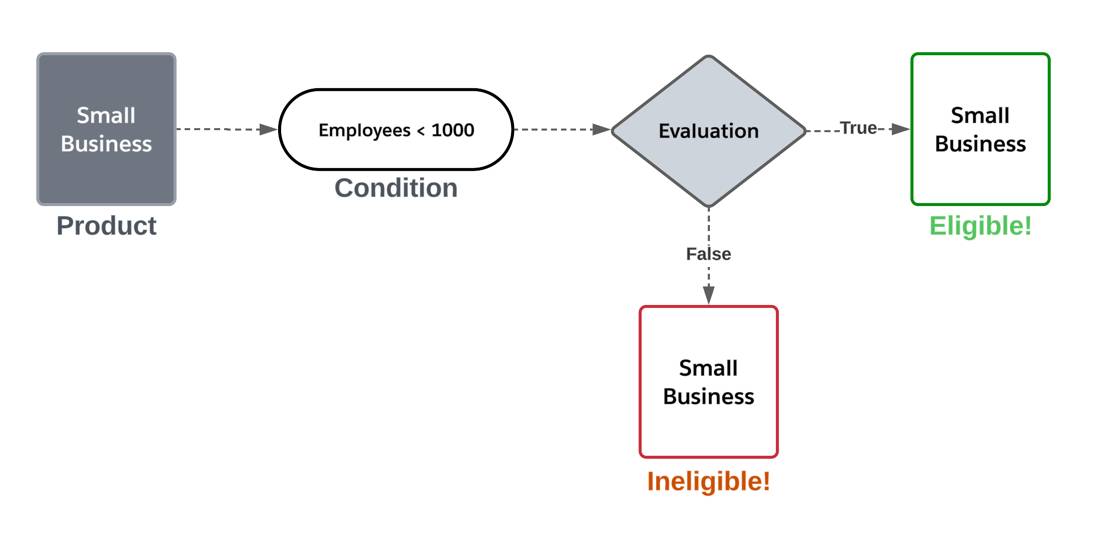
During the quoting process, Digital Insurance evaluates active qualification rules and returns only products that meet eligibility criteria.
By automating eligibility checks, these rules save time, reduce errors, and ensure compliance—creating a smoother experience for customers and agents.
Tailor Products with Configuration Rules
Modern insurance demands flexibility, allowing customers to customize coverage based on their needs. However, not all configurations are valid. Configuration rules provide the structure to balance flexibility with compliance.
These rules operate at two levels.
-
Product configuration rules define how product and coverage options behave and interact.
-
Attribute configuration rules manage individual attributes, such as deductibles and limits.
Take auto insurance as an example. A customer selects collision coverage and adjusts their deductible to $500. A product configuration rule automatically adds roadside assistance when collision coverage is selected.
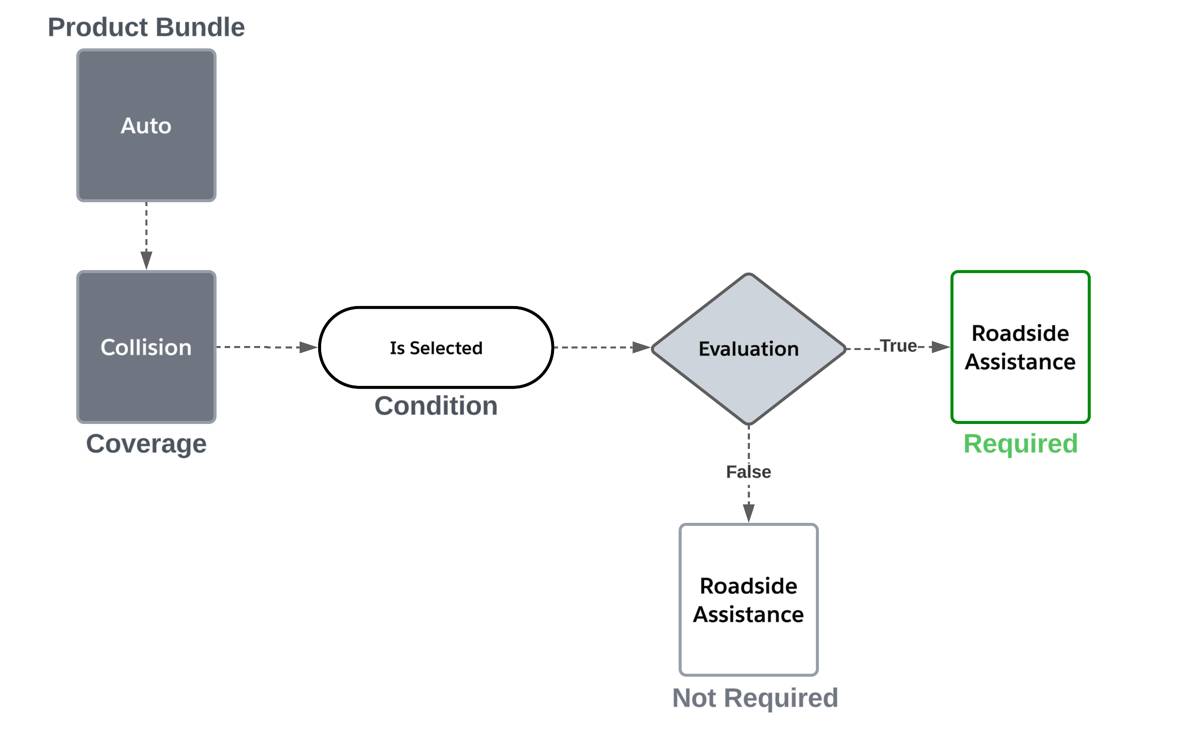
And an attribute configuration rule sets the collision deductible to $1,000 for vehicles valued over $30,000. If the vehicle is cheaper, the collision deductible doesn’t apply.

If a customer attempts an invalid selection, validation rules provide feedback and prompt adjustments, ensuring both compliance and personalization.
Manage the Process with Underwriting Rules
Once a customer configures their quote, underwriting rules assess risk and determine whether the quote can be approved automatically or requires further review. These rules maintain compliance with business guidelines and ensure that only qualified policies move forward.
Product underwriting rules tailor approvals and risk assessments based on specific insurance products. They evaluate key factors such as applicant details, policy conditions, and risk thresholds to streamline decision-making. They can also trigger automated actions.
For example, if a homeowner’s policy includes a dwelling over 50 years old, an underwriting rule might:
- Flag the quote for an additional underwriting rule.
- Trigger an email requesting additional documentation from the customer.

By automating these critical steps, product underwriting rules reduce manual intervention, enhance risk assessment accuracy, and improve efficiency.
Follow the Rules Journey
At Cumulus Insurance, a leader in innovative coverage solutions, the team is using Digital Insurance to launch new insurance products across multiple lines of business. Their goal? To simplify quoting, underwriting, and policy servicing for an enhanced customer experience.
Meet Justus Pardo, a product administrator responsible for implementing Digital Insurance at Cumulus. His mission: improve insurance operations. How? By using rules to automate product selection, customization, and approvals.

Using Digital Insurance, Justus will:
- Define eligibility criteria to filter insurance products.
- Configure product and attribute rules for dynamic customization.
- Set up underwriting rules to guide quoting and policy approvals.
For Cumulus, this isn’t just a technical implementation—it enables faster, more accurate quotes while improving efficiency.
Now that you understand why rules matter, it’s time to explore in-depth.
In the next unit, follow Justus as he creates qualification rules—laying the foundation for precise and compliant product offerings.