Publish and Share APIs
Learning Objectives
After completing this unit, you’ll be able to:
- Explain the benefits of publishing APIs to Anypoint Exchange.
- Describe how visibility settings impact who can access an API.
- Identify how API portals help developers discover, test, and adopt APIs.
Publish APIs
API design is only the start. To make your work useful, others need to discover, understand, and reuse it. That’s why API teams publish APIs to centralized platforms where others can find and explore them.
Tools like Anypoint Exchange help turn static API definitions into discoverable, documented, and shareable assets. When APIs are easy to find and understand, teams spend less time reinventing the wheel and more time delivering value.

Key Benefits of Publishing to Anypoint Exchange
-
Faster reuse: Teams can build on your work instead of duplicating it.
-
Better collaboration: Stakeholders can explore and give feedback, even before backend development.
-
Clear ownership: Published APIs include metadata and versioning, so others know who maintains the asset.
-
Increased visibility: APIs become part of a searchable catalog that are available to internal teams or the world, depending on your visibility settings.
Mule United Airport Publishes Its API
The team Mule United Airport (MUA) designs an API to help airline partners search for scheduled flights. After the team mocks and tests the API, it publishes the specification to Anypoint Exchange, which makes it available to others in the organization. As a result:
- Airline partners can explore the API’s endpoints and expected responses.
- Frontend developers can build UIs with the example data.
- Support teams know where to find documentation and who to contact.
Without publishing, that kind of collaboration would be limited—or worse, based on outdated documentation scattered across emails or shared drives.
Learn How API Teams Publish to Anypoint Exchange
When an API is ready for broader access, teams typically publish it to Anypoint Exchange using tools like Anypoint Code Builder, the browser-based IDE from MuleSoft. Publishing helps standardize the way APIs are described, versioned, and shared across teams.
Here’s how the process works at a high level.
Prepare the API Project
Teams organize the API specification (often an OAS) and related files within their project workspace in Anypoint Code Builder.
Launch the Publish Flow
The IDE provides a guided process for publishing assets to Anypoint Exchange. This helps teams create well-documented, discoverable APIs.
Define Metadata
Key information is added to describe the API. This may include:
-
Asset version: Identifies the release version of the asset (for example, 1.0.0)
-
API version: Indicates the version of the interface or contract
-
Business group: Shows who owns and maintains the API
-
Name and description: Provides a clear title and summary of what the API does, for example, “Returns scheduled on American flights from Mule United Airport based on origin, destination, and date”
Add Tags for Discoverability
Tags like flights, partner-access, or internal-api help teams find the right API in Anypoint Exchange and understand its use case at a glance.
Publish and Share
Once the metadata is reviewed, the team publishes the asset. Anypoint Exchange validates the specification and automatically creates an API portal based on its visibility settings. This portal includes:
- API reference documentation
- Interactive console for trying out endpoints
- Contact information and links for additional resources
Depending on how visibility is configured, the API may be:
-
Private (accessible only within a business group)
-
Public (available to external developers)
-
Shared with specific teams or partners
These controls keep APIs secure while making them easy to find and reuse.
Control Who Can Access Your API: Private Versus Public Settings
Publishing your API is a great first step, but it’s also important to decide who should be able to find and use it.
Anypoint Exchange gives you control over visibility: You can keep internal APIs secure and make public-facing ones easy to access. Whether you share an integration between departments or expose a service to partners, the right visibility setting helps your API reach the right audience.
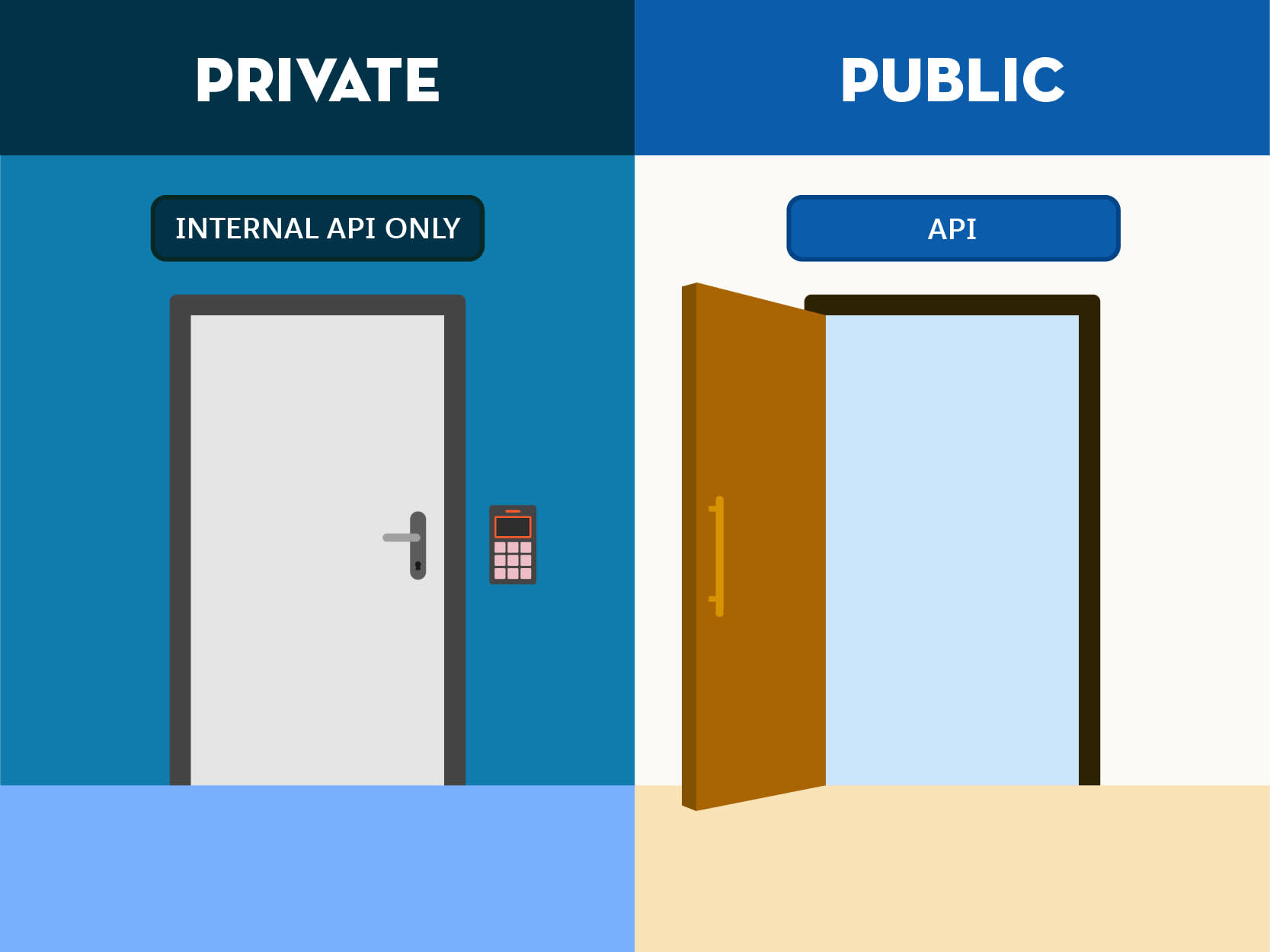
Private APIs
Private APIs are only visible to users within your organization or specific business groups in Anypoint Platform. This is the right choice for:
- Internal tools and services
- APIs in early development or testing phases
- Teams that work in isolated environments, like dev or QA
At MUA, the operations team might use private APIs to check internal schedules, manage crew logistics, or monitor security systems. These services should stay behind the scenes and accessible only to authorized users.
Public APIs
Public APIs are accessible to anyone with the link, including developers outside your organization. This is ideal for:
- Partner integrations
- Open data services for education or government
- APIs you want to promote and encourage adoption of
For example, the American Flights API is meant for airline partners. MUA uses a public API so external developers can discover the API portal, test endpoints, and start integrating—without extra onboarding.
Explore How Visibility Settings in Anypoint Exchange Work
Once your API is published in Anypoint Exchange, you can configure who has access to it. You’re still in full control.
By default, published APIs are private, meaning only the owner can view and access the asset. To make an API publicly discoverable, you can change its visibility setting to public, allowing anyone with the URL to view the API portal and documentation.
These settings can be adjusted at any time, which simplifies access management as your API evolves from internal testing to external collaboration.
Changes take effect immediately and can be updated at any time.

Create and Customize API Portals
Once your API is published and visibility is set, the next step is to help others discover and use it successfully.
An API portal is a web-based experience built into Anypoint Exchange. It serves as a friendly front door to your API, and it provides everything developers, partners, or teams need to understand, test, and adopt your API with confidence.
A strong portal turns a technical spec into a welcoming, useful resource. It’s your API’s first impression—and often the difference between confusion and successful integration.
What API Portals Provide
API portals in Anypoint Exchange help consumers:
- Understand what the API does through clear documentation
- Explore sample use cases and summaries
- Try out endpoints using real-world examples
- Interact with the API directly through a built-in console
This kind of experience lowers the barrier to entry and empowers developers to get started quickly—without needing extra support from the publishing team.
What to Include in Your Portal
Customize your API portal to meet the needs of your audience. Consider including:
-
Welcome text: Include a short summary that clearly explains the API’s purpose and who it’s for. For example, “The American Flights API provides flight availability for MUA’s airline partners. Use it to search by origin, destination, and date.”
-
Examples and walkthroughs: Show how to format common requests and interpret responses so developers don’t have to guess.
-
Brand elements: Add your organization’s logo, color scheme, and imagery to help the portal feel professional and trustworthy.
-
Support information: Let users know where to go for help—whether that’s an email address, a Slack channel, or a documentation link.
Think like a developer encountering your API for the first time. What would help you begin without obstacles?
Why API Customization Matters
A thoughtfully crafted API portal can:
- Answer common questions up front and reduce support tickets.
- Speed up adoption with clear usage guidance.
- Build trust with consistent branding and transparent communication.
- Make it easy to contact the API team and encourage feedback.
At MUA, the developer publishing the American Flights API adds real-world examples for common flight queries and tags the endpoint responses with airport codes. This simplifies integration for airline partners without back-and-forth emails.
Start Simple, Then Iterate
Don’t wait for perfection. You can publish your API portal with basic content and improve it over time. In fact, iterations based on developer feedback is one of the best ways to keep your portal relevant and helpful.
Bring Your API to Life
Publishing your API is the beginning of its life as a reusable, discoverable product. When you add your API to Anypoint Exchange, set the right visibility, and customize the portal experience, others can easily find, understand, and adopt your work. A thoughtful approach to publishing helps turn your API into something truly valuable for both internal teams and external partners.