Close Your Deal
You’ve set your goal and you’ve converted your highest-priority prospect. And following your lunch meeting, the customer has signed and you’re ready to close the business.
- Click the Opportunities tab.
- Under Opportunity Name, click 10,000 Units to open the opportunity.
- Click Edit.

- Update the opportunity as follows:
- Amount:
120,000 - Close Date: Today
- Click Save.
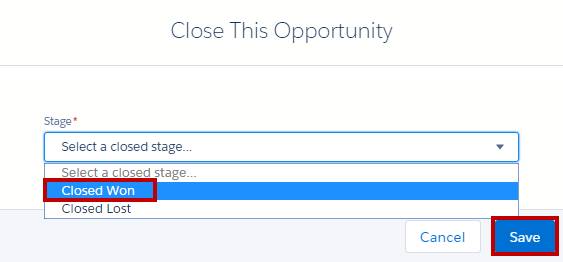
- Using the sales path (this is below the Path heading for screen readers), click Closed and Select Closed Stage.

- From the picklist, select Closed Won, and then click Save.
- Click the Home tab. On the Quarterly Performance chart, click
 to refresh the chart if necessary. Mouse over the chart to see your closed opportunity.
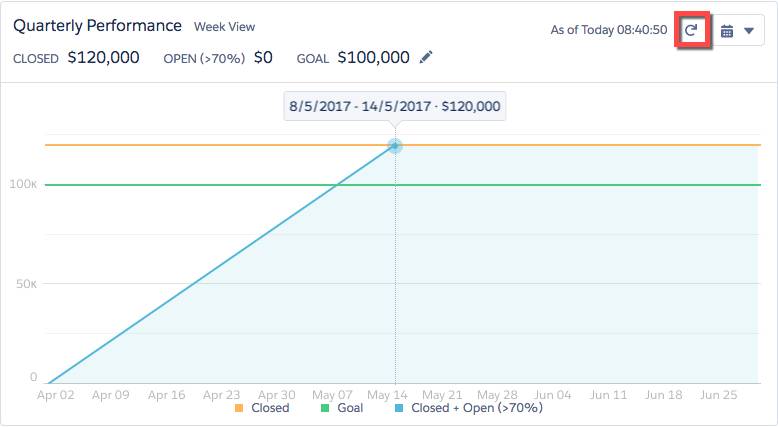
You crushed your number! Way to go, sales shark!
Summary
Congratulations! In just a few minutes, you got hands-on practice and learned how Lightning Experience can help you close more business. For your next step, check out:
Good luck, sales shark!