Help a Guest Out of a Soggy Situation
Learning Objectives
After completing this unit, you’ll be able to use an employee agent to:
- View guest reservations.
- Upgrade a guest to a new room.
Resolve a Soggy Situation
The guests are awake and moving around the resort. They happily discover coffee and pastry stations and have been given newspapers, books, and magazines to help them detox from their devices. There’s an exquisite brunch buffet showcasing the island’s bounty, and experience guides are holding signs pointing the way to shuttles for various scheduled activities post breakfast. You circulate through the guests, greeting them and asking them about their plans for the day, letting them know you and the rest of the staff are happy they’re here and that you’re ready to assist them in any way you can.

As the guests disperse toward the beach, restaurants, and the experiences they’ve booked, you’re finally able to sit down for a bite to eat. But your relaxation is cut short. Ruth, the head of housekeeping, calls down to the front desk to report that Ms. Lucy Todd returned to her room after breakfast to find a soaking wet floor and water dripping from the ceiling in the bathroom. You’re needed upstairs right away.

You dash upstairs. In the entrance to Ms. Todd's room water squishes with every step you take on the carpeted floor. And off to the left, you see the water Ruth described dripping from the ceiling near the bathtub. Ruth calls out to you from the middle of the bathroom. “Hi! Lucy Todd just came back from breakfast to find this water running into her room. Maintenance said the guest in the room above fell asleep while he was filling up his bathtub, and it overflowed. Ms. Todd needs a new room immediately. Can you please find another room for her for the remainder of her stay? An upgrade would be nice if it’s possible.”
Upgrade Ms. Todd to a New Room
You need to move Ms. Todd out of the soggy room and find an upgraded room for her that’s available during the remaining 4 days of her stay. You head to your computer to see if the fanciest room at the resort, the Presidential Suite, is available.
- Make sure you’re in the Coral Cloud Resort app.

- Refresh your browser to ensure your agents are active, then click
 to open the Employee Agent panel.
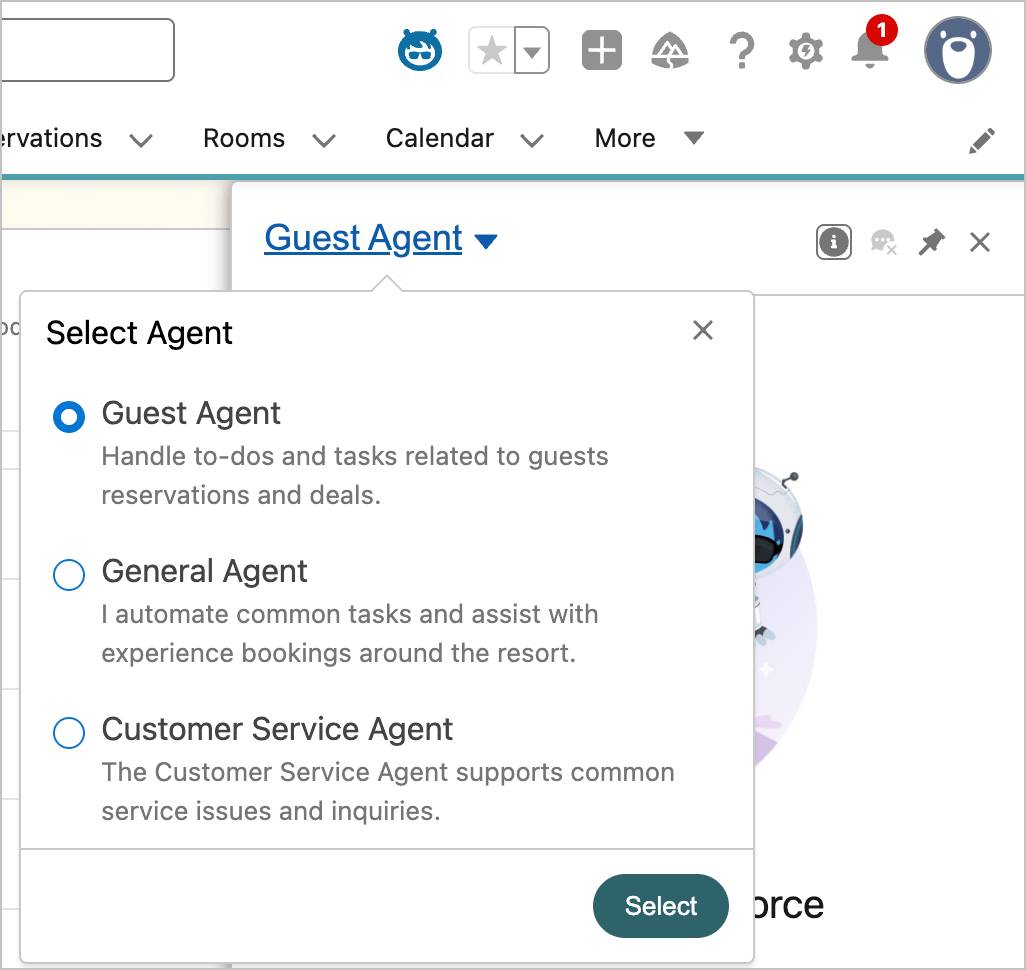
- Click the arrow next to the agent name to expand the Select Agent menu. The Select Agent menu shows the Coral Cloud Employee Agents that you have access to.
- The Guest Agent should already be selected, but if it’s not, select Guest Agent, then click Select. (You may see the agent name pulse and a loading icon spin as it becomes active. If this continues, refresh your browser window. If you see an error above the agent chat window that says “Something went wrong, refresh and try again.” check to see if Einstein is toggled On.) Note: You may need to clear instruction text from the Agent chat window. If you see a message starting with “You’re about to use Agentforce…”, scroll to the bottom and click Got It.
- In the Agentforce panel (conversation window), copy and paste
Show me Lucy Todd’s reservation.Then hit return (Mac) or enter (PC) on your keyboard.
- The agent provides details of Lucy Todd’s reservation. Note: If you see an error message, make sure that the Guest Agent is selected in the Select Agent menu.
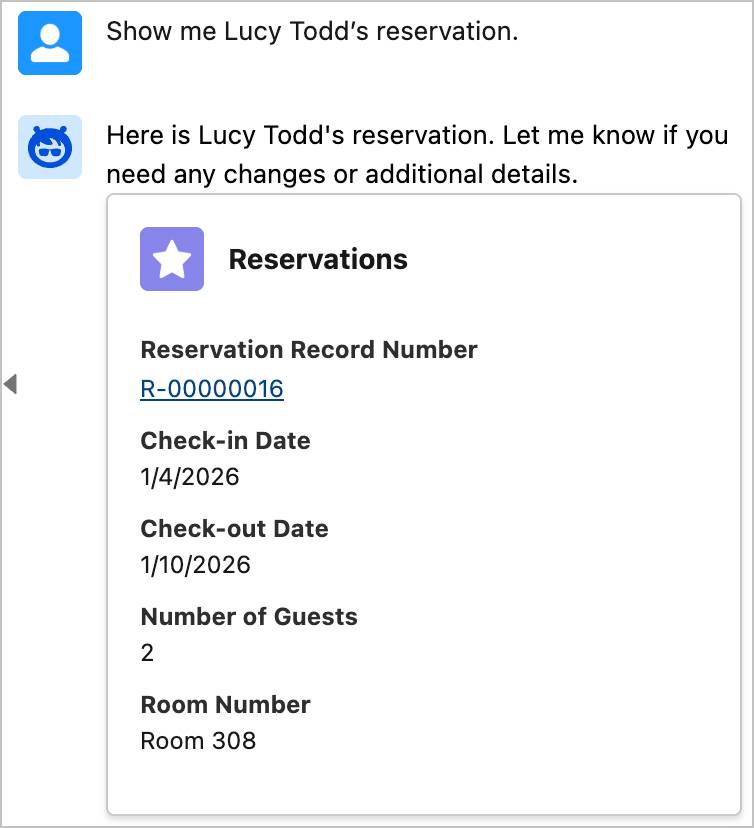
- Click her Reservation Record Number, R-00000016, to view it on her Reservation Details page.
- In the Agentforce panel, copy and paste:
Is the Presidential Suite available for the next 4 nights?
- The agent tells you it is available and provides details of the room. It asks if you would like to book the room.

- In the Agentforce panel, copy and paste:
Please move Lucy Todd from her current room to the Presidential Suite.
- The agent tells you Lucy Todd has been successfully moved to the Presidential suite.

- You want to look at her reservation to double-check the update. Close the Guest Agent panel and click the Reservations tab. Then, in the Recently Viewed list view, click the Reservation Record Number, R-00000016, for Lucy Todd. This refreshes her reservation and shows you the Room Type change to the Presidential Suite.

Generate a Confirmation Email
Now that you’ve successfully placed Lucy Todd in the Presidential Suite, it’s time to send her a confirmation email reflecting this change. You ask the agent to generate an email that you can send to Ms. Todd.
- Click
 if the Employee Agent panel is not still open, and make sure the Guest Agent is still selected.
- In the Agentforce panel, copy and paste:
Please generate an email letting Lucy know that her reservation has been upgraded to the Presidential Suite. Include the dates of her reservation in the email.
- The agent generates the email. (It might take a minute for the email to populate.)

- You review the email and see that it contains the details of Lucy’s reservation change. You won’t actually send the email in this module because you’re in a test environment. If you do try to send the email, you may receive an error. This error won’t prevent you from passing the Hands On Challenge.
Wrap Up
Ms. Todd is relieved to switch to a different room, and follows a staff member who has arrived to help her pack and move her luggage to her new suite. You apologize for the inconvenience and say goodbye. Phew, one fire drill contained! Click Check Challenge to Earn 500 points.
Now it’s time to set out and see what else is happening around the resort.