Develop Key Messaging
Learning Objectives
After completing this unit, you’ll be able to:
- Develop key messaging, including use cases for custom messaging.
- Identify techniques to optimize key messaging.
Draft a key messaging document to accompany the recommendations in your communications plan.
Key Messaging for Slack
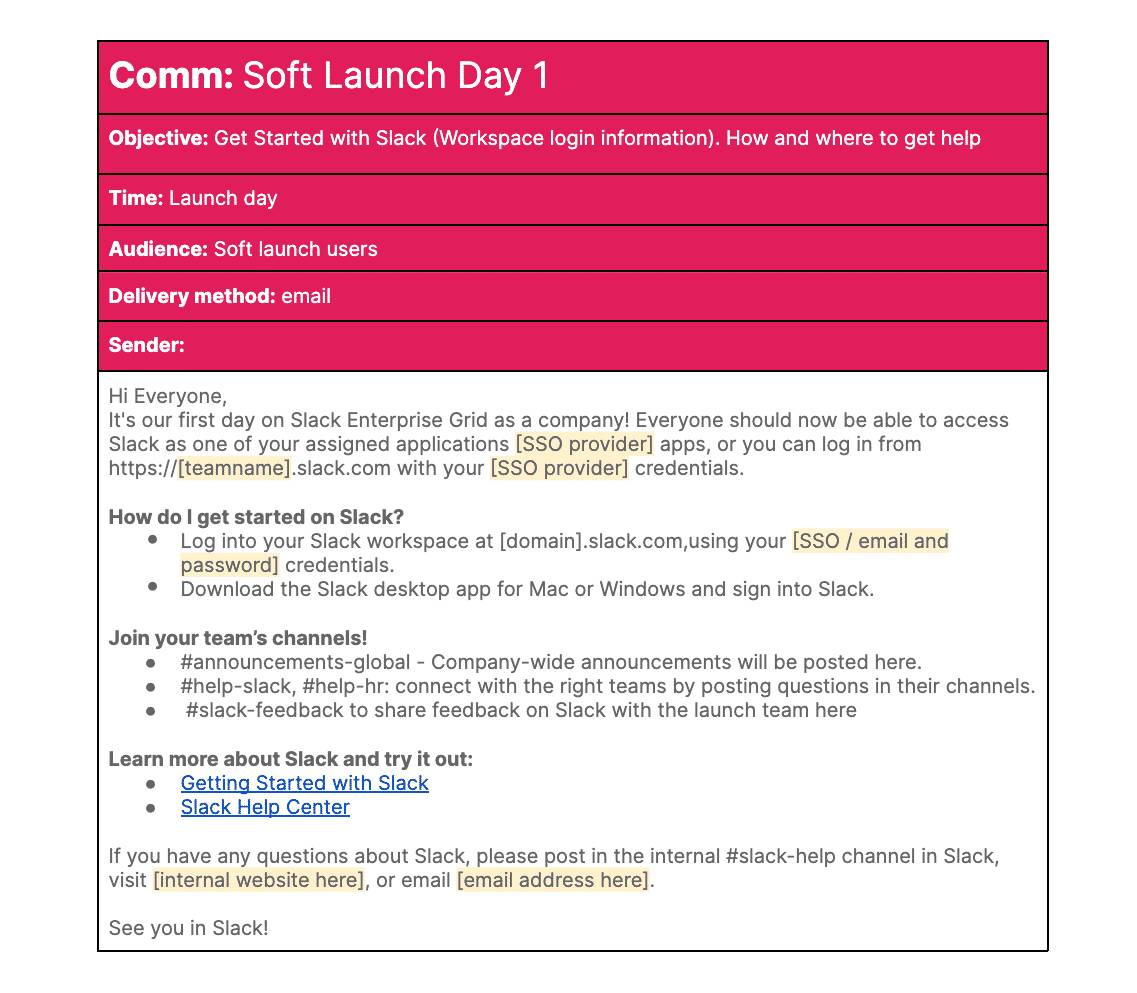
Once the communication plan recommendation is complete, you’re ready to draft the specific messaging for each communication you’re recommending the client to send. Ensure your messaging includes the following elements.
-
Event name: This corresponds to the line in your communications plan.
-
Objective: While drafting messaging, it’s important to consider how the objective of your communication should impact the information, tone, and content of your recommended message templates. Key messaging with the objective of informing can take a different tone or approach than an objective of building excitement or employee sentiment.
-
Time: This corresponds to the cadence and timing in your communications plan.
-
Audience: When designing your communications plan, it’s important to optimize your messaging recommendations for each target audience identified. Information needed for one audience might not be necessary or relevant for another. Effective messaging takes the information needs and experience of the intended audience into consideration and tailors the messaging for that audience.
-
Delivery method: Key messaging style and format varies depending on the medium in which the message is delivered. Messaging medium recommendations should consider the various ways in which key messages are socialized with your customer and its employees. For example, if you confirm that change management messaging is typically disseminated in Slack and in email, consider accounting for that in your recommendation to help increase your reach and the impact of your communication message and objectives.
-
Sender(s): This corresponds to the sender(s) in your communications plan.
-
Key message template: This is the actual message content. Repurpose these message templates for different clients and projects.

Use Cases
Many clients have similar communication and change management objectives, often leading to consistent communication and messaging recommendations from client to client. Of course, simple customizations help tailor Slack to each clients’ needs. However, there’s also the opportunity to customize specific key messages for the different audiences within a single client.
Slack Maturity
If your client’s users have different levels of Slack maturity, experience, and use cases, it can be a good idea to provide your client with a communications plan and key messaging document that accounts for these varying levels of experience and understanding.
Change Management
Some projects have users, teams, and workspaces that have a larger impact on their current processes than others. It’s important to identify target audiences that need additional change management communication and account for custom key messaging.
Operational Function of Slack
Some of your clients use Slack to unify their work under one tool, while others continue to operate in a more hybrid manner, using a combination of Slack and other tools. Depending on your discovery work, take these differences into account and consider custom key messaging to address the different ways users use Slack.