See AI Summary in Action
Learning Objectives
After completing this unit, you’ll be able to:
- Generate and review the prompt template using the AI Summary component.
- Use Agentforce to prompt for deeper insights.
AI Meets the Sales Floor
From the moment a prospect shows interest to closing the deal, it’s a long and dynamic process for your sellers. They often manage multiple customers and accounts at once, and no two days ever look the same. One day, they’re deep in negotiations. The next, they’re crafting personalized offers or jumping from one meeting to another, all while working to keep deals moving forward in the pipeline.
Across the board, what helps them stay productive and efficient is easy access to the right information at the right time, insights that are contextual and actionable. It’s exactly what they mentioned in your discovery meeting.
Let’s now look at how a seller uses AI Summary to access helpful information so they can be prepared for their meetings.
Enable Agentforce
- From Setup, in the Quick Find Box, search for and select Agentforce Agents.
- Enable Agentforce Agents and wait for a few seconds until it gets turned on.
- Refresh the screen.
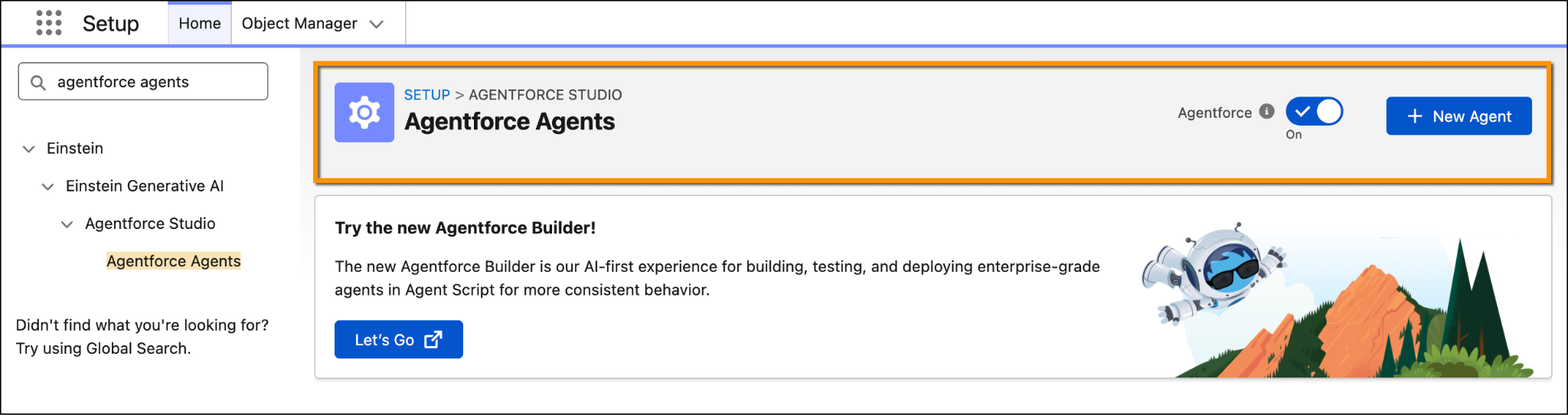
The AI Summary component is live on the Account page, and Agentforce is ready to go. Now it’s time for your sellers to try it out!
Ready, Set, Summarize!
- From
 , search for and select Accounts.
- Click the InfinitraBytes account.
- In the AI Summary section, click the Account Pulse Report prompt template. If it’s not showing up, click More and choose the template. If this is your first time using the feature, a pop-up explaining generative AI will appear. Click Got it, and then wait a few seconds for the report to generate.
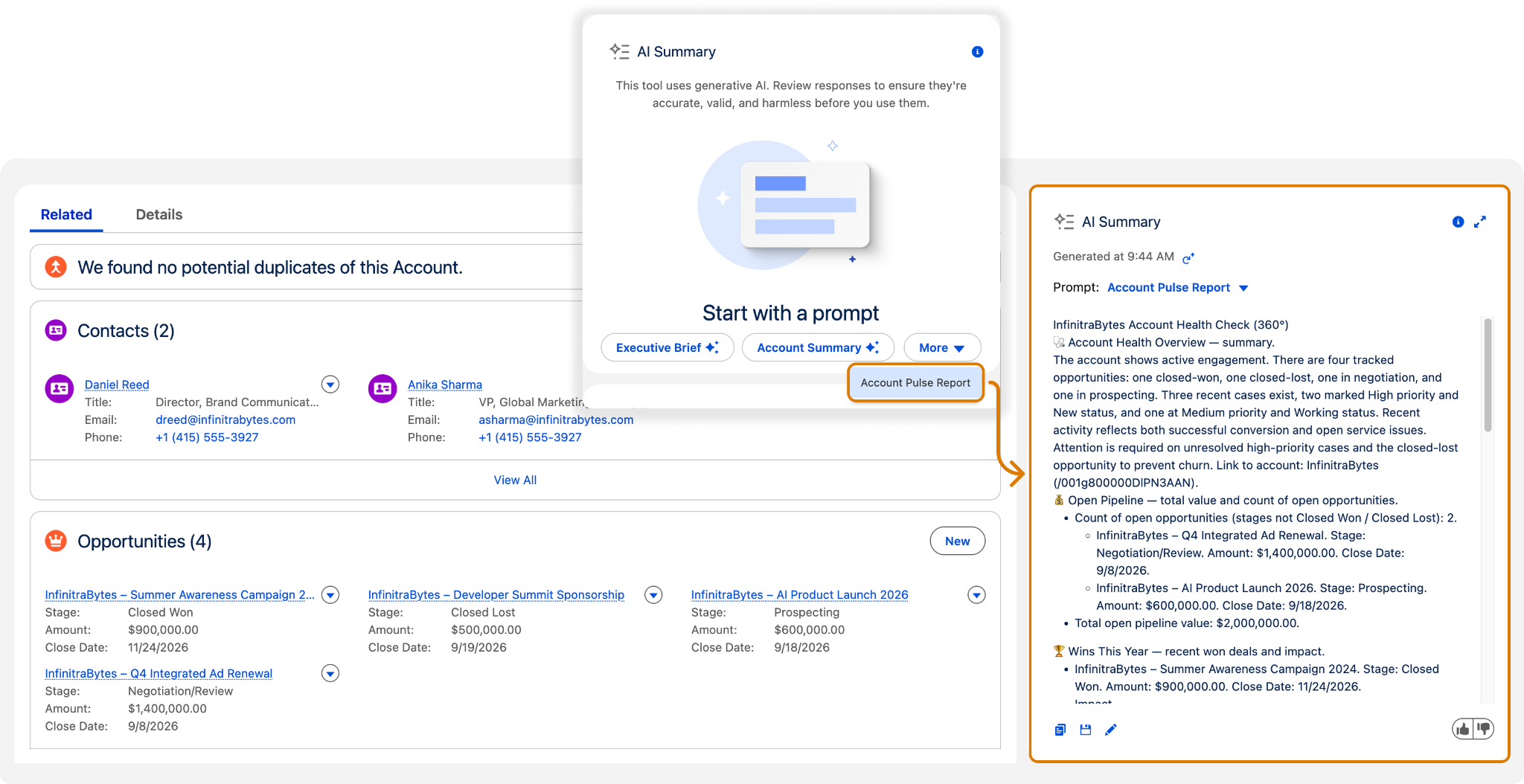
With a single click, sellers can generate a comprehensive health check report that gives them a clear view of what’s happening with the account. It’s a reliable feature that cuts down on research time and brings together everything they need before meeting a customer. This includes drafting a proposal, and proactively addressing risks to keep deals on track.
The AI Summary component gives you a few options after it generates a response:
- Click
 to copy the response so you can paste it wherever you need.
- Click
 to save the response to the field you selected when creating the prompt template.
- Click
 to edit the response before saving it to the field.
Customize the Home Page with AI Summary
You can set up the AI Summary component to display dynamic, AI-generated summaries right on your team’s home page in Salesforce. Instead of going into each record to search for key info, you can provide a quick snapshot of what matters on the landing page. You do this by creating prompt templates in Prompt Builder, grabbing relevant context (for example, a Start My Day prompt that gives you a visualization of the top priorities of the day), and then layering that into the home-page component.
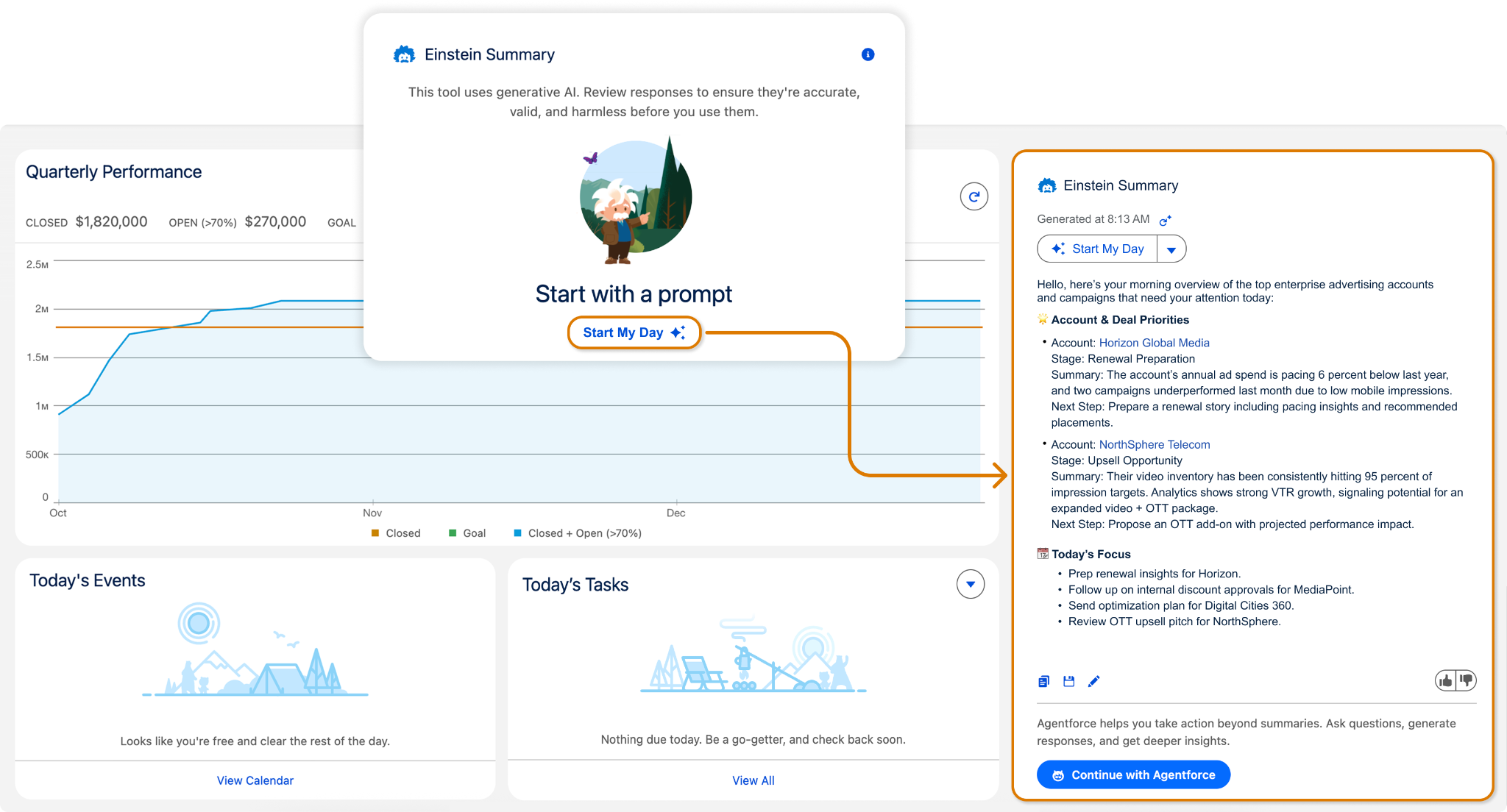
Once set up, your team lands on a home page that has relevant and valuable information. It may show high-priority content awaiting review, top risks detected in content ops, or a summary of new subscriber trends, based on the context you define. And because it uses user summary prompts, the summary can adjust depending on who’s logged in or what key records are relevant.
Wrap Up
In no time, your sellers are up and running with the latest and most relevant information, all with a single click. The prompting capability in the Agentforce chat window helps them uncover precise, in-depth insights without having to scrub through endless notes or email chains. Whether they’re preparing for demos, crafting proposal plans, or answering customer questions, your sellers can now prompt directly on each account to surface the key information they need, right when they need it.
Enabling AI Summary for the sales team has delivered incredible results. And for you, as an admin, it’s a huge win: just two quick setup steps leading to measurable impact and happier, more productive sellers.