Create Grid Design Options
Learning Objectives
After completing this unit, you’ll be able to:
- Create a few grid design options that meet your client’s needs.
- Articulate benefits and considerations of your recommended grid design to your client.
- Connect grid design options back to your client’s business objectives and pain points.
Service Engagement Example
Your client, a large tech company, has just acquired a smaller company in the industry. In this unit, you explore how to approach designing a few grid options for this fictional merged company.
Step 1: Prepare
First, you gather your client’s overall vision and any other information you need for discovery. Then, you use it to create a point of view in the form of two or three grid design options that can solve their needs.
Here are some of the key details you collect during discovery.
Discovery Finding |
Grid Design Recommendation |
|---|---|
Both companies have their own business units. With the acquisition, several business units will be combined, such as finance and marketing. |
Business units, like finance, from both companies need to be in the same workspace to reflect how the business will be structured post-acquisition. |
The larger company uses Slack but still heavily relies on email, especially for communications with vendors and other outside parties. The smaller acquired company’s employees are much more comfortable with Slack and are more likely to choose Slack over email. |
A workspace dedicated to external collaboration with Slack Connect can help reduce emails with vendors and outside parties. Creating inclusive larger workspaces can help with searchability by building out the knowledge bank. |
Presently, the acquired company’s employees feel fragmented from the larger company’s employees. They want to be a part of its culture but don’t yet feel like there’s a lot of effort to fold them in. |
A single global workspace can help unify employees from both companies and boost collaboration through social and employee resource group channels. |
Both companies will keep email and Slack. However, they have different app approval and app management processes for using third-party tools in Slack. For the time being, this needs to stay the same. |
Two separate workspaces within the same grid can give both groups the ability to customize policies and settings based on their needs and to streamline processes such as app management. |
|
As a part of their vision, the merged company wants to:
|
A single global workspace can help unify employees from both companies, and a social workspace can help create connections and build culture across both companies. Frequently used apps should be preapproved and installed at the org level so they’re accessible to all employees. |
Step 2: Design
Based on the vision and discovery information you gathered, you create three grid design options for them to consider.
Option 1: Centralized Design with One Workspace
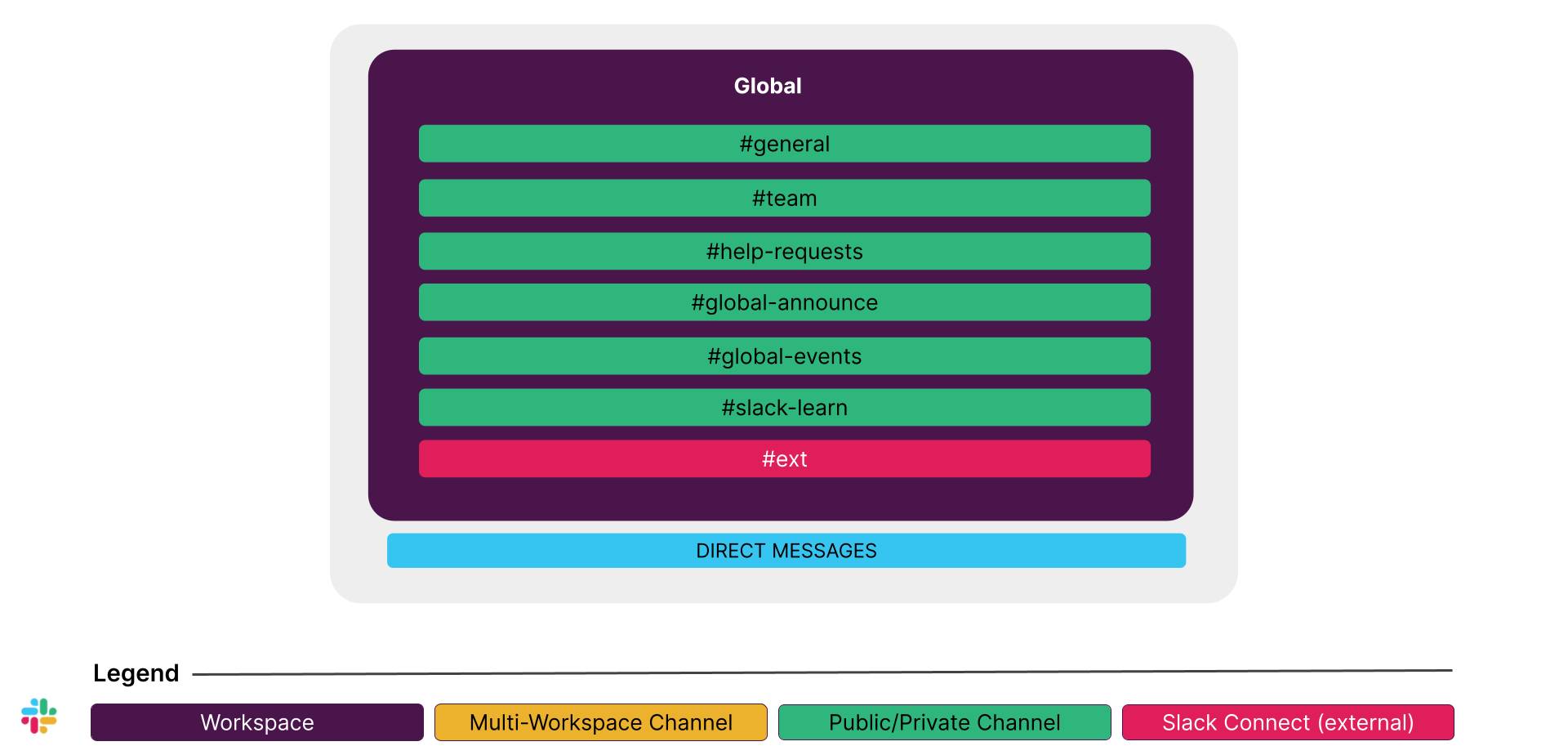
This option provides one space for all employees to collaborate and communicate seamlessly. Although this grid design brings all employees together, it does not take into account the different processes, policies, and settings the two groups require. For example, they need to maintain different app-approval and app-management processes for using third-party tools in Slack.
Benefits |
Considerations |
|---|---|
|
|
Option 2: Distributed Design with Two Workspaces
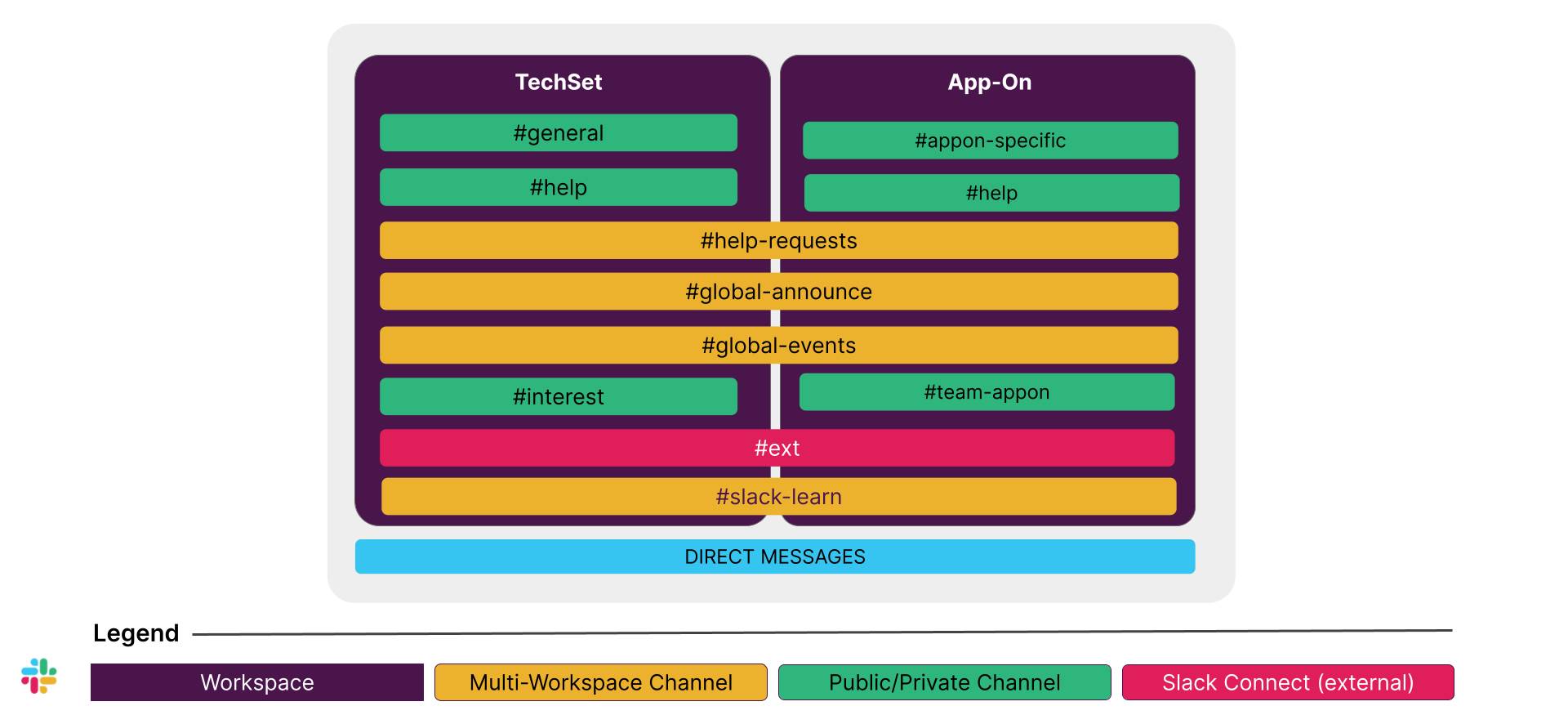
This option is slightly more complex but still gives the two companies the opportunity to collaborate and communicate seamlessly through global or multi-workspace channels. This grid design takes into account the different processes, policies, and settings the two groups require, such as maintaining different app approval and app management processes for using third-party tools in Slack.
Benefits |
Considerations |
|---|---|
|
|
Option 3: Distributed Design with Three+ Workspaces
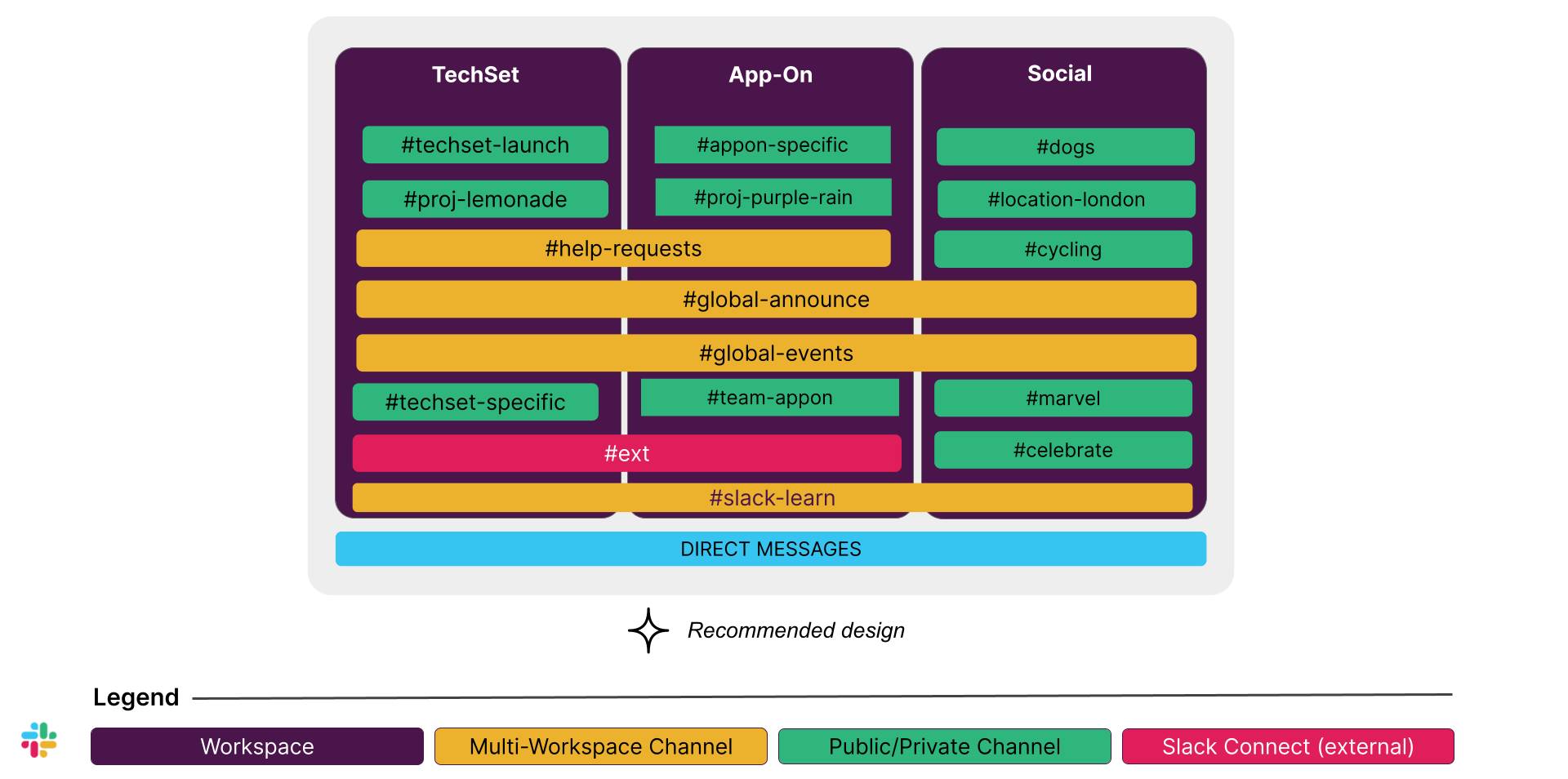
Option 3 is slightly more complex, but it provides the merged companies more opportunities to collaborate and communicate seamlessly. This grid design takes into account the different processes, policies, and settings the two groups require and creates a place for all employees to connect and build culture. This grid design is clear and has an easy-to-follow structure. This fosters adoption by using org-wide channels for companywide announcements and to promote collaboration.
Benefits |
Considerations |
|---|---|
|
|
Recommendation
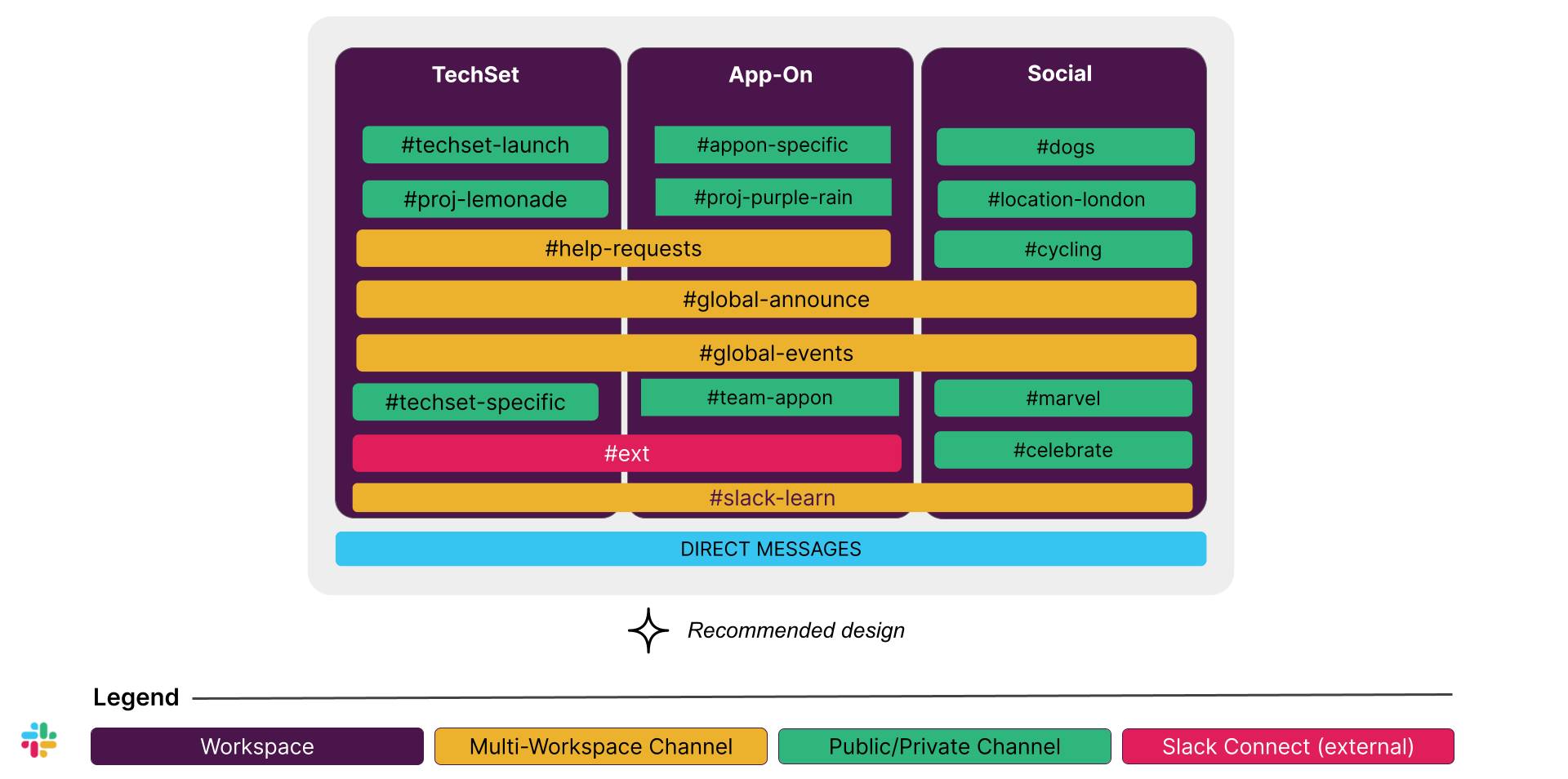
Since option 3 meets the most needs that you identified during the discovery process–including improving connectivity among employees and maintaining the desired administrative model for both companies–option 3 is your recommended design for the merged company. The Social workspace fits in with the company’s vision of building employee engagement and social connections across the two organizations. Meanwhile, keeping the two companies in their own workspaces allows them to work within their unique admin processes and prevents them from merging before they’re ready.
Step 3: Align
With a clearly defined grid design recommendation in hand, you’re ready to schedule a grid design workshop with the client to present grid design best practices and your grid design options and recommendations. In the meeting, you:
- Present grid design options that meet the client’s needs.
- Articulate the benefits and considerations of the recommended grid design options.
- Connect your grid design options back to the client’s business objectives and pain points.
Ready to Learn More?
Check out the An introduction to Slack Enterprise Grid for more about designing Slack grids. And learn how to run a successful grid design workshop with the Validating Slack Enterprise Grid Designs with the Client badge.