Get to Know Setup with Agentforce
Learning Objectives
After completing this unit, you’ll be able to:
- Describe how Agentforce can supercharge admin productivity in Setup.
- Explain the key capabilities and benefits of Setup with Agentforce.
Introducing Setup with Agentforce
Admins are asked to do more than ever: configure new features, create customizations, and maintain their org’s security. And often, making changes requires multiple clicks across many pages, which can be overwhelming.
Setup with Agentforce is here to help. Setup with Agentforce lets Salesforce admins collaborate with an AI agent to complete tasks, get information, and troubleshoot issues directly in Setup. This agent-driven experience increases admin productivity by simplifying tasks and reducing repetitive work. This means you can complete key Setup tasks and follow Salesforce best practices just by having a conversation with the agent.
Check out this video to see Setup with Agentforce in action.
Turn On Setup with Agentforce
After you complete a few prerequisites, enabling Setup with Agentforce is simple.
- Complete Data 360 setup steps. For full details, see Salesforce Help.
- Check that you and all admins who will use Setup with Agentforce have the required permissions and access to Data 360 components. For full details, see Salesforce Help.
- If you haven’t already, enable generative AI in your org and then enable Agentforce.
- In Setup, search for and select Setup with Agentforce.
- Turn on Setup with Agentforce.
- Refresh your browser.

That’s it! You’re ready to get started.
Use Setup with Agentforce
To use Setup with Agentforce, simply chat with the agent using natural language. The agent will then bring the Setup tools and info directly to you, reducing the effort and clicks needed to do your job.
Here’s how it works. On Setup Home or after clicking the Ask Setup Agent button on any Setup page, type your question or task. For example, “Does Jose Martinez have access to accounts?” Or, start with one of the conversation recommendations.
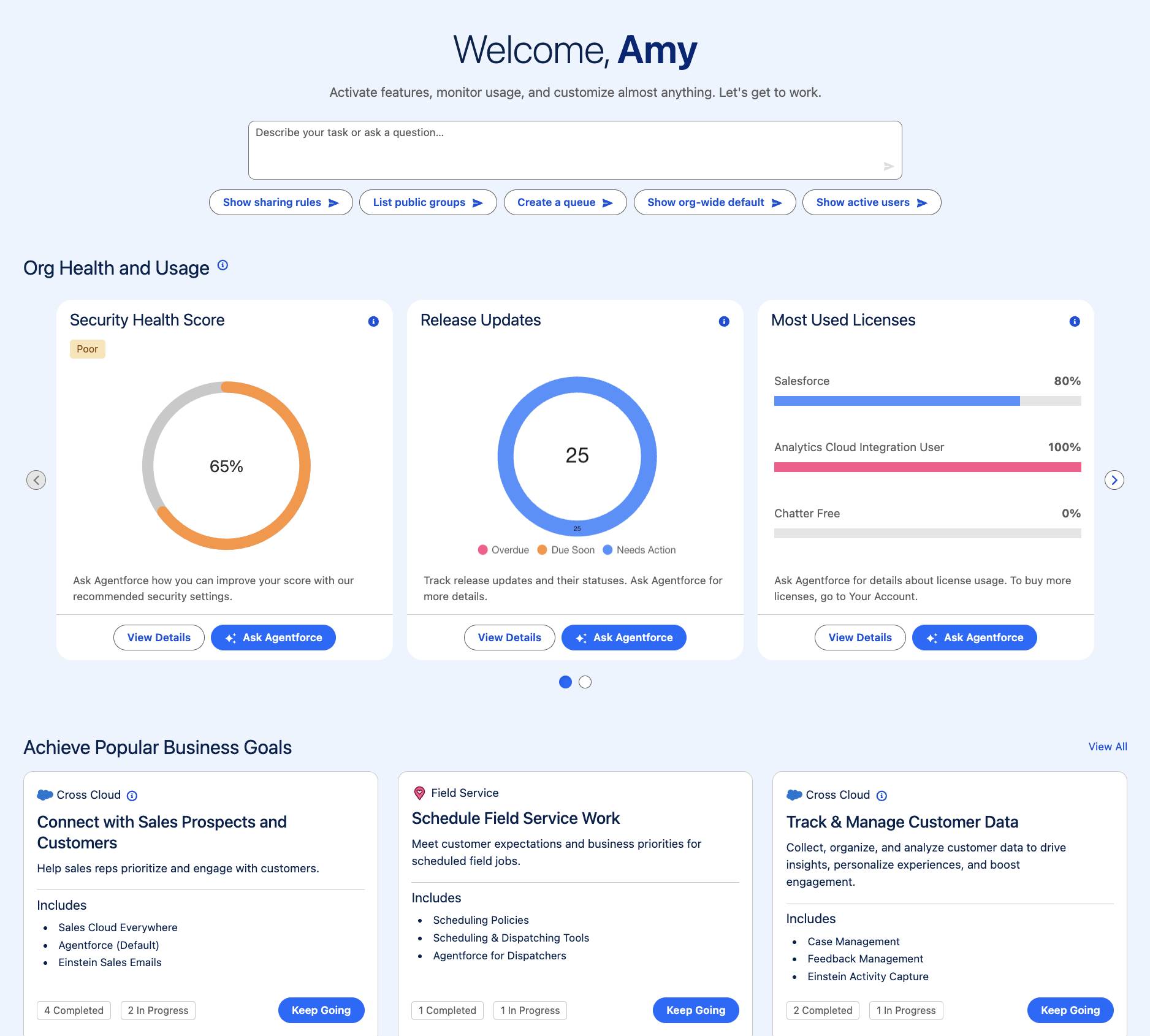
To answer your question, the agent provides a list view with Jose Martinez’s object permissions. Depending on what you ask the agent, you can also see records, documentation, and other components that you can expand to dive deeper. If you create or edit something in your org, you can visualize your changes directly in the flow of work. The agent can also recommend next steps or take you to relevant Setup pages.

All done and ready for the next item on your to-do list? Start a new conversation from Setup Home or by clicking the Ask Setup Agent button on any page. To keep your chats organized, the new conversation opens in a new tab.

Get Help with Setup with Agentforce
Setup with Agentforce can assist you with many of the most frequently used Setup tasks. Here are just a few examples.
Task |
Example Requests |
|---|---|
Manage users |
|
Troubleshoot user access issues with objects, fields, and records |
|
Create and manage permission sets and permission set groups |
|
Create a custom object or field |
|
Create and manage flows |
|
Fix issues in formulas |
|
Explain a formula |
|
Get information about your org’s usage and licenses |
|
Create a custom report type |
|
Get information about a Salesforce feature or task |
|
Impressive, right? But it’s important to note that you always retain control over any modifications to your org. The agent seeks confirmation before taking action, and you can approve the changes or hit pause if you want to make any modifications. The agent also only helps with tasks for which you have the correct permissions. Finally, you can keep track of all changes made by the agent in the Setup Audit Trail.
Wrap Up
You learned how Setup with Agentforce can help speed up and facilitate your daily administrative tasks. If you’re interested in trying it out, you can enable the feature in your org today.